
Find out how to export sales indicators recurrently and send them by e-mail to the recipients of your choice.
Requirements:
- The search creator is the only person able to modify the sending setting.
- The exported statistics will take into account the filters recorded by the search creator.
- View on the ‘Management’ tab.
- Regardless of the sending frequency selected, the report will be sent at 8pm in order to record the day's sales.
Access to statistics export:
First of all, go to the ‘Management’ tab, where you'll find all the statistics about opportunities.
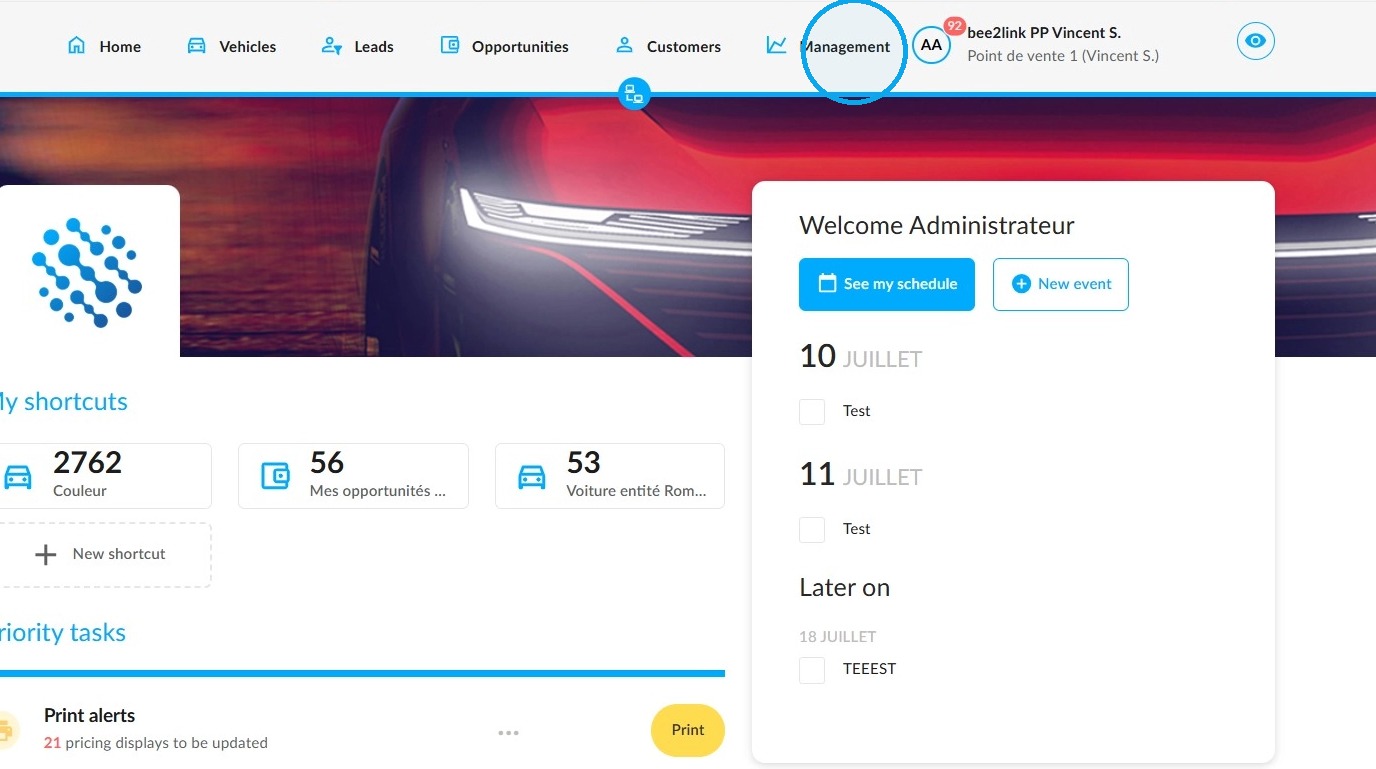
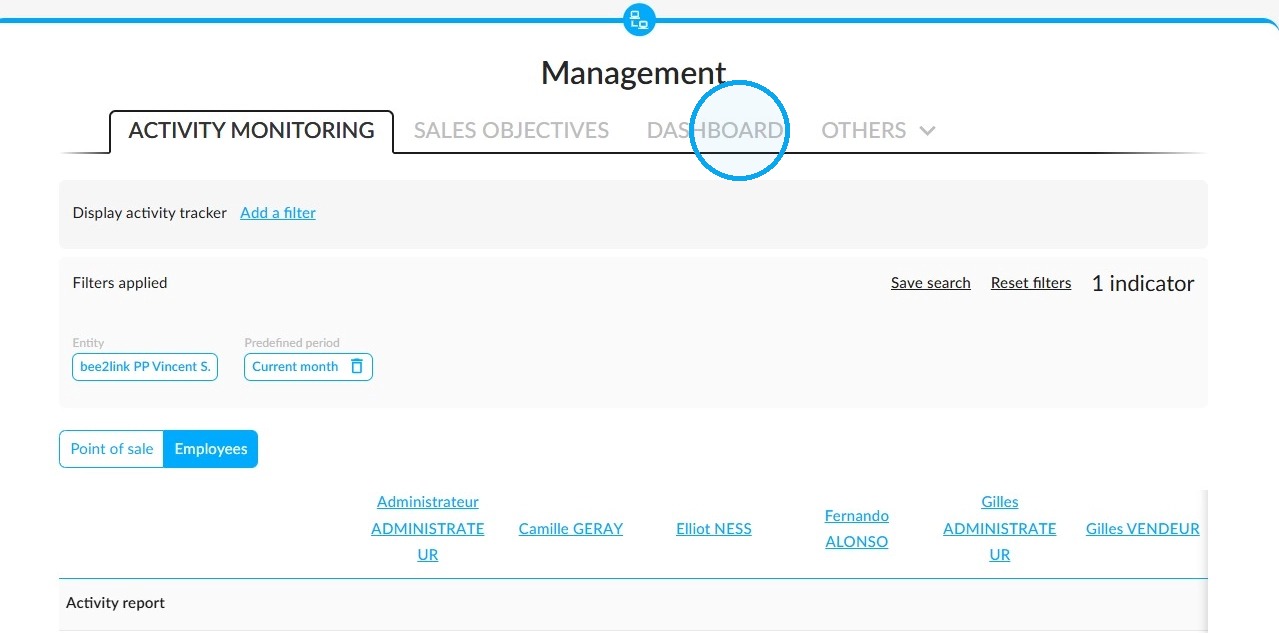
Click on the "Dashboard" tab.
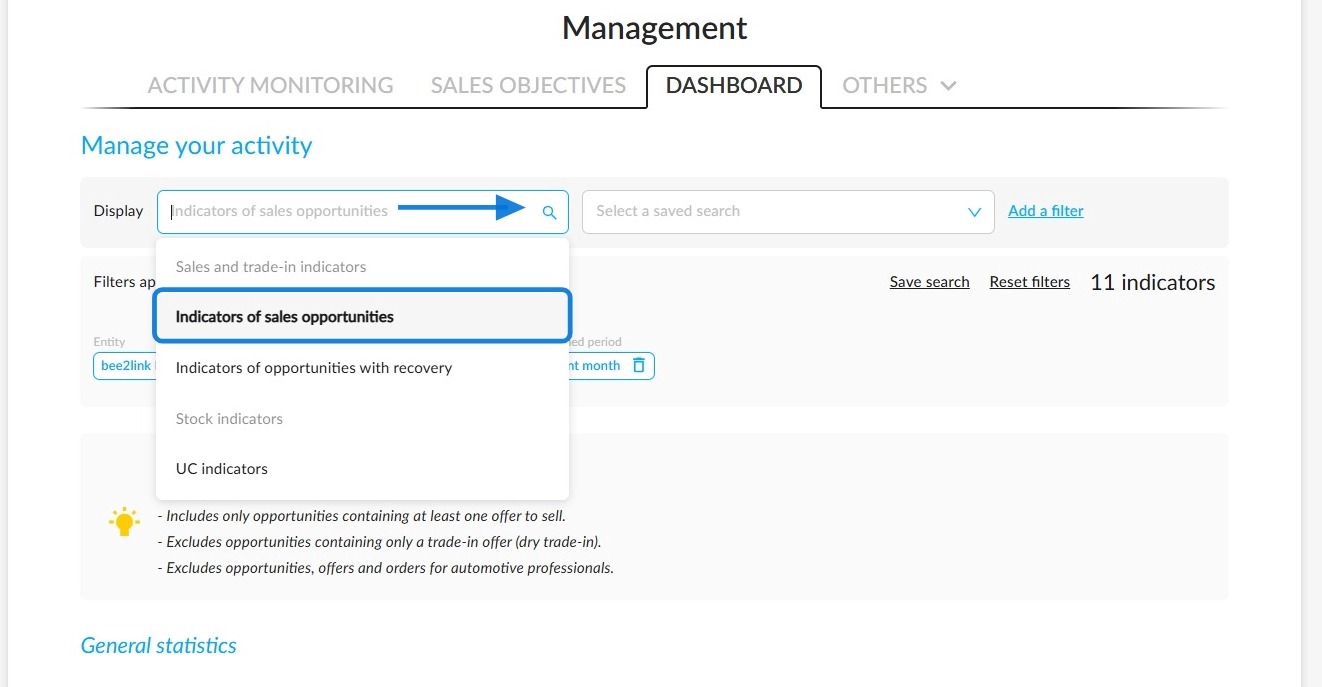
In the ‘Manage your activity’ section at the top of the page, use the ‘Display’ filter and select ‘Indicators of sales opportunities’.
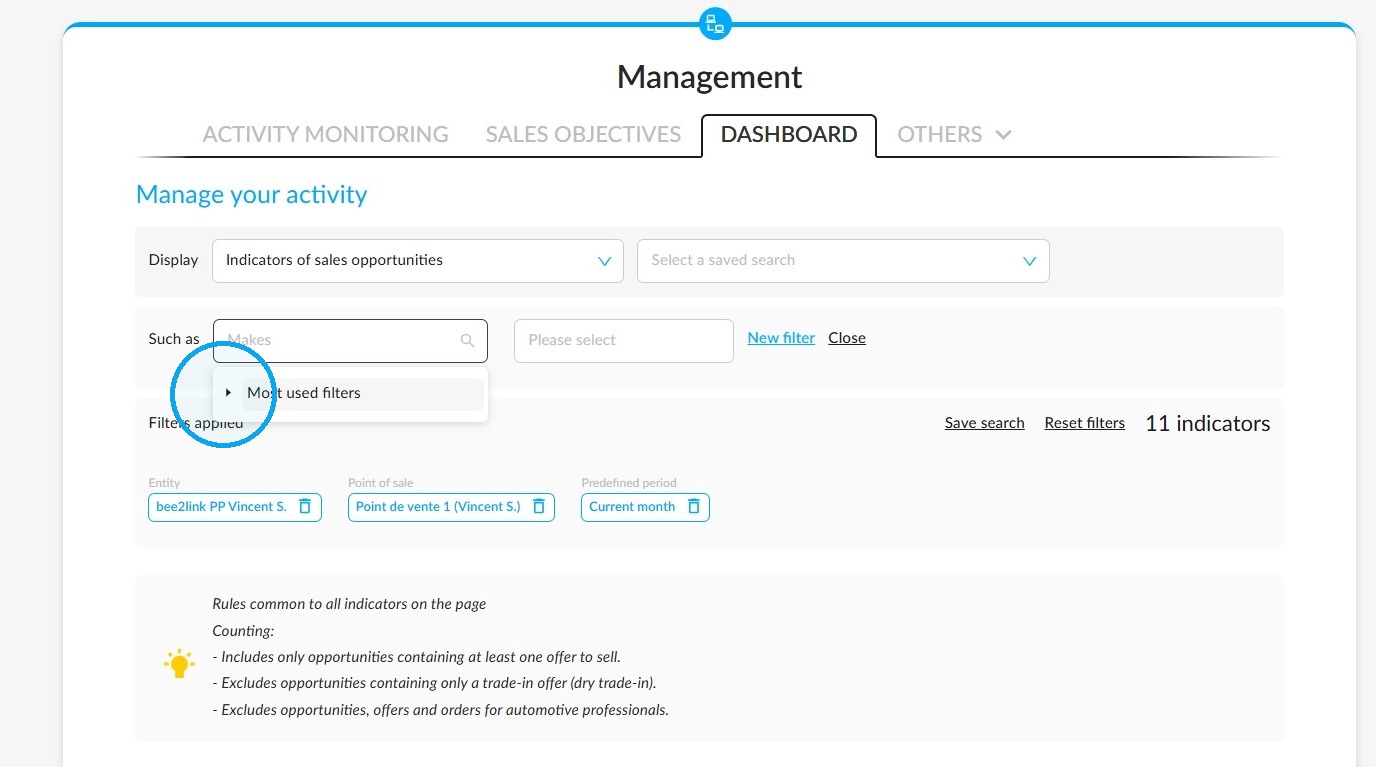
After clicking on the “Add a filter” button just next to the “ Display” field, a drop-down menu will appear. Within it, expand the options by pressing the little arrow on the left.
Scroll through all the sorting options in the drop-down menu.
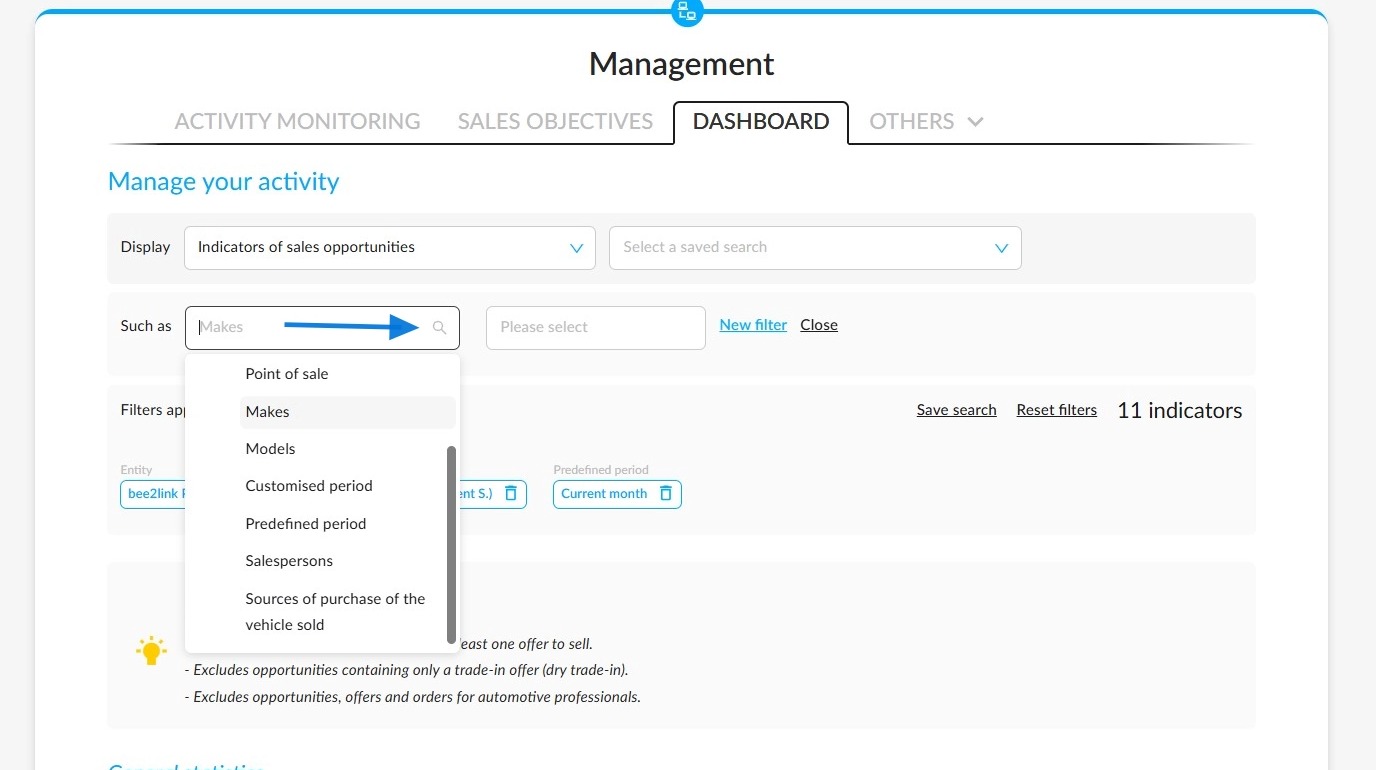
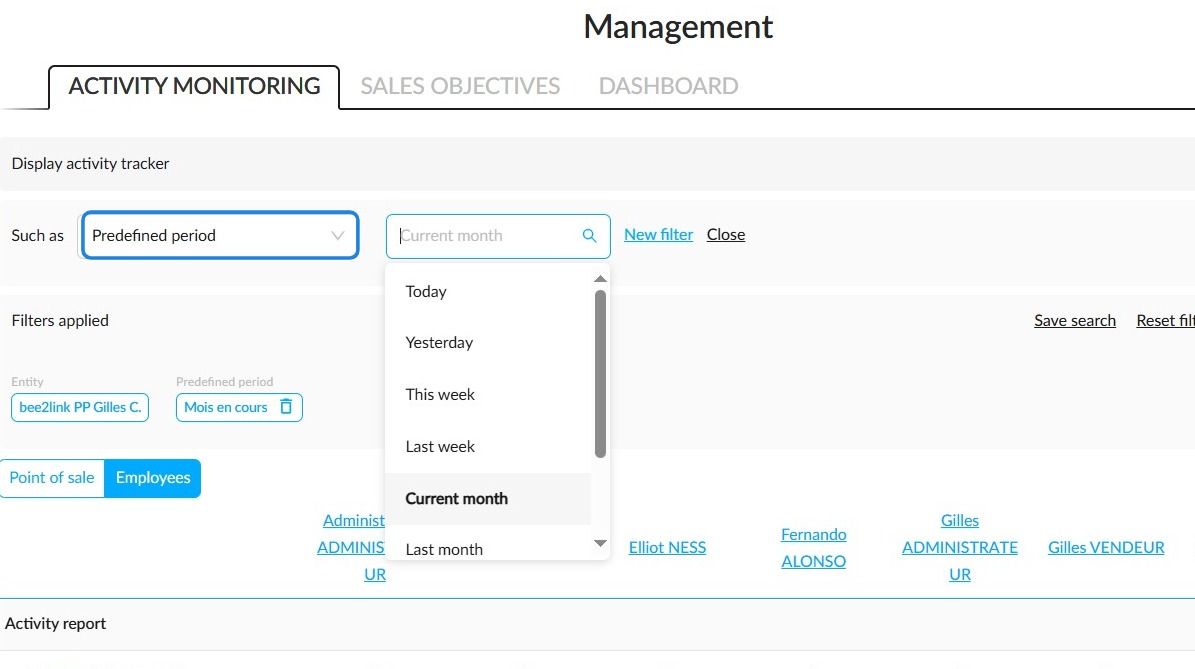
The predefined periods correspond to those provided in the opportunities. They include short-, medium- and long-term deadlines.
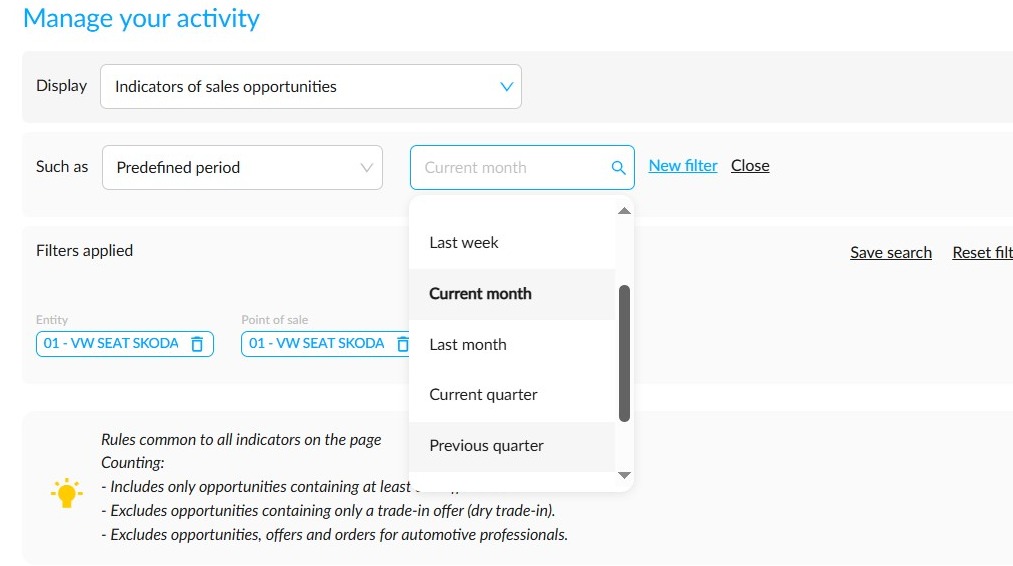
You can filter by quarter, choosing either the current or previous quarter.
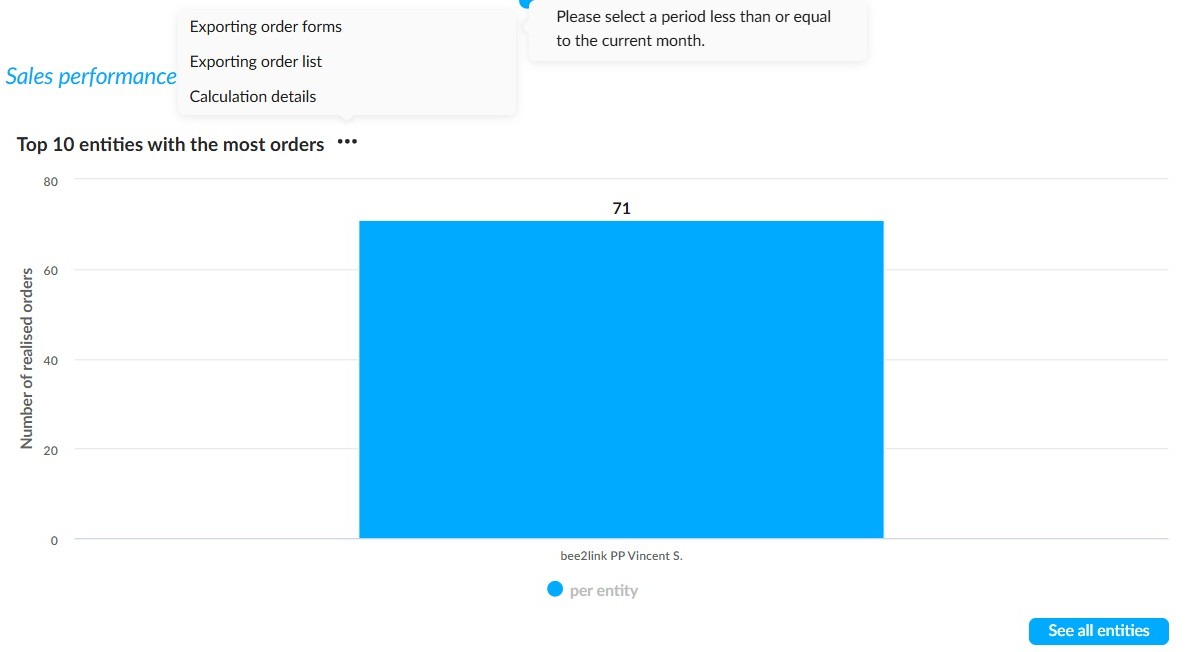
Further down the page, you can export the orders from the ten organisations that have placed the most orders. Next to the ‘Top 10 entities with the most orders’ heading, click on the three dots and then on ‘Exporting order list’.
However, you must filter by a predefined period within the current month in order to export orders forms.
Saving a statistical search:
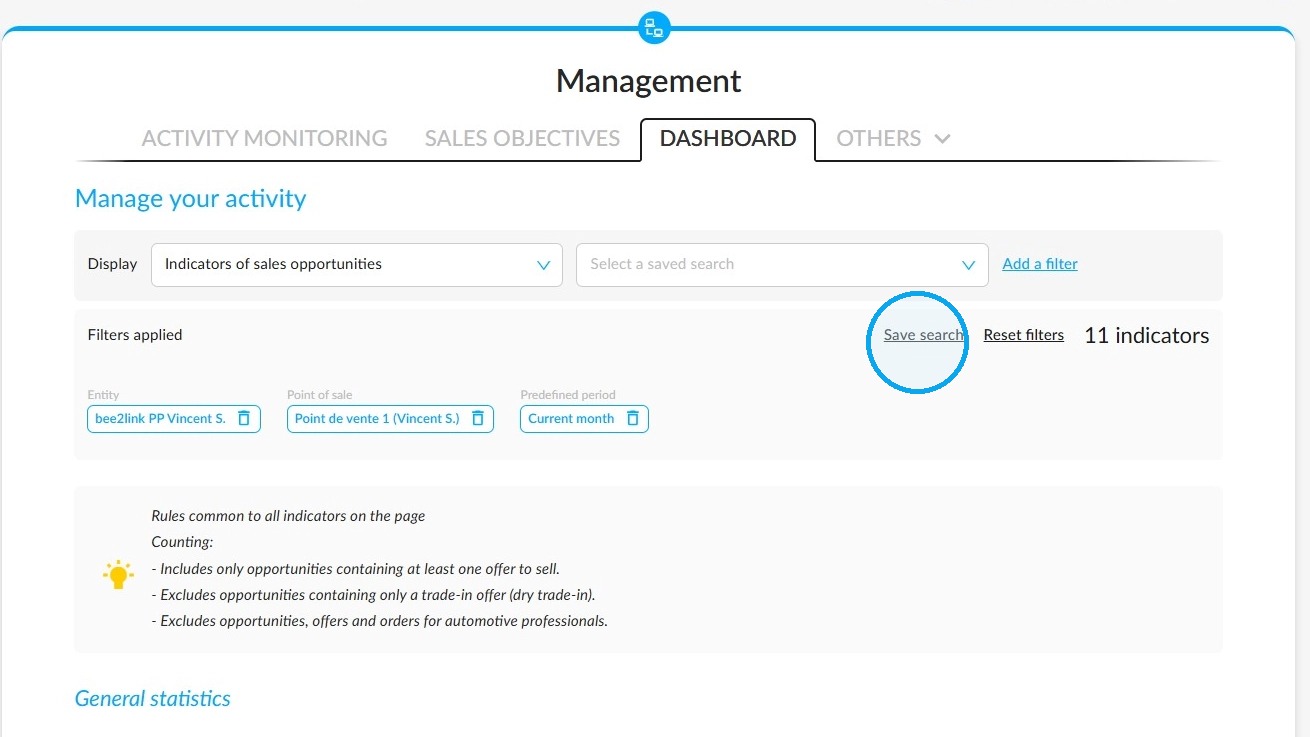
After applying all the filters to obtain maximum precision, save the search using the ‘Save search’ button located just below the filters on the right.
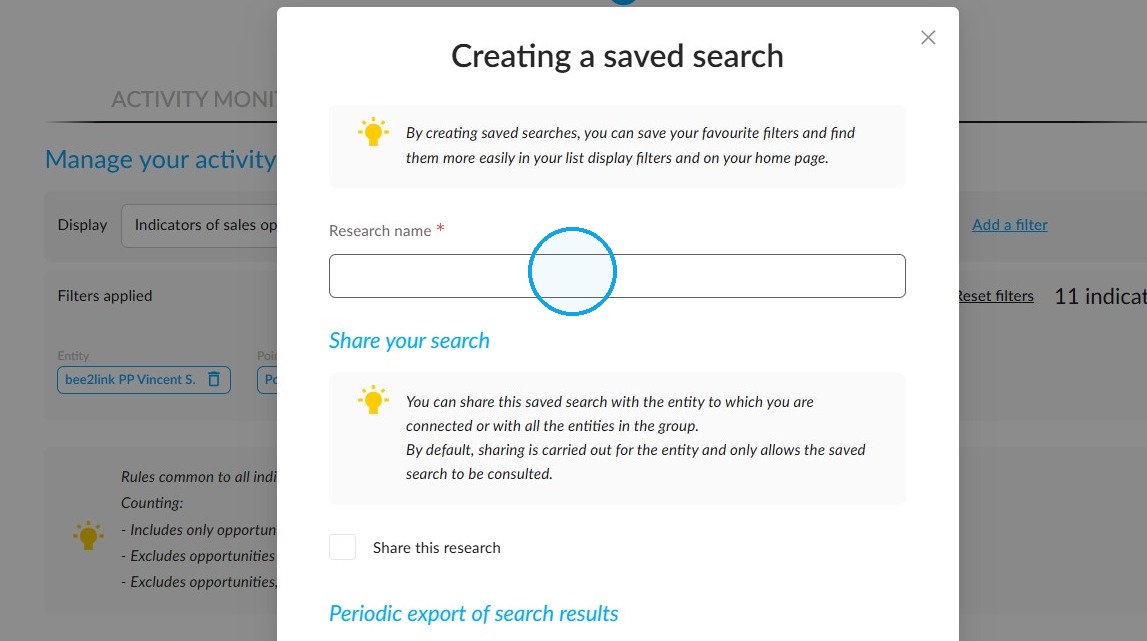
At the top of the ‘Creating a saved search’ window, fill in the mandatory ‘Search name’ field.
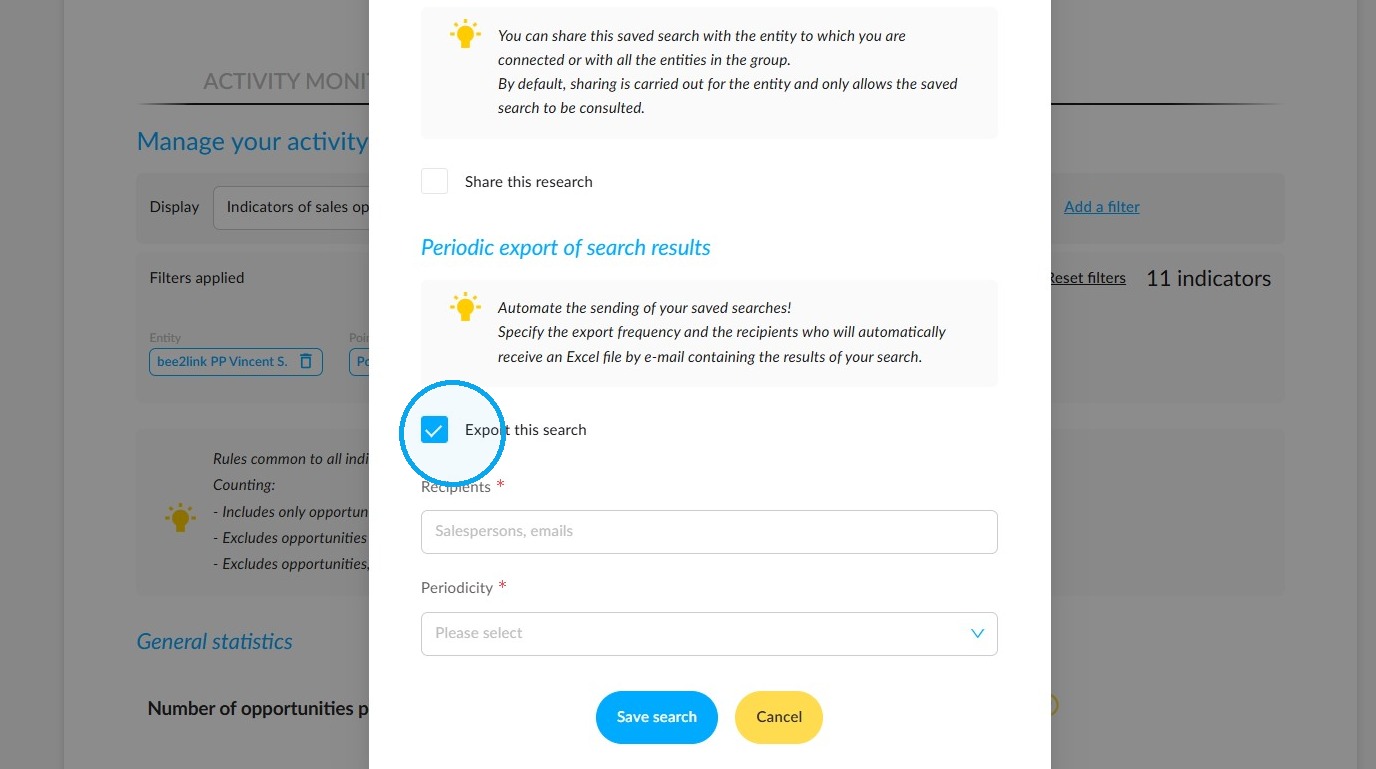
Tick the ‘Export this search’ box. The ‘Recipients’ and ‘Periodicity’ fields will then allow you to choose the recipients and the frequency with which this search will be transmitted automatically.
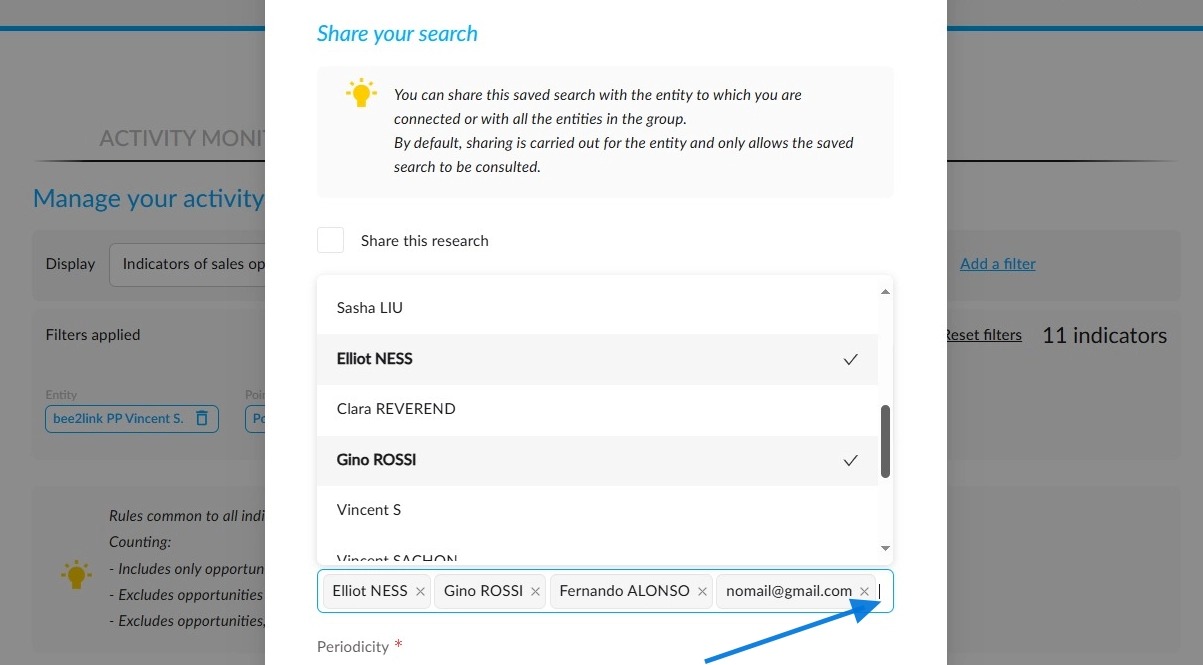
Recipients can be selected from users of the OpenFlex platform or people outside the platform. For externals, you will need to enter their e-mail address.
Next, set the frequency at which searches will be sent from among the following: ‘Every day’, ‘Once a week (Monday)’, ‘Once a month (1st day of the month)’.
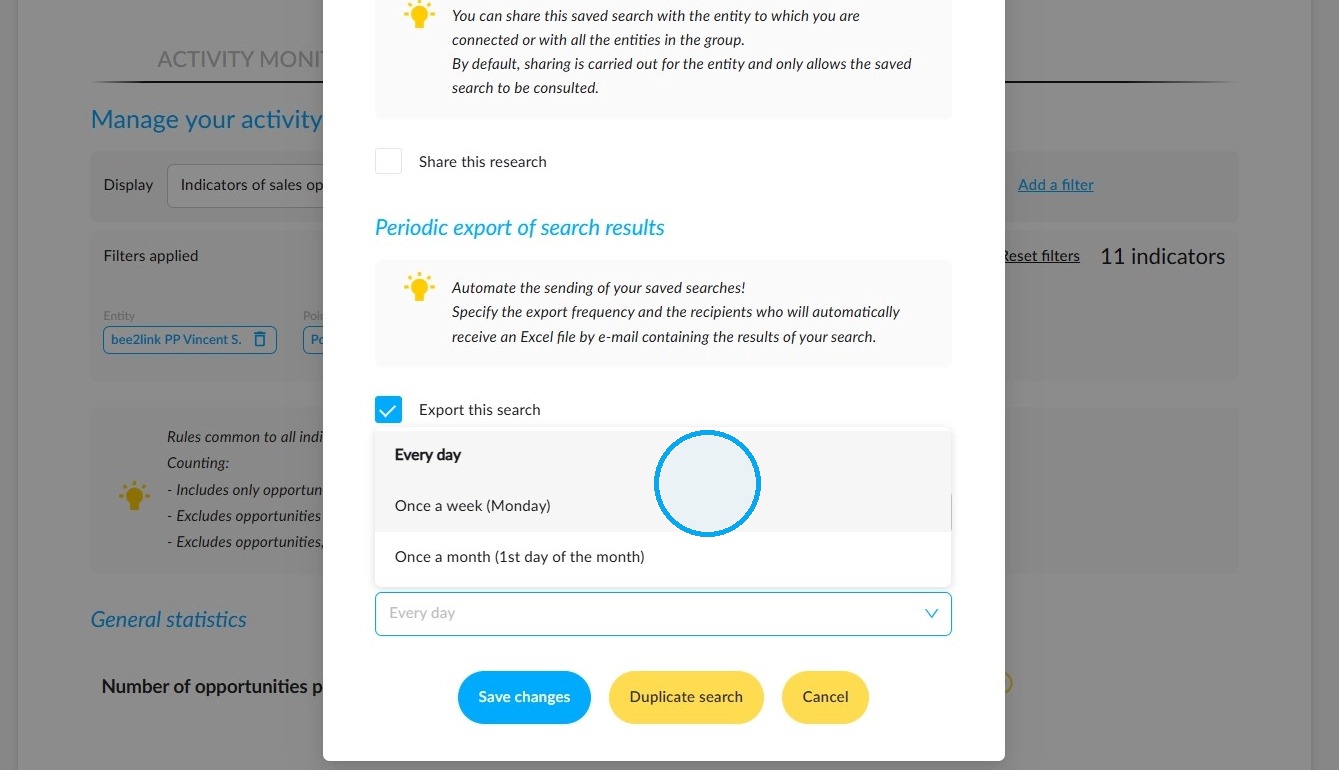
Finally, click on "Save search" at the bottom of the window.
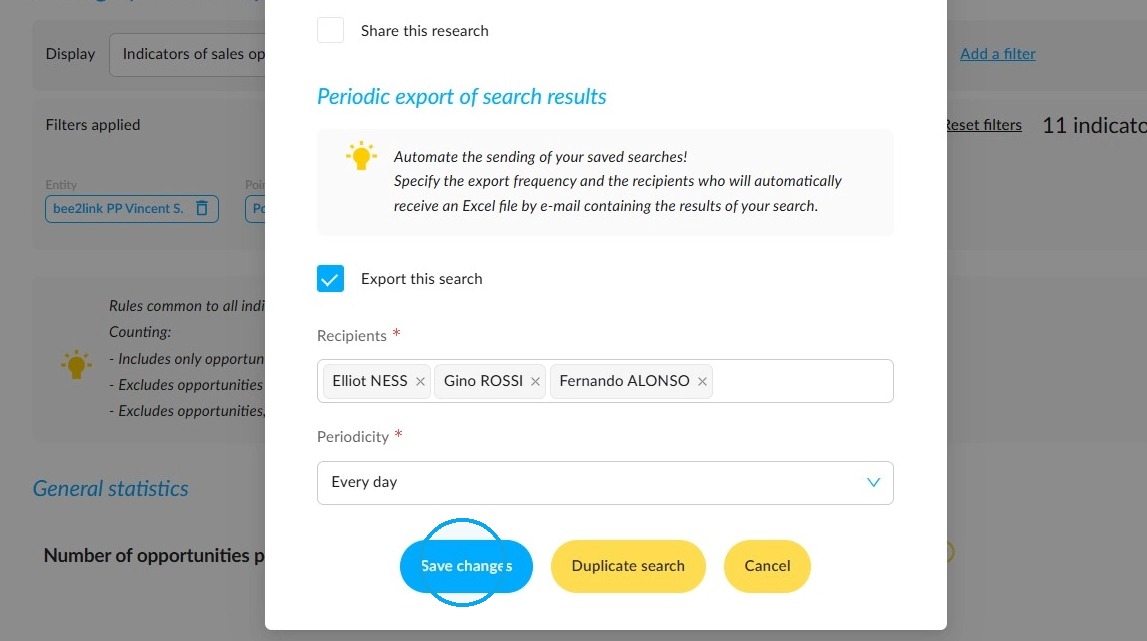
Automatically received email presentation:
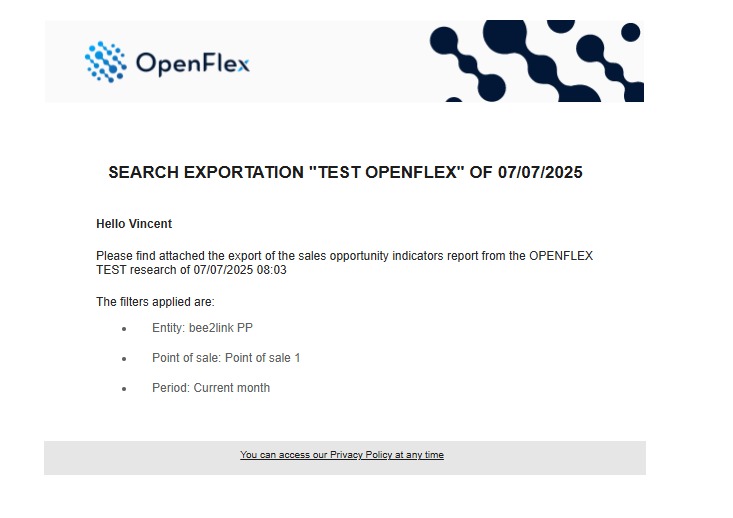
The report is in PDF format and contains several pages.
Presentation of the first page:
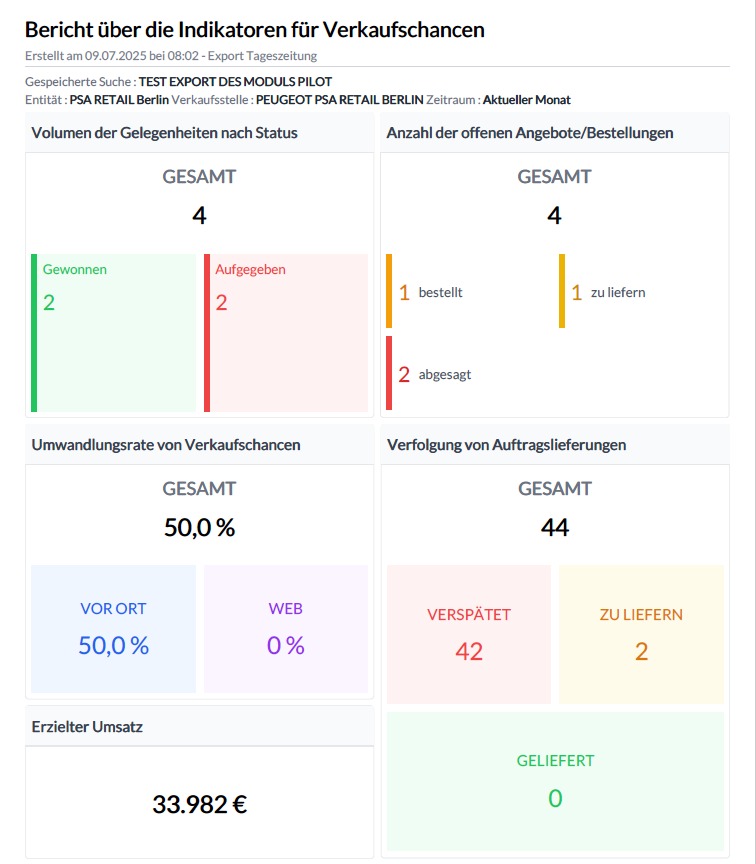
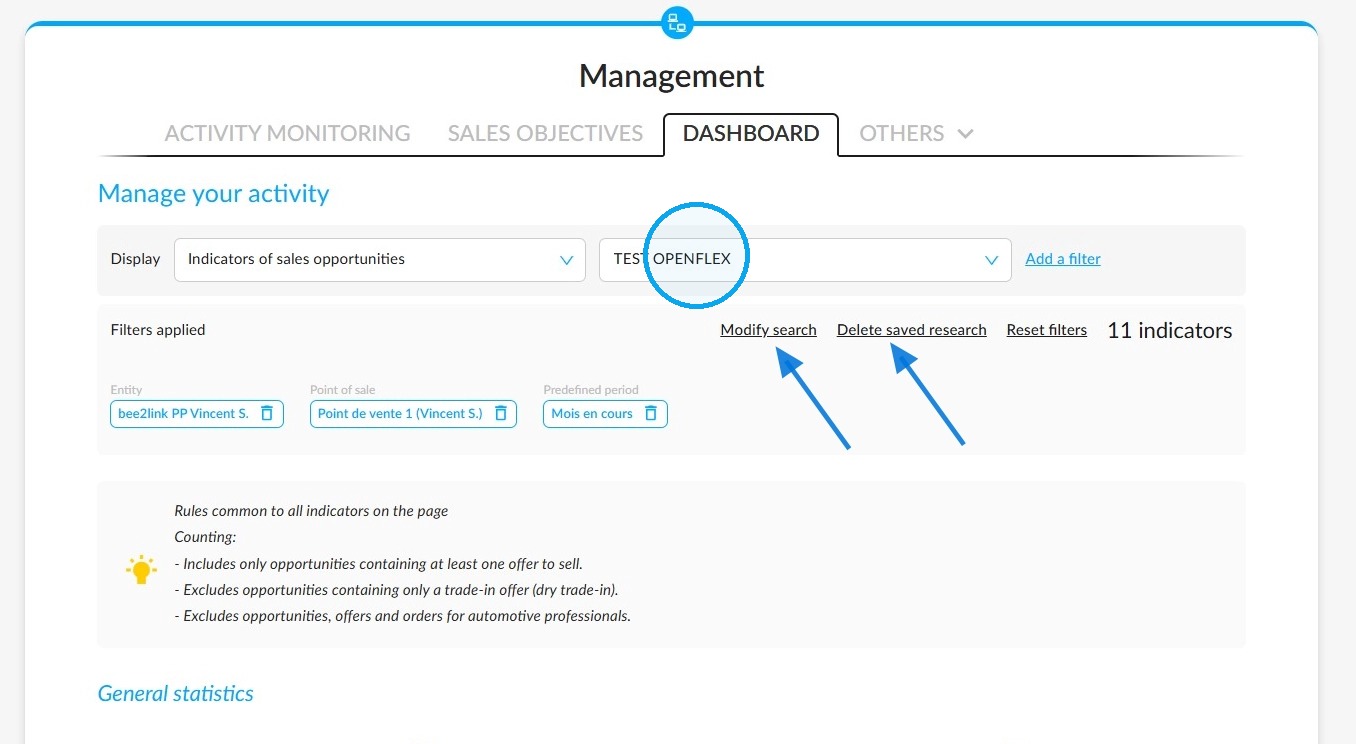
Modifying or deleting a search:
All your saved searches will remain accessible in the “Management” menu, tab “Dashboard”, heading “Manage your activity”, to the right of the field entitled “Display”. They will be listed in a drop-down menu.
Comments
0 comments
Article is closed for comments.