
Read this guide to learn how to link a merchant to the entities that comprise a group within the context of an auction.
Prerequisite:
-You must have configured the sharing of customer files between group entities so that the merchant contacts are visible from each partner entity.
1) Actions taken by the distributor: connecting with the merchant.
Start by clicking on the "Connecting with the professional" button on the merchant's customer sheet.
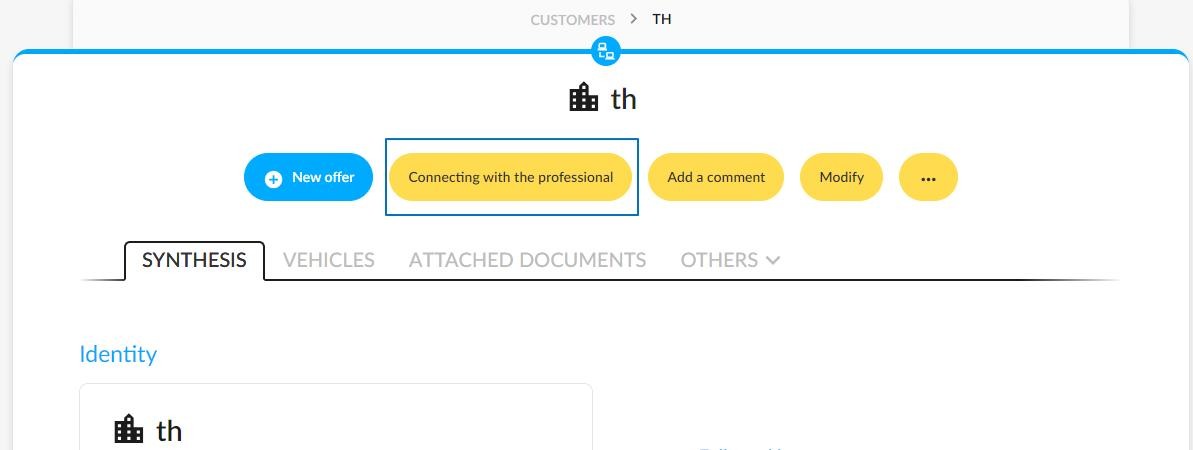
To save you time, you can connect a merchant to the various entities within a group in a single action.
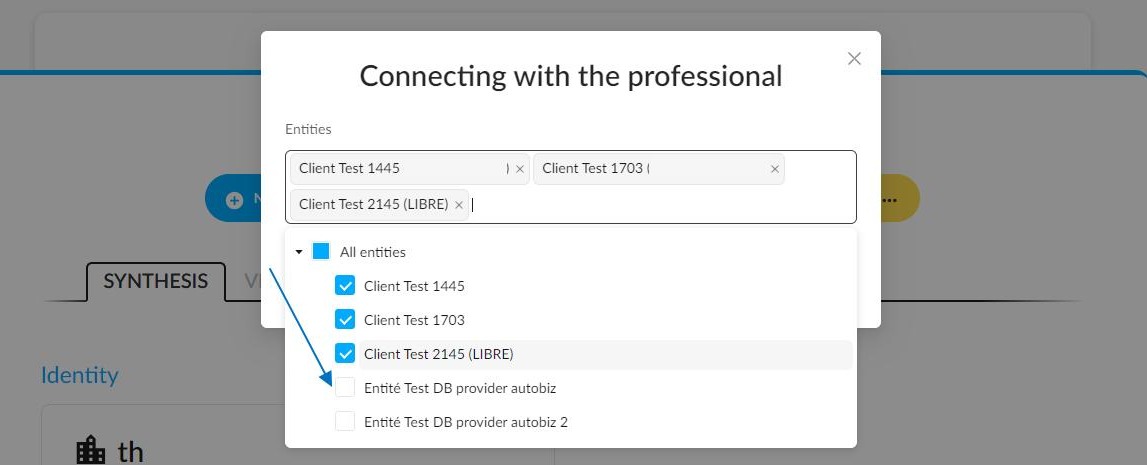
The list of distributors who will be partnering with the merchant will be included in the invitation email they receive.
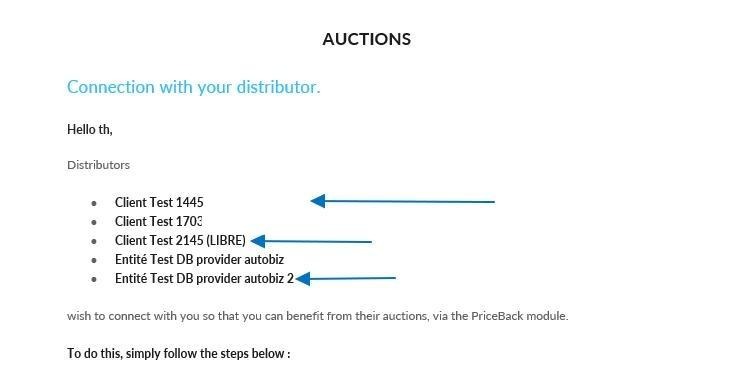
2) Actions taken by the merchant: adding a partnership with a new dealer:
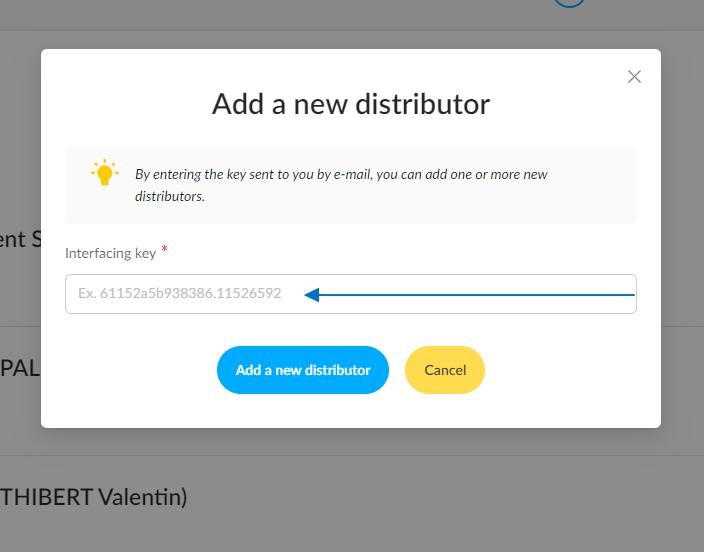
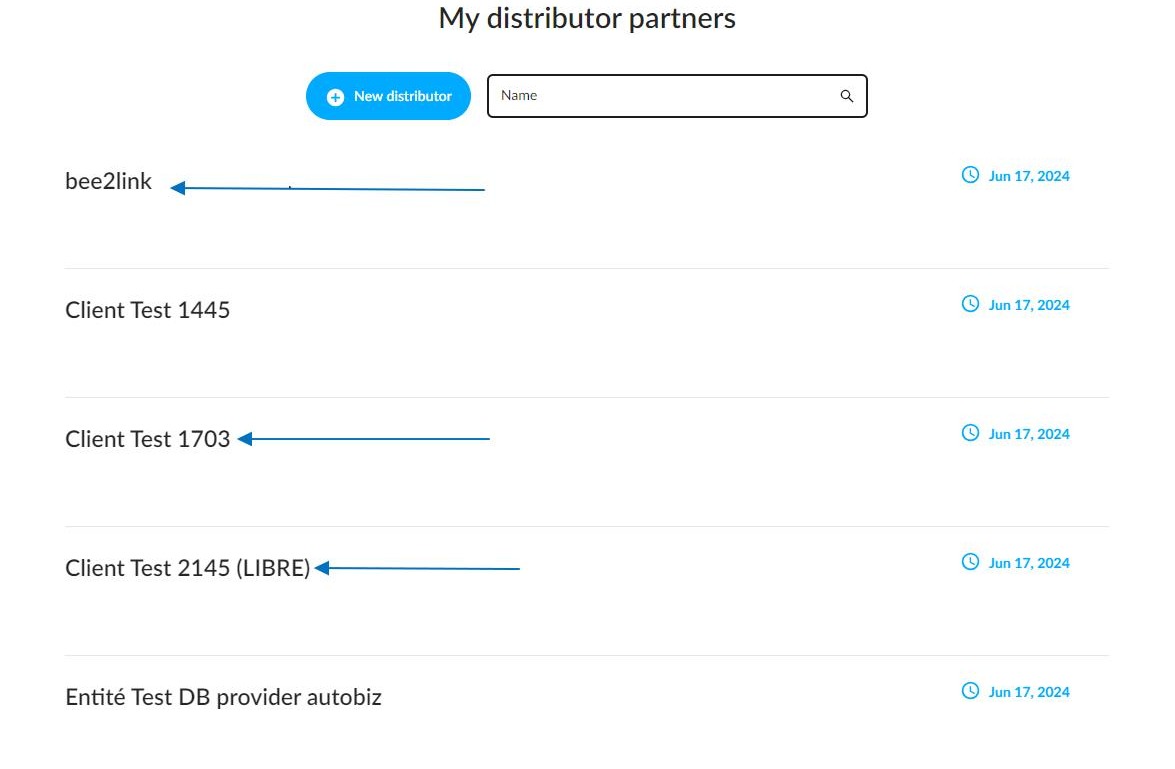
On the partner distributors page, merchants can click on "New distributor". This will enable them to enter the interfacing key to connect with all entities listed in the email.
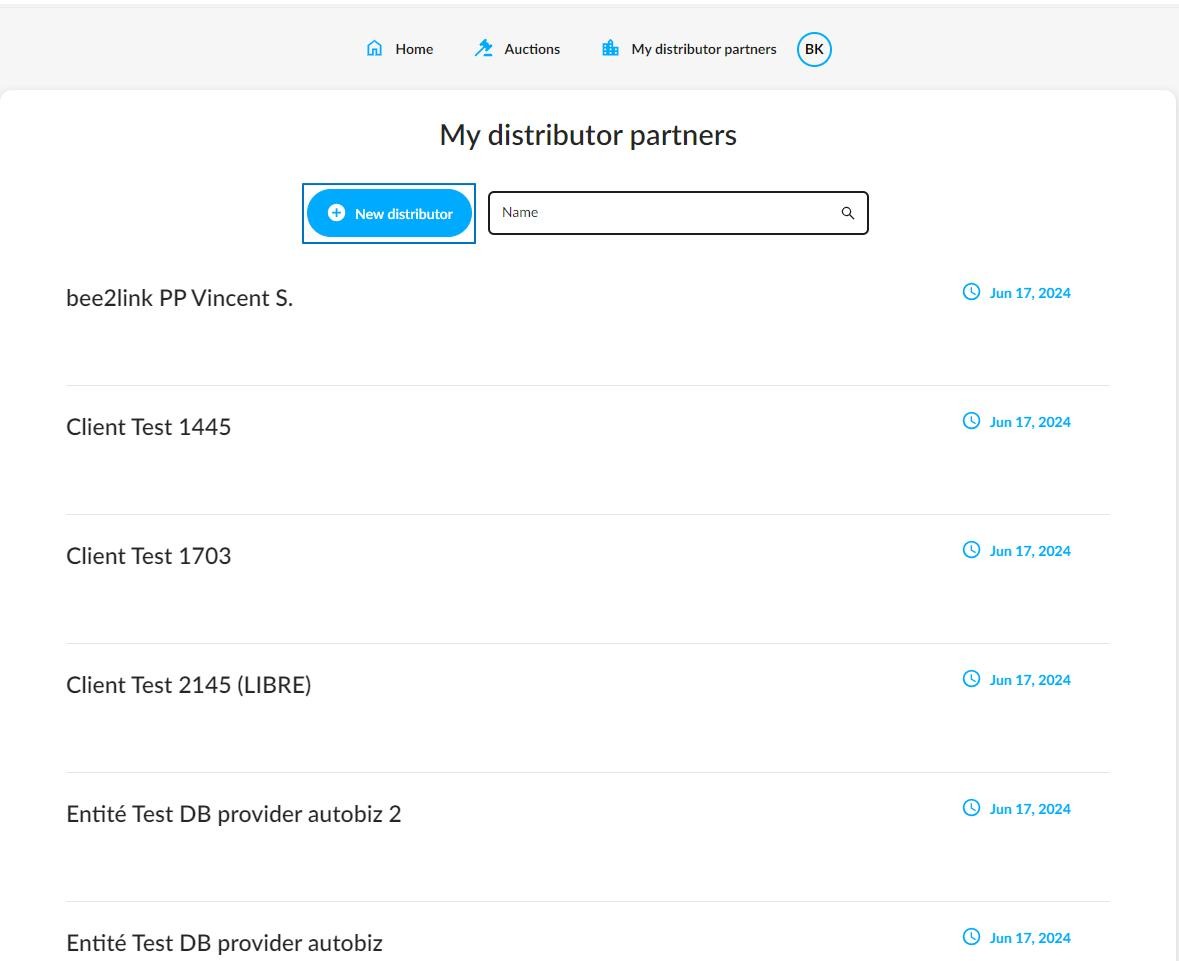
To connect to the bidding campaign, the merchant has to type the interfacing key that they have received in their invitaion email.
3) Connection management by the distributor:
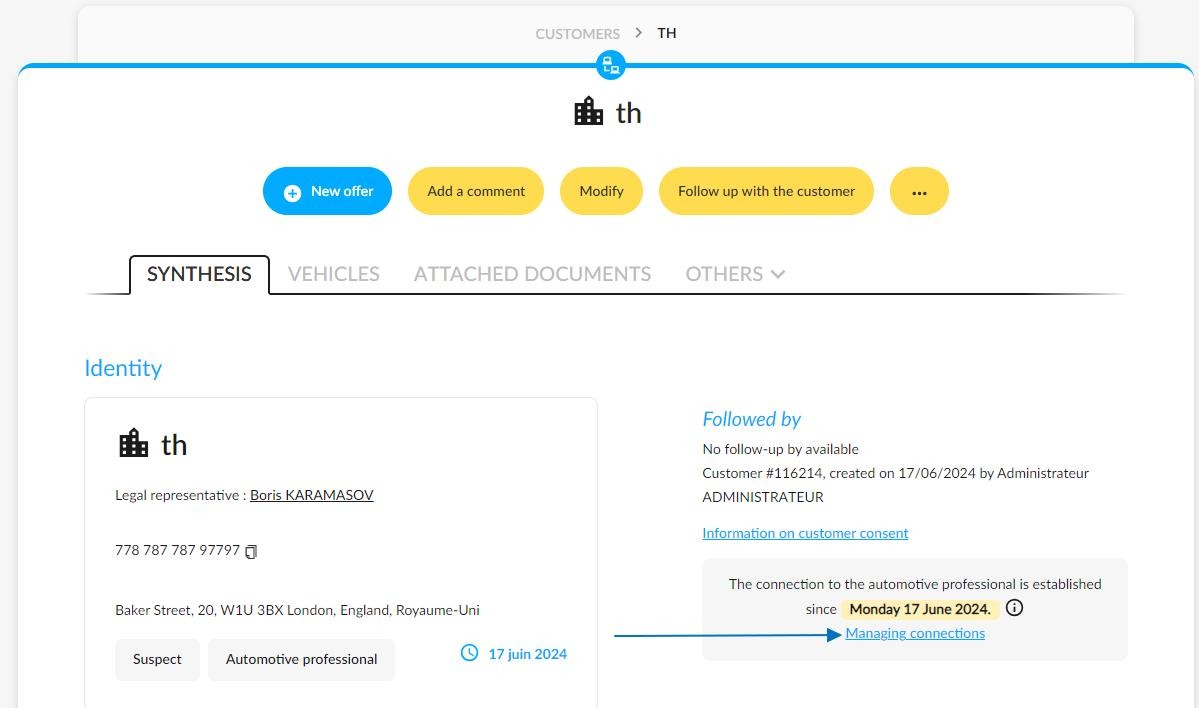
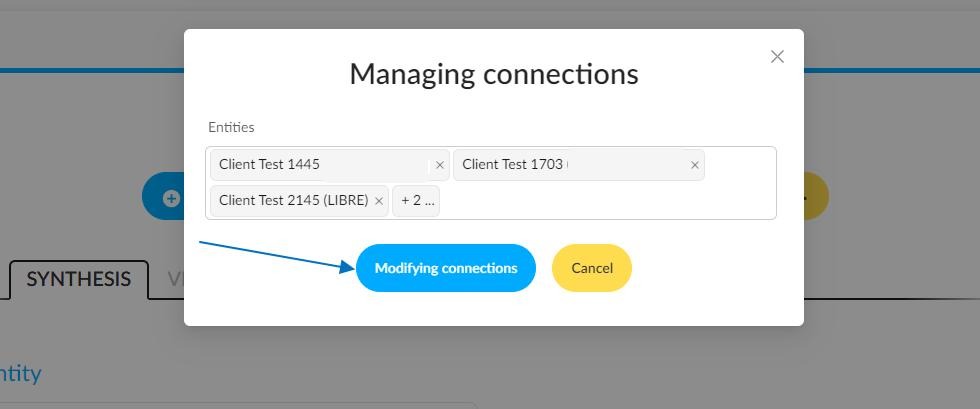
On the distributor's page, a new button is available to "Manage connections" with merchants on the sheet of customers who are automotive professionals.
Clicking on the name of an entity connected with the merchant will activate the "Modifying connections" button.
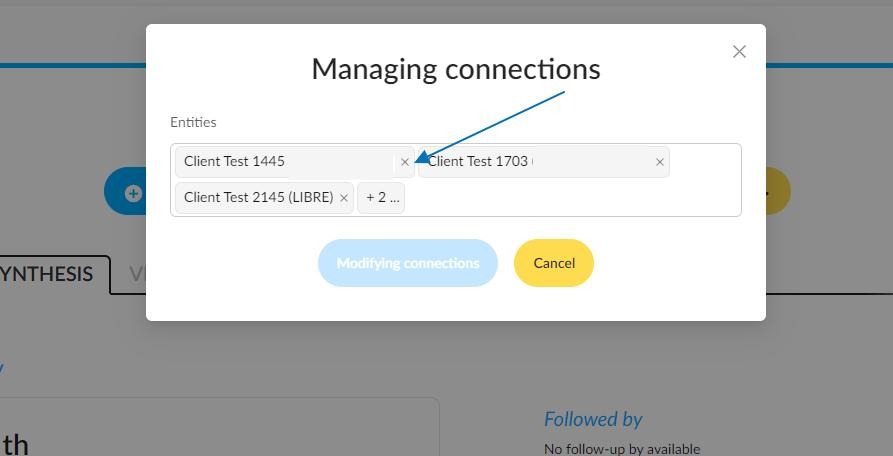
You can cancel the connection between this merchant and an entity or add a new one depending on your current needs.
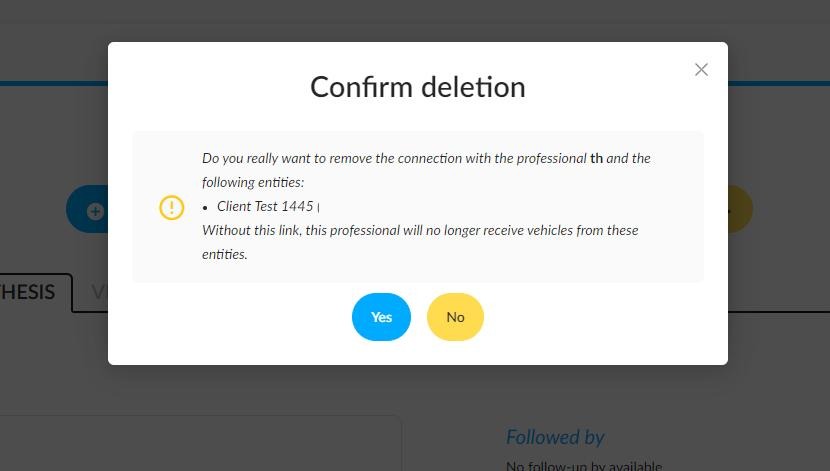
Once you have done your changes, click on the "Modifying connections" button. When you cancel an entity, you will be asked to confirm your actions.
Clicking "Yes" will delete the connection between the selected entity and the professional. Clicking "No" will keep the connection between the entity and the merchant.
Comments
0 comments
Article is closed for comments.