
Find out how to create a new customer on the OpenFlex platform. You can do this either from the home page or directly from an opportunity.
Create a customer and an offer at the same time.
Navigate to the "Opportunities" module.

Click Create an Opportunity to start a sales proposal.

In the "Who is this opportunity for?" window, click in the main field, then click Create a new customer.

In the person registration form, first specify whether it is an individual or a company. Then fill in at least the mandatory fields such as surname and first name.

You can insert the customer's address directly from the opportunity so that you no longer have to return to their file.
Finally, click on the "Create an opportunity with this client" button.

An exportable column titled ‘Customer telephone number’ can be included in the stock list if the customer is linked to a vehicle.
-For private individuals, the mobile number will be displayed first if it has been entered.
-For business customers, the business number will be displayed first if it has been entered previously.
Reminder: to export this column, you must have permission to export customer data.
Create a customer from the home page
The other procedure is to create a customer from the home page. Navigate to the ‘Customers’ module.

Click on New customer.
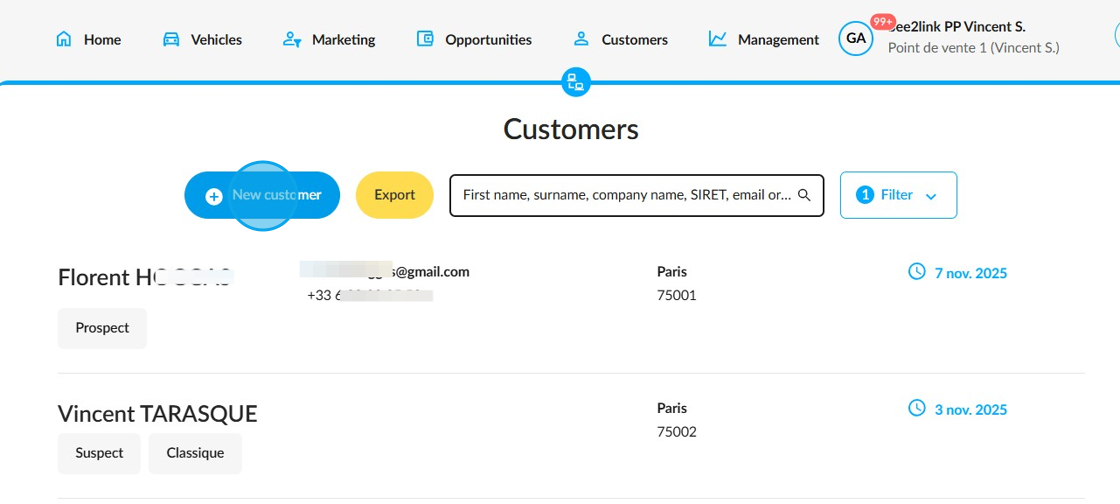
Enter the person's identity and then click on the "Create a new customer" button.

First, please specify whether the customer is an individual or a company. Then complete the form by filling in at least the fields marked with a red asterisk, such as the surname and first name.

You can enter all the information needed to create a customer file, such as the address.

A section will also allow you to add many additional details, such as identity documents or family status.
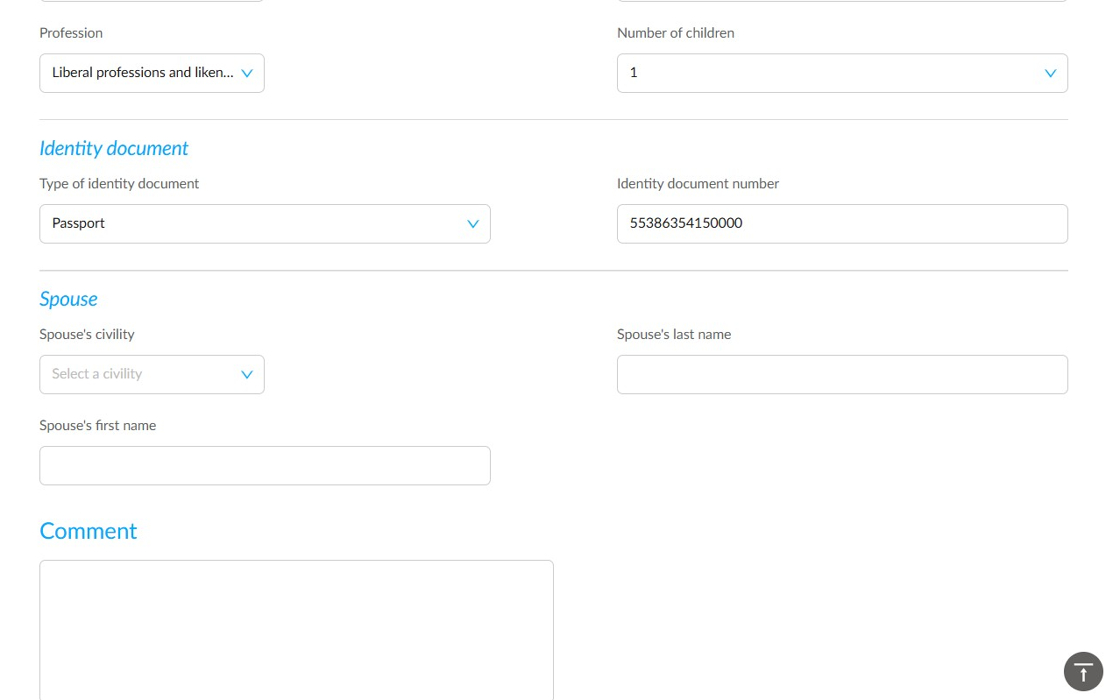
Finally, click Save.

Comments
0 comments
Article is closed for comments.