

Vehicles
1) Provision of market value on the page of reconciliation of vehicles with the database:
To help you when set the best prices to the vehicles during their qualification with the database, we have included information on their market value.

This information will be made available for all UVs, whether sold to car professionals or private customers.
For example, here is a UV intended for professionals:

Example with a UV intended for individuals:
In both cases, clicking on the 'Automatic calculation' button will calculate the market value, the adjusted market value, the difference between the two and the real sales margin.

2) Display of phone numbers (S&Y DEU):
In the past, mobile phone numbers were the only telephone contacts that appeared on Spoticar sheets entitled 'Fahrzeug-Expose'.
From now on, if a landline number is entered on a user's profile, it will be included on these documents in cases where the mobile phone number is unavailable.

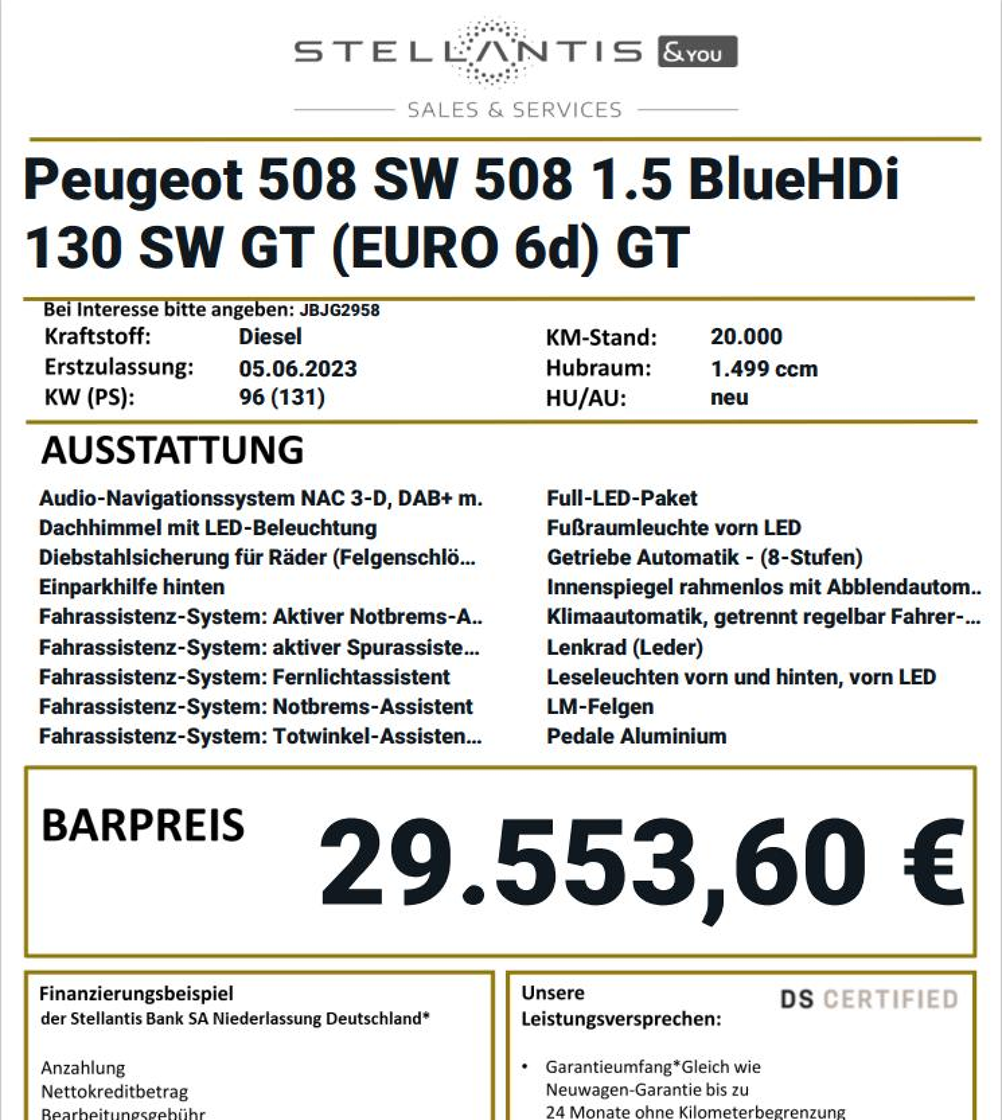
3) Compliance of Spoticar and DS Certified price displays (S&Y DEU):
The price displays for Spoticar and DS Certified have been changed to comply with the label's regulations.

The name of the bank 'PSA Bank Deutschland GmbH' has been changed to 'Stellantis Bank SA Niederlassung Deutschland'.
4) New feature: managing stocks located in several entities:
Prerequisite: hold a user account for the various entities within a group.
Fleet managers will now be able to make changes to vehicle stocks located in the various entities of a group without needing to log in again.
The kinds of changes and actions that users can carry out depend on their rights for the entity where the vehicle they are processing is located.
Example: the right to manage active prices on the 'Cap Océan' entity.

Pricing management is not active for the 'Bee2link PP Vincent S' entity.

Selecting a vehicle located on a point of sale belonging to the 'Cap océan Gironde' entity while being logged in on the 'Bee2link PP Vincent S' entity.

Management of the vehicle's selling price is available.

Settings
1) Addition of an extraction system to record actions carried out with our paid features:
The 'Accounting Management' menu now allows you to extract data to monitor the number of actions carried out by your employees using our paid features. You can search by V.I.N., future trade-in value and e-signatures.
Prerequisites:
To retrieve this data, you need an "administrator rights" account belonging to the 'Accounting' group.

Once you have set up the account, click on your initials to have access to the 'Settings' menu.

Then, click on 'Accounting management' to extract the data of your choice:

You will be able to download an Excel file showing the number of VIN searches carried out the previous month.

The Excel table will detail the name of the entity, the points of sale and the number of searches carried out.
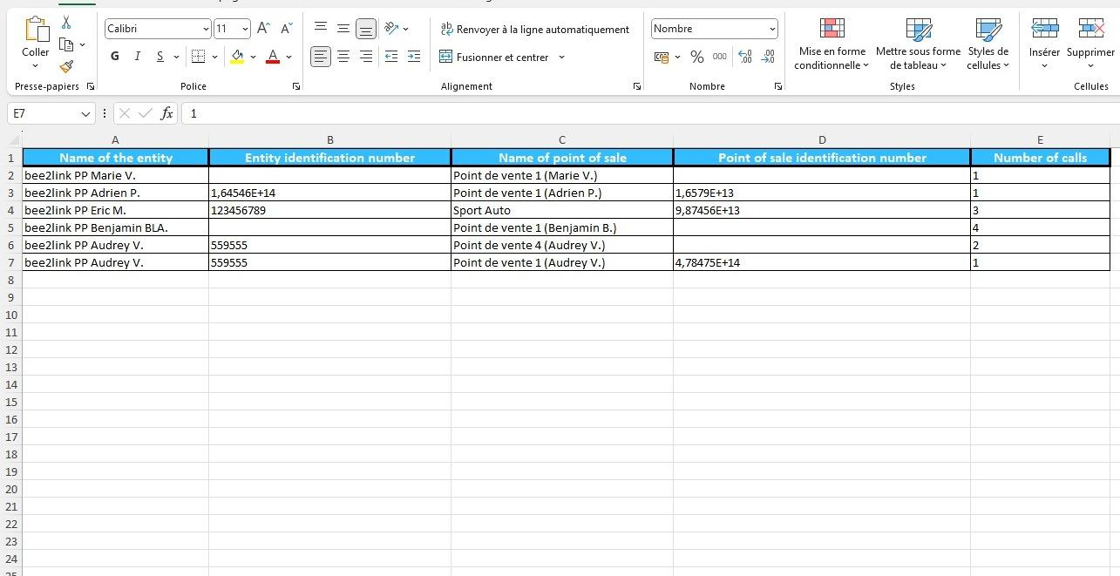
The number of e-signatures made in the previous trimester is also quantified, as shown in the Excel extraction.

You will also be able to download an Excel file showing the number of forecast values calculated on UV.

In this case, you will be able to view the entity's name and identification number, the point of sale's name and identification number, and the number of times a forecast value has been estimated.

Comments
0 comments
Article is closed for comments.