
This guide explains how to deactivate the automatic sending of emails to customers during online trade-in campaigns. This allows you to customise your responses to customers more effectively.
Prerequisite: You will need administrator rights.
During trade-in campaigns in order for sales teams to be allowed to customise the response emails to customers, you have the possibility to disable the sending of automatically-generated-emails.
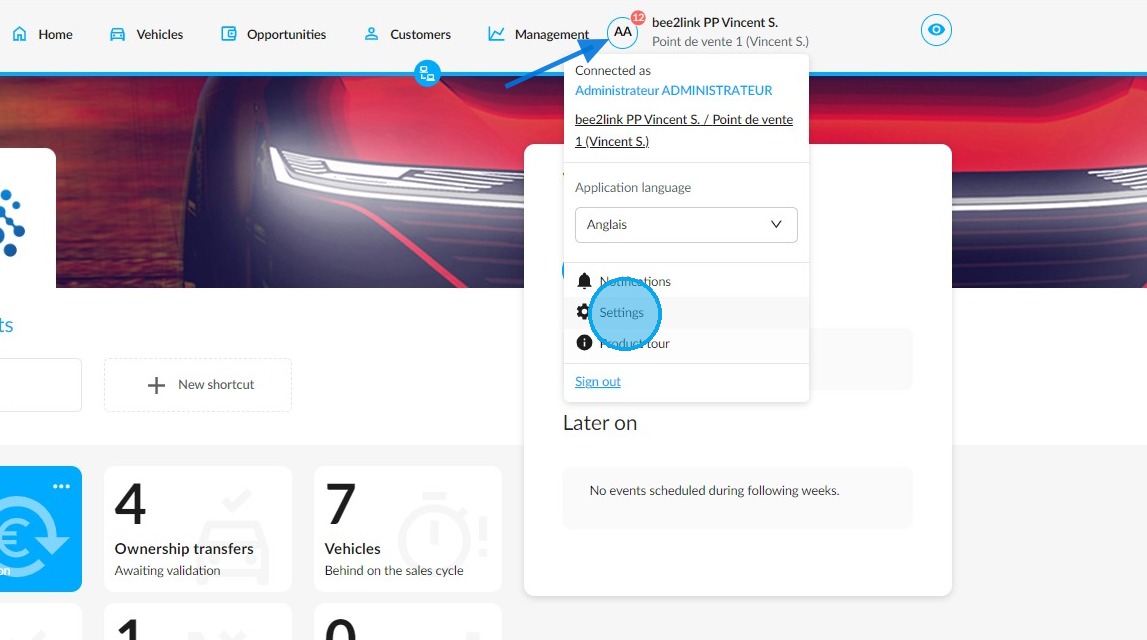
To do that, go to the OpenFlex settings by clicking on your initials.
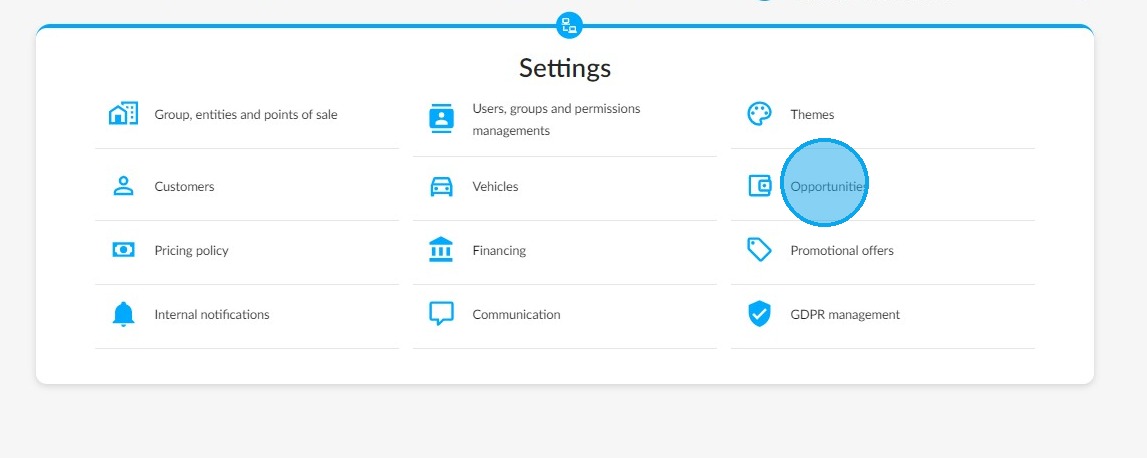
Then access the settings of opportunities.
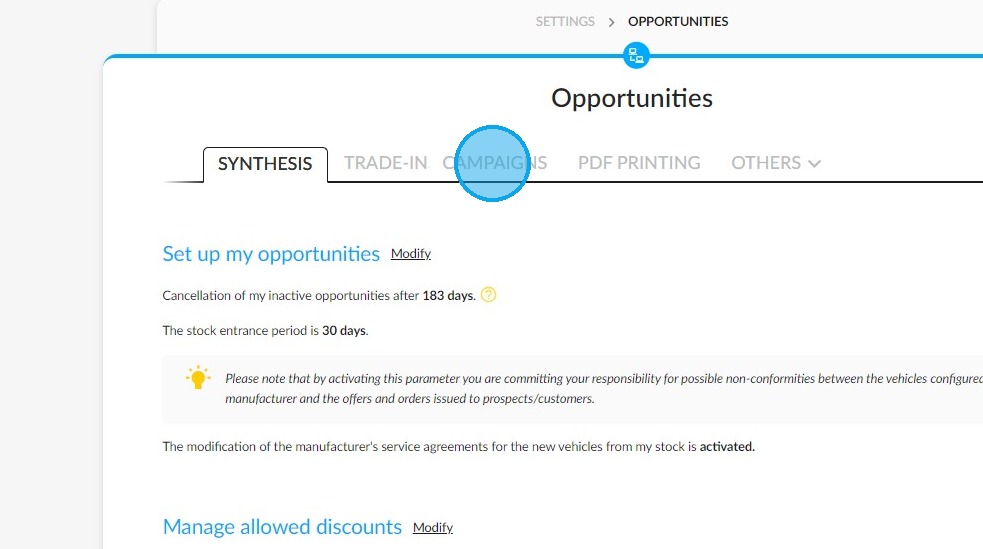
Click on the "Trade-in campaigns" tab.
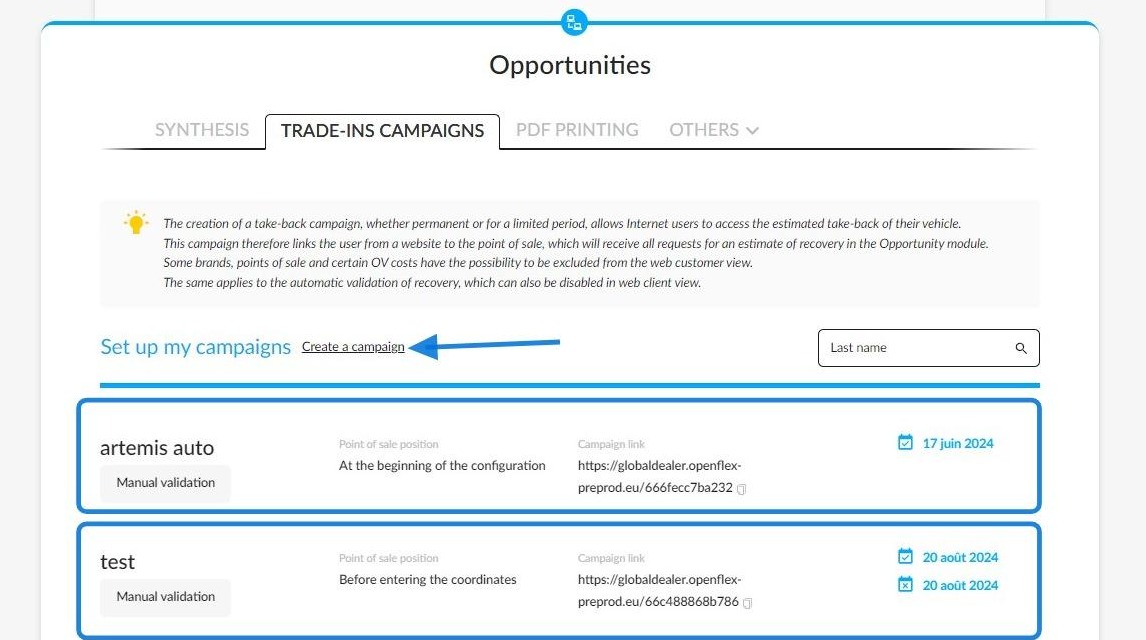
If you have an already-existing trade-in campaign, you only have to modify it by clicking on it.
If you need to create a new one, you can use the "Create a campaign" button.
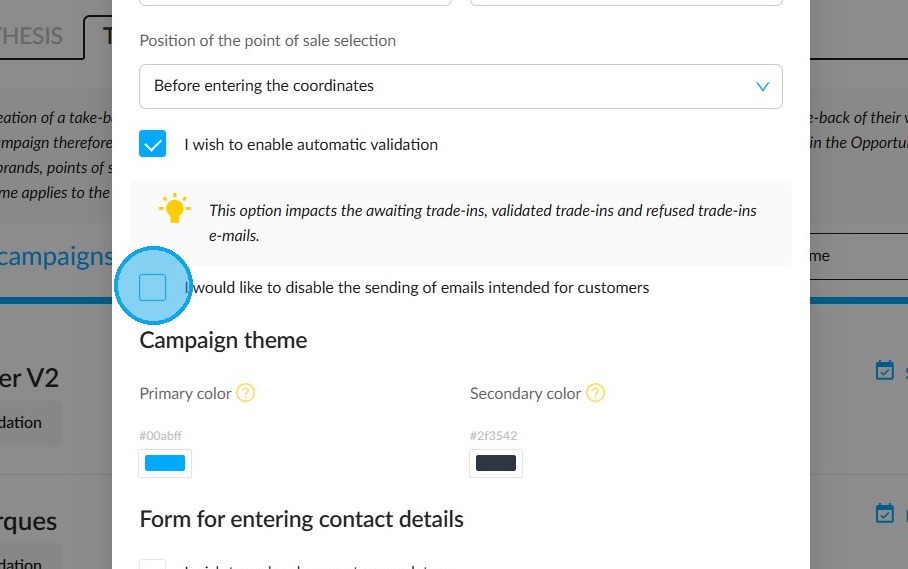
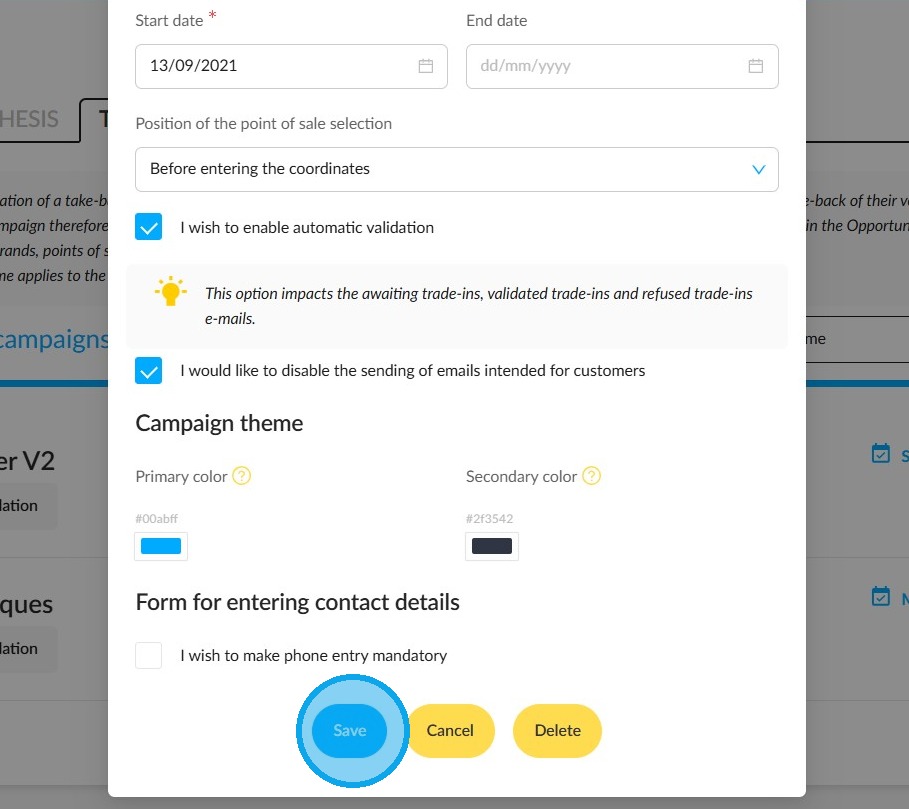
On the window that shows the synthesis of the campaign, tick the box "I would like to disable the sending of emails intended for customers".
Then save your settings.
Comments
0 comments
Article is closed for comments.