
Find out how to cancel a current or scheduled auction.
Prerequisite: have an auction already planned or in progress.
Path to access in progress auctions
In OpenFlex, auctions can be cancelled after they have been created, provided that a reason for doing so is provided.
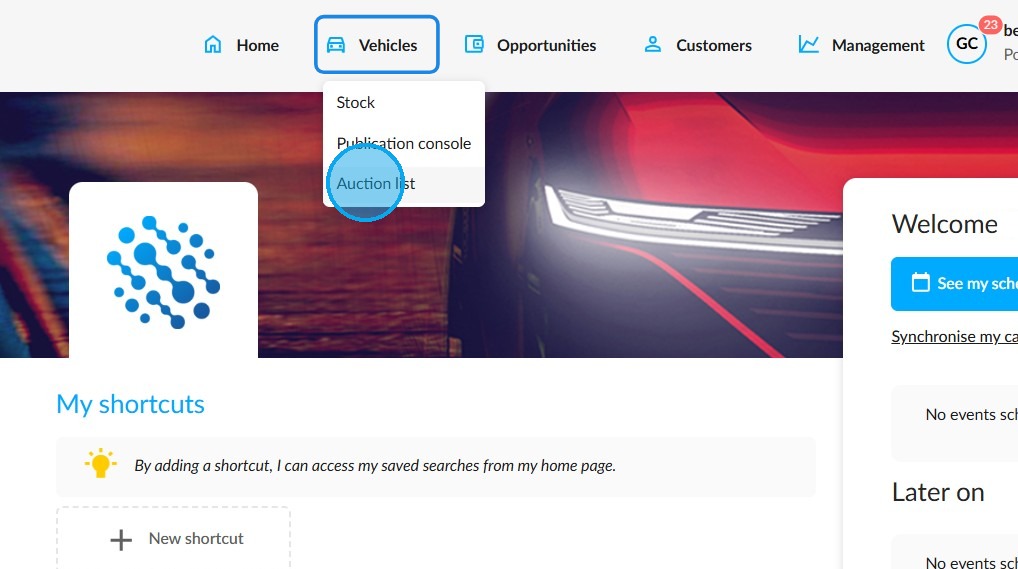
To view the current or upcoming auctions, click on 'Vehicles' and then 'Auction list' on the homepage.
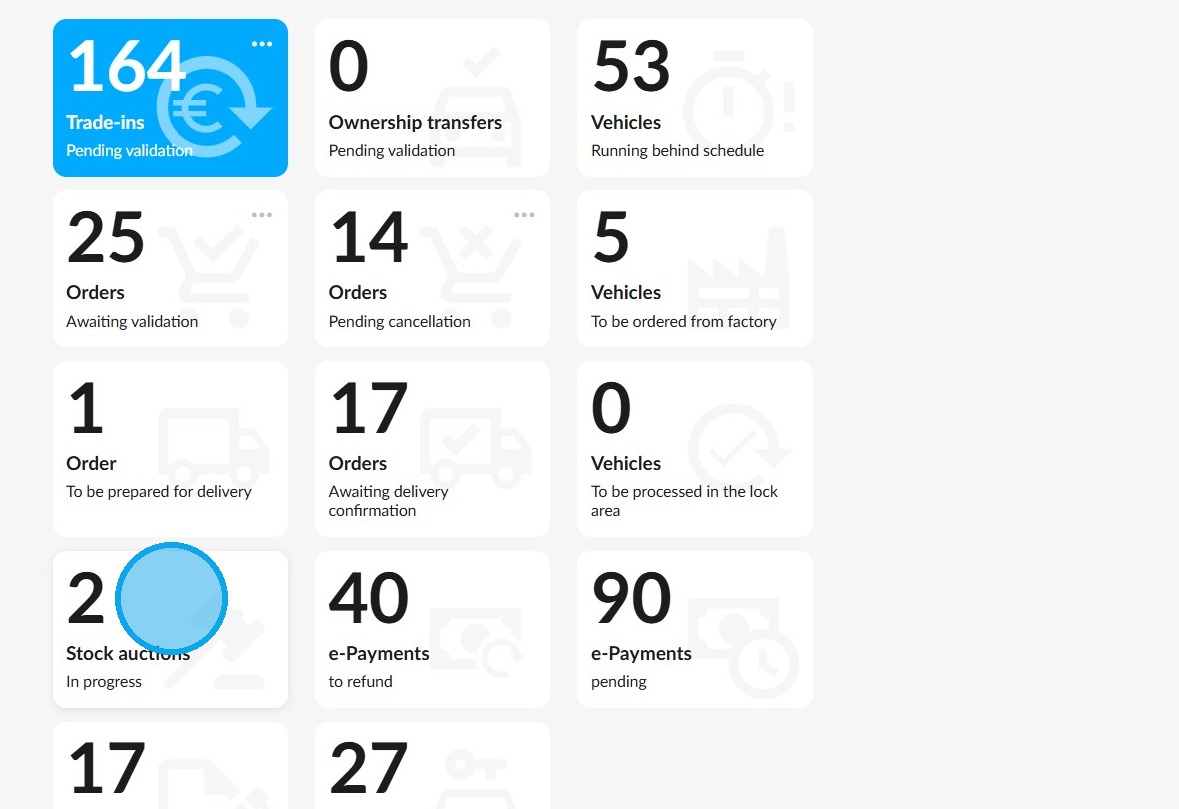
You can also access it via the "Stock auctions" tile on the homepage.
Cancellation
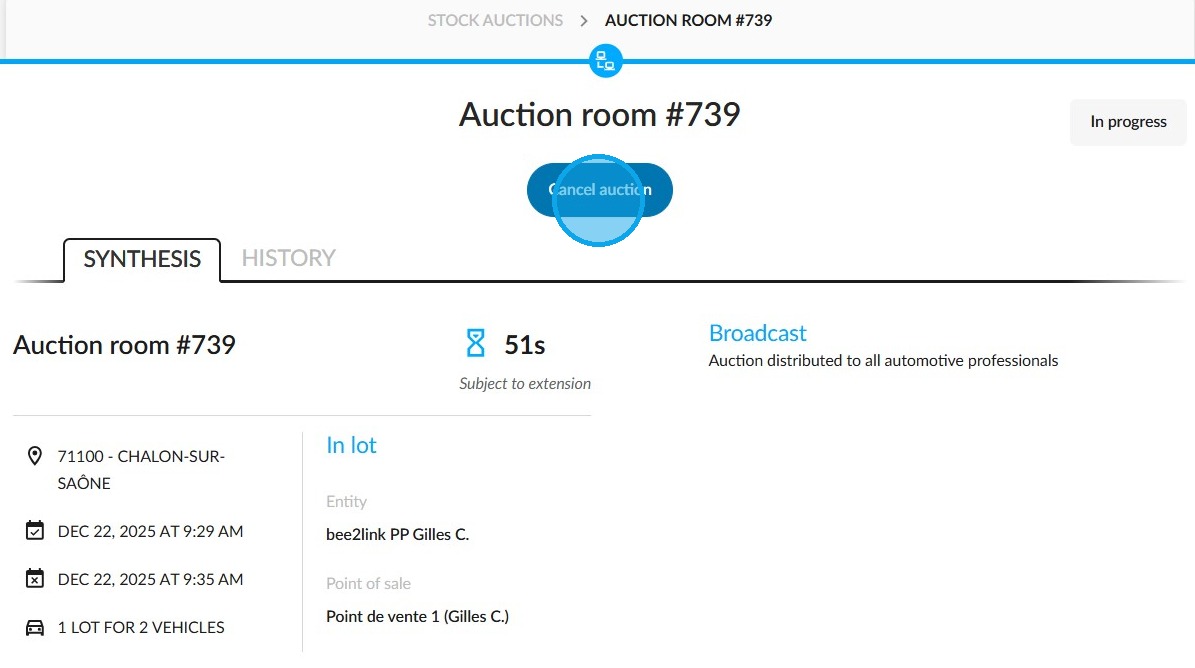
Click on the 'Cancel auction' button at the top of the auction synthesis page.
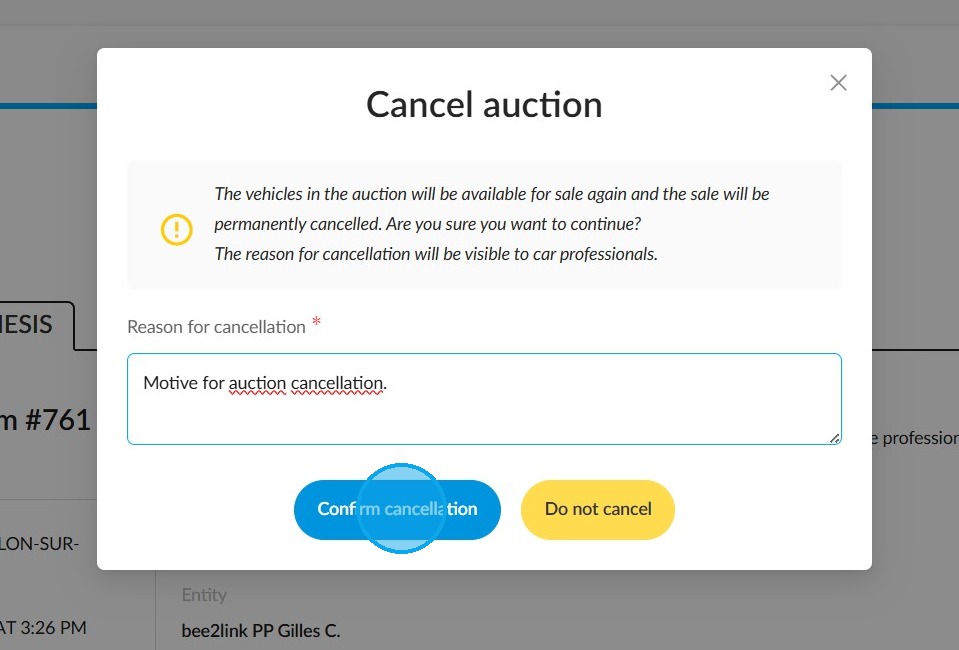
A window will pop up to notify you that the vehicles being auctioned will be put up for sale again. Please specify the reason which led you to cancel the auction. Then click on "Confirm cancellation".
Cancellations of auctions will be recorded in their history.
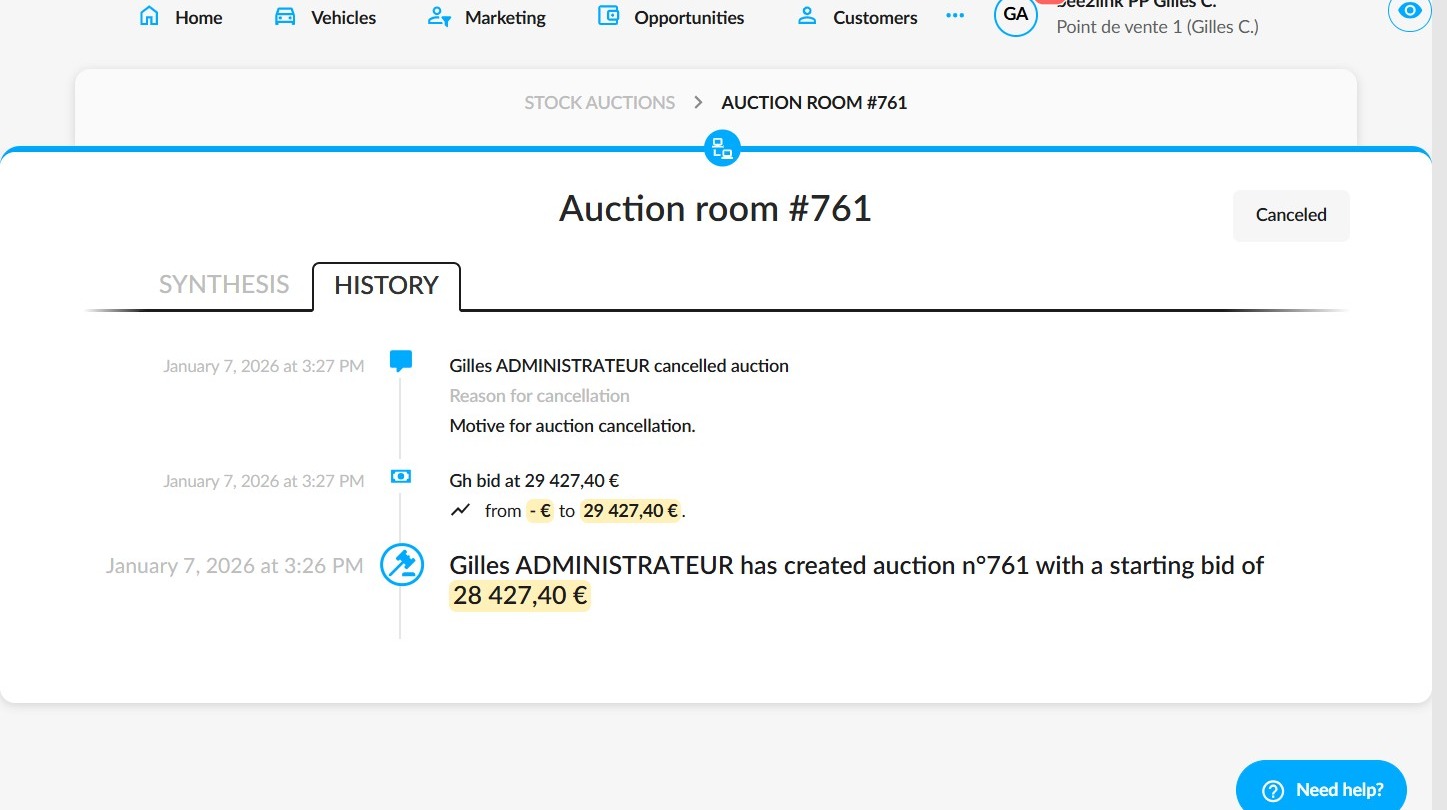
View from PriceBack
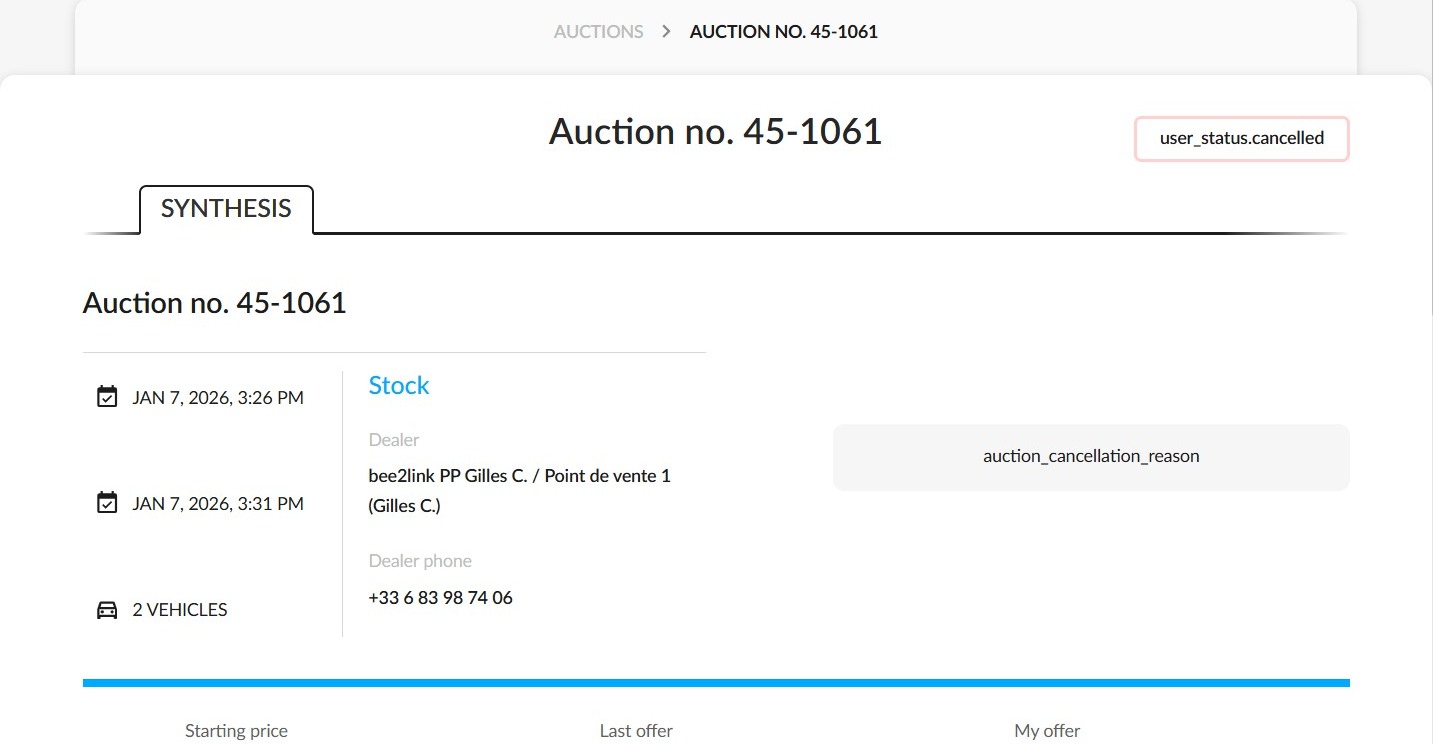
For their part, automotive professionals who were due to participate in the auction will see the reason for cancellation displayed on their screen.
Comments
0 comments
Article is closed for comments.