
This guide explains how to change the assignment of your opportunities.
Prerequisite: your profile must belong to the "Sales Manager" or "Director" group.
In OpenFlex, you can identify an employee’s opportunities and assign them to another user. This makes staff management more dynamic and flexible.
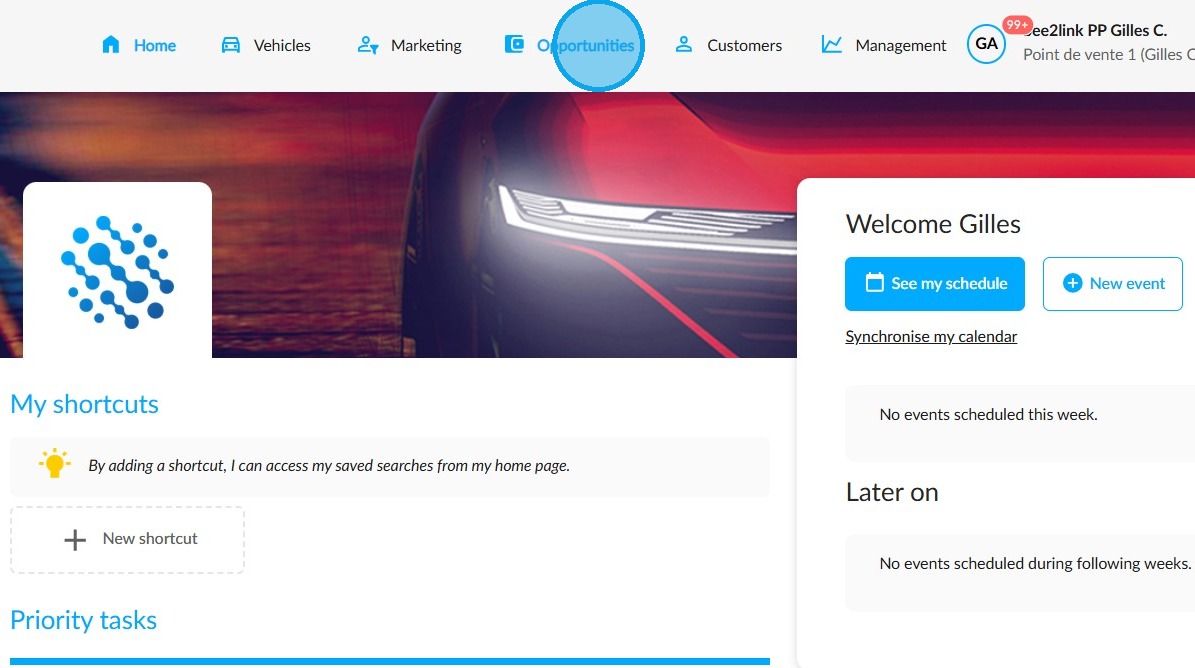
First of all, go to "Opportunities" at the top of the screen.
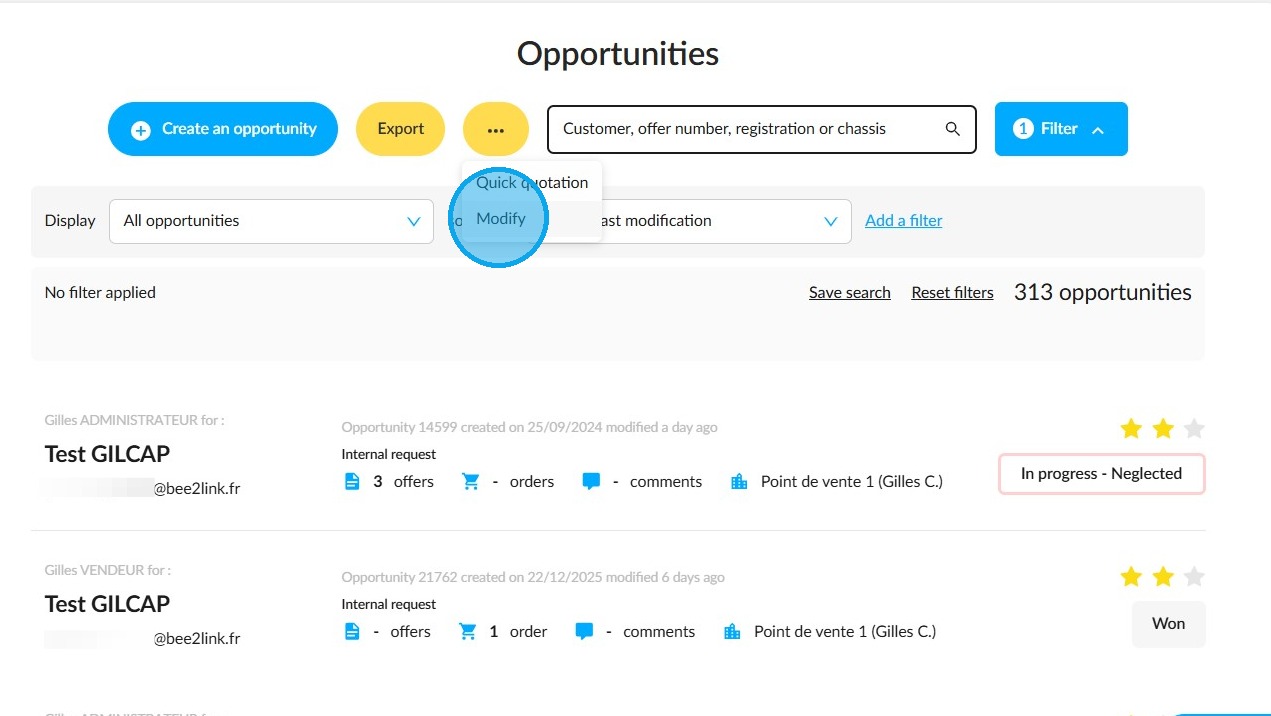
Click on the button with the three dots, then click on "Modify".
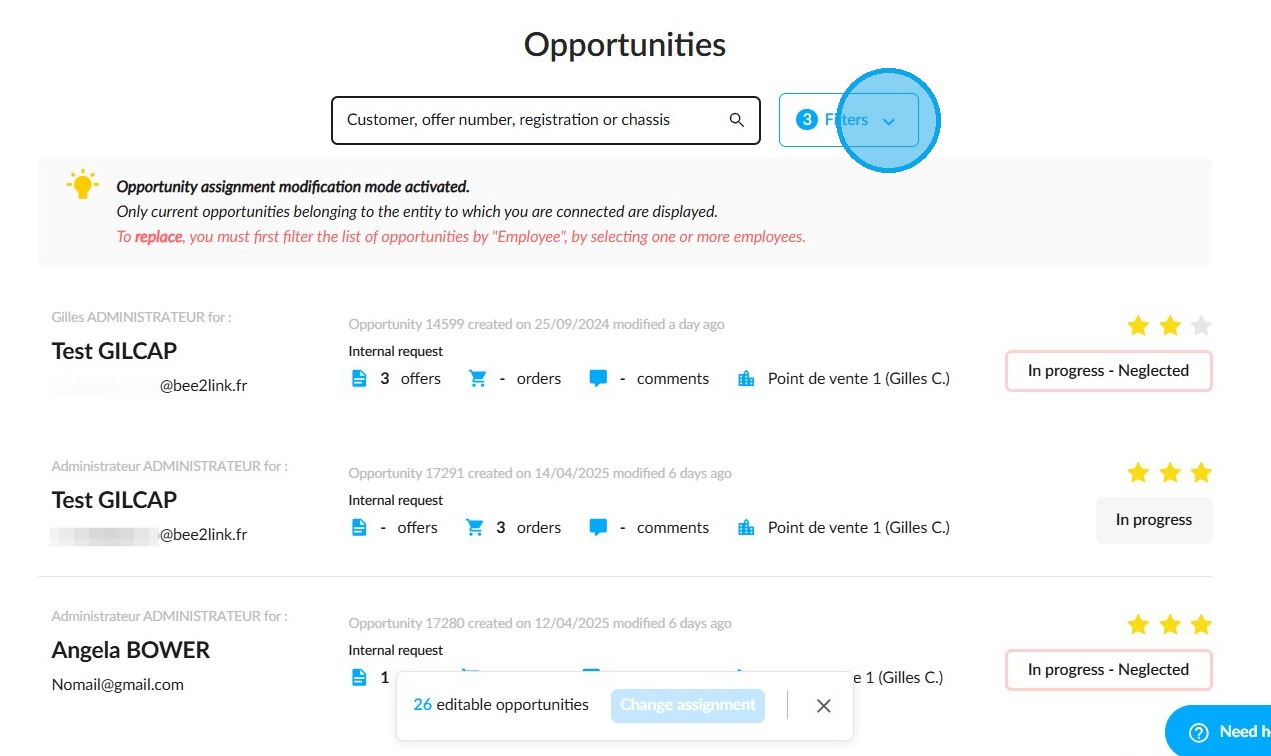
Before you can start reassigning appointments, offers and orders, you need to filter the opportunities by the staff member handling them. To do this, click the "Filters" button to the right of the search bar.
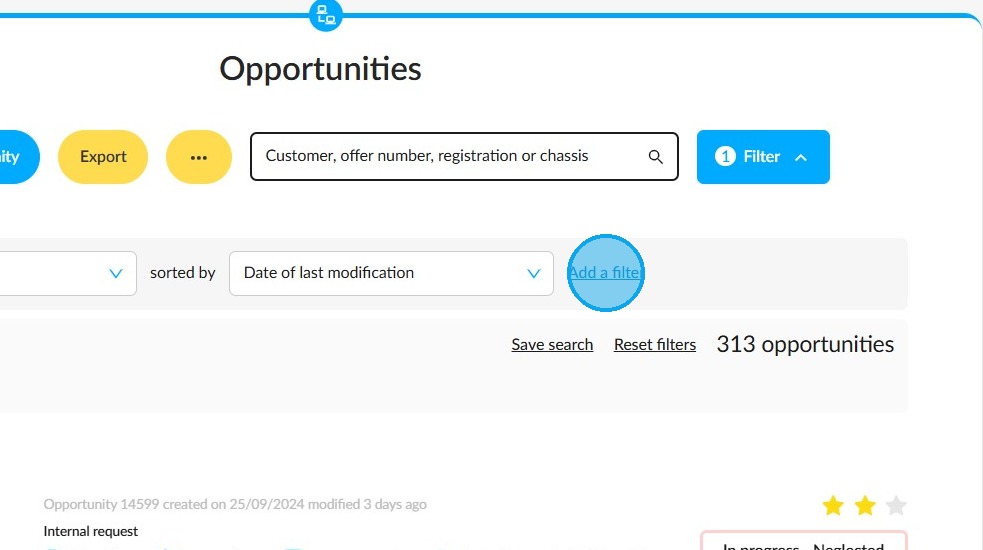
Click on "Add a filter".
Select "Salesperson". You can type it into the search bar to save time.
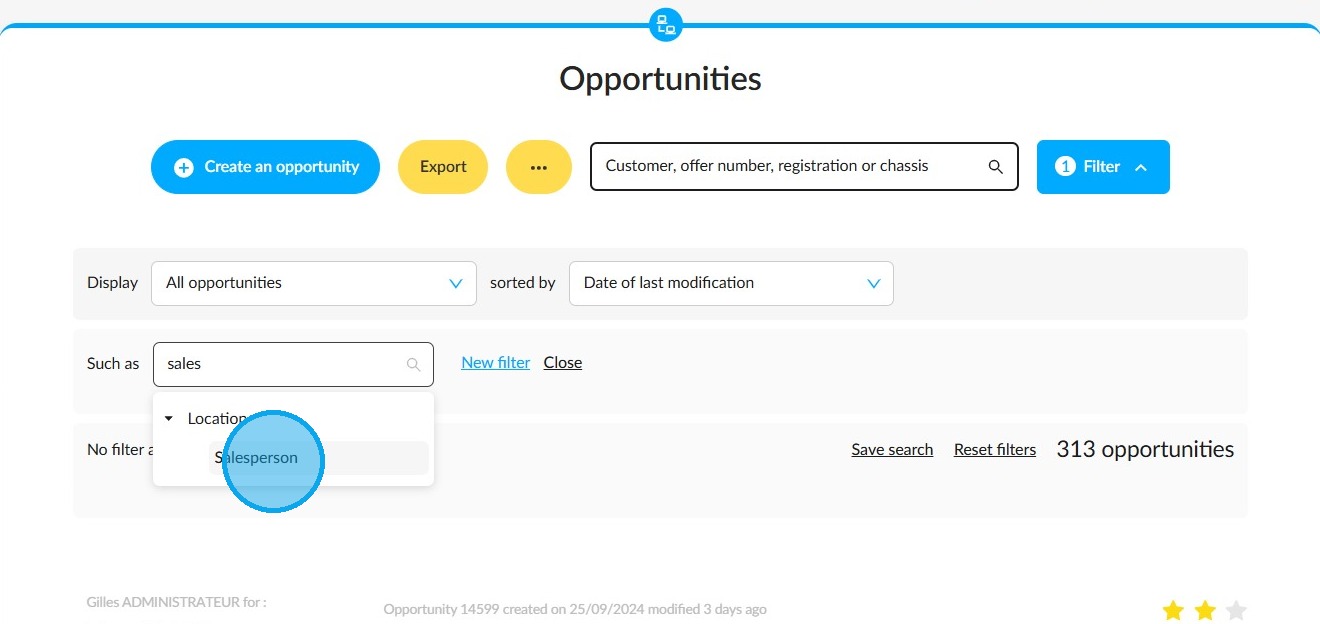
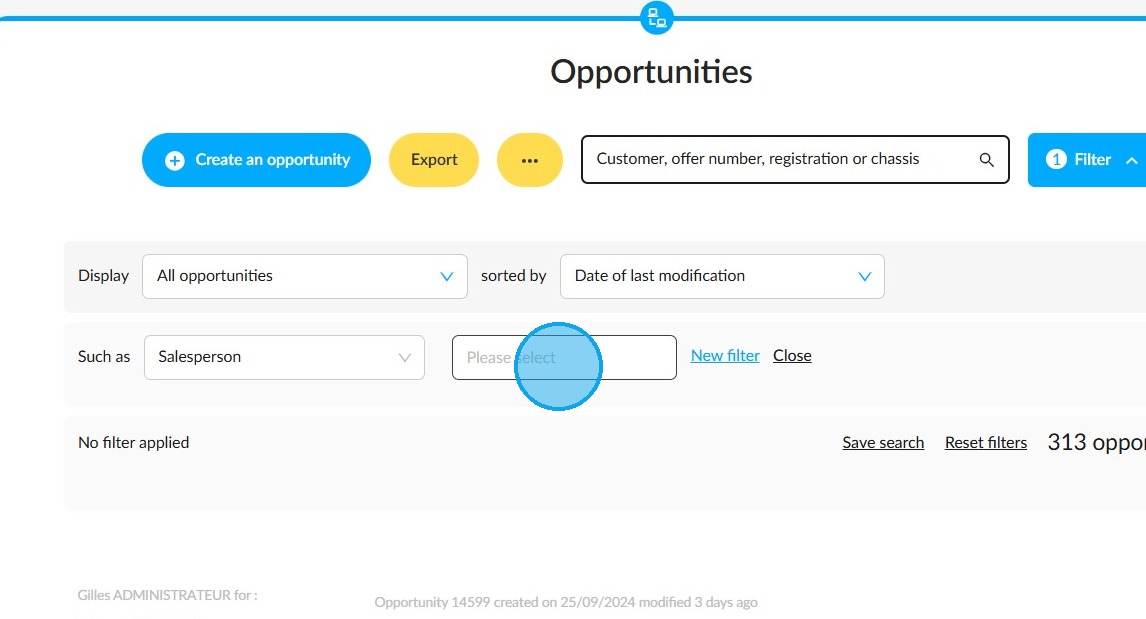
Select the employee from the drop-down menu. You can also select more than one.
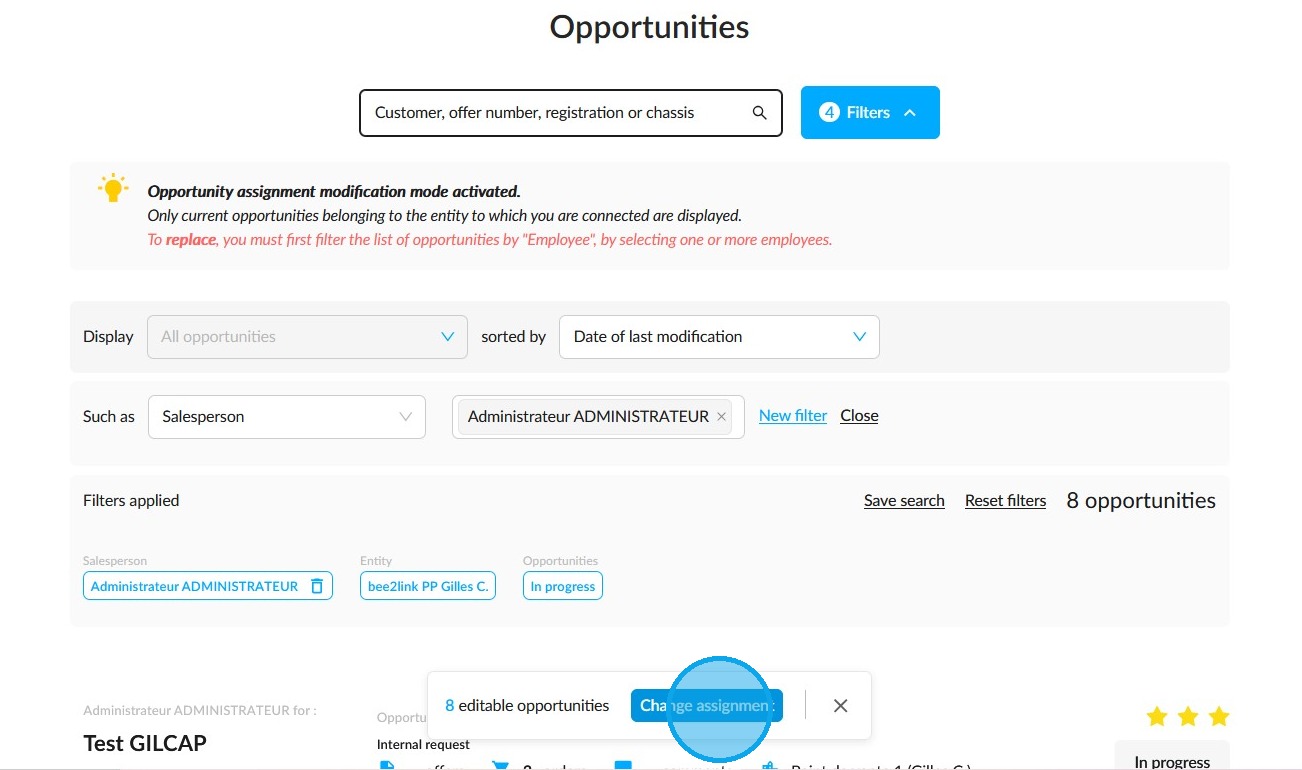
All the opportunities being tracked by this employee will be displayed. Next to the count at the bottom of the page, click on "Change assignment".
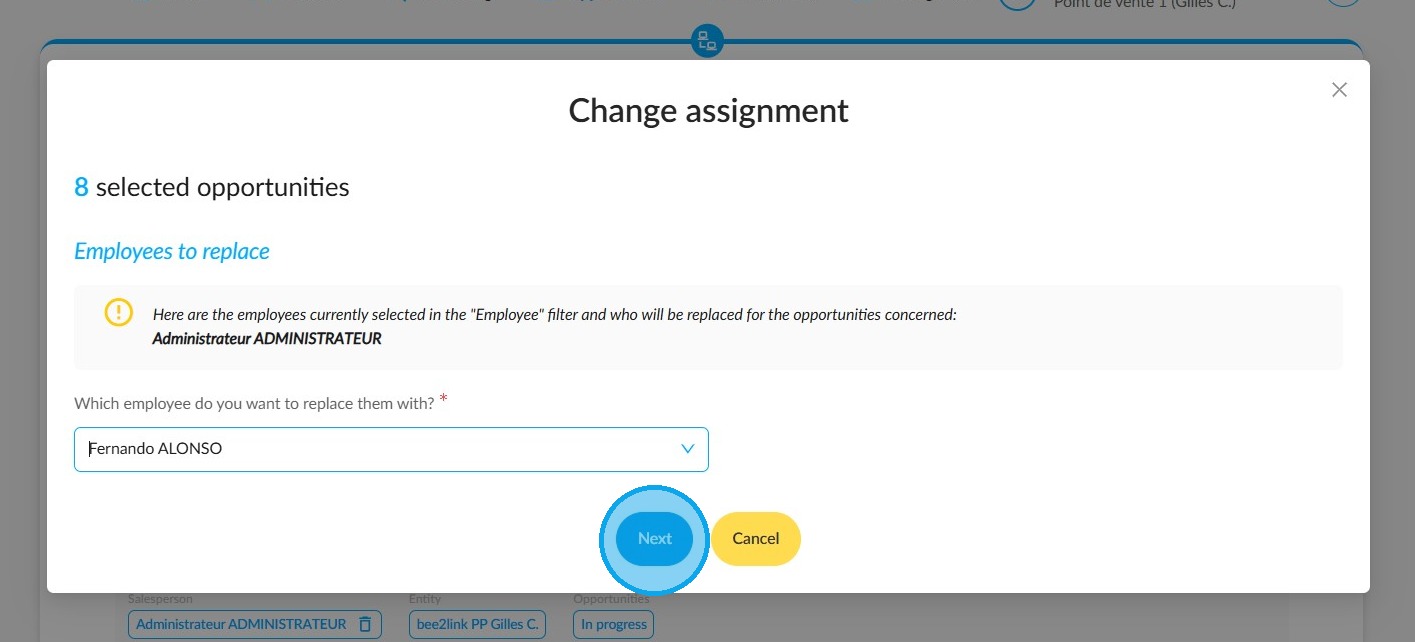
A window titled "Change Assignment" will open. Answer the question "Which employee would you like to replace these employees with?" by selecting your choice from the drop-down menu.
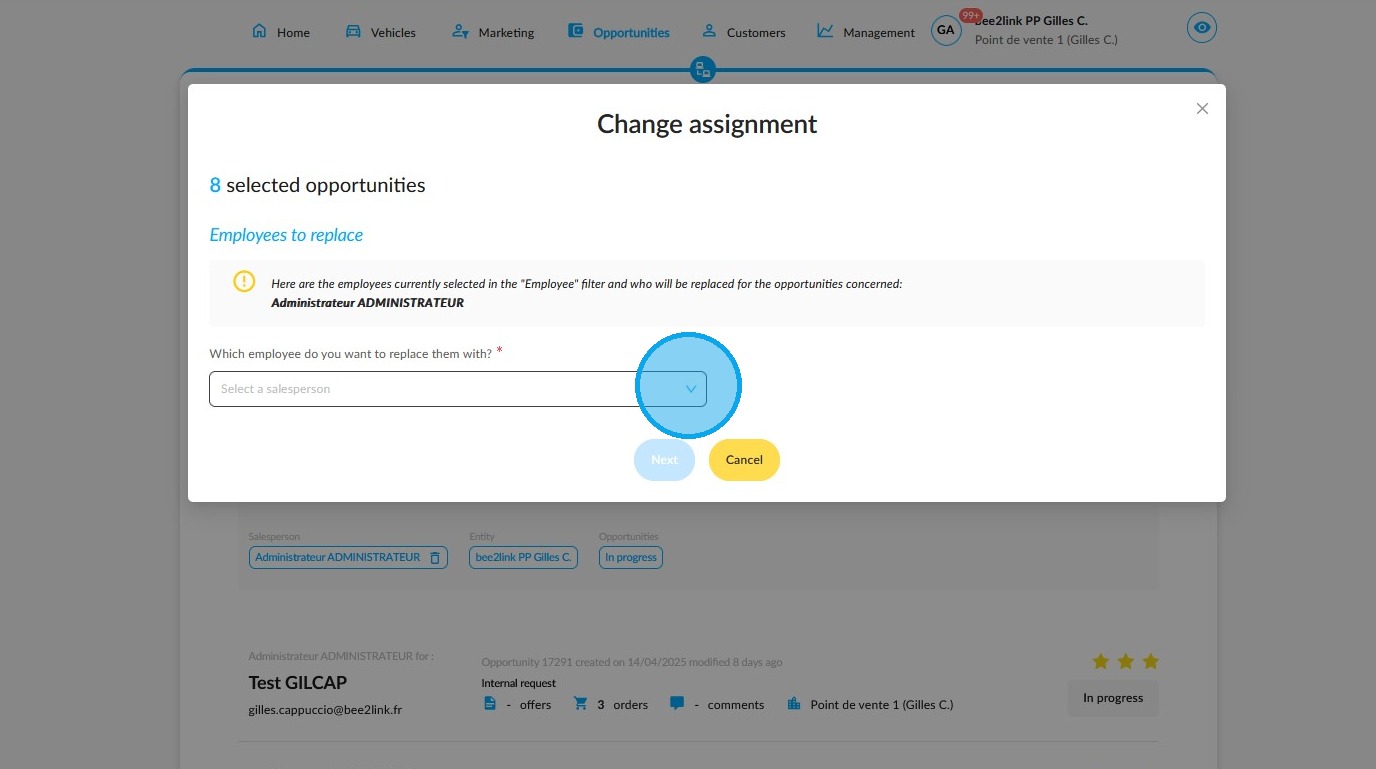
Click "Next".
Click on "Confirm the change" to continue. If you wish to cancel, click on "Return to the previous step".
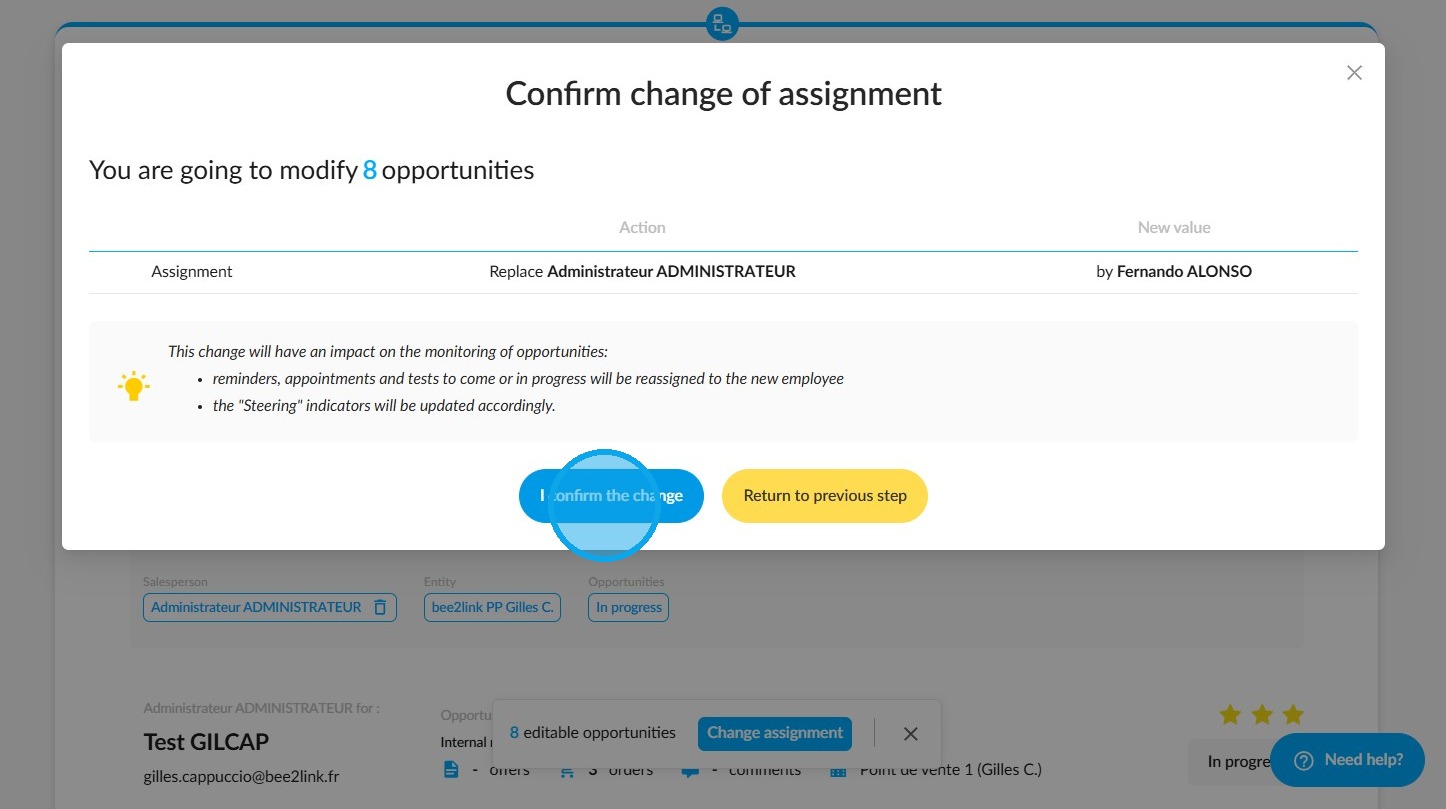
You will be notified when the process is finished.
The statistics in the "Management" menu will be updated accordingly following your changes.
Comments
0 comments
Article is closed for comments.