
Find out how to update the warranty displayed in a sales offer so that it matches the warranty specified in the vehicle record.
The warranty of vehicles in stock is automatically copied into offers as soon as the vehicles are added.
However, if the warranty is subsequently modified, a discrepancy will arise between the warranty specified in the vehicle record and the one displayed in the offer.
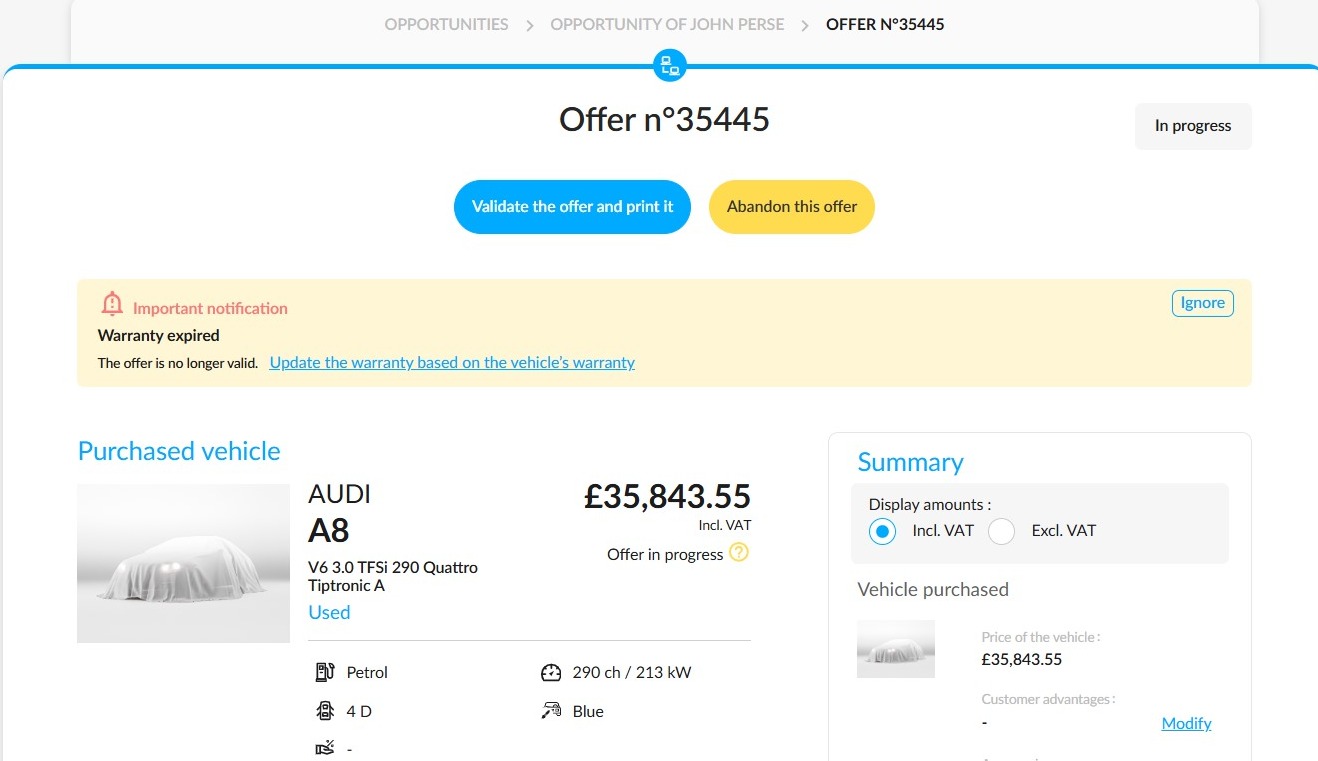
A banner will then appear, allowing you to resolve this discrepancy.
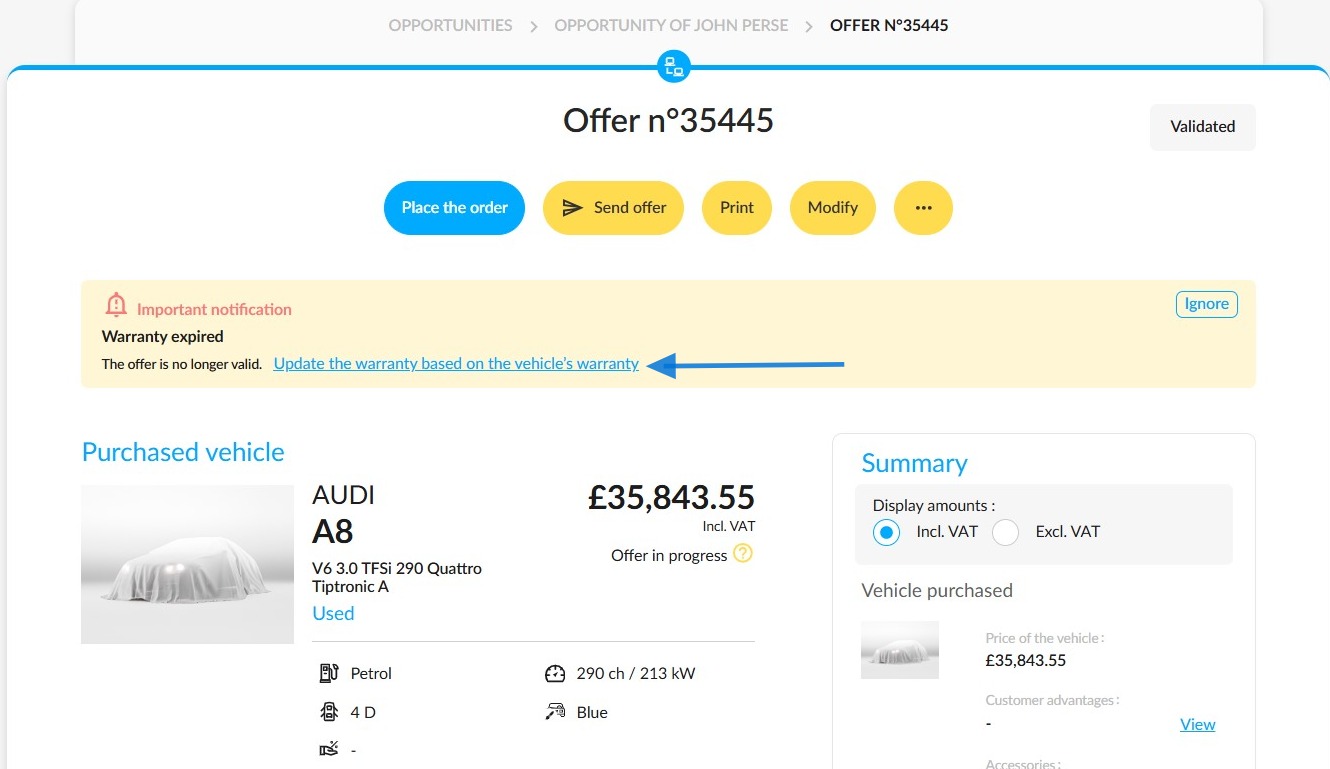
It is displayed at the top of the relevant ongoing or approved offers and is entitled “Warranty Expired”. It indicates that the warranty has been changed in the vehicle record..
The warranty specified in the offer is displayed in the summary panel on the right-hand side of the screen.
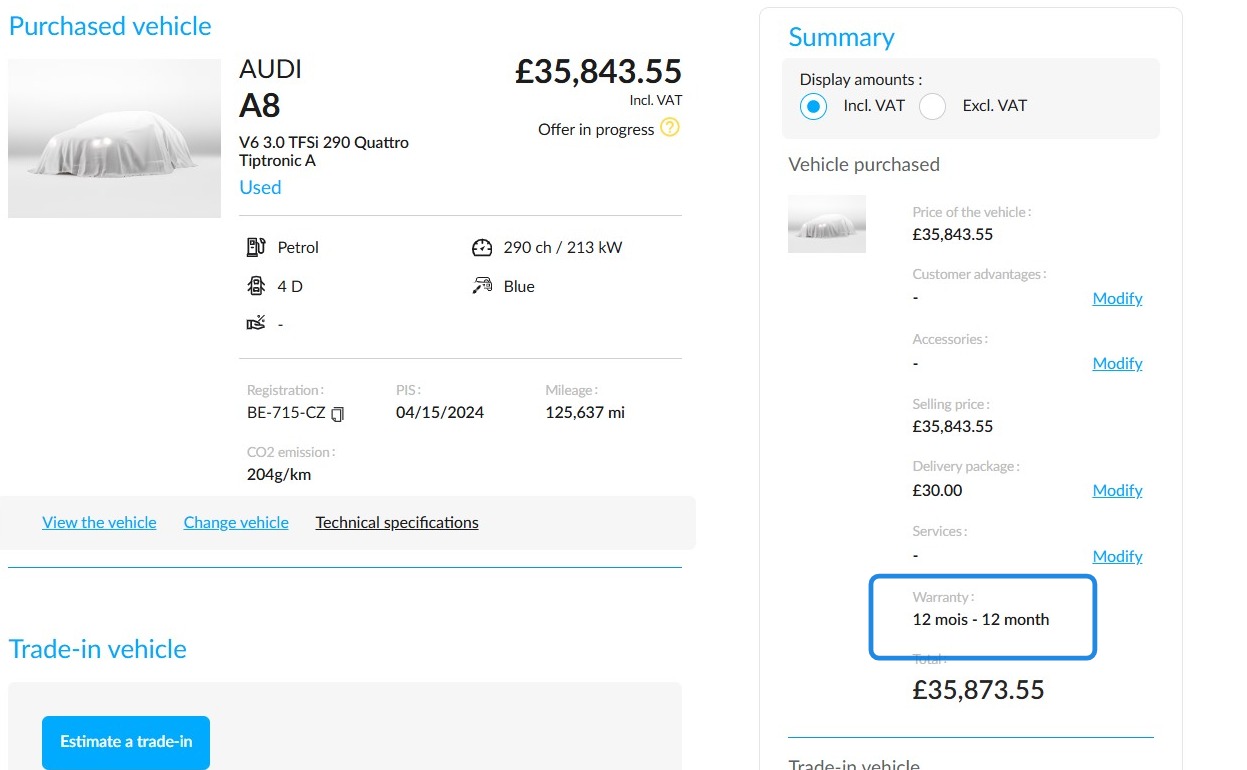
You can compare it with the warranty specified in the vehicle record.
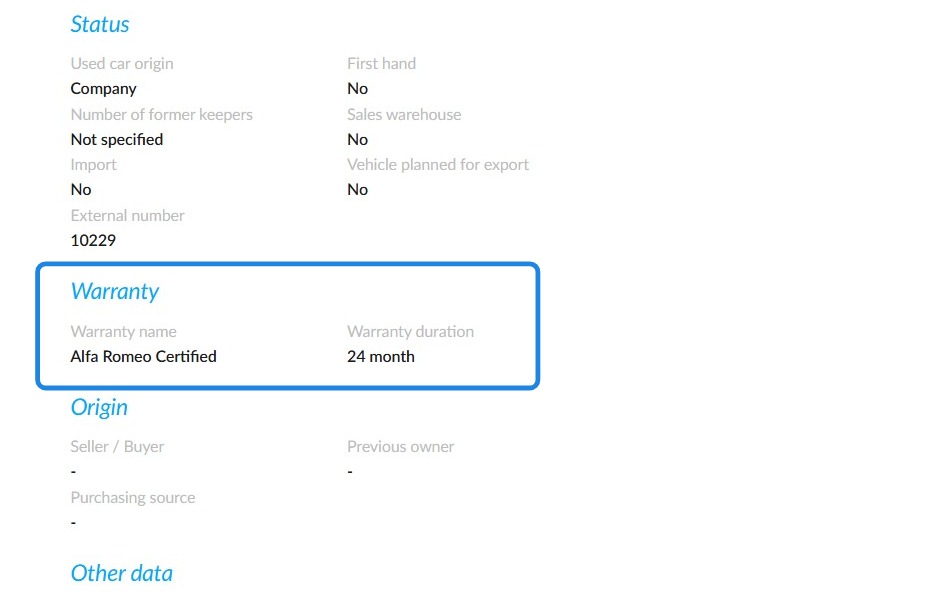
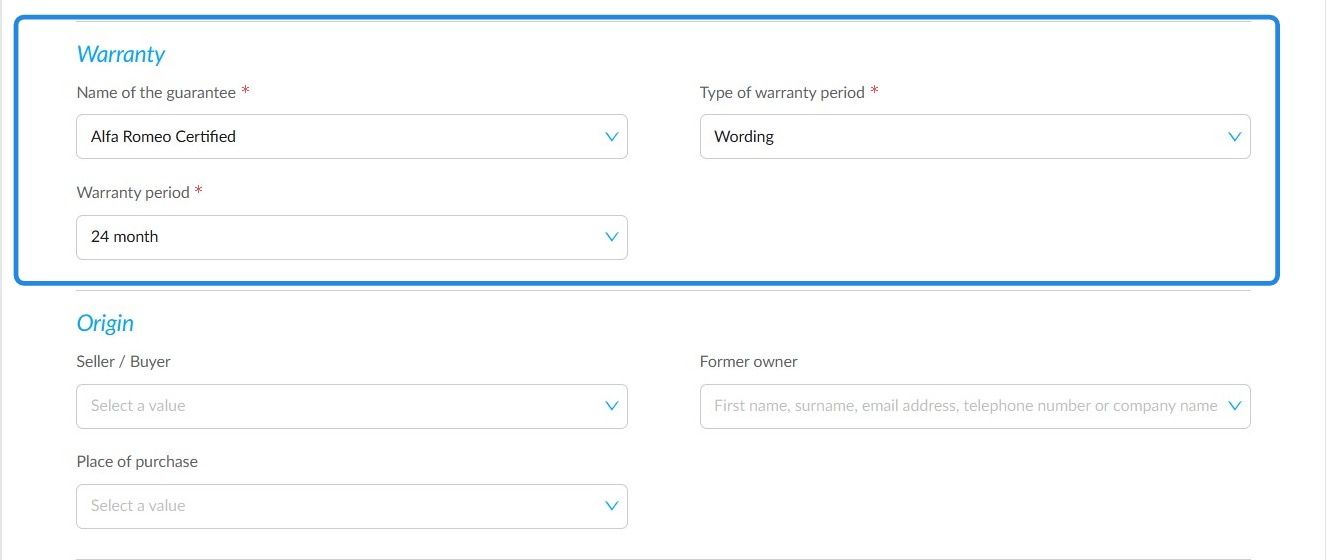
In the vehicle record, you can modify the warranty under the additional information section of the synthesis. Click the “Modify” button at the top of the record.
You must also click “Save” for the changes to take effect.
To update the warranty, click “Update warranty based on vehicle warranty”. However, you can choose to ignore the alert if the discrepancy is intentional. In that case, the banner will disappear.

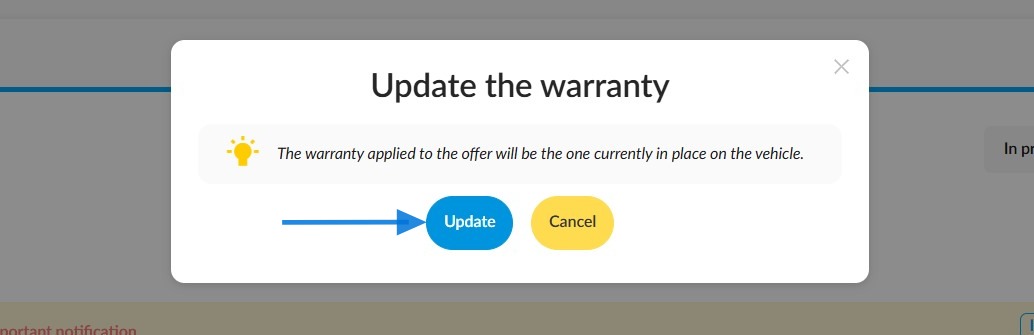
In the confirmation window, click “Update”. The banner will disappear, and the updated warranty will be displayed in the summary.
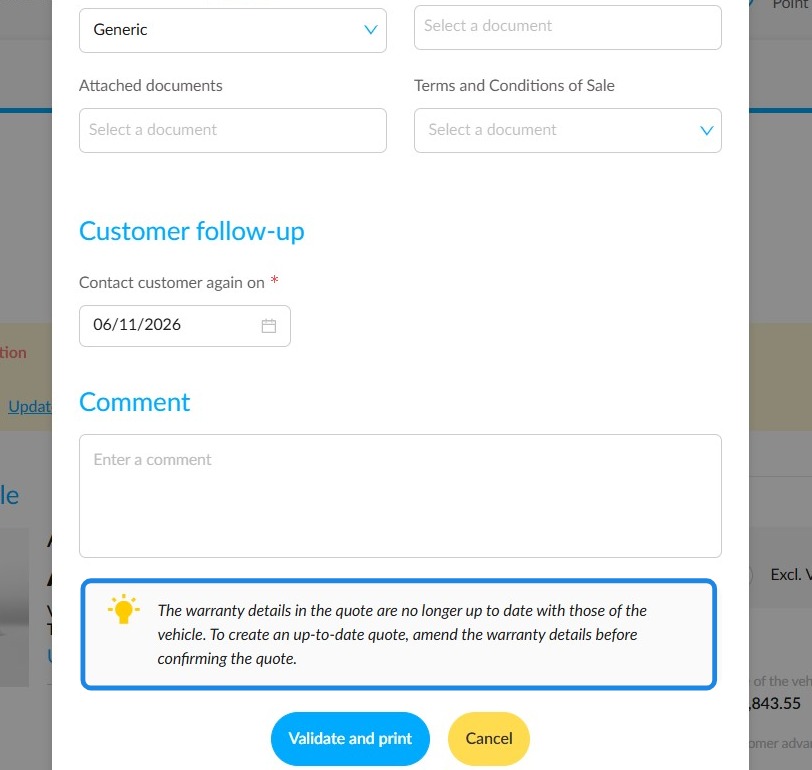
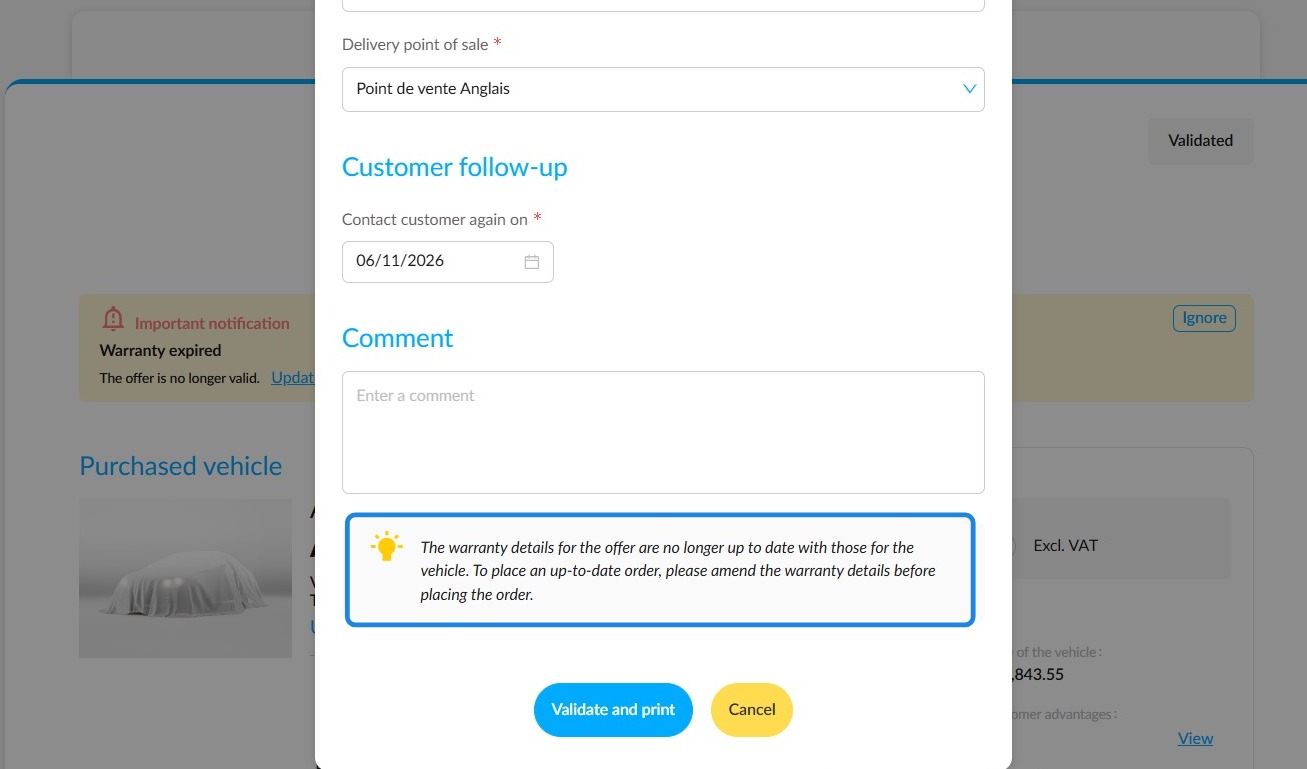
When valitading an offer, a reminder will appear at the bottom of the window, informing you that the warranty no longer matches the vehicle's warranty. However, you will still be able to validate the offer.
Even after the offer has been validated, you will still be able to update its warranty. The banner will remain visible.
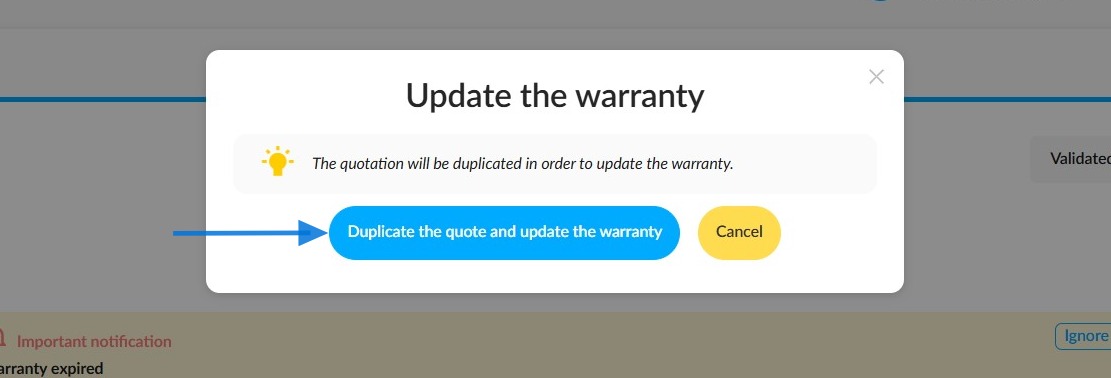
To update the warranty of an offer that has already been validated, you will need to duplicate it.
In the “Update Warranty” window, click “Duplicate Offer and Update Warranty”. A new “In progress” offer will automatically be created with the correct warranty, while the previous offer will remain validated. Make sure to abandon the previous offer to avoid having two validated offers for the same vehicle.
If you convert an offer with an outdated warranty into an order, a warning message will appear at the bottom of the order confirmation window.
Comments
0 comments
Article is closed for comments.