
Please read this tutorial to find out how to specify a co-holder for an order.
1. In OpenFlex, you can add a joint holder to a purchase order. This allows you to include a spouse's identity on official documents.
Once you have prepared an offer, click on 'Place the order' to finalise it.
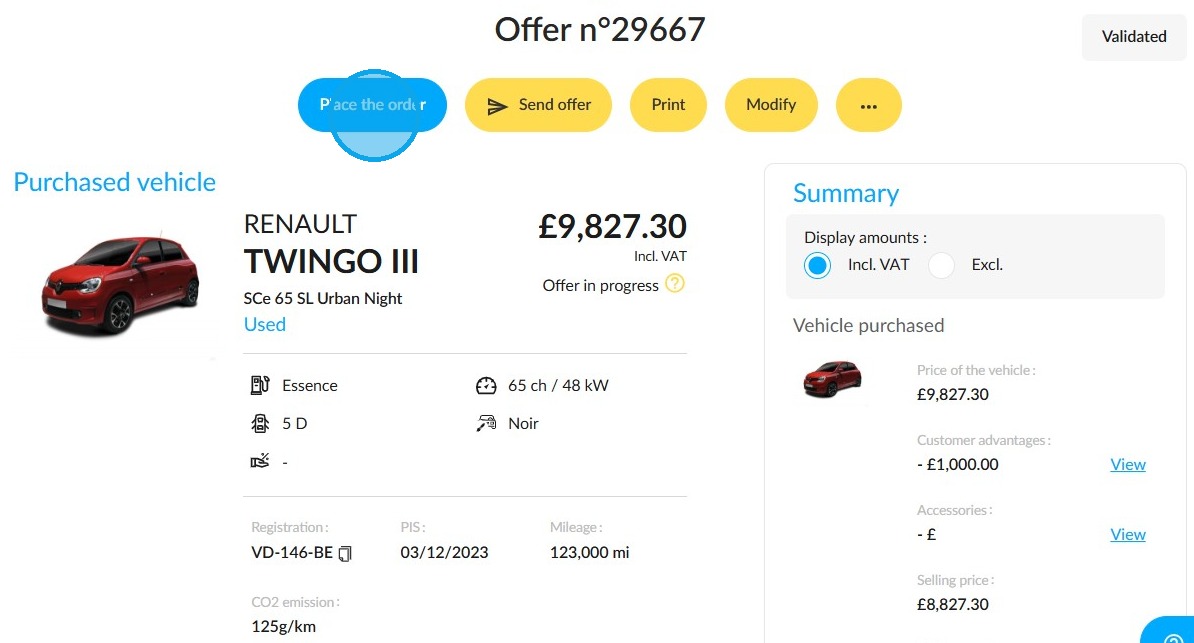
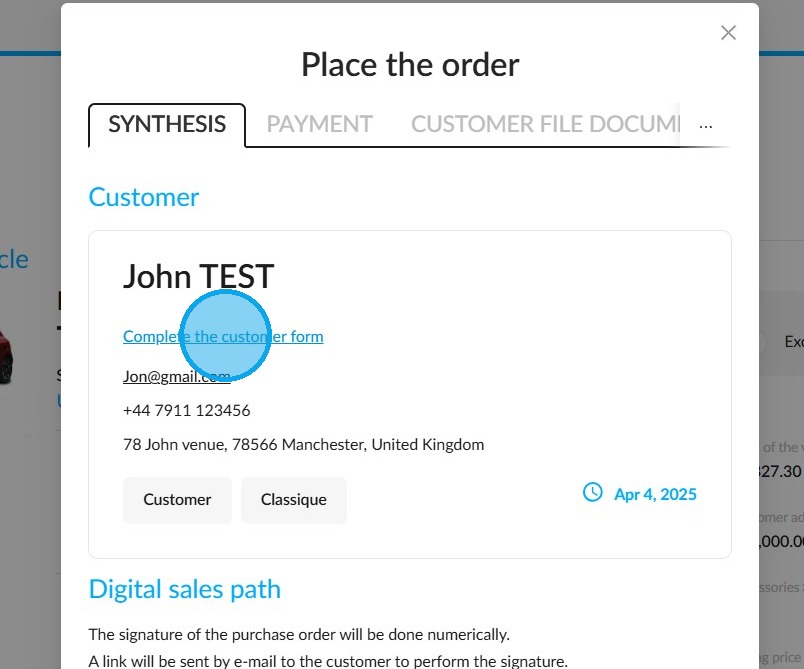
2. Your click will take you to the form you need to complete to finalise the transaction. Click on "Complete the customer form" at the top of the window, in the customer section.
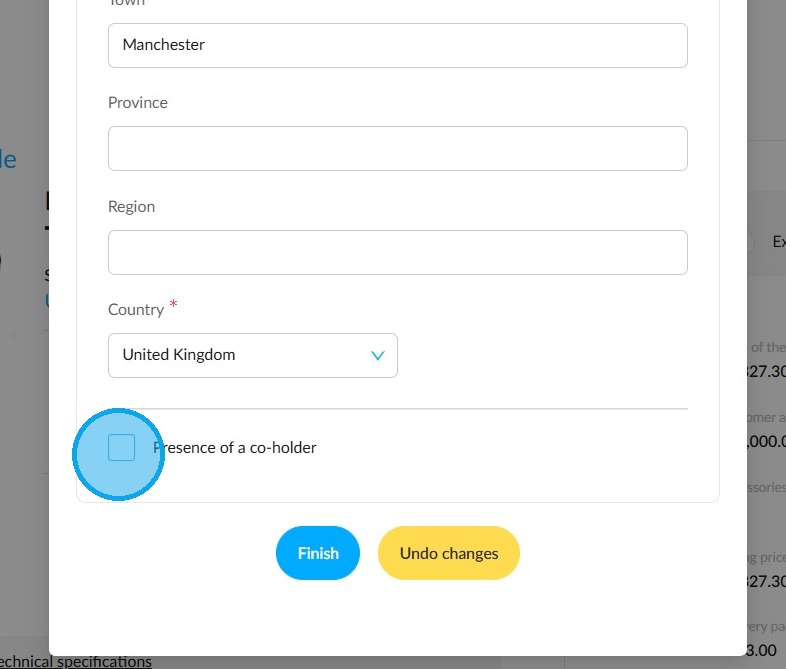
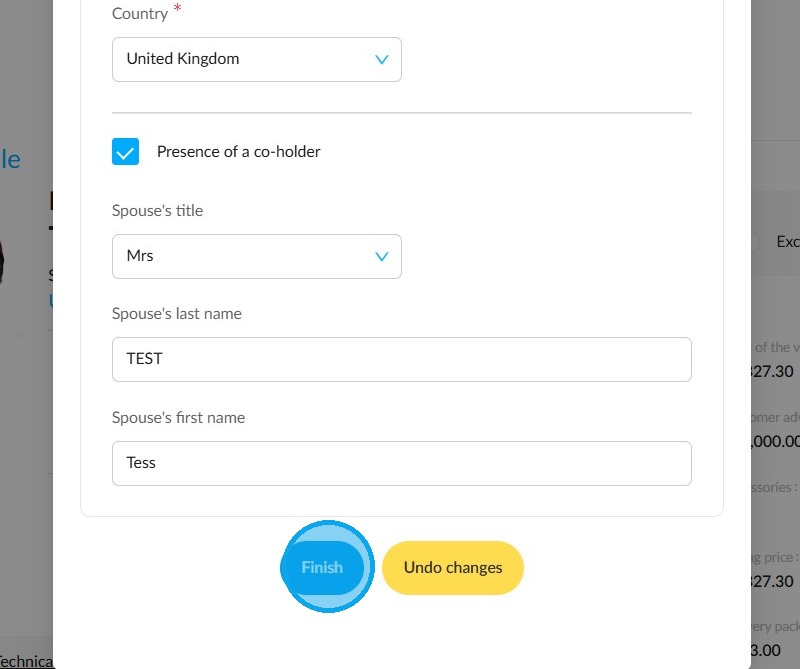
3. This is where you can designate a co-holder of the order. To do this, tick the box "Presence of a co-holder".
4. Then, complete the fields relating to their identity.
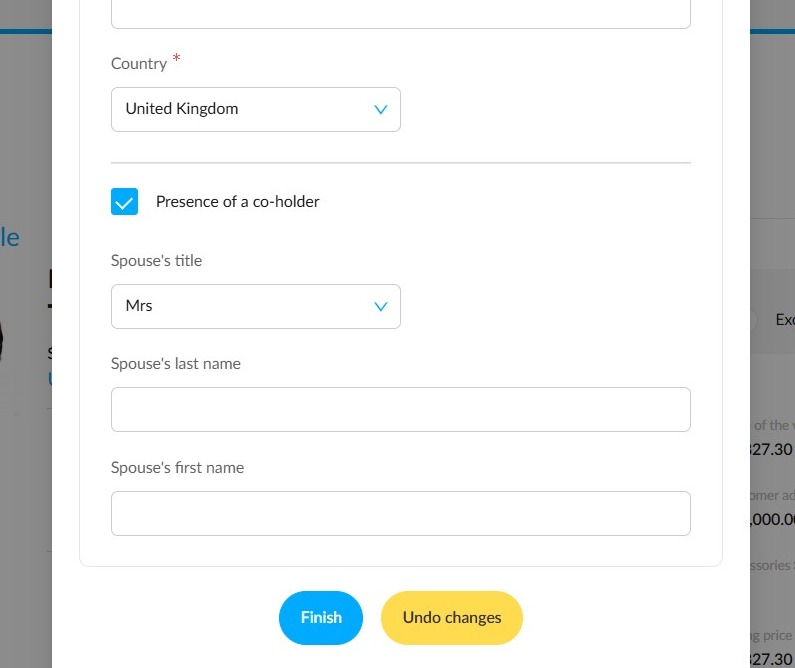
5. Then click on "Finish".
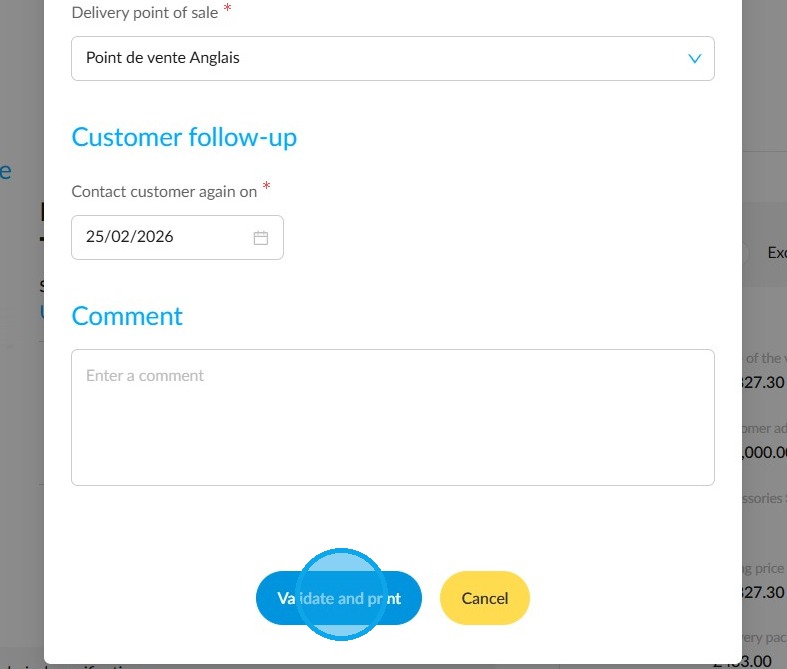
6. Finally, click on "Validate and print" to complete the order.
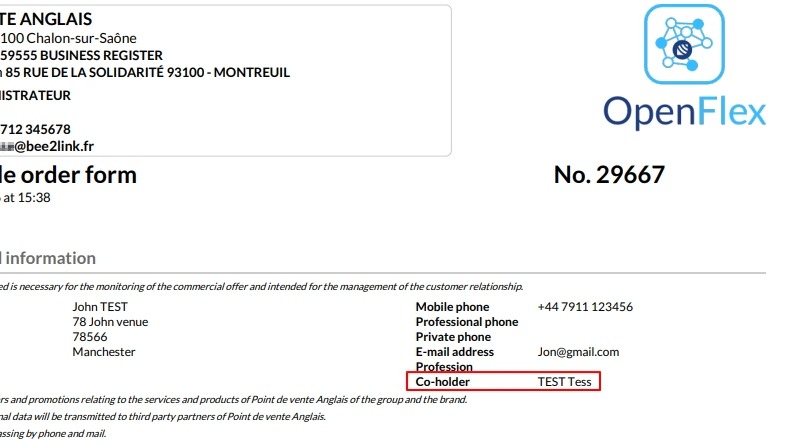
7. The name of the joint holder will appear on the order form.
Comments
0 comments
Article is closed for comments.