
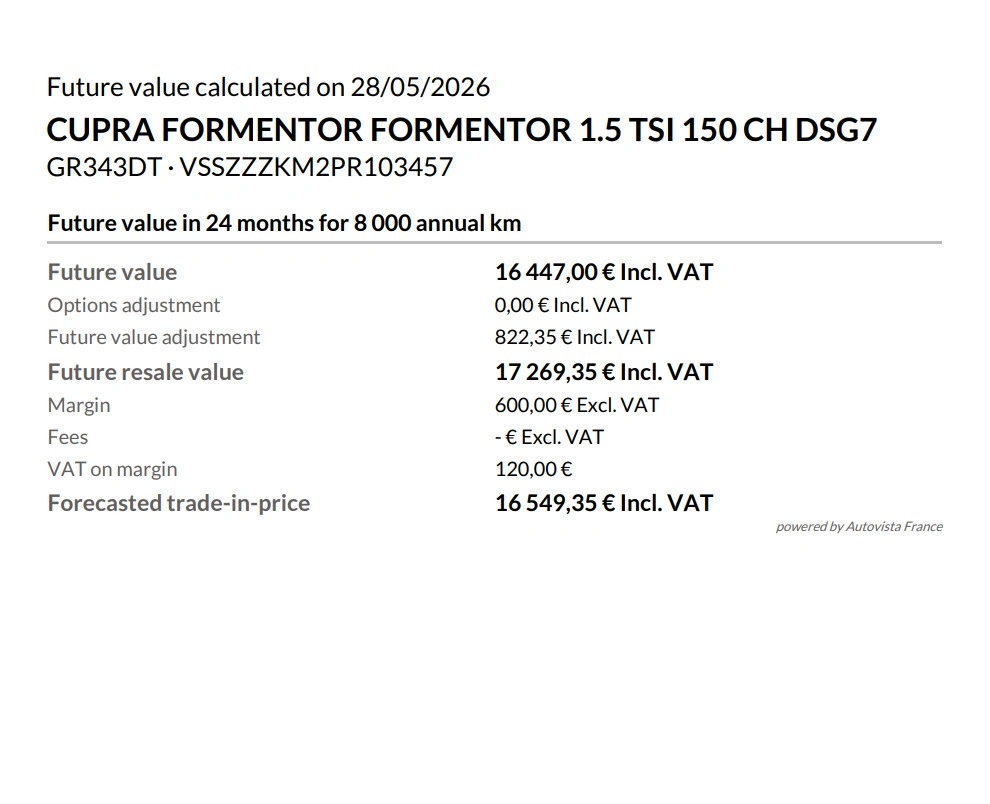
This guide explains the steps for downloading and printing a vehicle’s future value, so that you can provide it to a customer.
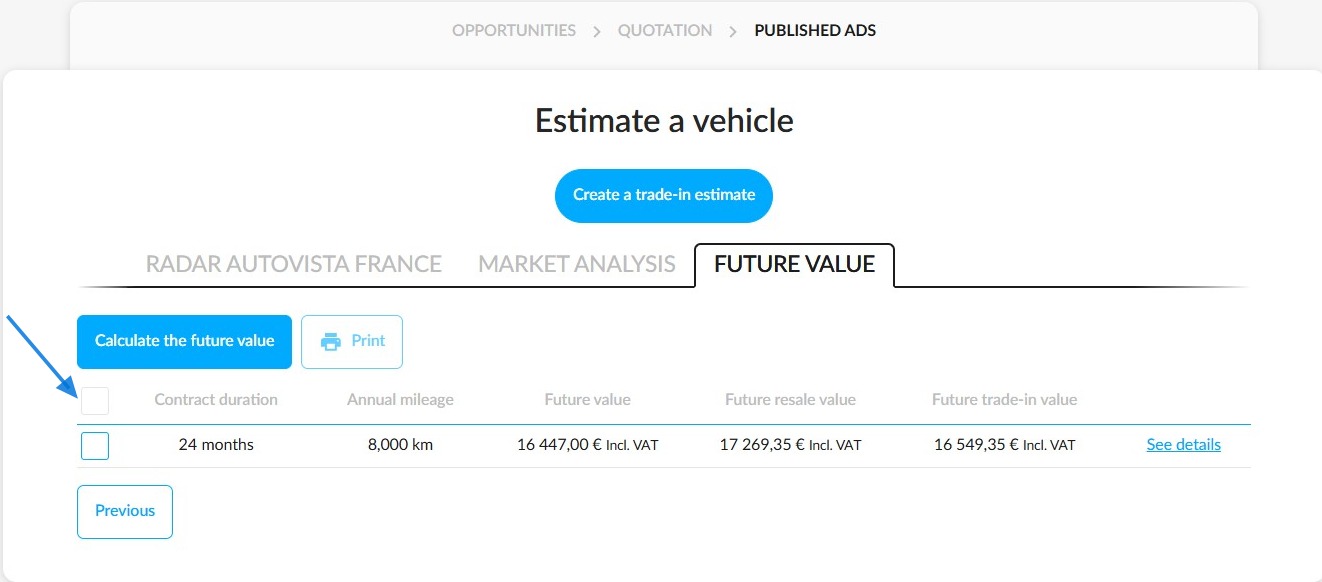
1. On the page for estimating a vehicle’s future value, click the box to the left of the value you wish to print. To select all values, tick the first box on the left.
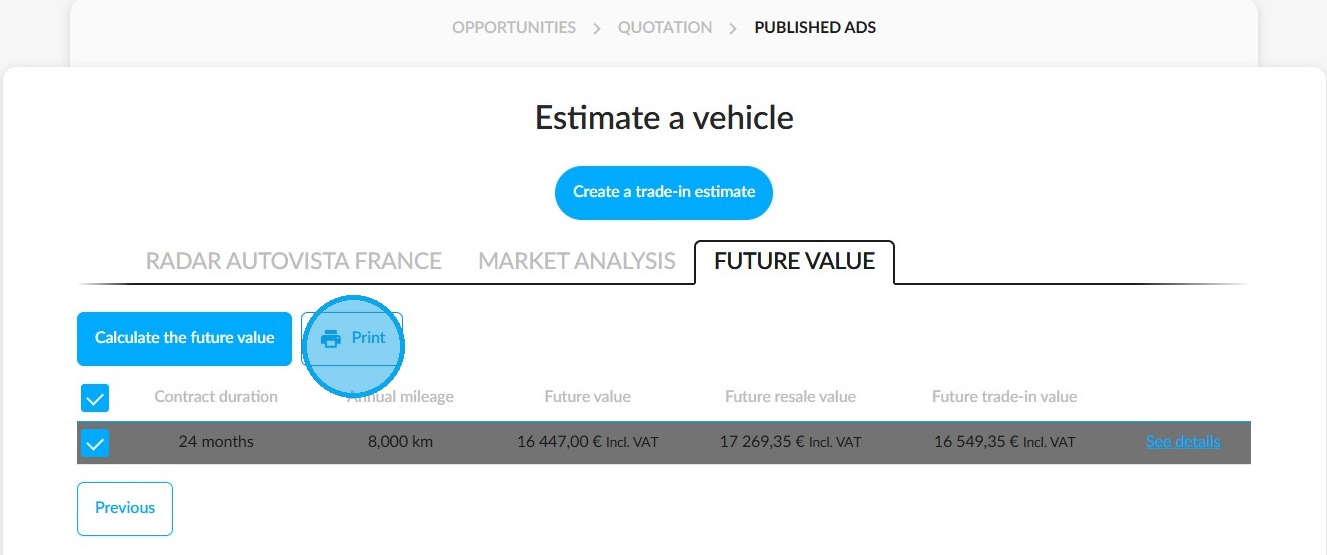
2. Then click the 'Print' button. It will only become active once you have made your selection.
3. A notification will confirm that your documents are ready to download.
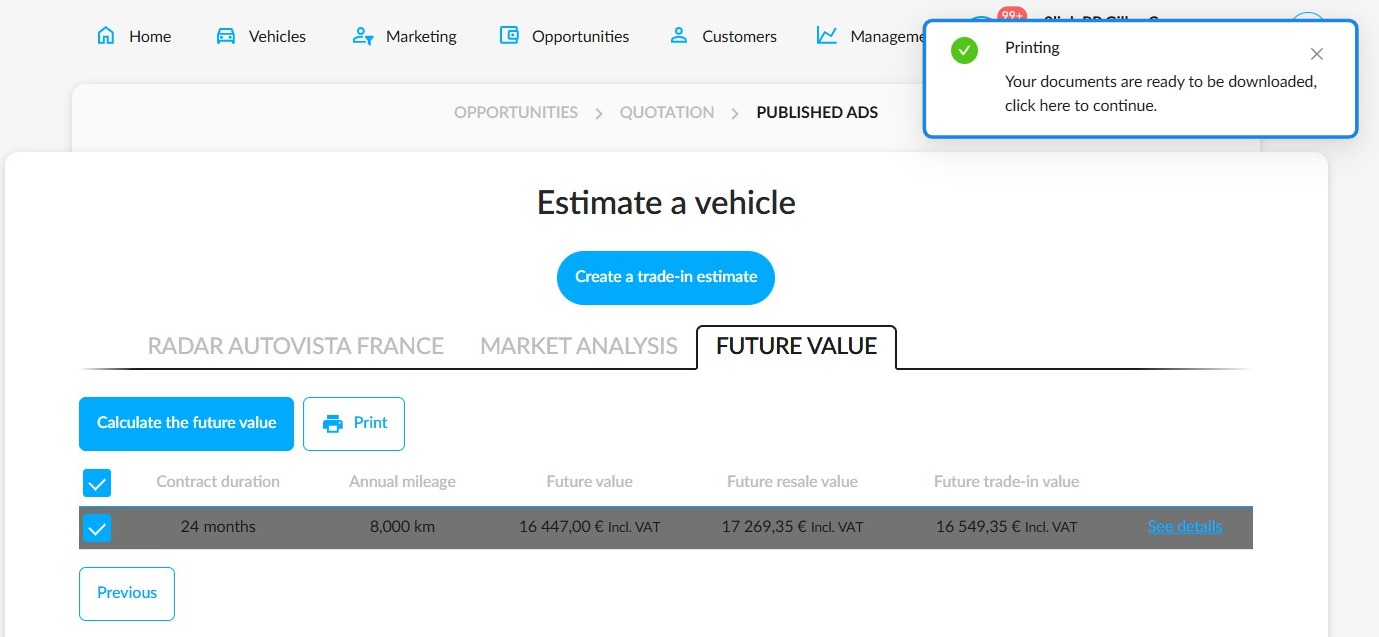
4. Finally, click on this notification to access your documents for downloading and printing.
Comments
0 comments
Article is closed for comments.