
This document provides a step-by-step guide on configuring and adding accessories in the OpenFlex platform.
Prerequisites: Access to the settings (administrator rights)
How to configure an accessory
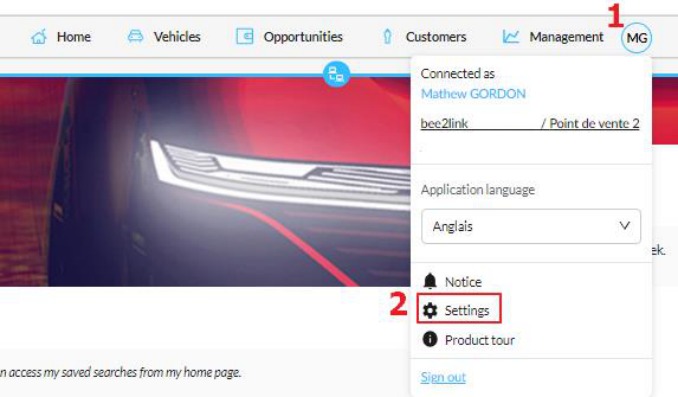
Log in to the OpenFlex platform and click on your initials (1) to access the « Settings » (2).
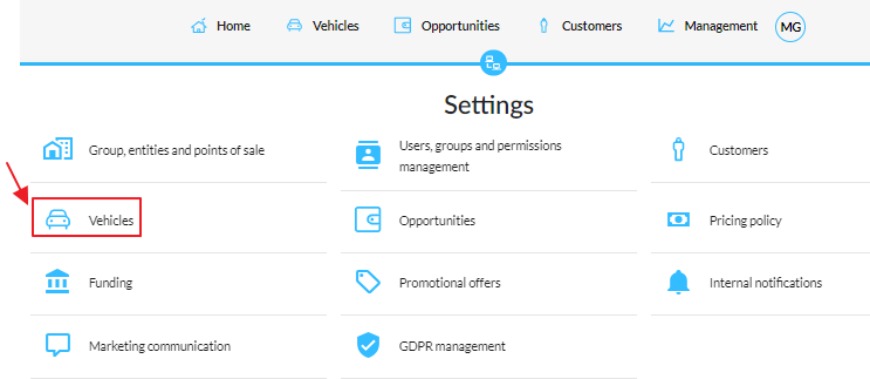
Click on the « Vehicles » menu:
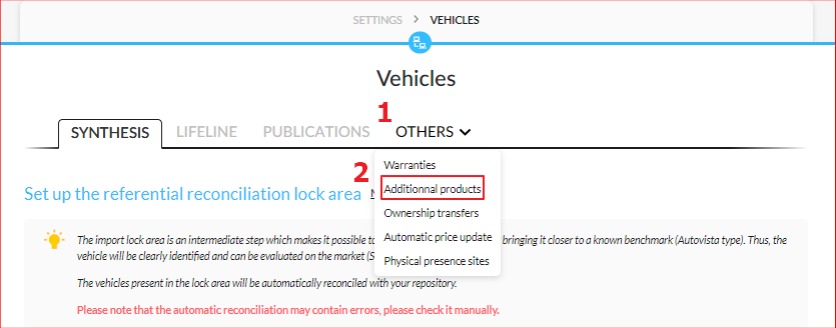
Click on the « Others » menu (1) and select « Additional products » (2):
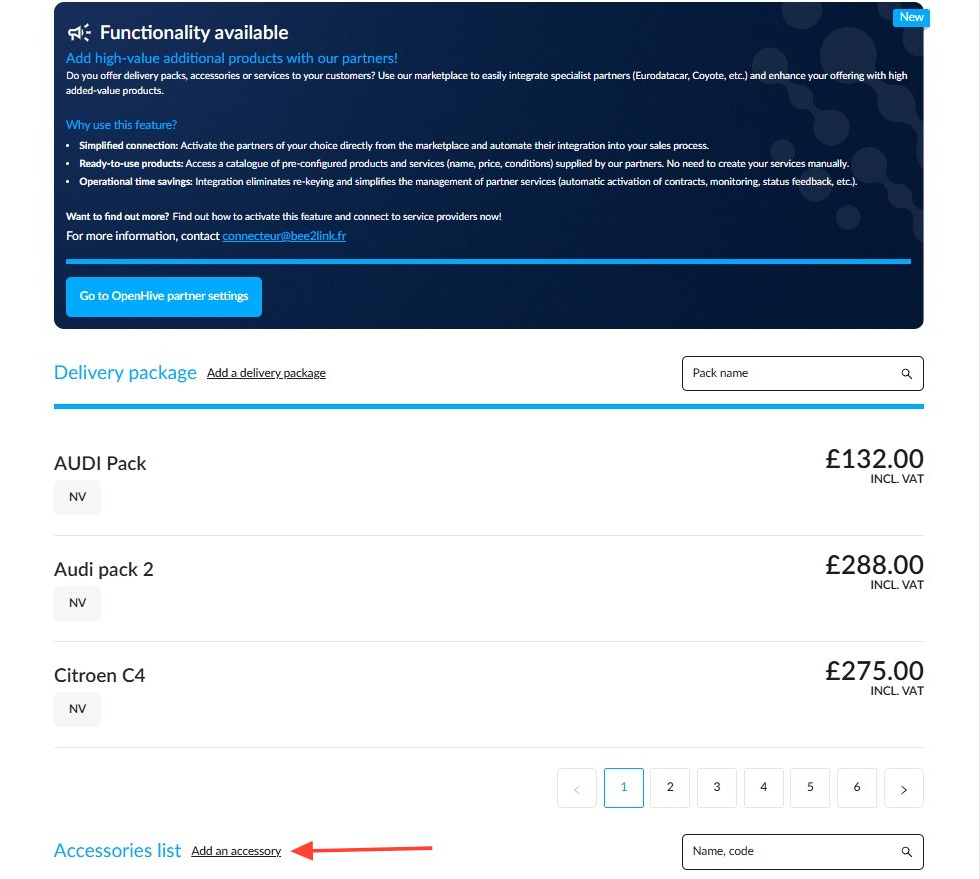
To create an accessory, click on « Add an accessory »:
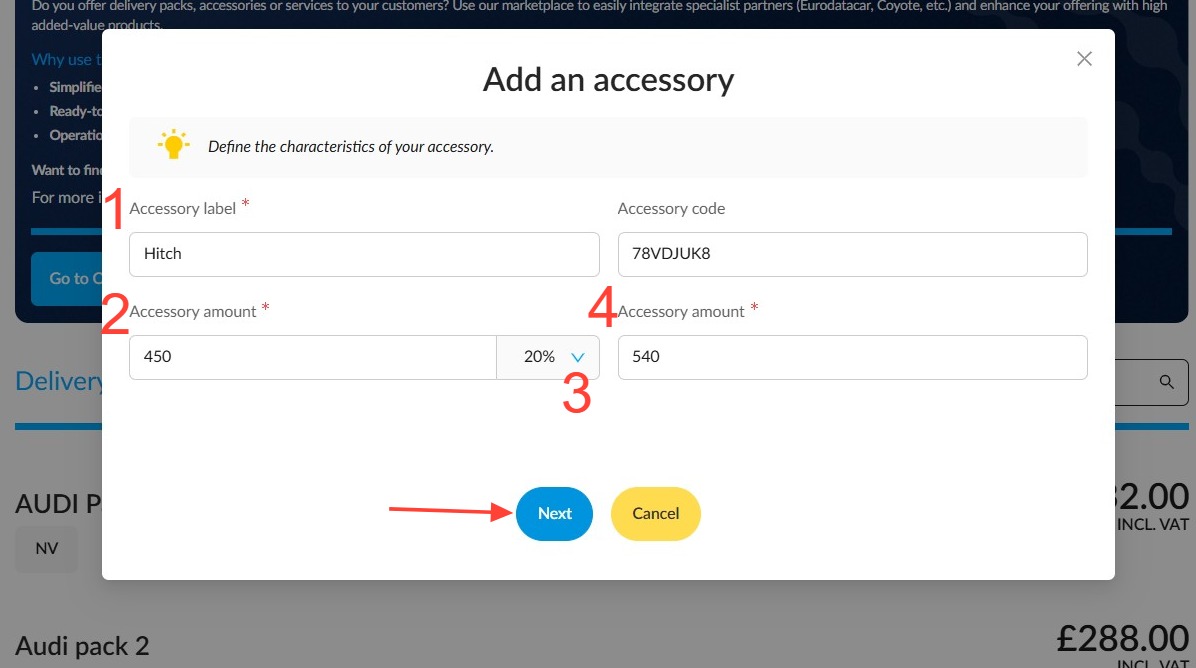
-For each accessory, enter the description (1), its reference, the price excluding VAT (2), and the VAT rate (3). The price including VAT will be calculated automatically (4).
- Click "Next":
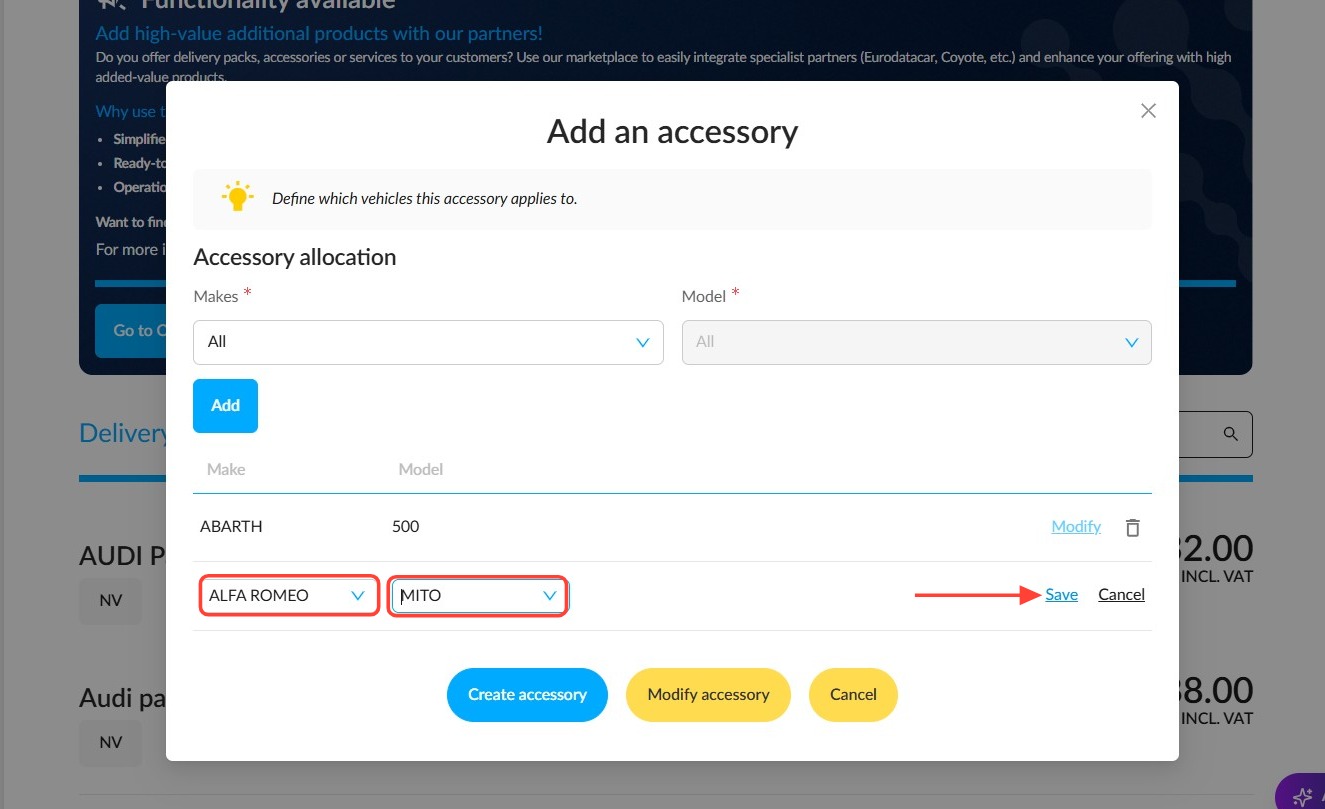
Assign the accessory to the desired makes and models, then click "Add":
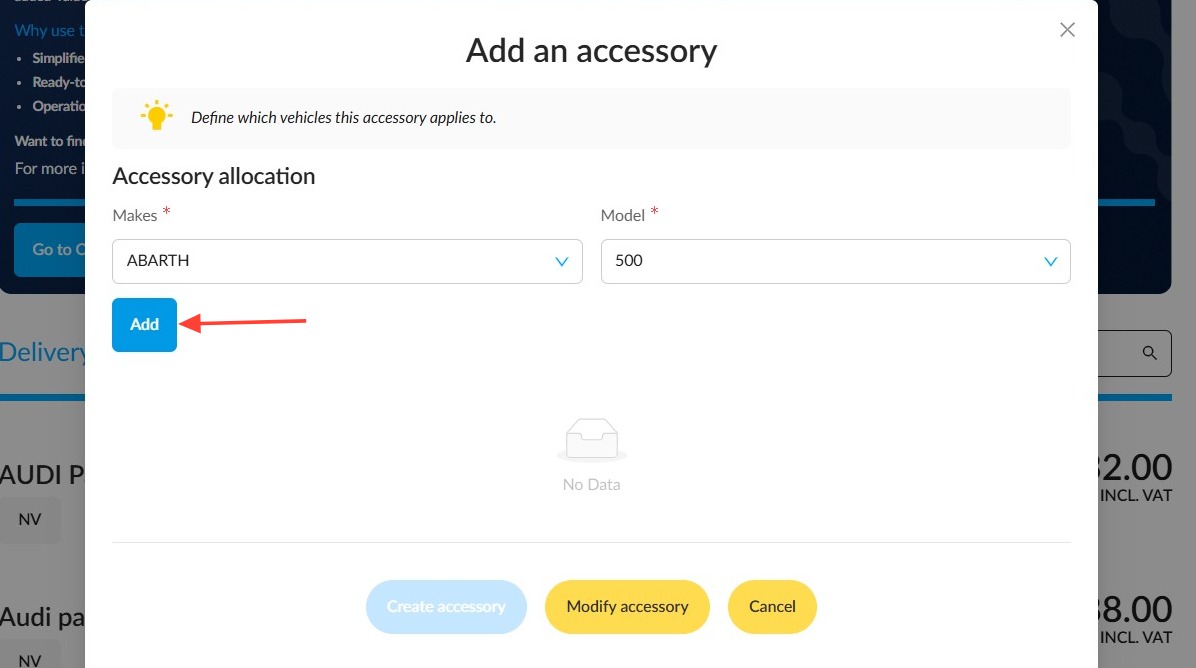
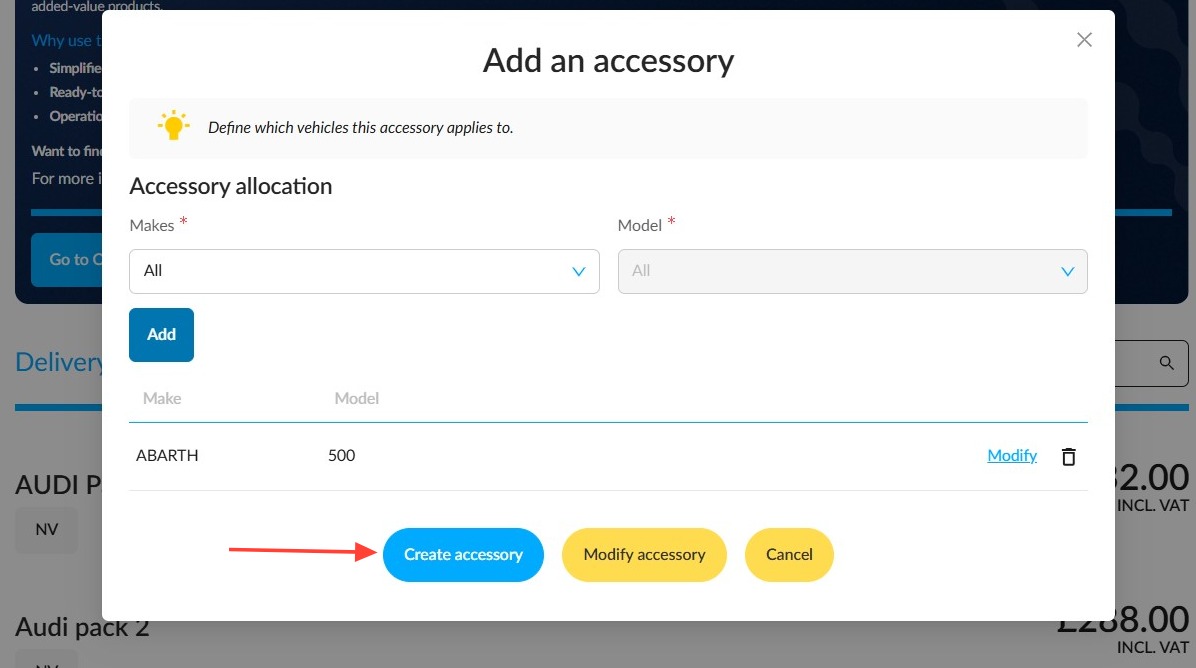
Then click on "Create accessory" at the bottom of the window.
• Click on "Modify" to the right of each configured accessory in the list to change its assignment.
• Delete an accessory by clicking on the bin icon next to the "Modify" button.
If you wish to assign this accessory to multiple makes and models, click ‘Add’ again, then click ‘Modify’ to configure them.
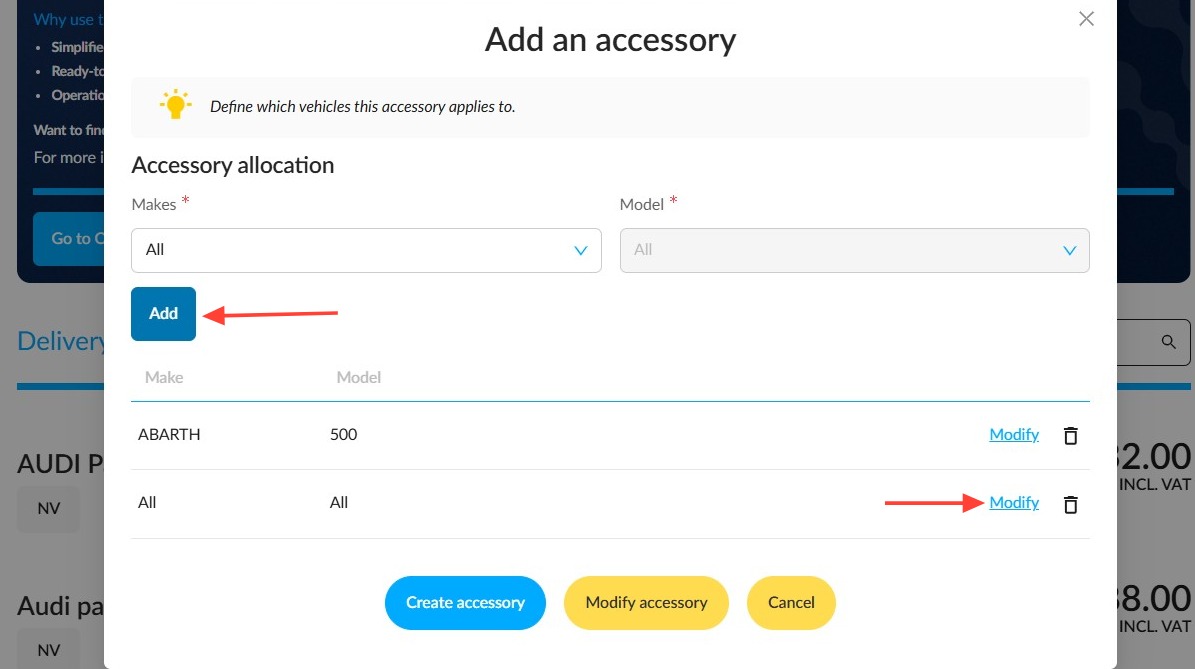
Select the data from the drop-down menus and click "Save" to the right of the table:
How do I add or edit an accessory to an offer?
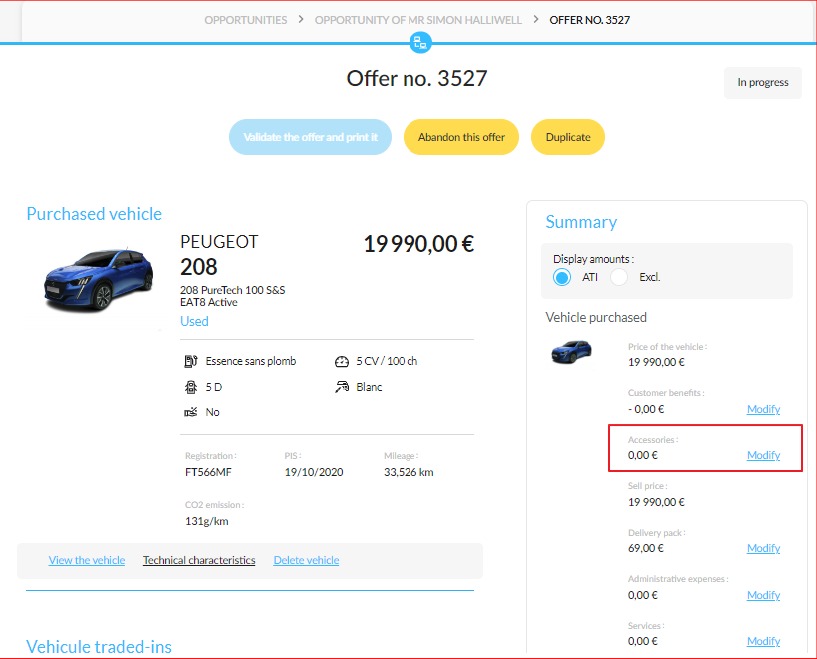
In the summary of the offer, click on the « Modify » button next to the « Accessories » field.
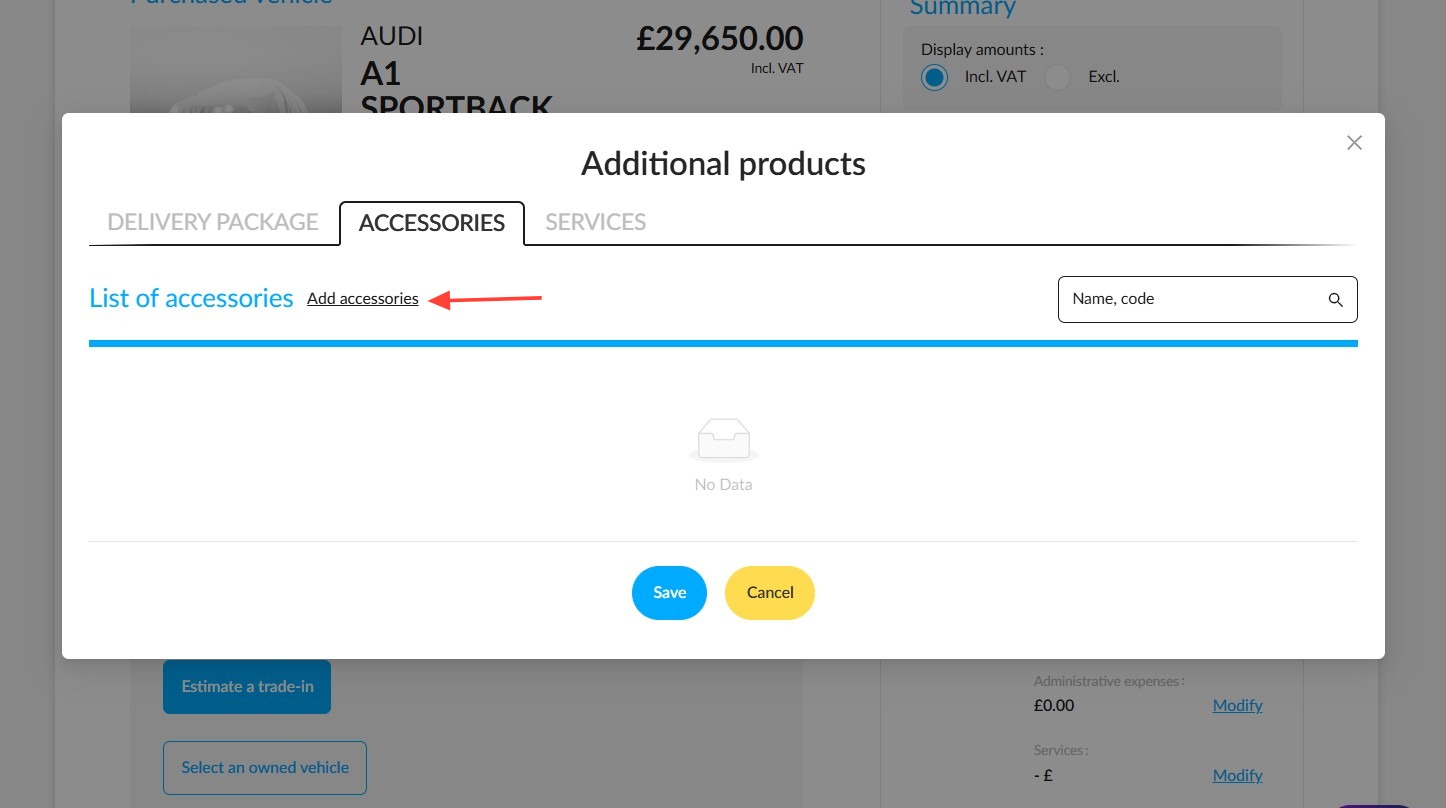
From the ‘Additional Products’ window, select the ‘Accessories’ tab and then click on ‘Add accessories’:
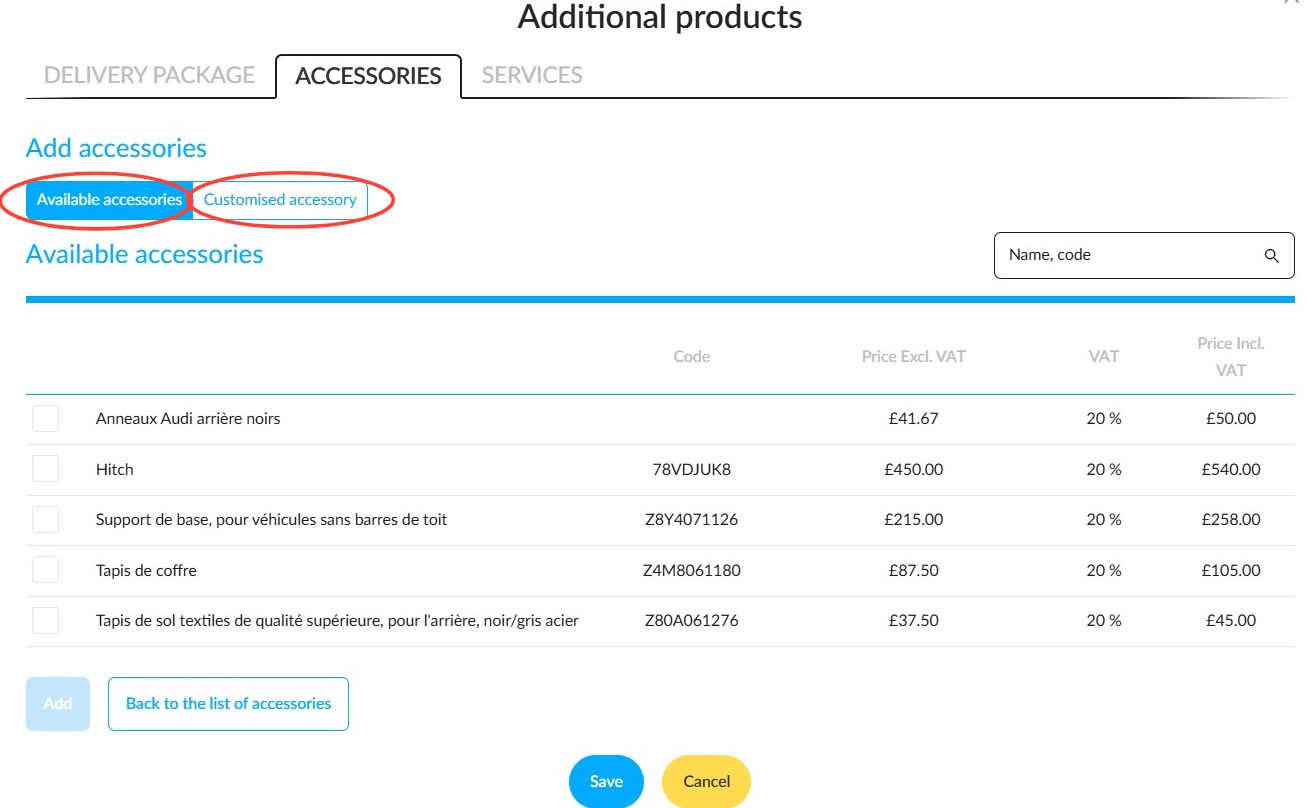
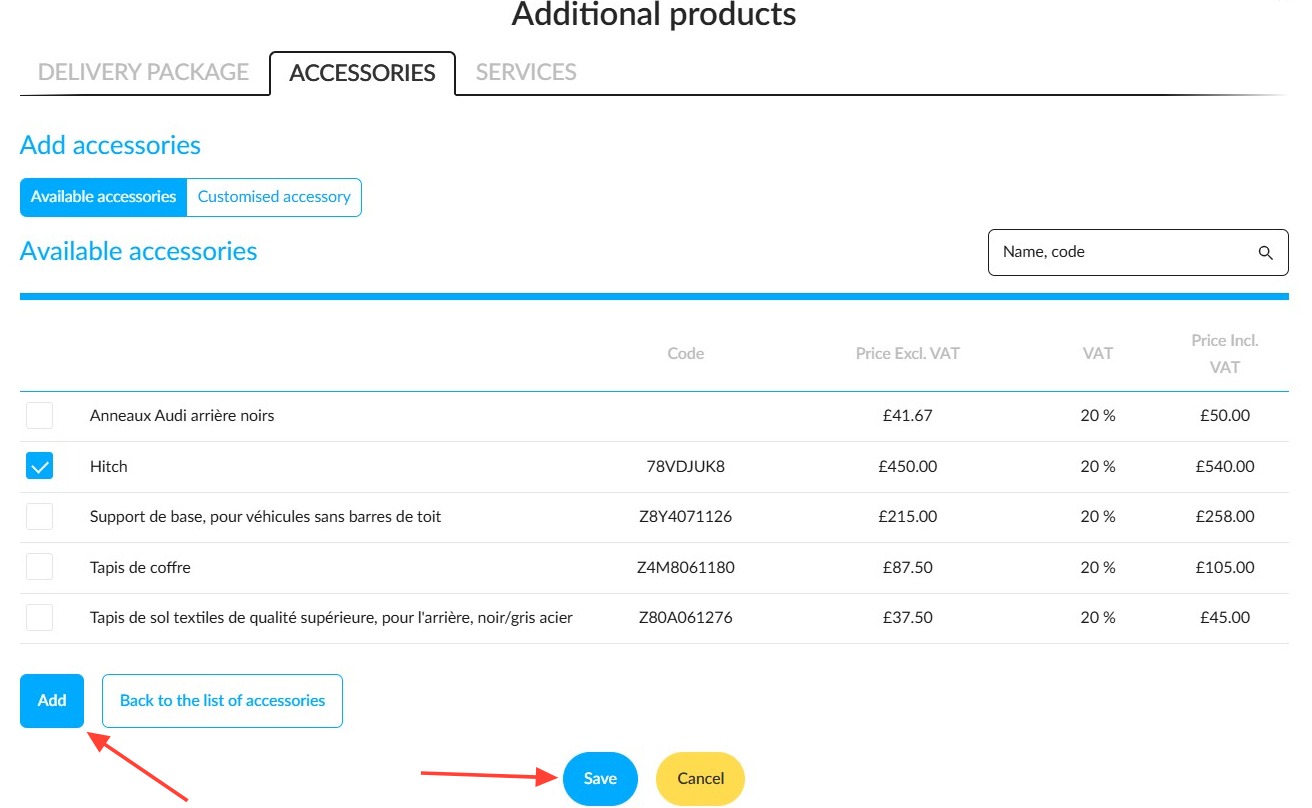
The ‘Available Accessories’ tab allows you to select an accessory that has already been configured in the settings
Or
- The ‘Custom Accessory’ tab allows you to create a new accessory.
-For each new customised accessory, please enter the following details: name; accessory reference code; amount excluding VAT; and VAT rate. The VAT-inclusive amount will be calculated automatically.
- To confirm the addition of these accessories to your offer, first click on "Add", then click "Save" at the bottom of the page
Note: The accessories created in an offer will not be saved in the parameters.
Comments
0 comments
Article is closed for comments.