
Find out how to sell a used or demonstration vehicle without a warranty to a private buyer. To do this, you will need to provide a description of the vehicle’s condition in the field provided for this purpose.
Prerequisites:
-You must have access rights to DVs and UVs.
-You must have permission to edit the synthesis information for these vehicles.
1) When creating a vehicle:
In OpenFlex, you can sell a vehicle without a warranty. This applies to both demo and used vehicles sold to private individuals.
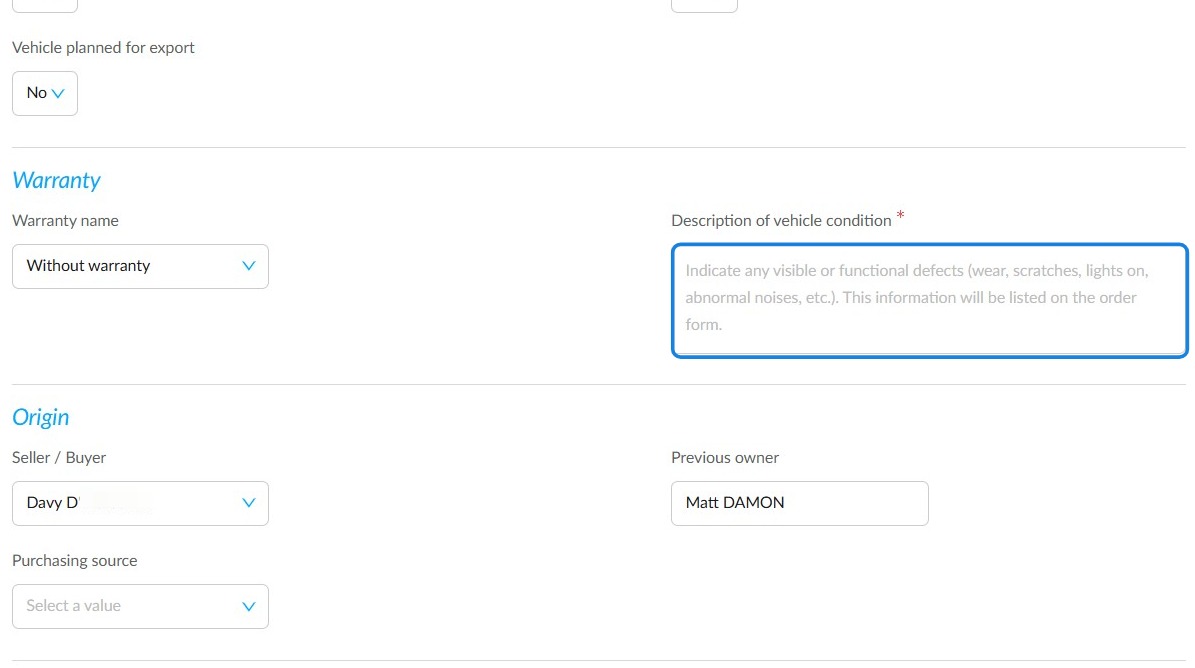
On a vehicle details page where no warranty has been entered, scroll down to the "Warranty" section. Click on the "Warranty name" field to select one.
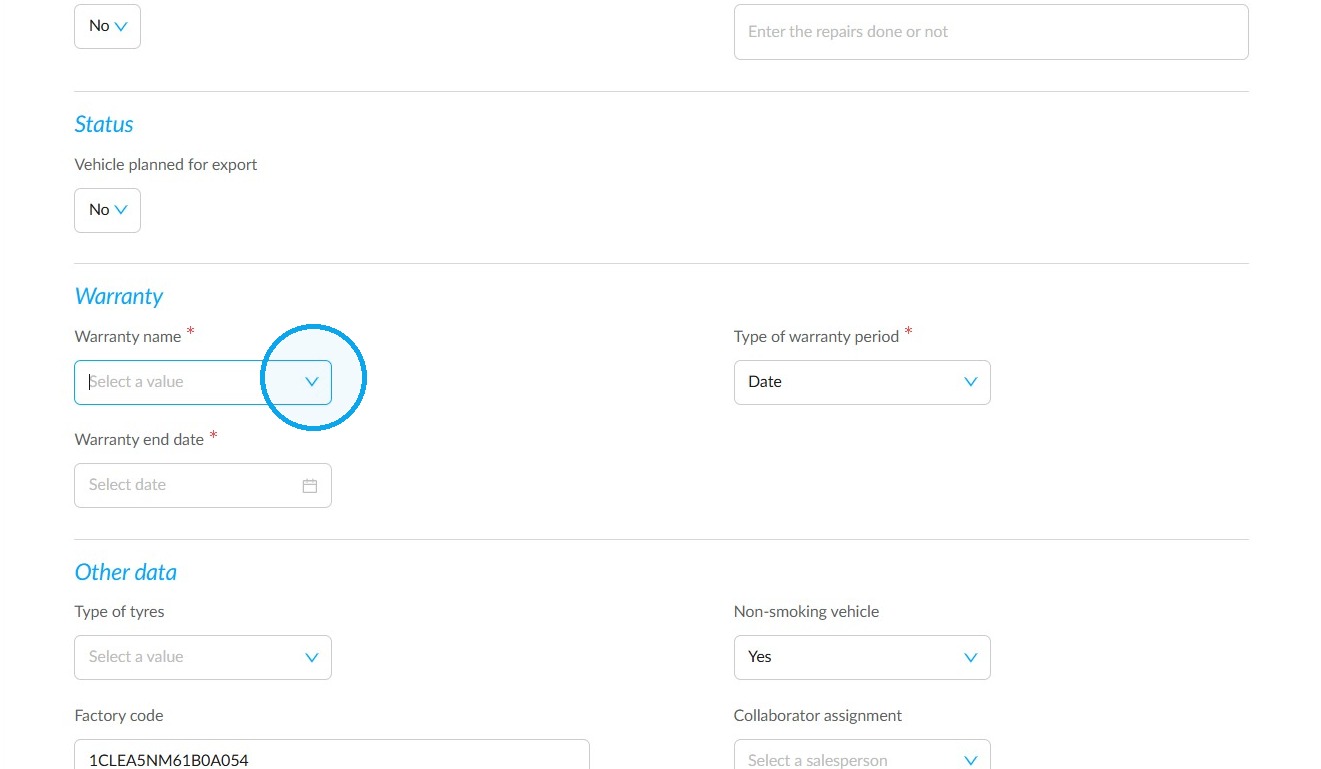
Select "Without warranty".
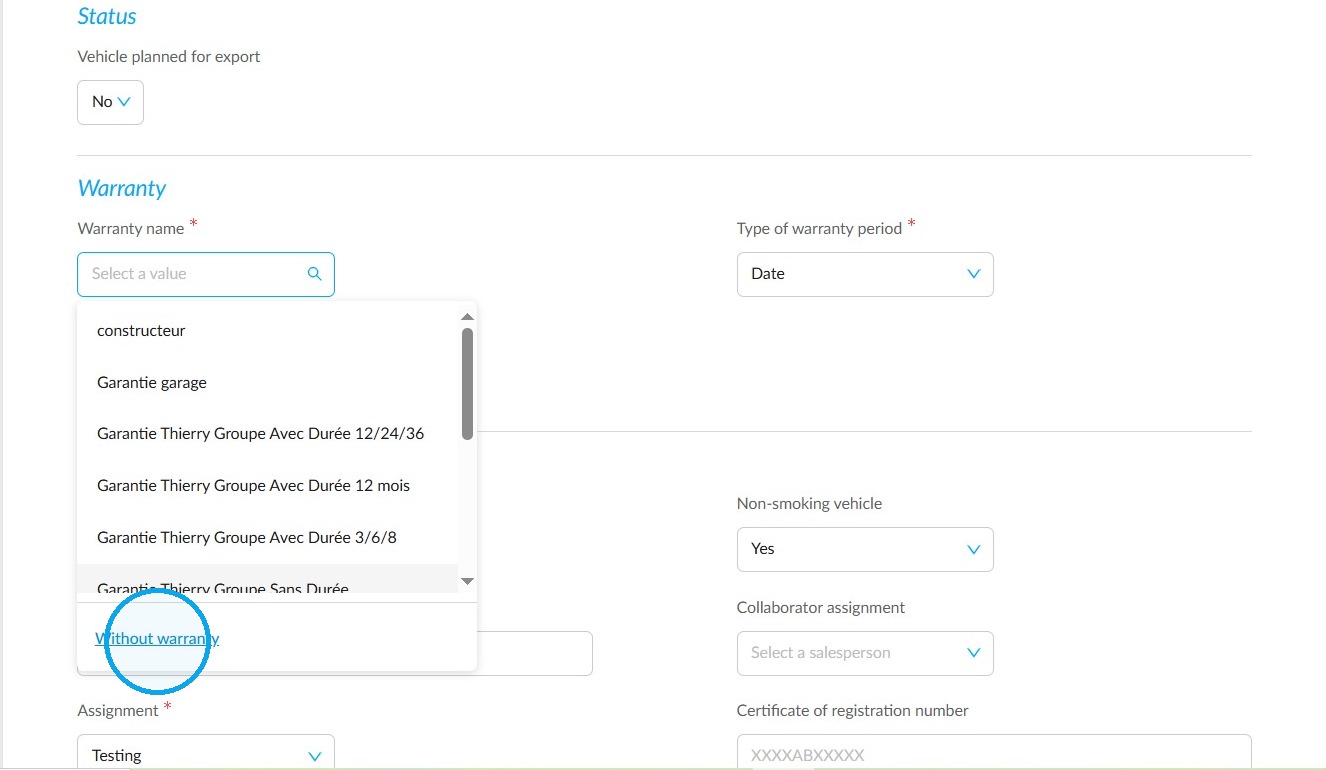
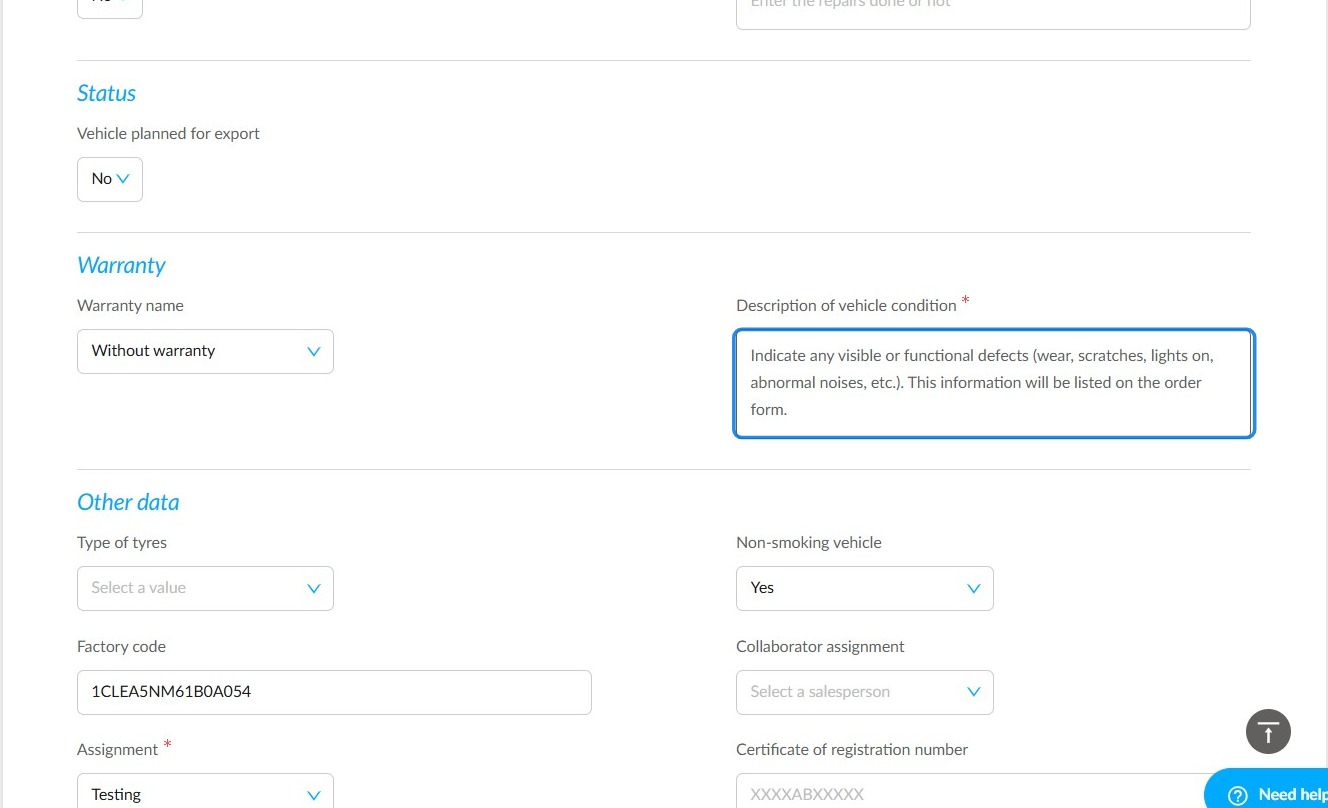
Selecting this option will bring up a mandatory field labelled ‘Description of the vehicle’s condition’, in which you must specify any damage to the vehicle.
Your list will appear on the order form.
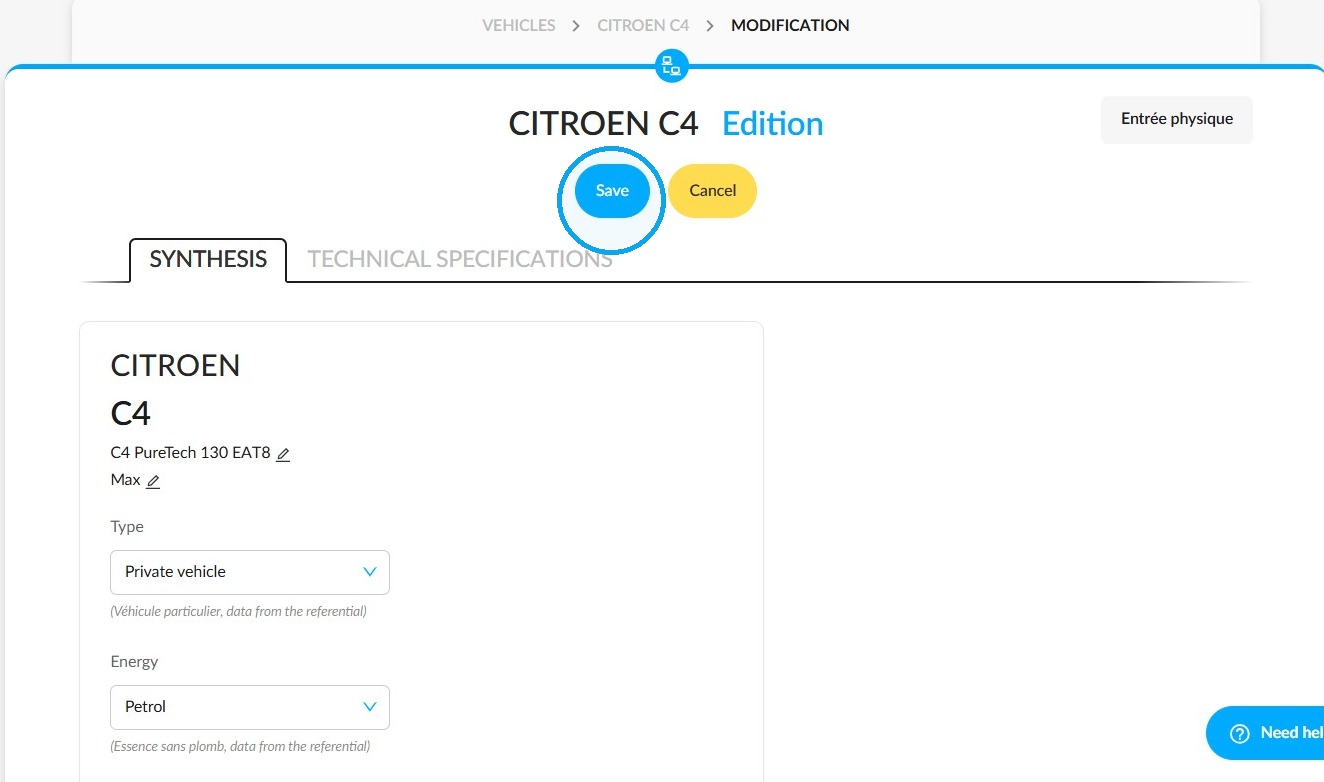
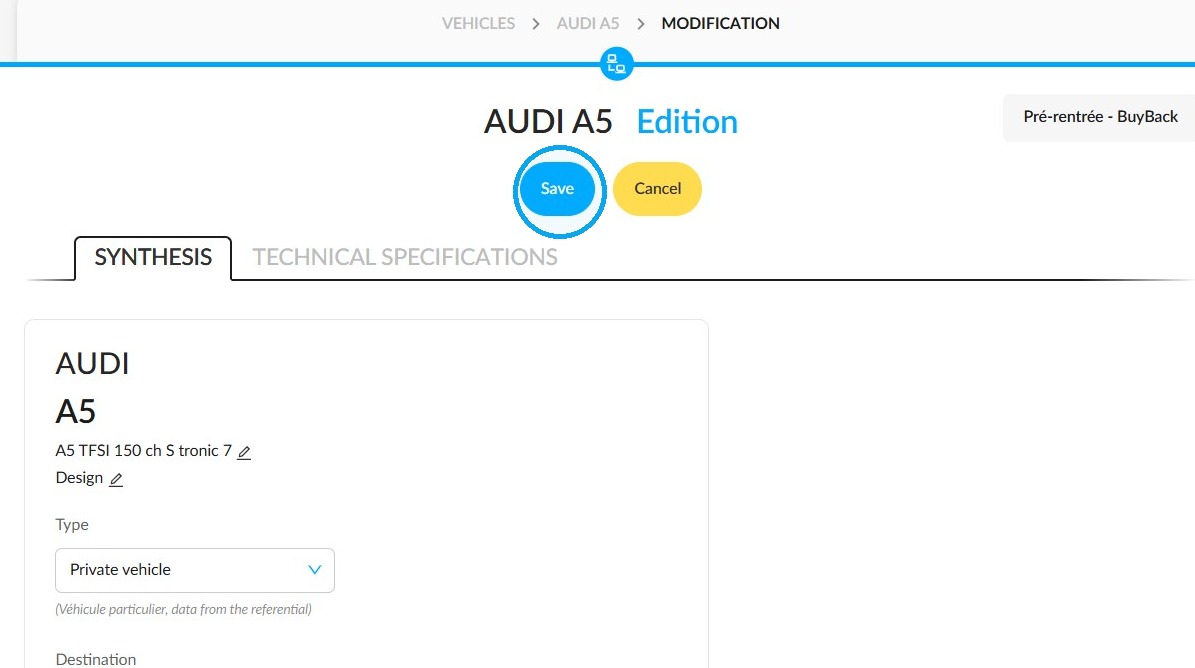
Then click "Save" to finish.
2) Change of status
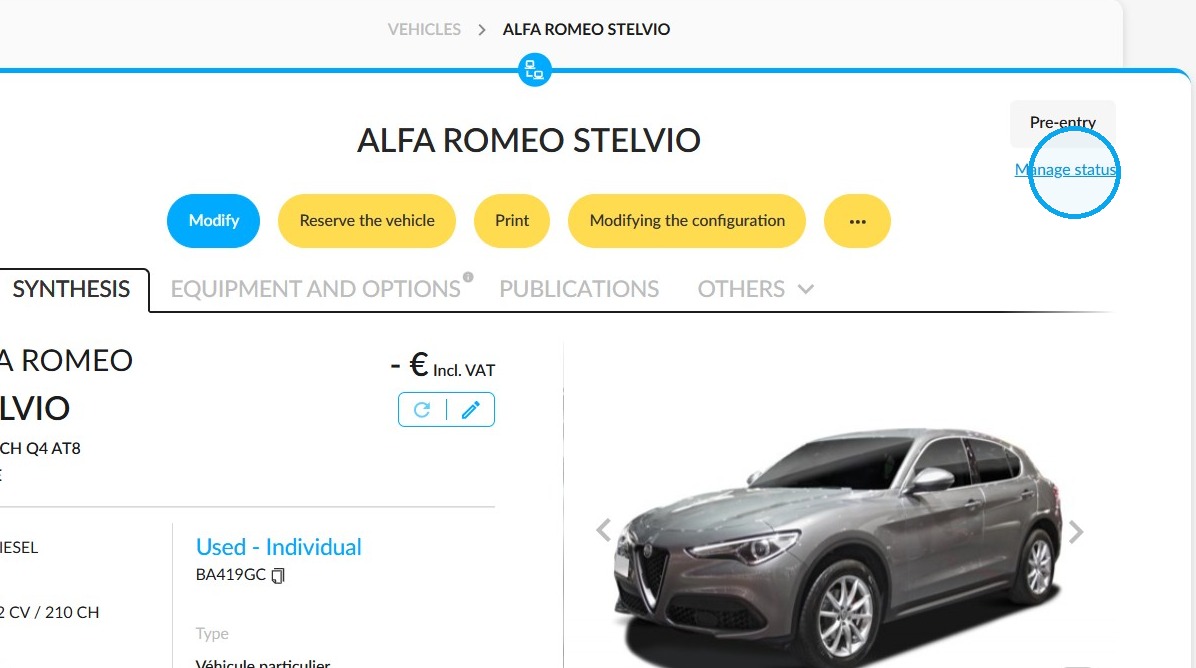
Click on "Manage Status" to update the vehicle's stock status.
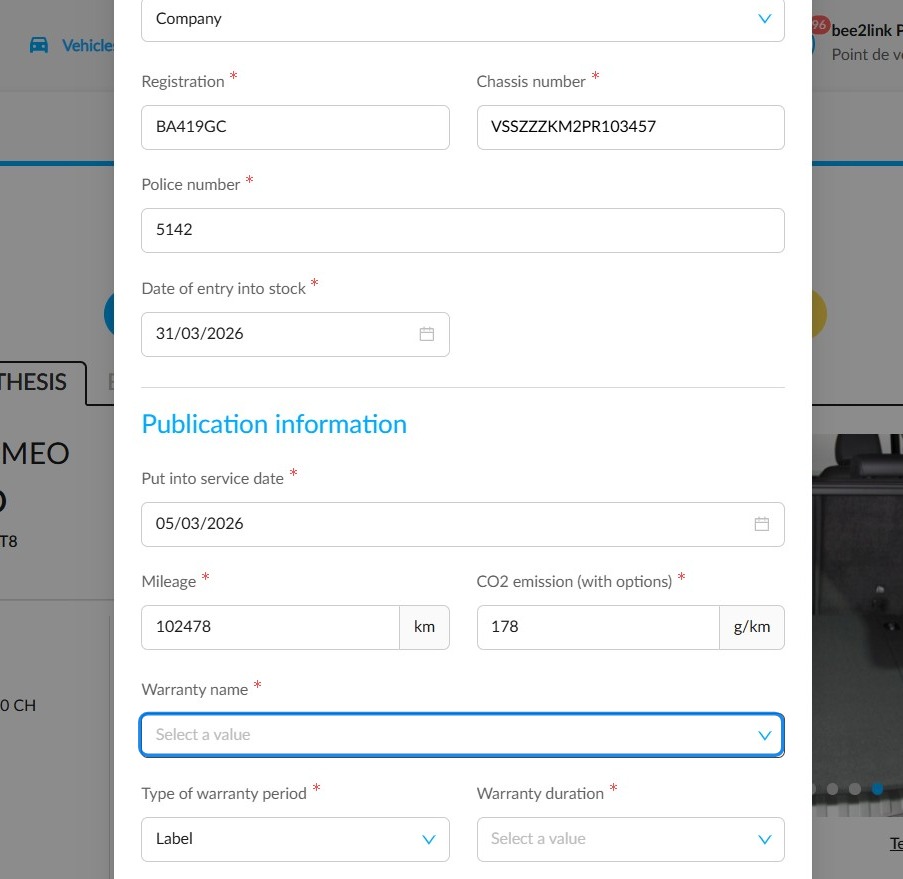
At the bottom of the status change window, you will find the ‘Warranty name’ field. Open its drop-down menu to view the available warranties.
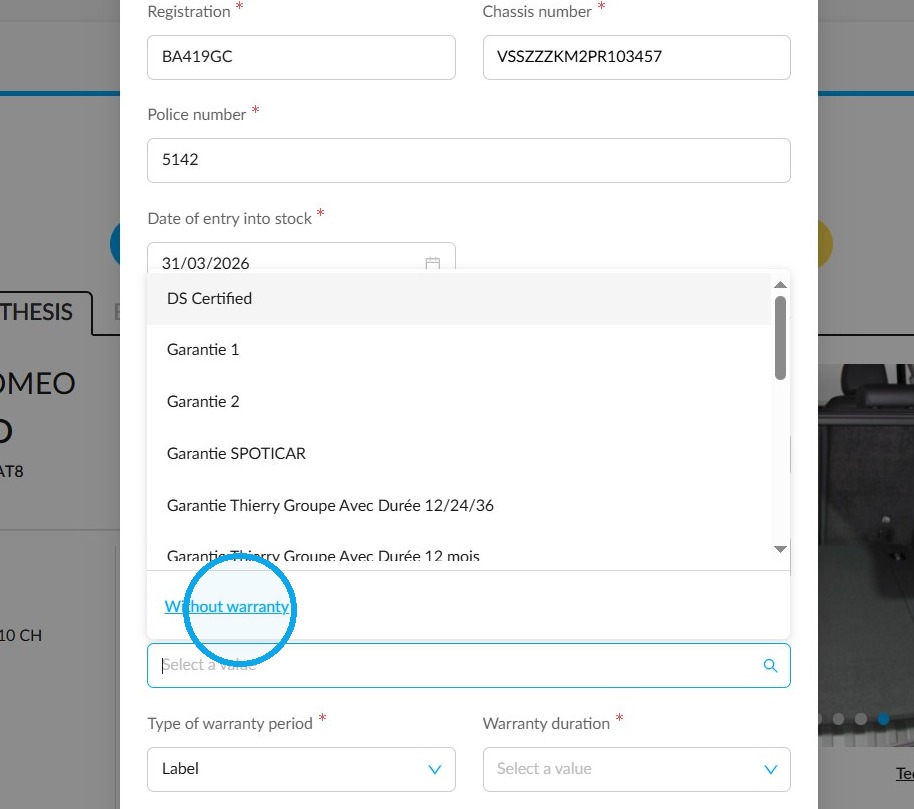
Then select "Without warranty".
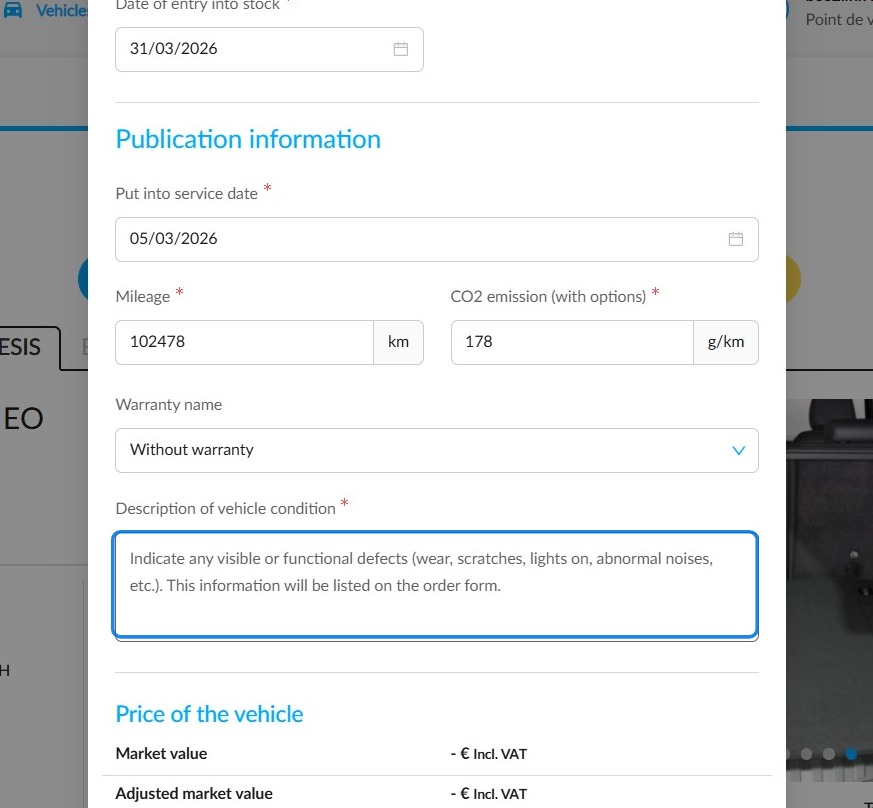
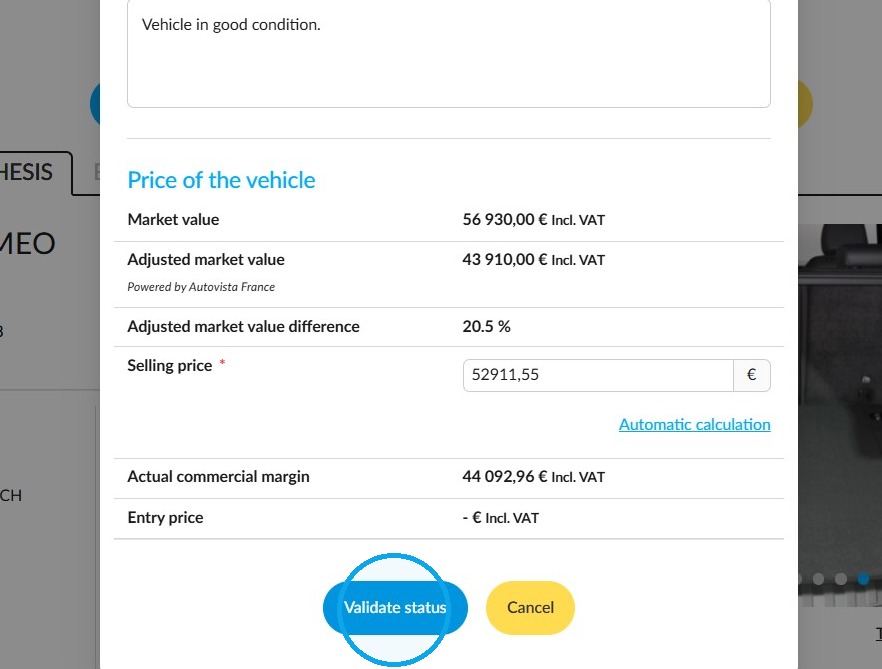
Please fill in the required field "Description of the vehicle's condition".
Click ‘Validate status’ to finish.
3) Modifying a vehicle:
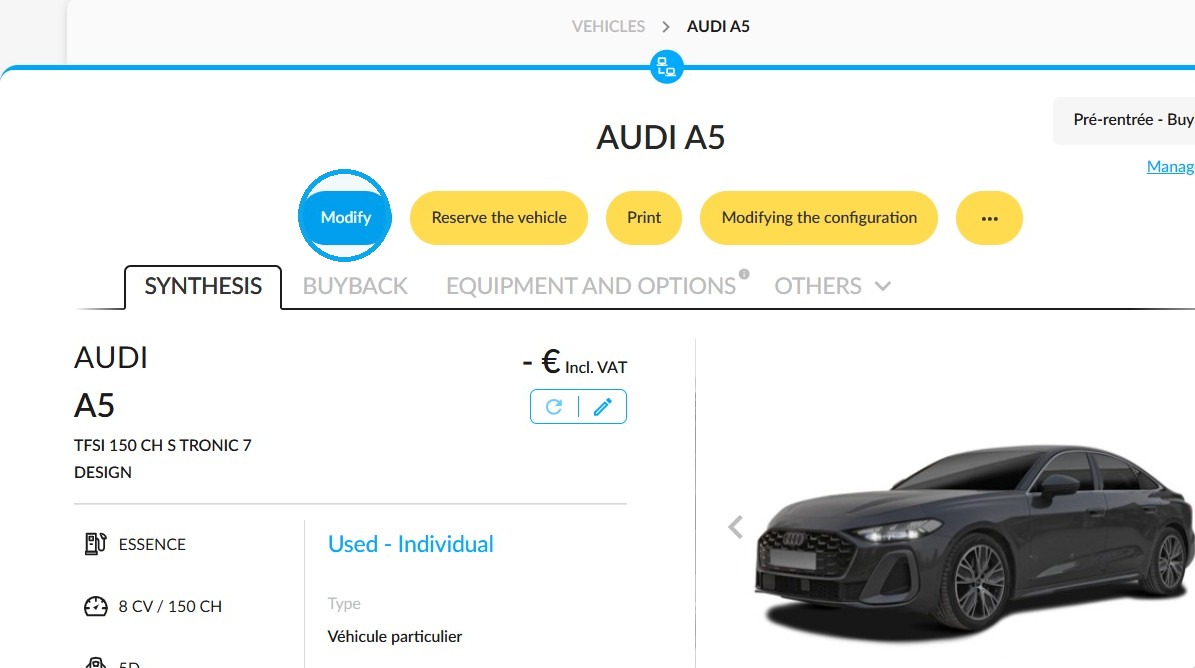
From a vehicle's details page, click the "Modify" button.
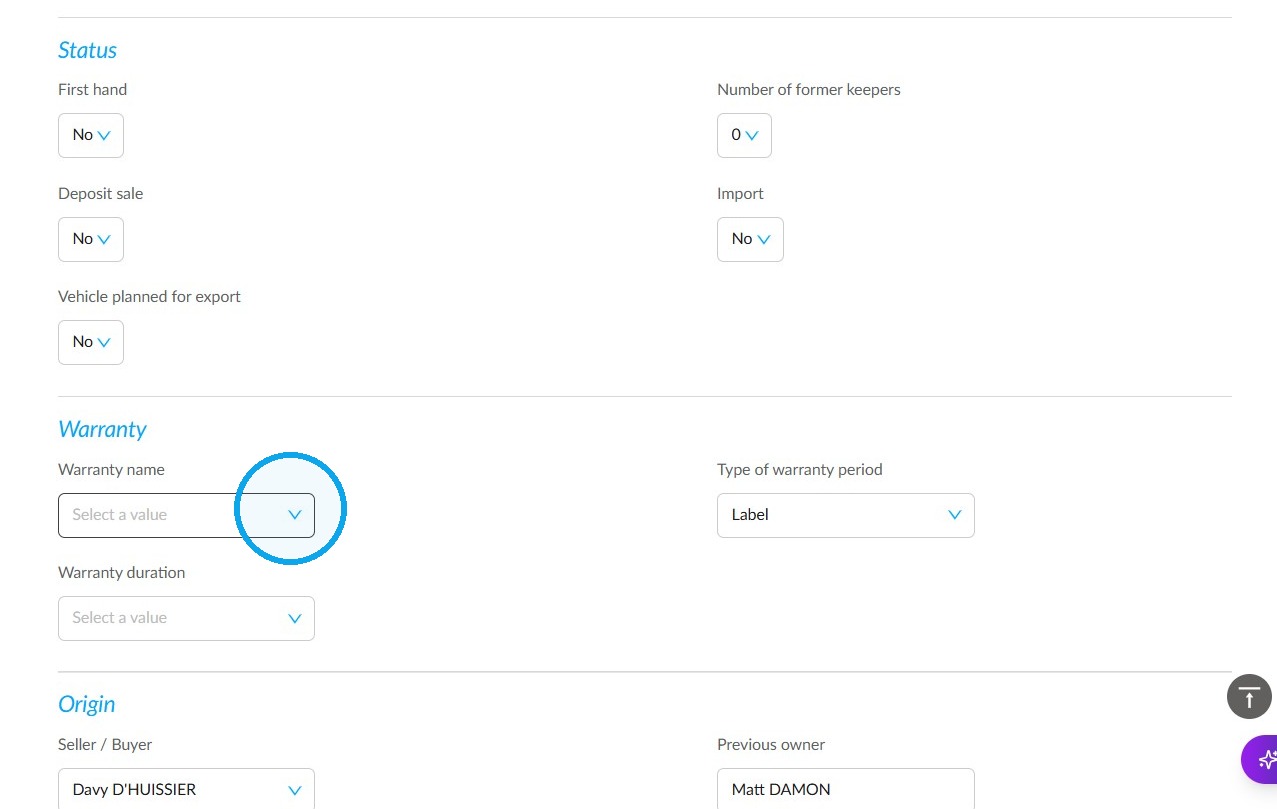
Scroll down the page to the heading "Warranty". Select the warranty from the "Warranty name" field.
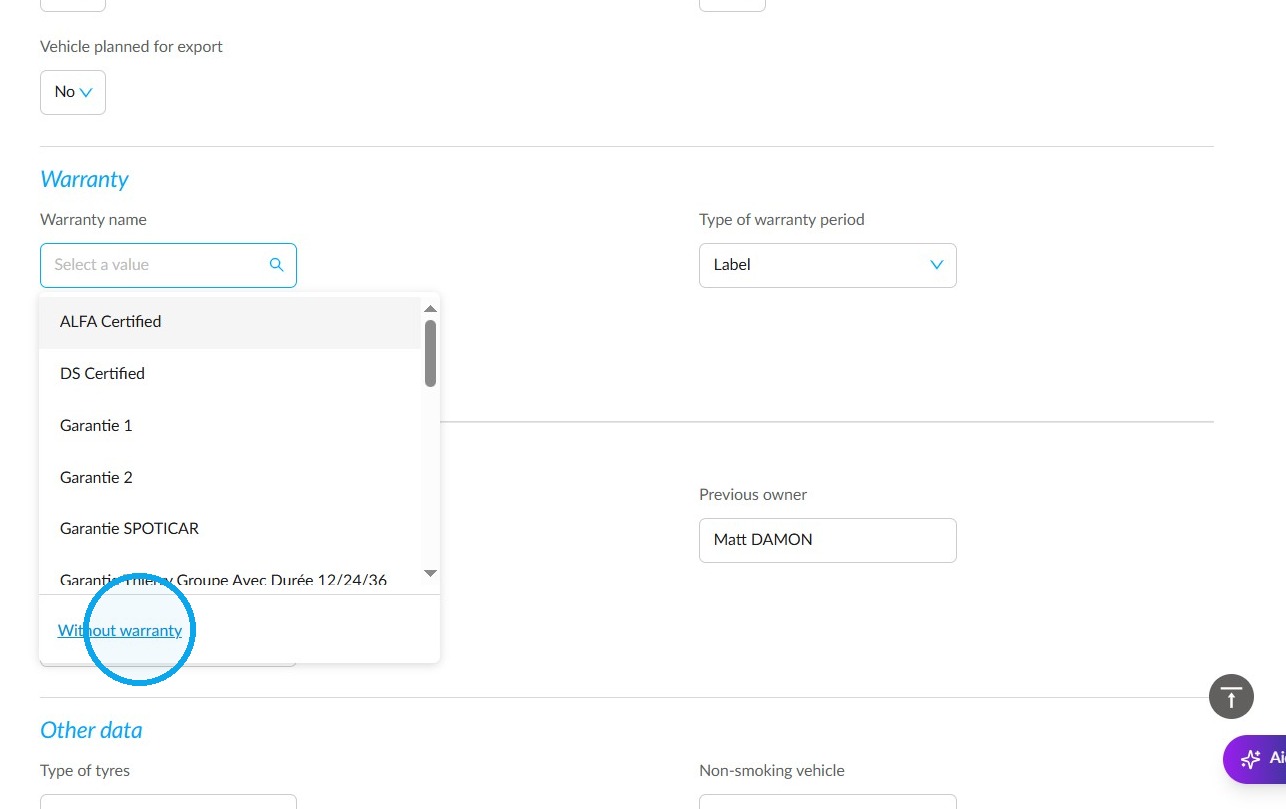
Select "Without warranty".
Please fill in the "Vehicle condition description" field.
Finally, click "Save".
4) During an ownership transfer, in the ‘Opportunities’ module
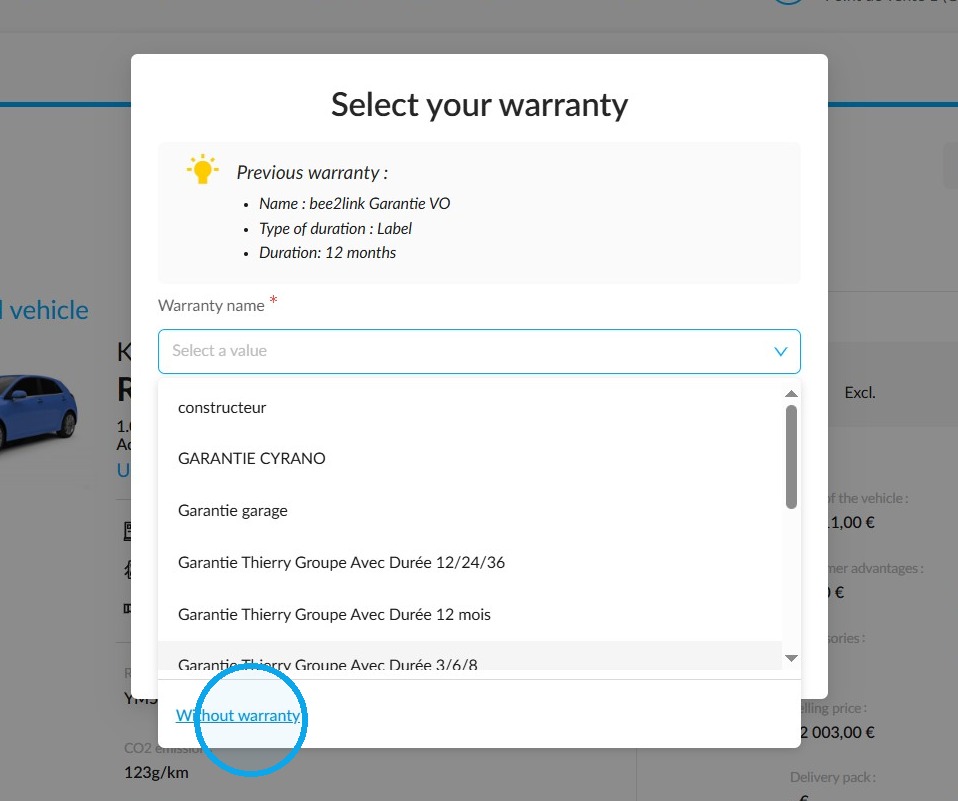
You will see the same wording even when transferring ownership. In the warranty selection window, select ‘Without warranty’.
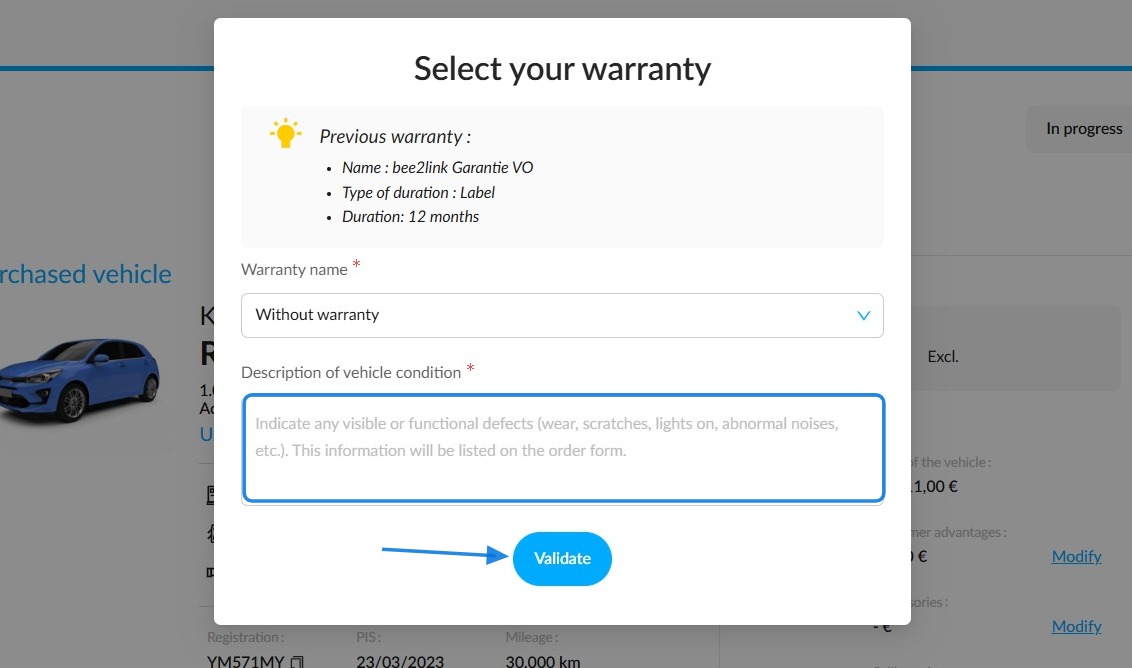
Describe the condition of the vehicle you are selling, then click "Validate".
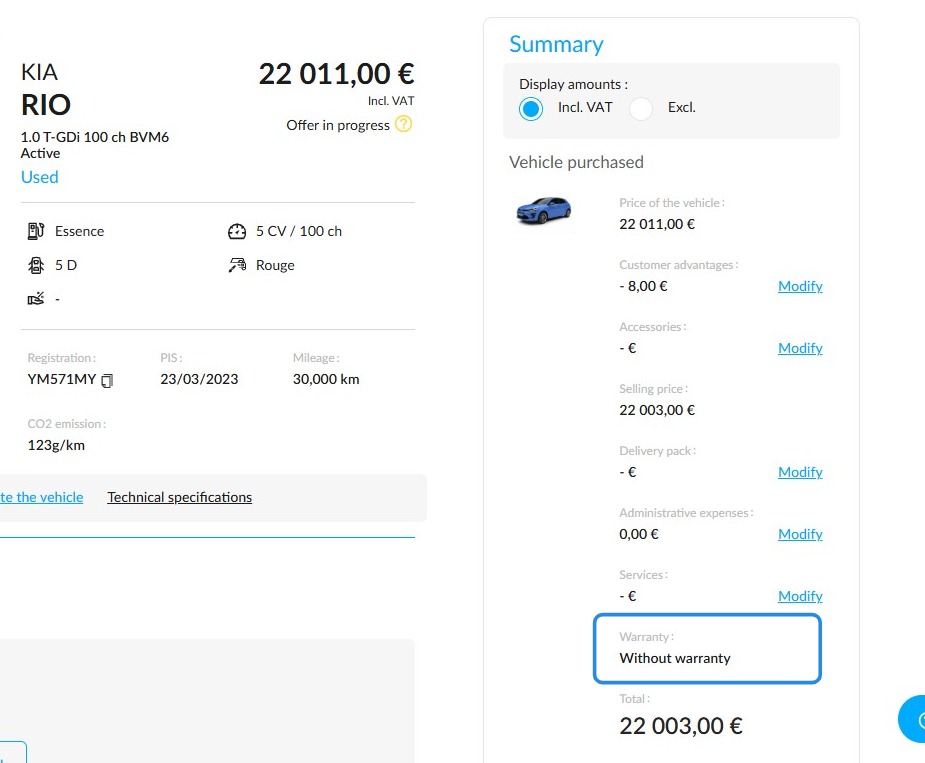
The decision to sell a vehicle in its current condition will be shown in the order and offer summaries.
Comments
0 comments
Article is closed for comments.