
Find out how to avoid having to schedule a delivery appointment to release a vehicle linked to an order from stock.
Prerequisites: You must have a vehicle with "Delivery" status and no planned delivery date.
Access
When a vehicle with ‘Delivery’ status is included in a purchase order, OpenFlex allows you to remove it from stock without having to schedule a delivery appointment.
This alternative process is available:
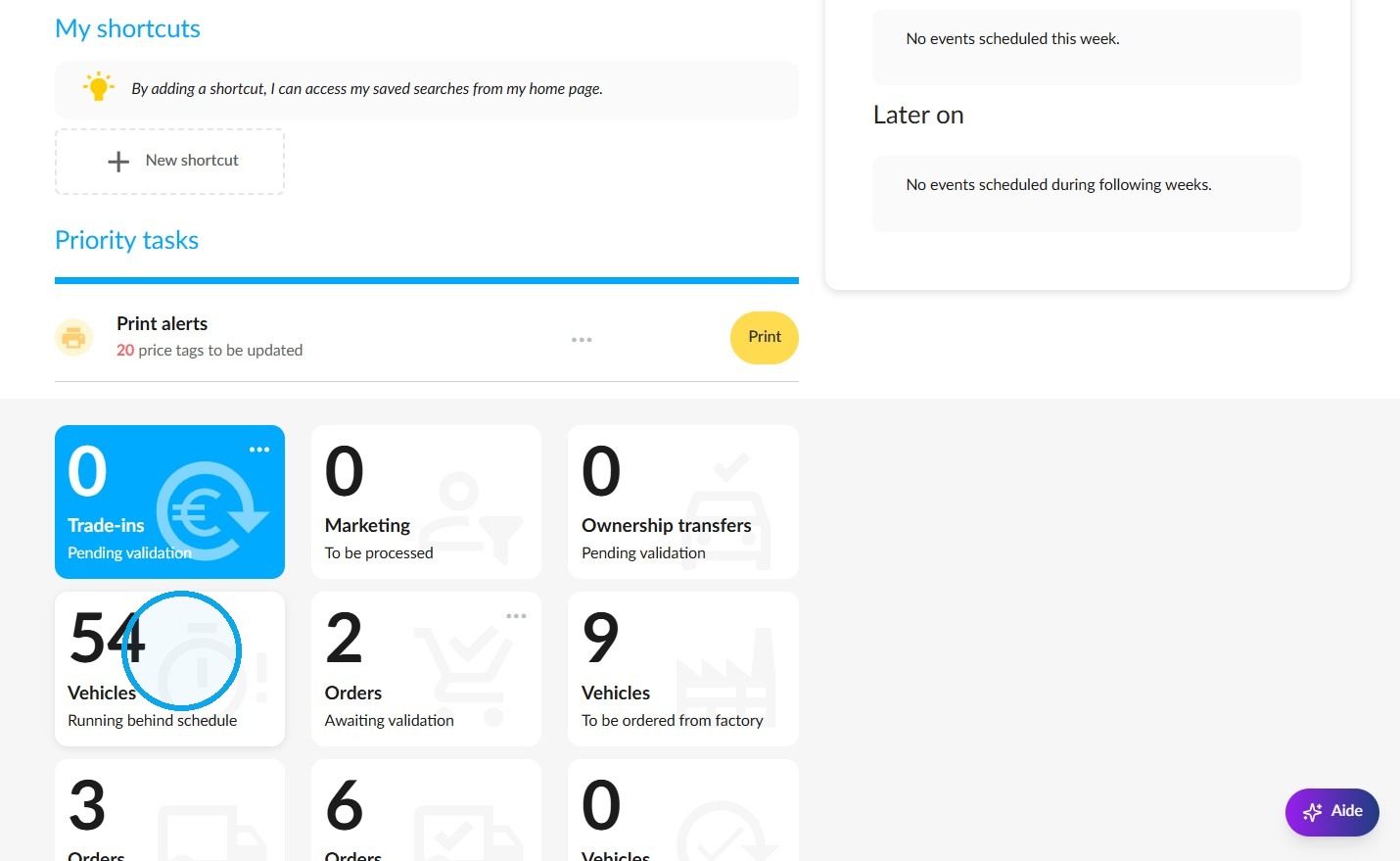
-either via the 'Vehicles running behind schedule' tile on the home page,
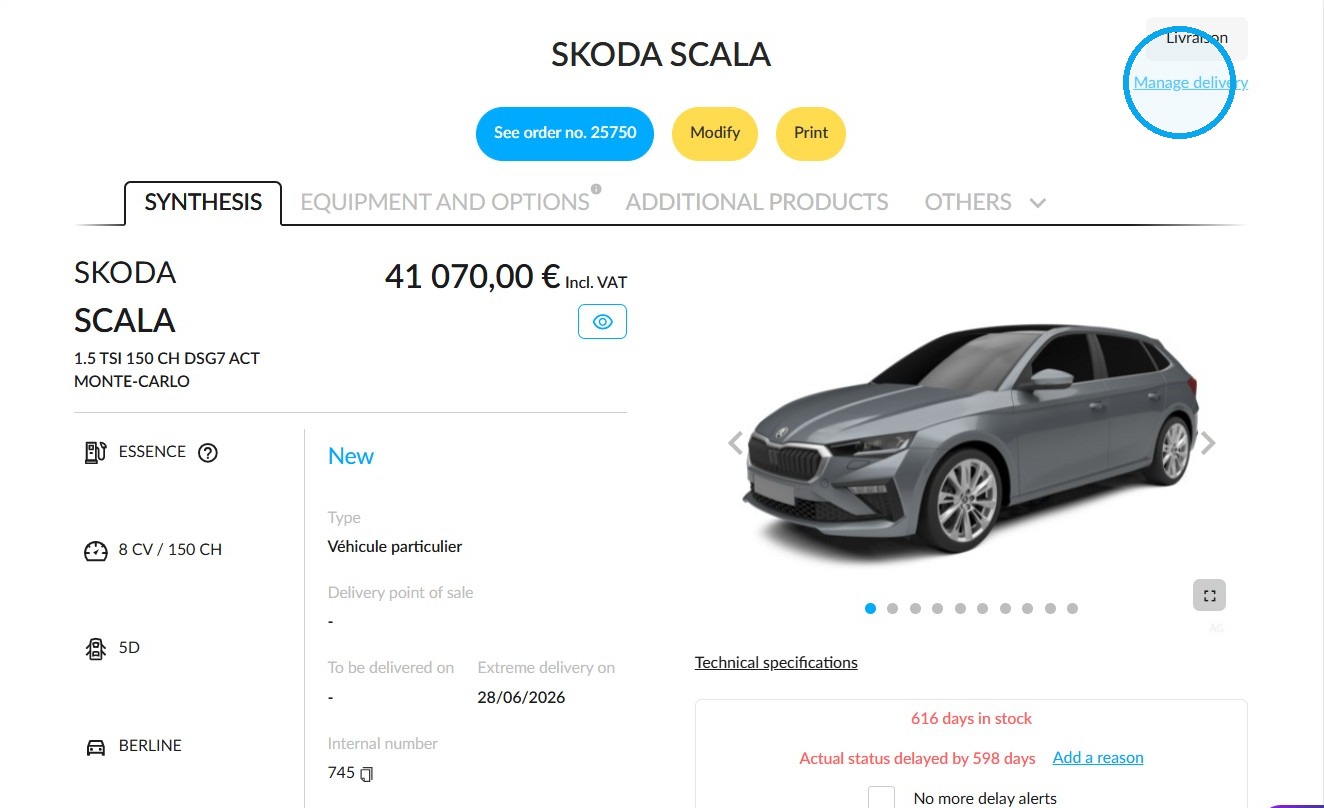
-or via the details page of a vehicle that meets the criteria.
Click on the ‘Manage delivery’ button in the top-right-hand corner of the vehicle details page.
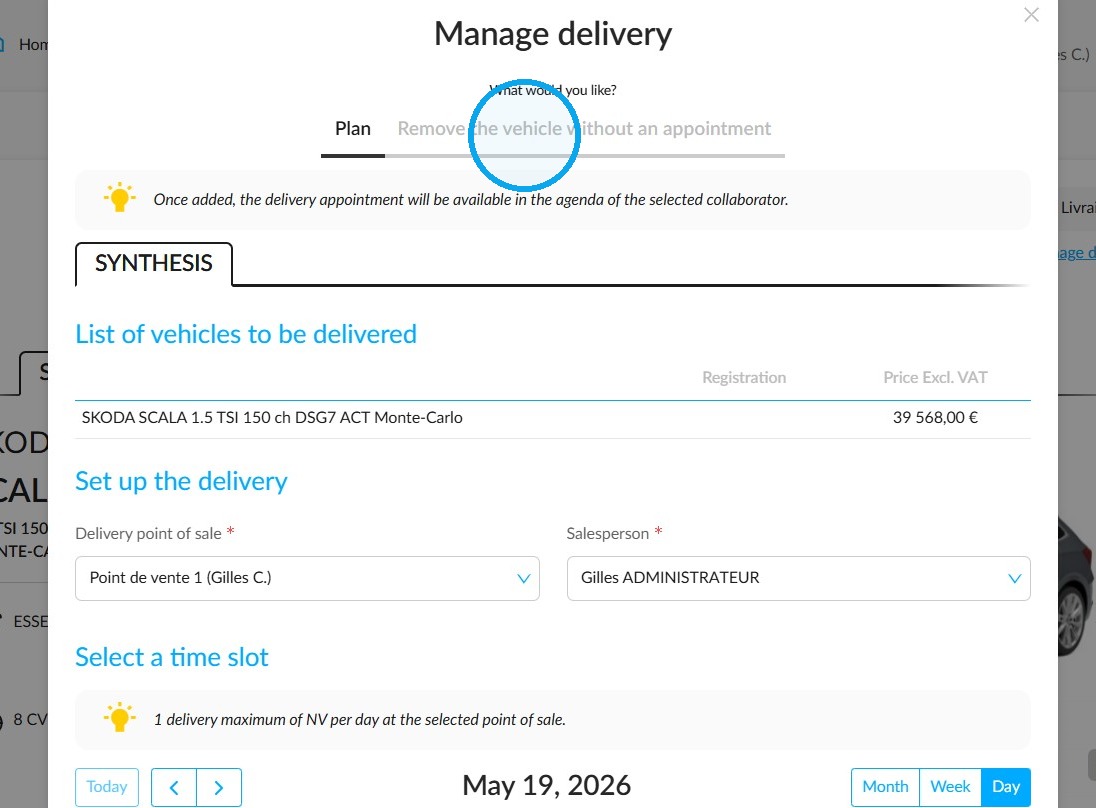
Change of status
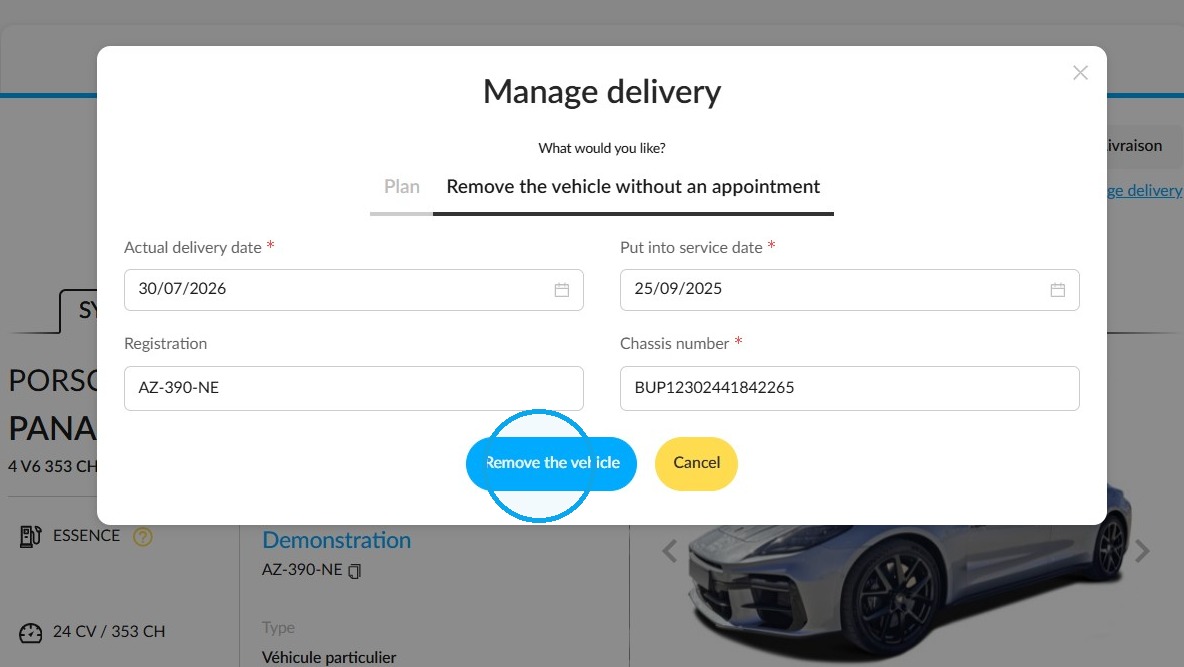
The ‘Manage Delivery’ window is divided into two sections. Select the one on the right labelled ‘Remove vehicle without an appointment’.
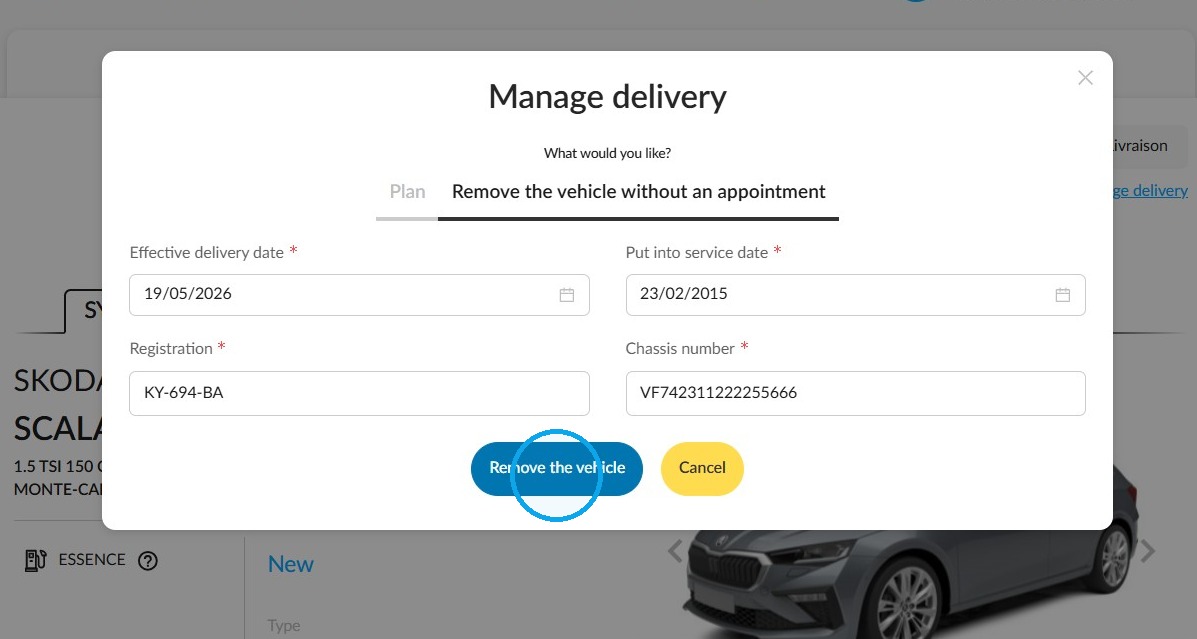
Fill in the vehicle release form. The details will be pre-filled, but you can amend them if necessary:
-Registration number,
-Date of first registration,
-Chassis number,
-Actual delivery date: this field must contain the date on which delivery took place; you can enter today’s date or an earlier date.
Then submit the form by clicking on the ‘Remove the vehicle’ button.
If the order includes a trade-in, there is a specific field where you can indicate this, and you will need to specify the mileage of the vehicle being traded in.
Cases where vehicles are not included in an order
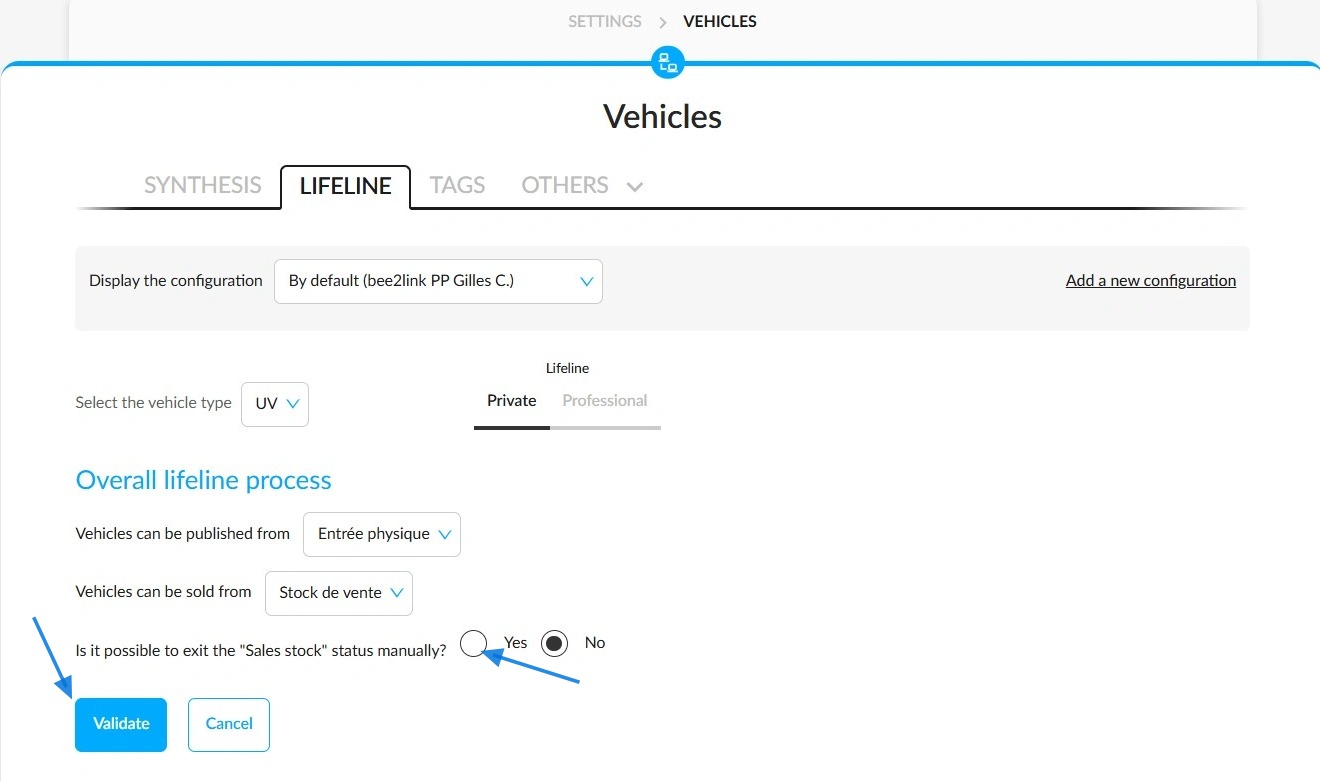
Prerequisite: You must configure your Lifeline to enable manual removal of vehicles from stock.
Initials/Settings/Vehicles/Lifeline/Edit the settings
Select 'Yes' in response to the question 'Is it possible to exit the "Sales stock" status manually?'. Then confirm.
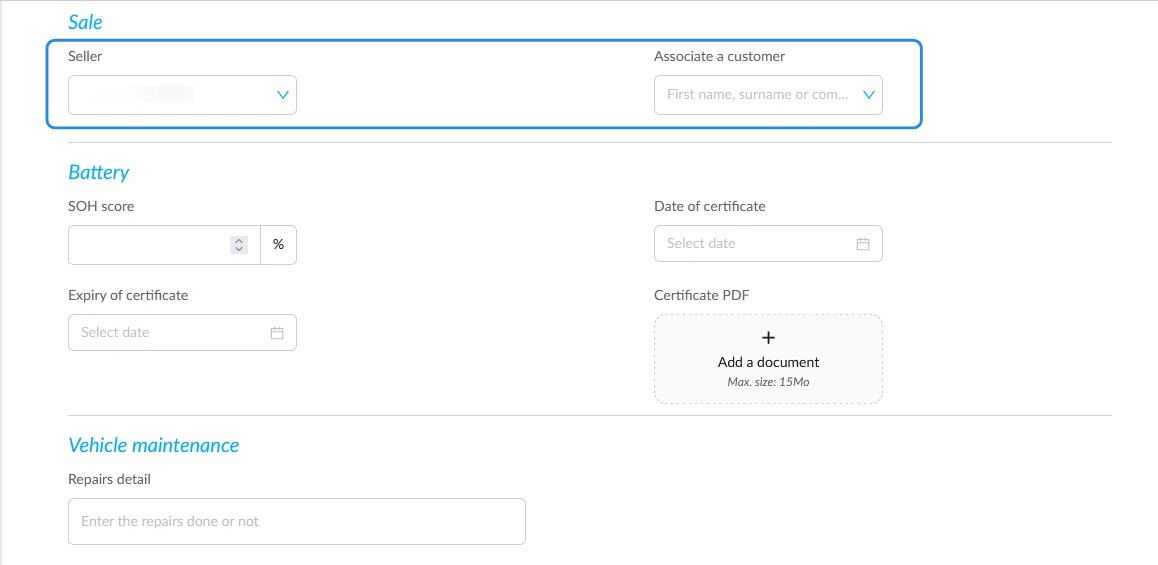
If necessary, the vehicle sheet can be used to link the vehicle to the recipient customer. Click on "Modify". The "Associate a customer" field can be found under "Sale".
Complete the fields in the "Manage delivery" pop-up window. Then click on "Remove the vehicle".
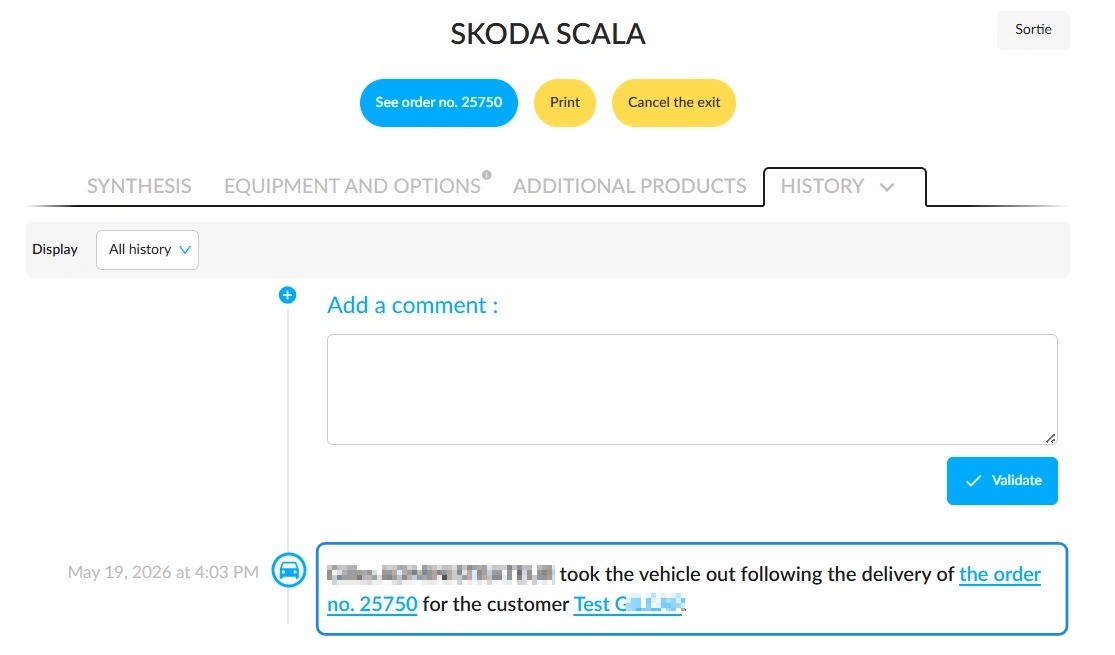
Traceability of operation
You will be notified via a notification in the top-right corner of the screen that the vehicle’s status has been updated.
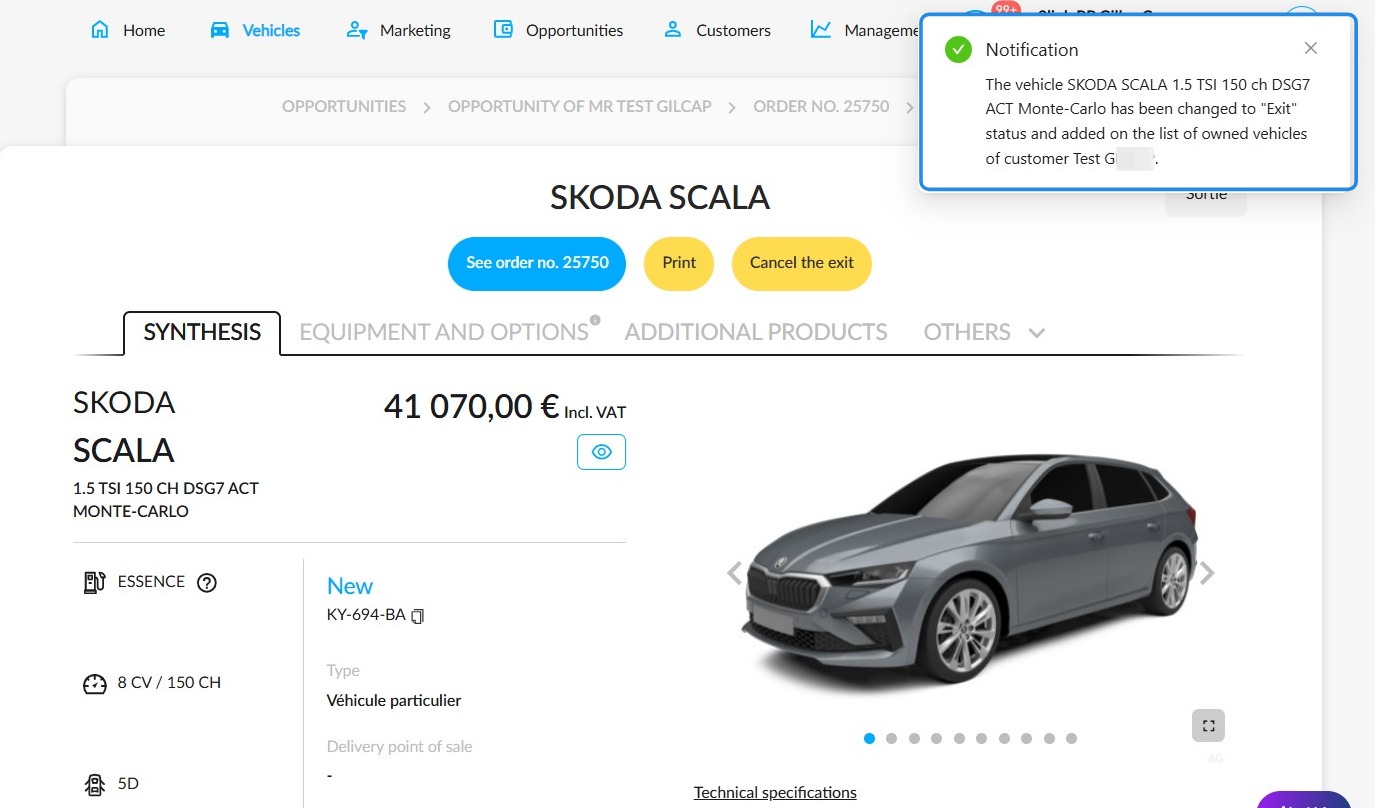
Every time a vehicle leaves the fleet, this is recorded in its history so that it can be traced.
Comments
0 comments
Article is closed for comments.