
This guide explains how to deliver multiple vehicles at once based on criteria you have selected before changing the status on the lifeline.
Prerequisite: You must be logged in to OpenFlex with a director profile.
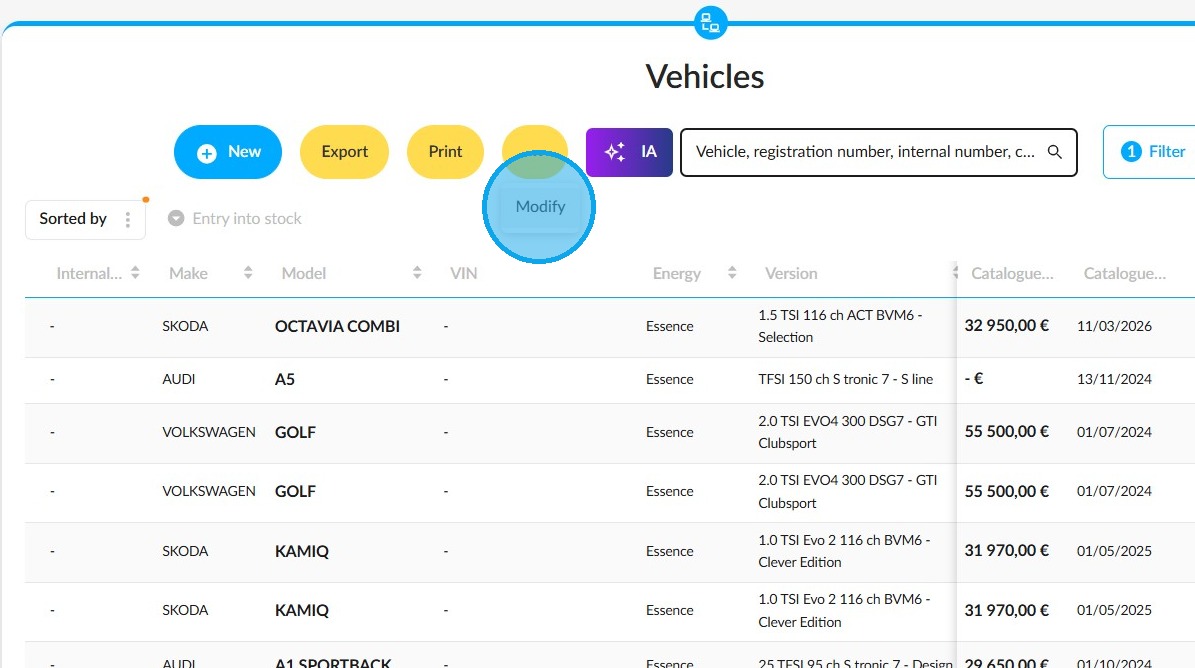
1. Start from the "Vehicles" module. Click on the three dots, then on the "Modify" button.
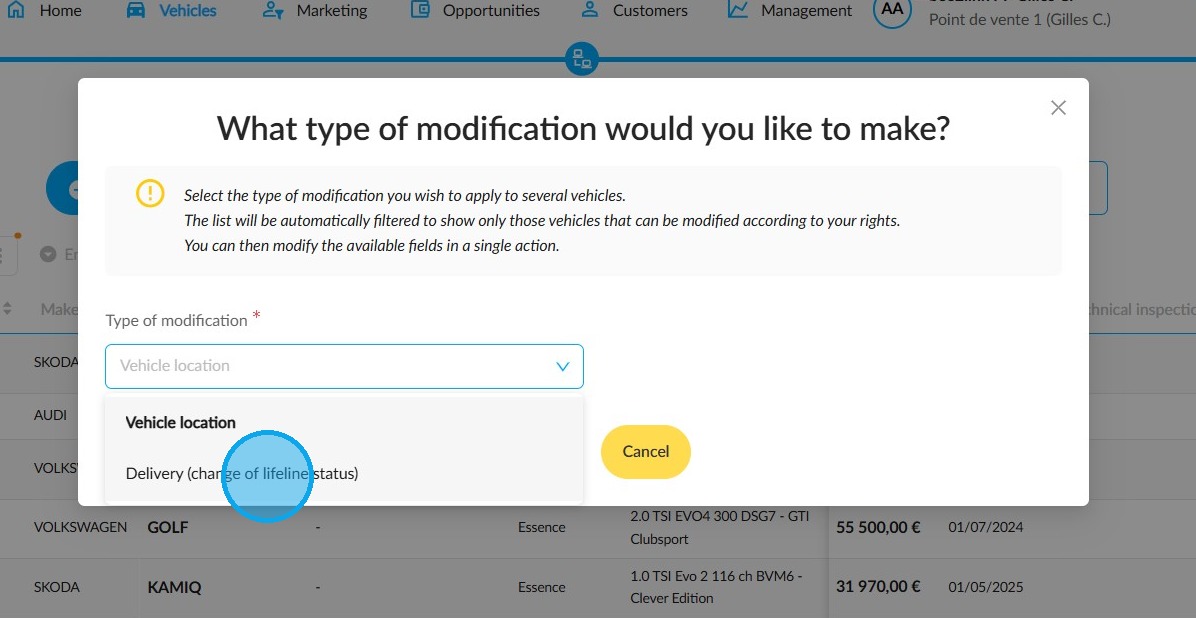
2. In the pop-up window titled 'What type of modification would you like to make?', select 'Delivery (change of lifeline status)' from the 'Type of modification' drop-down menu.
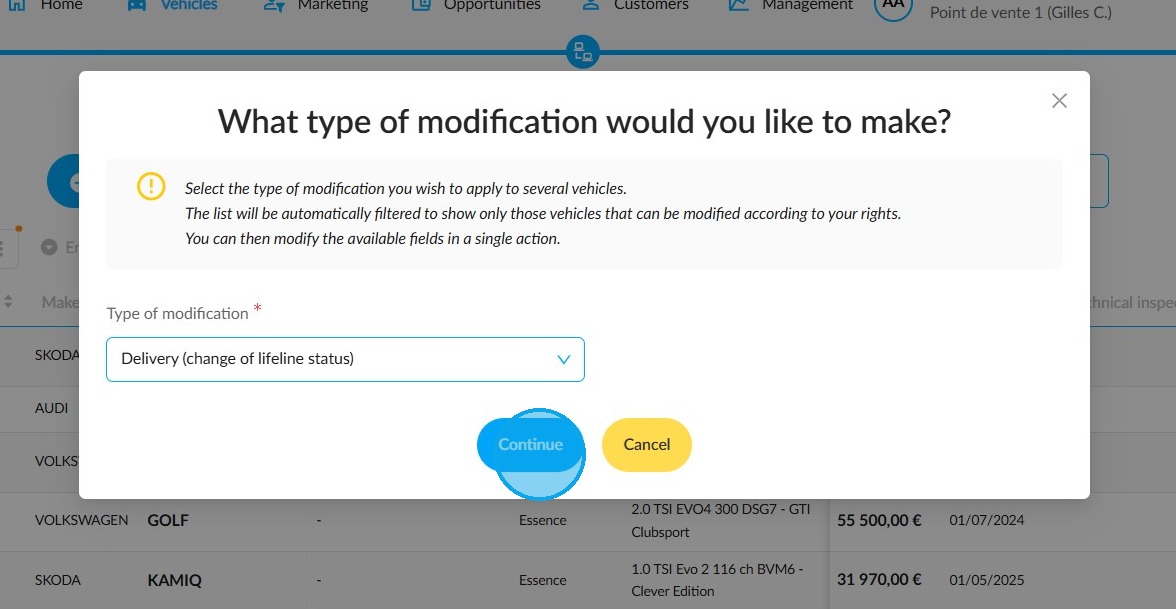
3. Then click "Continue".
If you have already entered a delivery date, it will be retained. Otherwise, today’s date will be entered by default on the vehicle record and in the order.
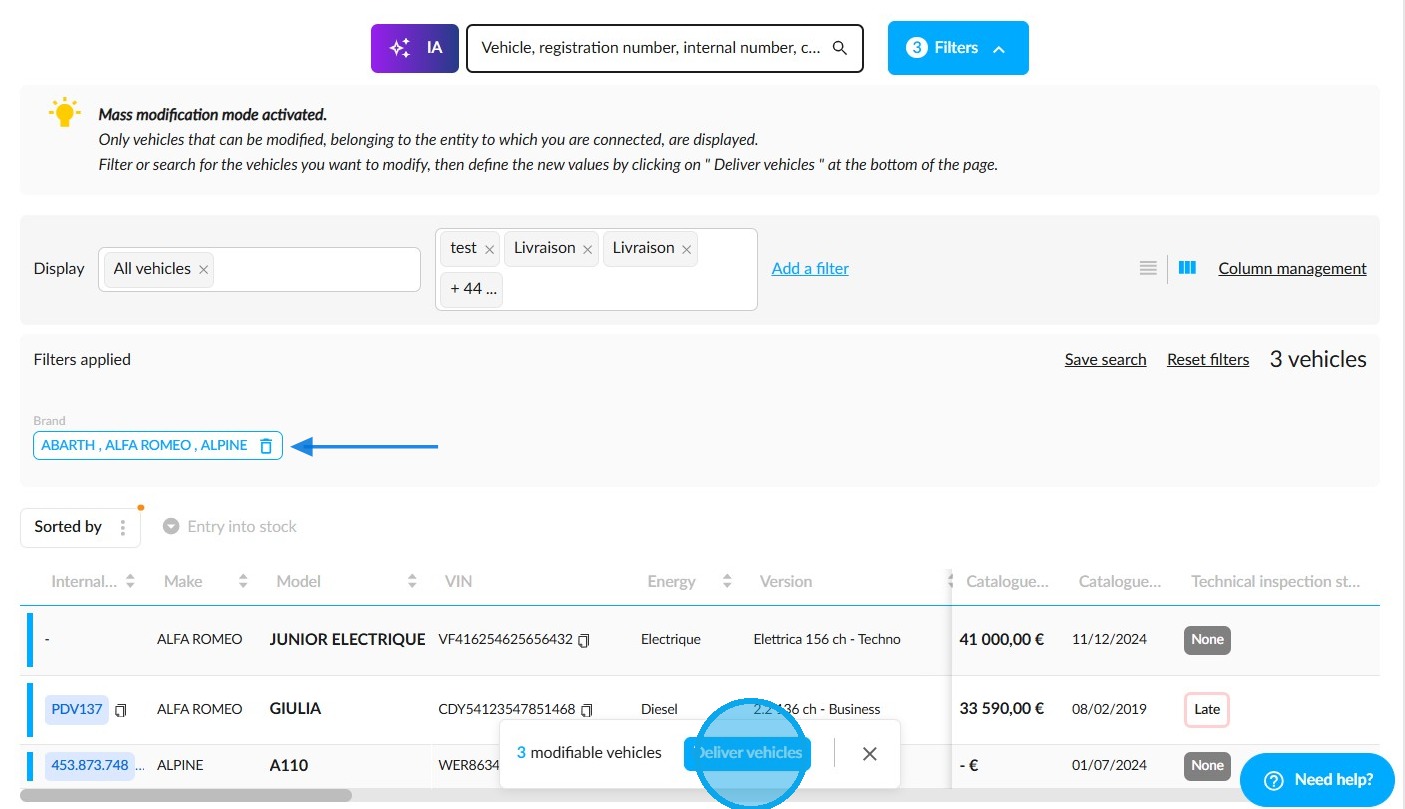
4. Before letting vehicles through the exit, you can filter them to select the ones you need. Then click on "Deliver vehicles".
Please note that this process only applies to vehicles with a "Delivery" status that are located in the entity where the director-type user is logged in. The relevant filters will therefore be disabled and your saved searches will be inactive.
5. Click on "Confirm changes" to continue.
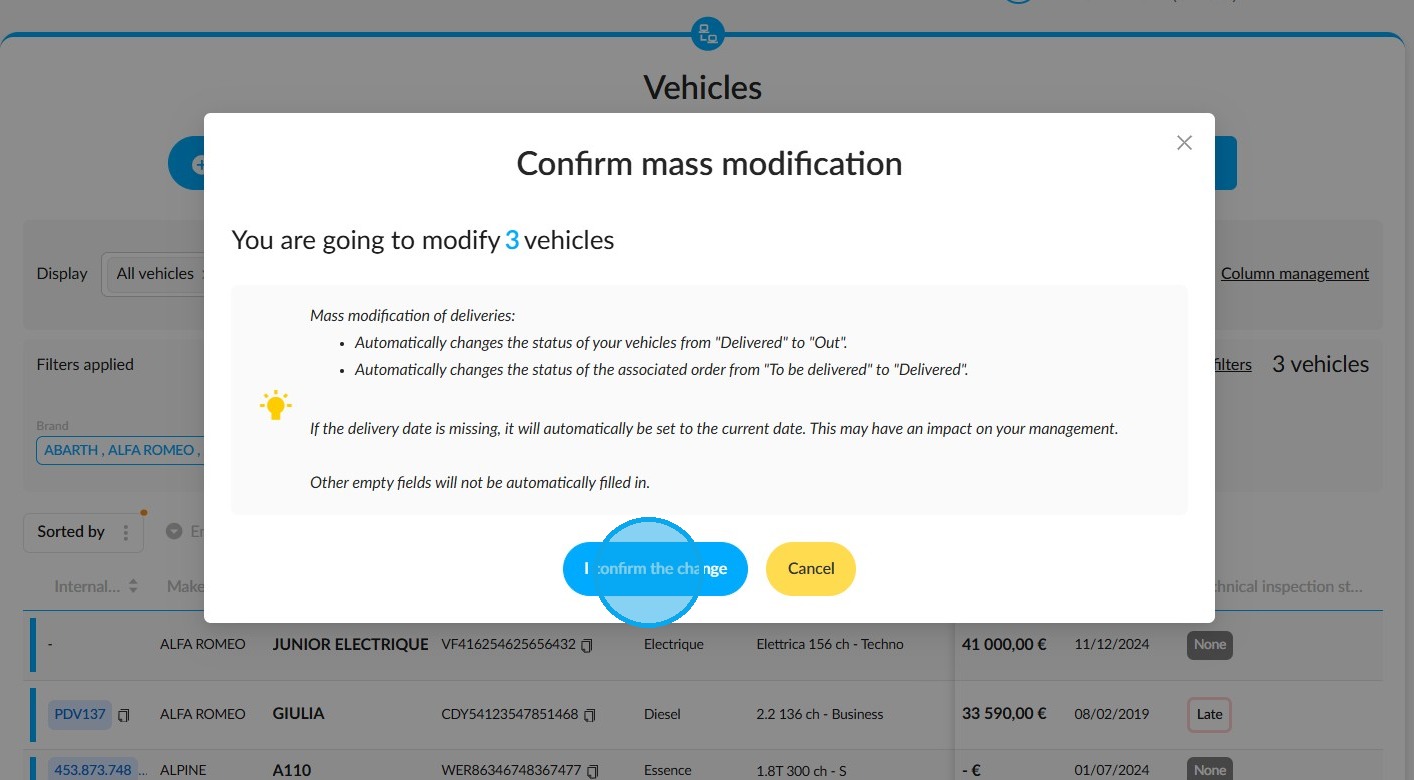
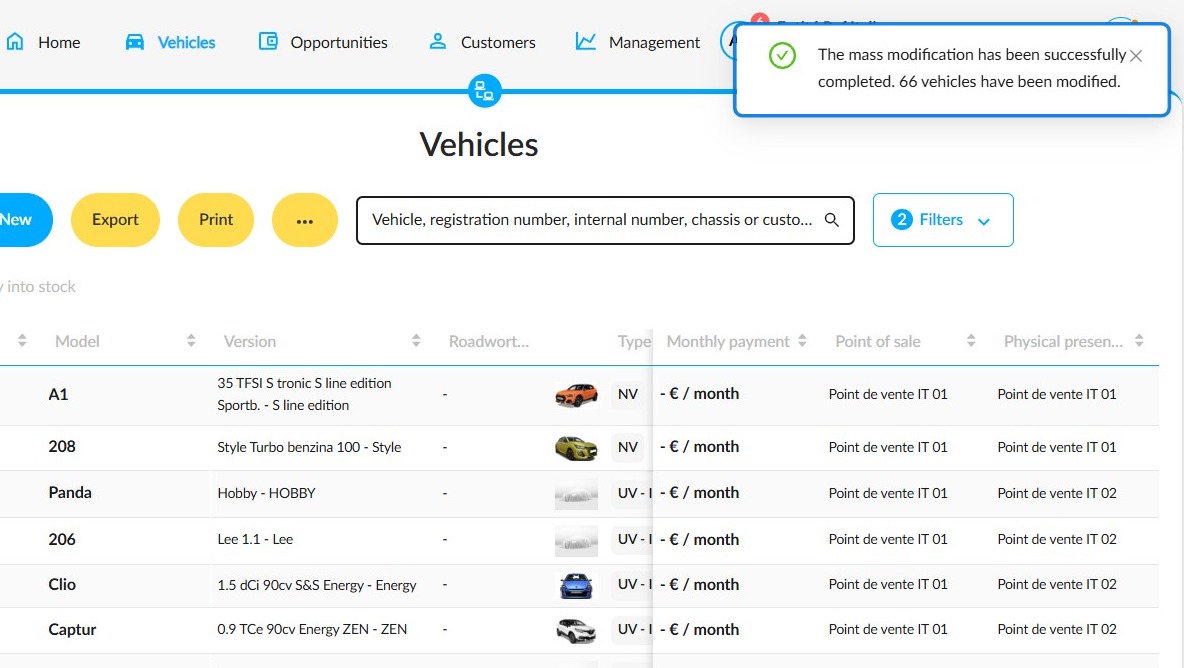
6. A notification in the top right-hand corner of the screen will alert you when the operation is complete, along with the number of vehicles involved.
The status change to "Exit" will be recorded in each of their histories.
Comments
0 comments
Article is closed for comments.