
Find out how to print documents in bulk based on the vehicle type.
Sorting the documents to be printed:
Bulk Printing of Documents in the "Vehicles" Module:
You can print all kinds of documents in bulk from the "Vehicles" module.
The documents affected are:
- Price displays in portrait and landscape formats.
- Documents showing vehicle information.
- Documents that enable you to create an administrative file (insurance certificate, car registration document, transfer certification).
- Repair requests and delivery notes.
To initiate the process, click on the 'Vehicles' menu at the top of the page.

We advise you to filter vehicles by type (NV, UV, or DV) so that you can print only the documents that match those that you have selected. Click on "Filters" next to the search bar.
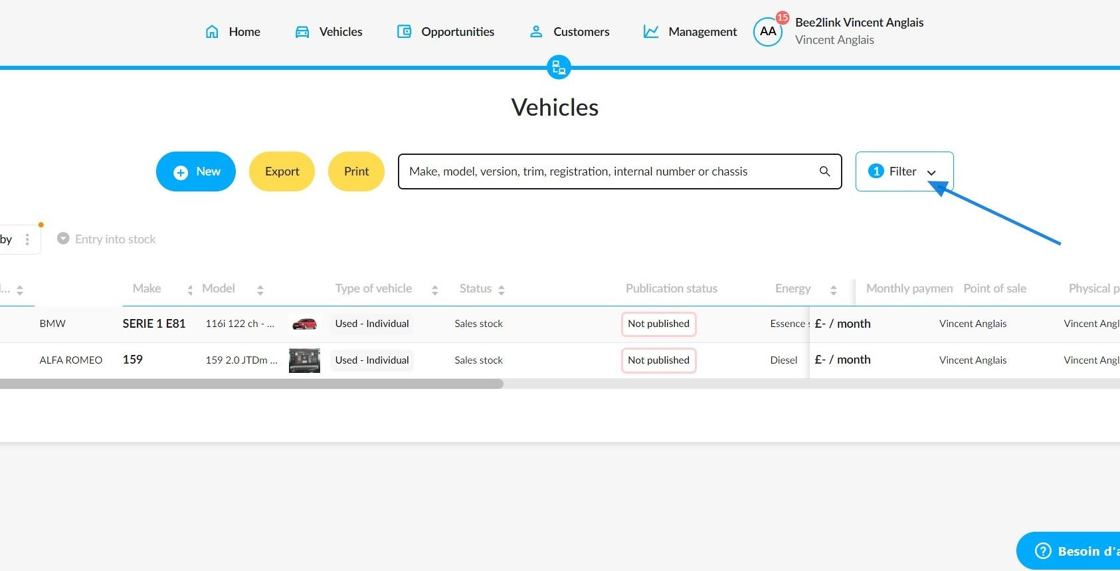
Here is an example with DVs and UVs intended for individuals with the 'Sales stock' status.
Click the 'Add a filter' button to select the ones you need. Then print.

Selecting documents:
Select the documents you need by vehicle type. In this example, switch between the "Demo Vehicle Documents" and "Used Vehicle Documents" tabs. Expand all the menus and tick the boxes next to the documents you want to print:

Notes:
-Documents that can normally be modified for individual printing cannot be modified for bulk printing.
-The system will keep information that was entered on a document before printing it again in bulk.
-Documents that can be selected for bulk printing correspond to the types and specifications of the previously filtered vehicles.
-Once you have made your selection for each vehicle type, click the 'Print' button.

Downloading the documents to be printed:
A notification will appear on the screen to let you know that the documents for mass printing are being prepared.
The preparation time will depend on how many documents are required.

Once the documents are ready for download, click on the notification to download a ZIP file containing all the requested documents.

The documents in the ZIP file are organised by vehicle type.
You will need to extract the documents from the file before you can print them.

Comments
0 comments
Article is closed for comments.