
Find out how to book a vehicle for a customer with no time limit and view your booked vehicles in the stock list.
Prerequisites:
You must have a user account assigned to one of the following groups:
-Administrator.
-Director.
-Sales Manager.
How unlimited reservations work:
You can reserve a vehicle for an unlimited period. To do so, go to the overview page for the vehicle you are interested in and click on the "Reserve the vehicle" button.
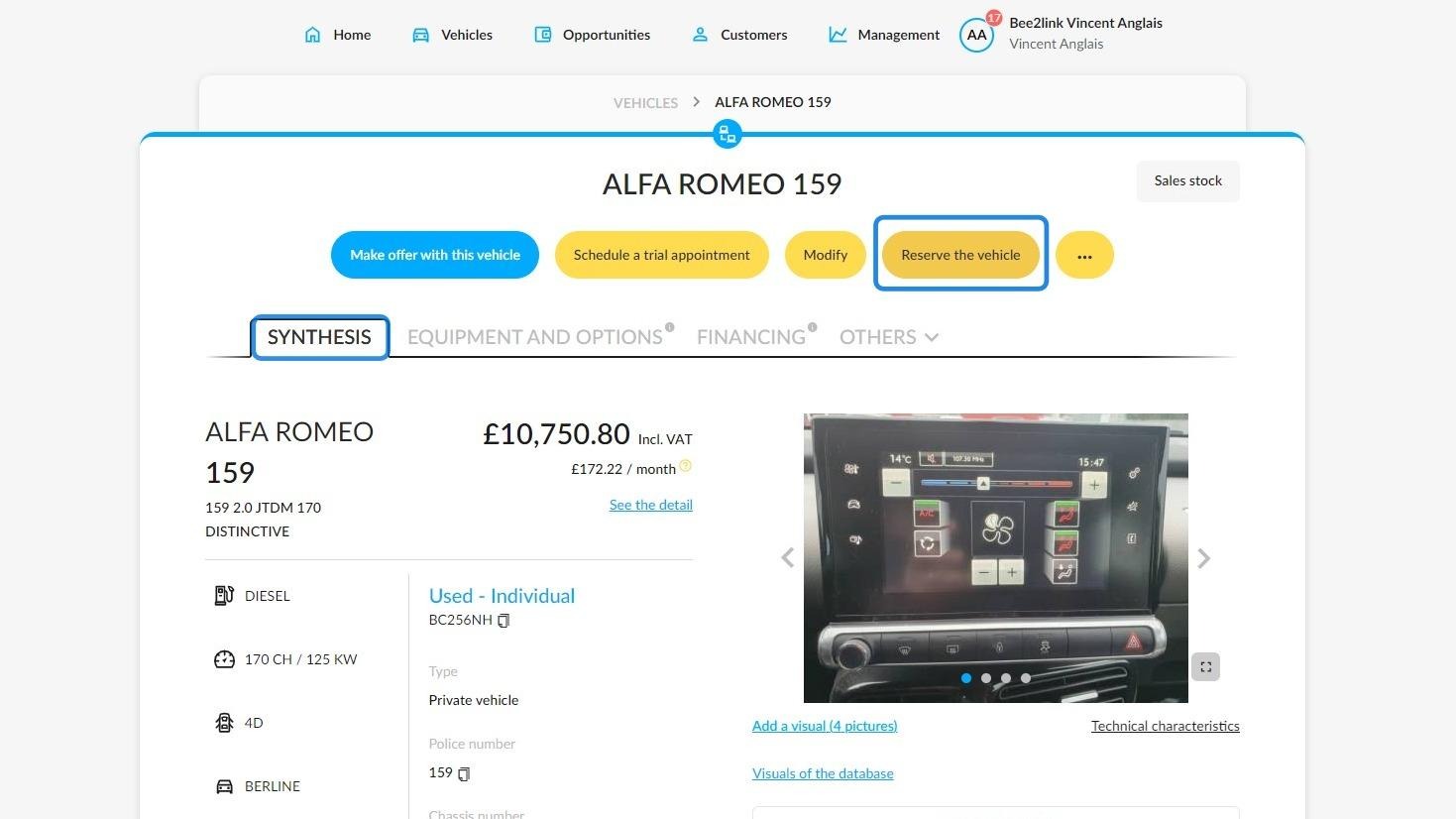
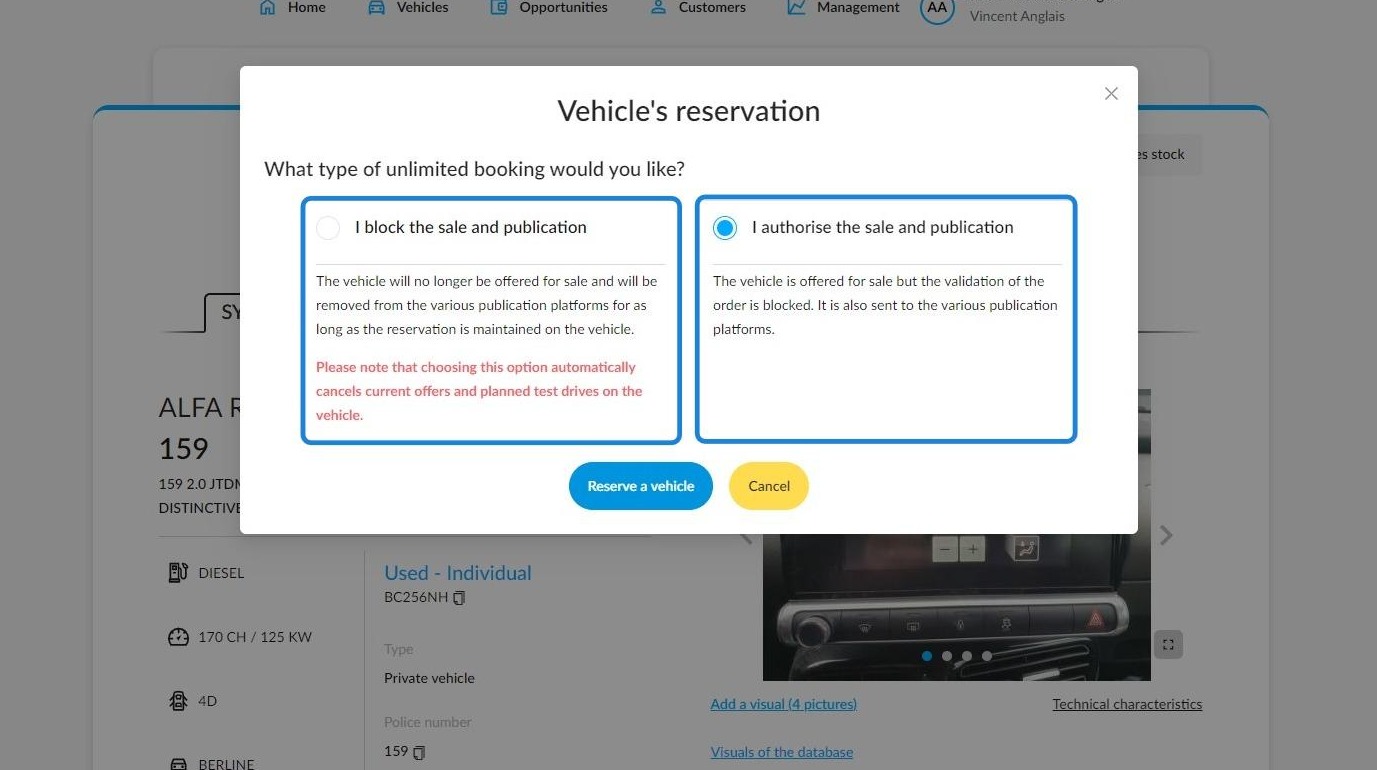
When you click on the "Reserve the vehicle" button, a new window will open offering you two options:
- "I block the sale and publication": the vehicle is immobilised in stock and cannot be published or sold.
Or
2. "I authorise the sale and publication": the reserved vehicle is now available for purchase. Test drives will be available. It will also be advertised.
However, the sales cycle will stop at the "Validated offer" phase (valid for individuals and traders).
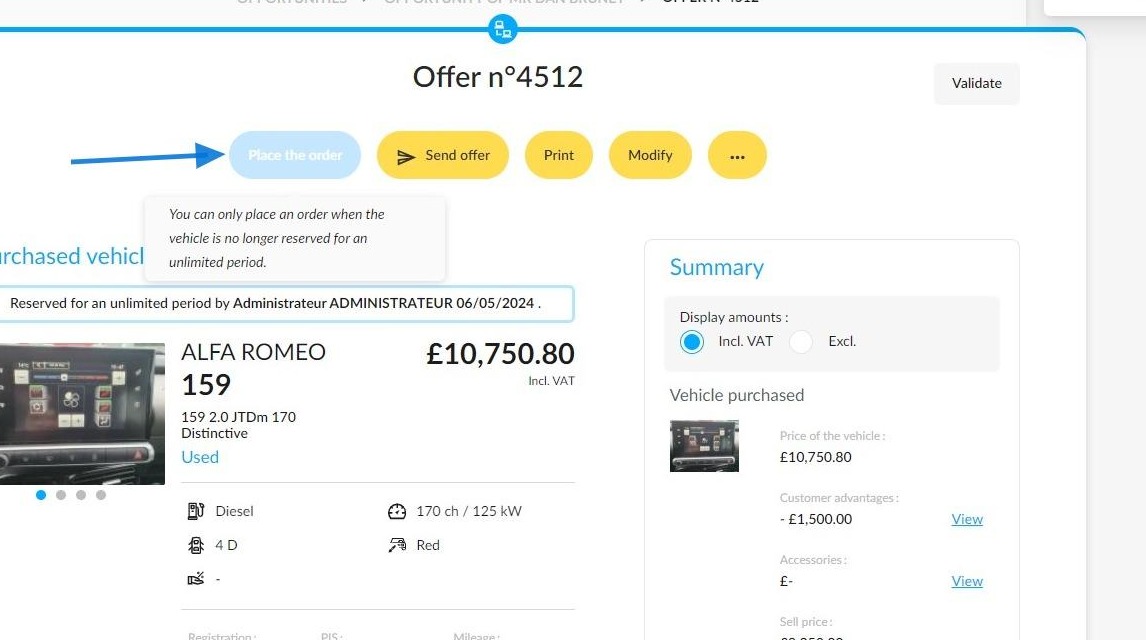
Once you have authorised the sale, the order will be blocked until the unlimited reservation has been removed from the vehicle.
In this instance, the 'Place the order' button will be greyed out. When you hover over the button, a message explaining why it is disabled will appear.
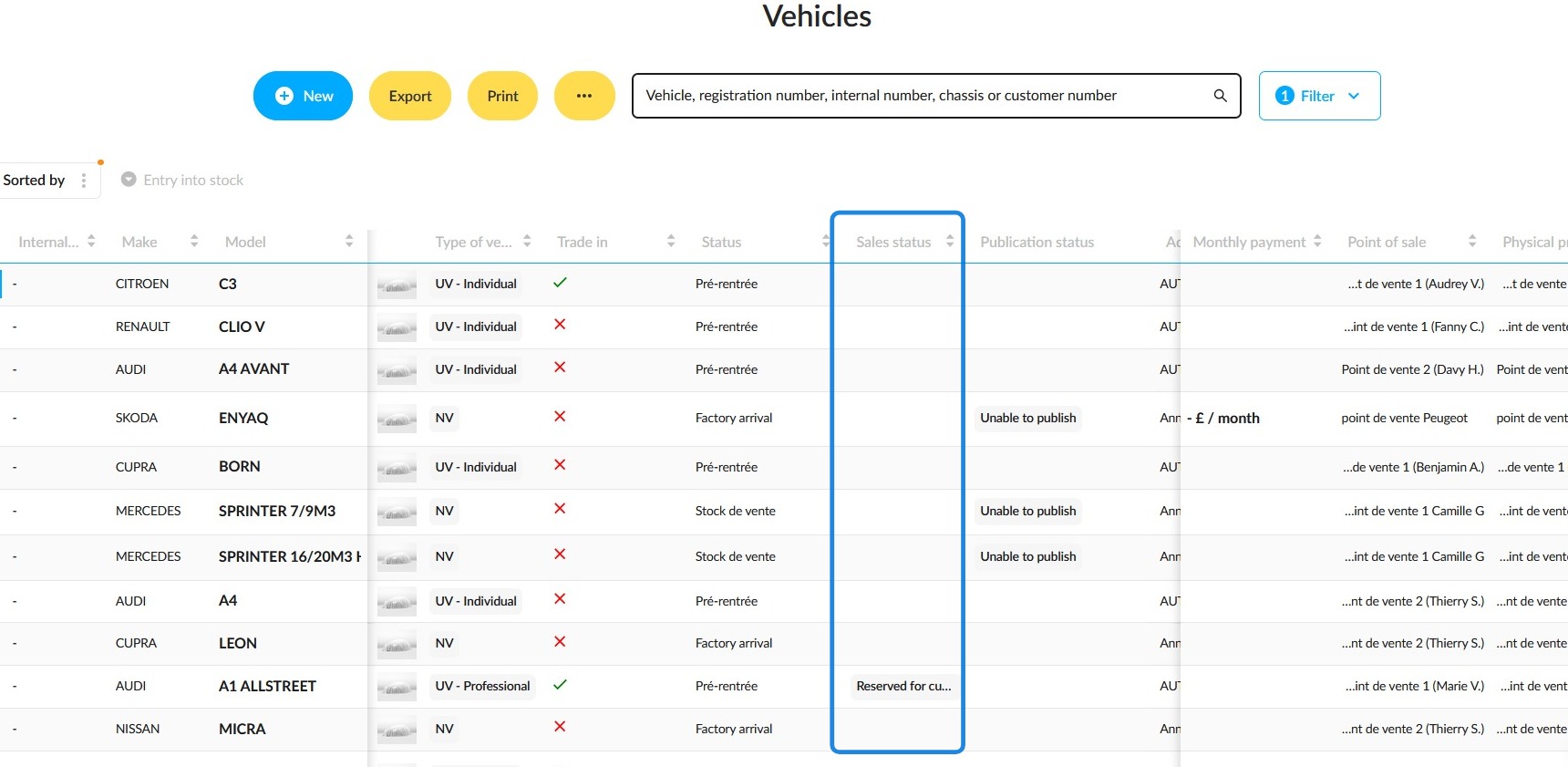
The vehicle booking status will appear in the table for the "Vehicles" module. It will be shown in the ‘Sales status’ column.
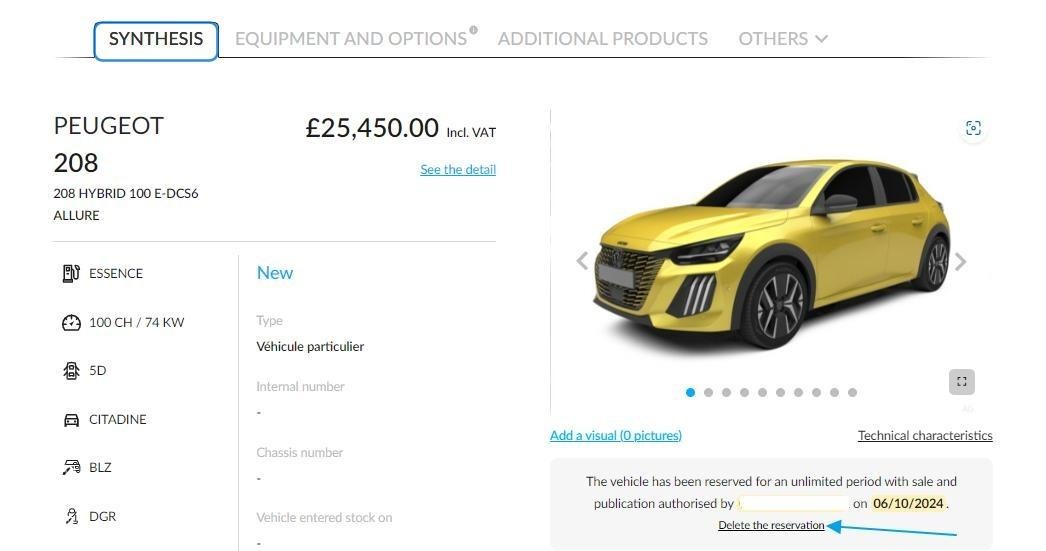
To remove an unlimited reservation from a vehicle, simply go to the vehicle file on the "Synthesis" tab and click 'Delete reservation' under the vehicle pictures.
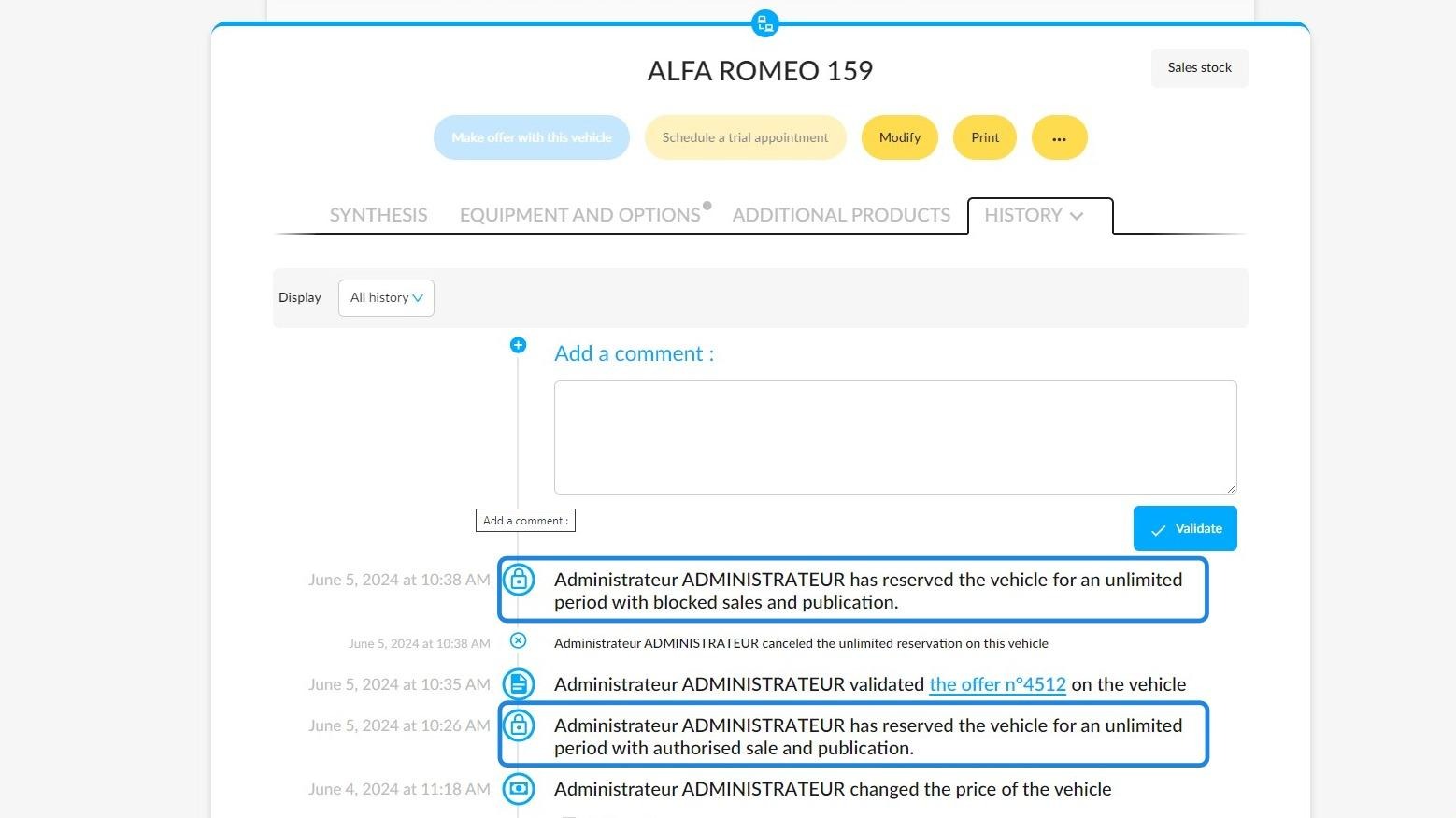
The actions carried out during the placement of an unlimited reservation will be listed in the history of the reserved vehicle.
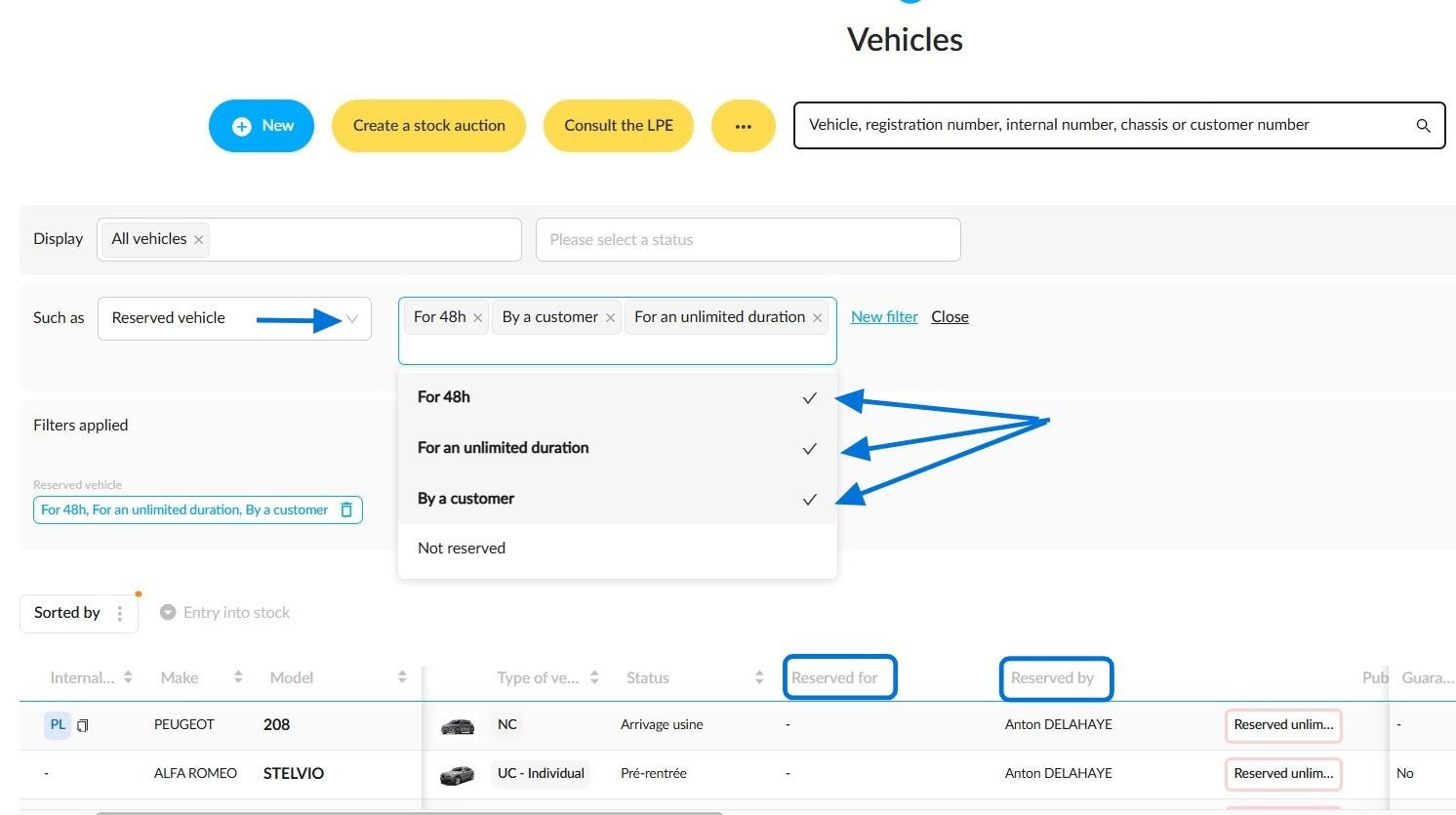
You can find out if some vehicles are reserved by using the ‘Reserved vehicle’ filter, which is included in the ‘Stock management ’ filters.
Four reservation modes can be selected to sort the displayed results:
-For 48h.
-For an unlimited duration.
-By a customer.
-Not reserved.
Reminder: several reservation modes can be selected at the same time. Your choices may affect the consistency of the results obtained.
To identify which employees or customers have reserved the vehicles, you can add two customisable columns to the table, labelled 'Reserved by' and 'Reserved for'.
Comments
0 comments
Article is closed for comments.