
This guide shows you how to add images or videos to your vehicle sheet.
How to video links to vehicle sheets?
Video links can be stored in a dedicated area on vehicle sheets in the 'Visuals' tab.
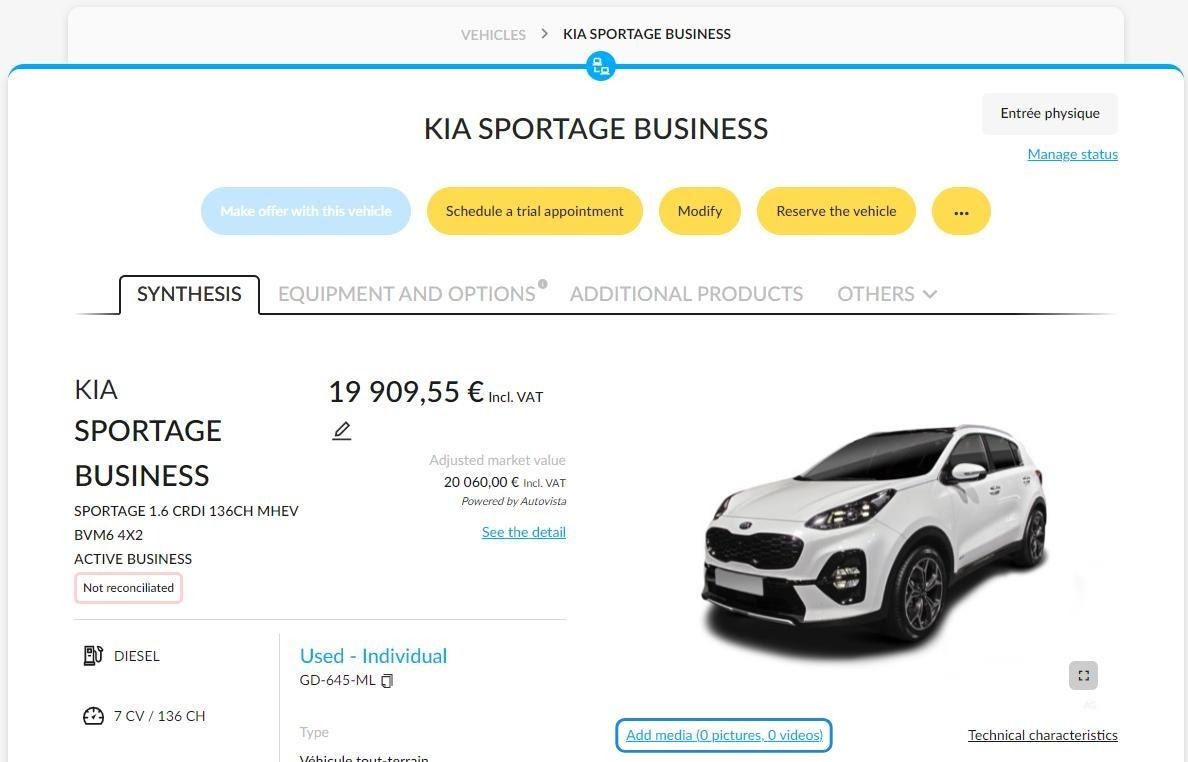
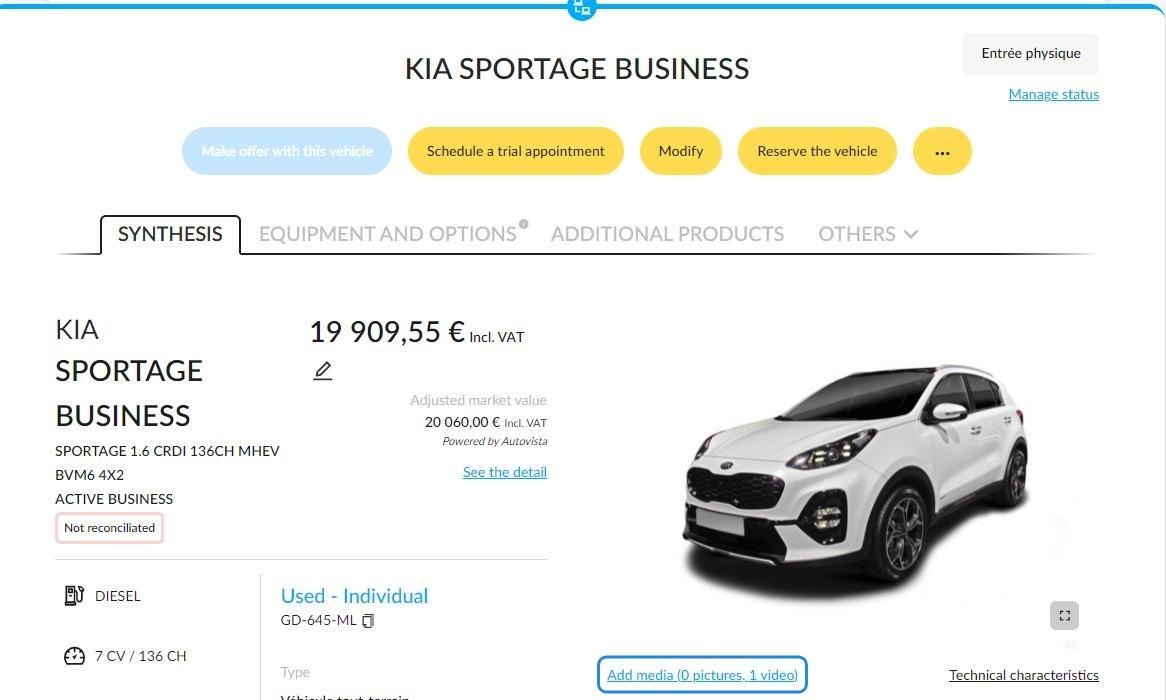
Start by clicking on 'Add media' below the vehicle pictures.
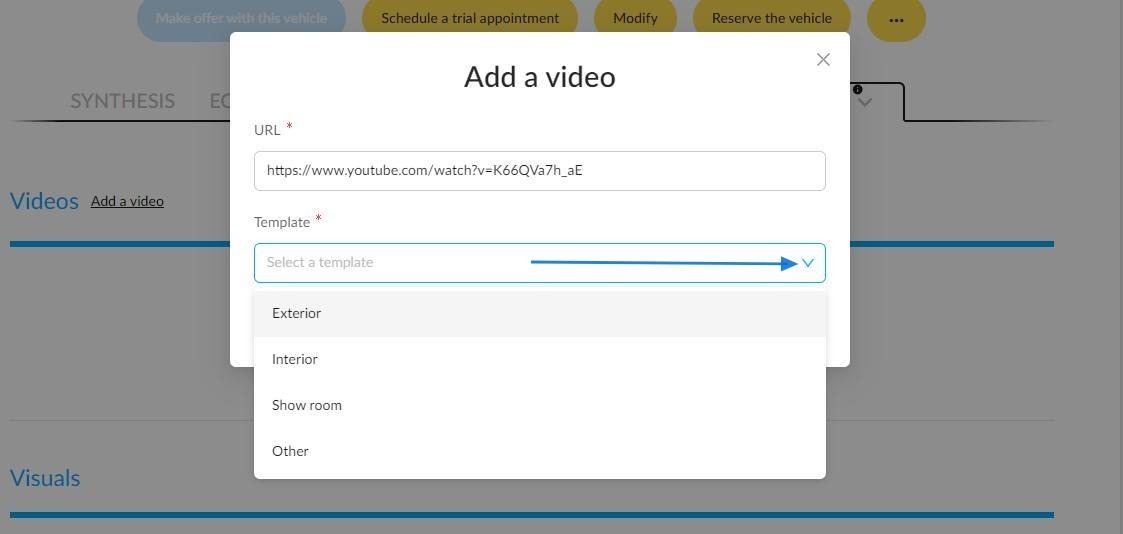
To add a video, simply paste the link to the video showing the vehicle and link it to a template.
The template wording selected will match the elements presented in the video:
- Interior
- Exterior
- Showroom
- Other
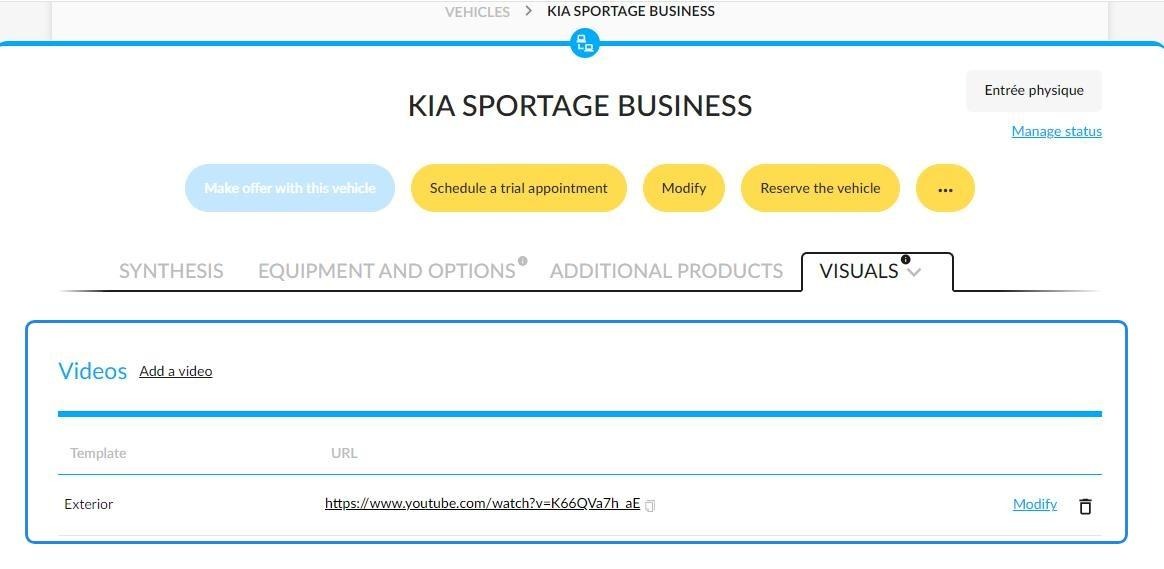
Example:
A coloured circle indicates the presence of video links and photos in a vehicle file.
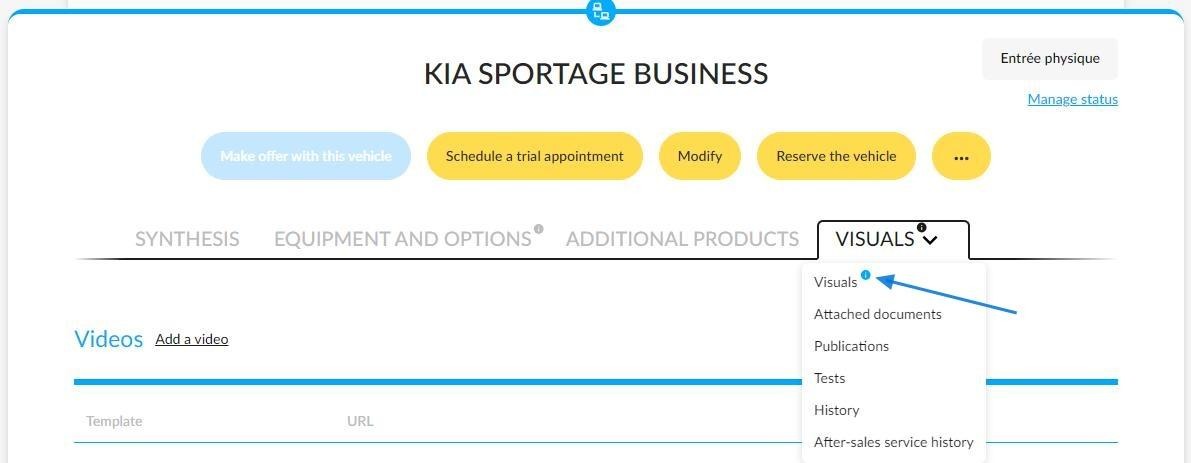
Furthermore, the number of video links added to a vehicle file is counted.
Comments
0 comments
Article is closed for comments.