
This guide explains how to set up price updates for your used car stock. You can either let the OpenFlex algorithm handle this, check the prices yourself, or set profit margins to safeguard your business.
Prerequisite: To configure automated price updates, you require administrator rights on the platform.
Overview of the settings:
You can set up automated updates for used car prices in the ‘Pricing Policy’ menu.
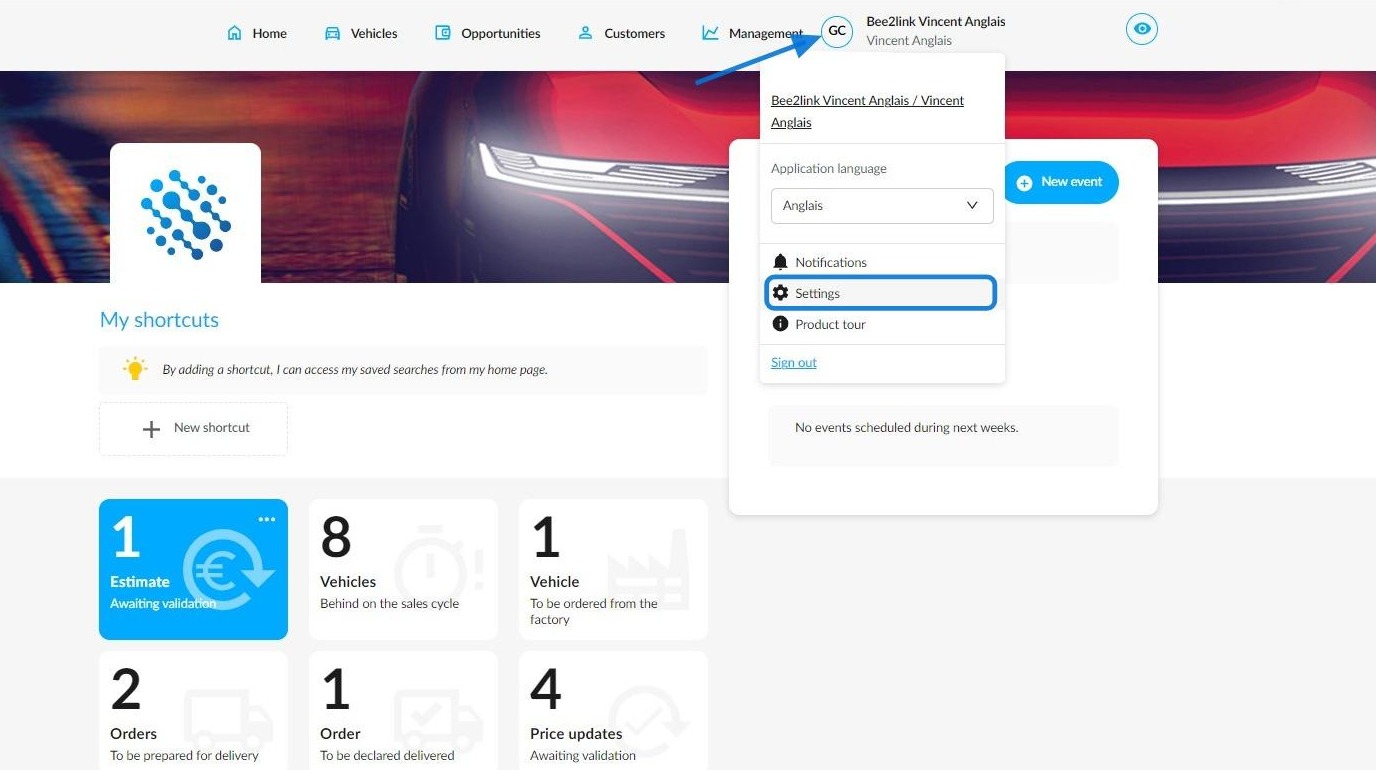
To do this, click on your initials first and then go to the OpenFlex settings.
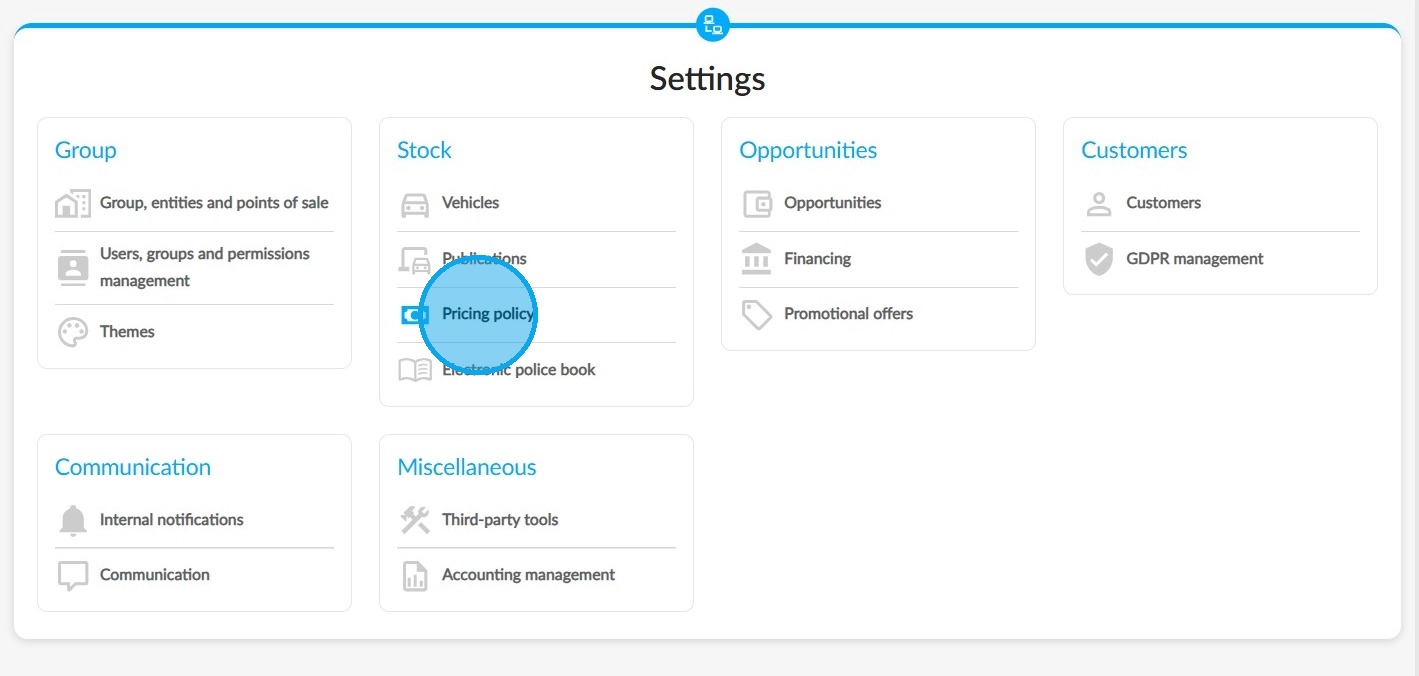
Click on the 'Pricing Policy' button. It can be found in the 'Stock' section.
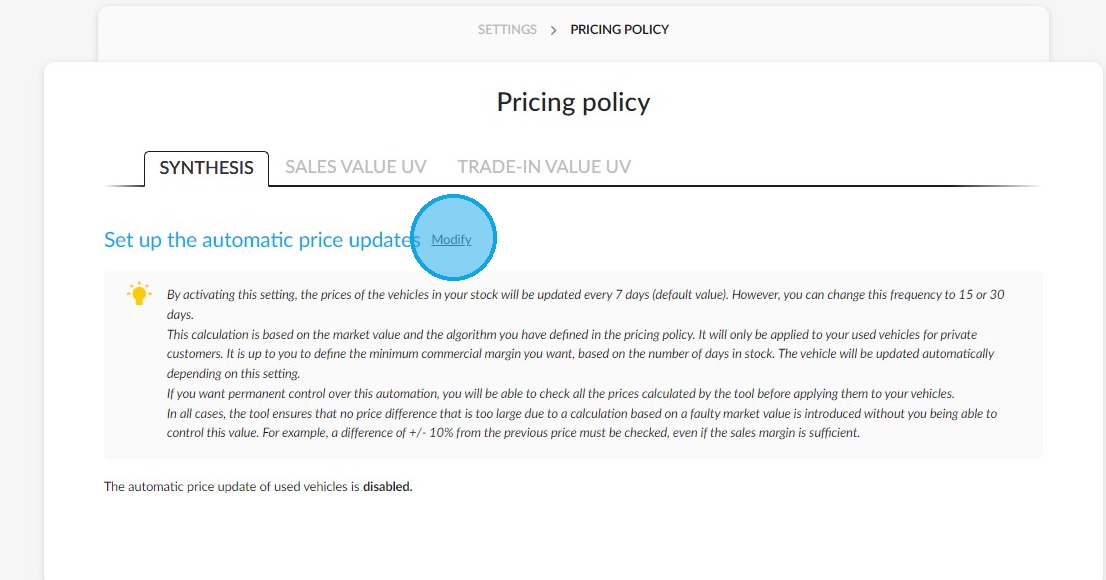
Then, click the 'Modify' button in the 'Sinthesis' tab, right next to 'Set up automated price updates'.
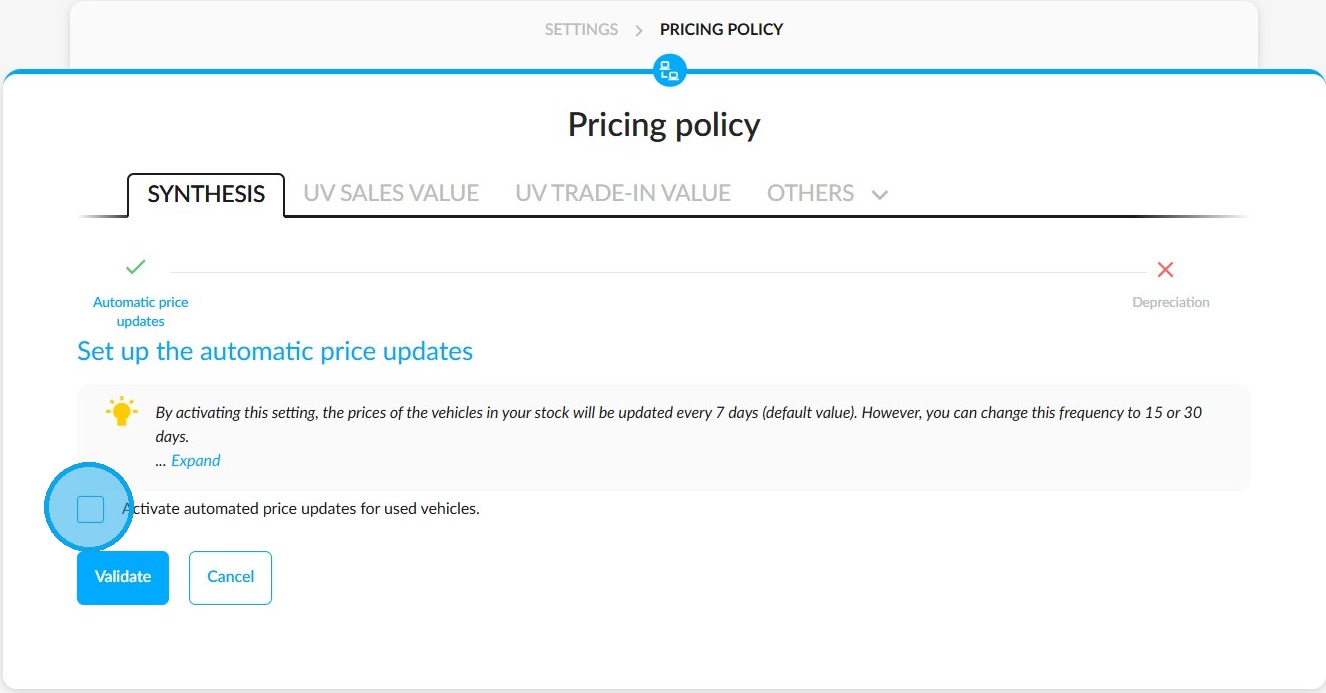
Activating automated price updates:
To enable automated price updates, please tick the box on this page labelled 'Activate automated price updates for used vehicles'
Prices will be updated every seven days by default.
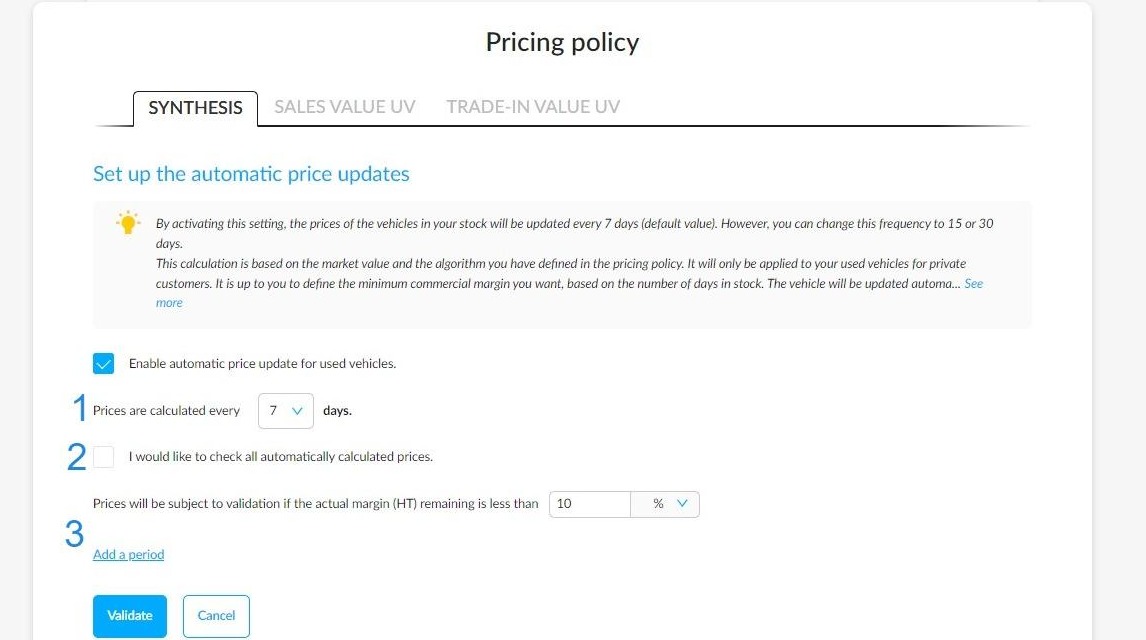
You will then see various parameters on the screen.
1)
The first parameter enables you to define the frequency at which new prices will be calculated automatically. Three price calculation frequencies are available: Seven days (the default setting), 15 days, and 30 days.
2)
The second parameter allows you to switch on manual management of automatically calculated prices, so that you can monitor and approve price changes.
3)
The third parameter allows managers to set minimum profit margins (excl. VAT) on vehicles. This can vary depending on how long a vehicle has been in stock.
As long as the minimum margin has not been reached, the system will update vehicle prices automatically.
Otherwise, the manager will intervene to approve or reject price changes suggested by the platform.
Checking automated price updates manually:
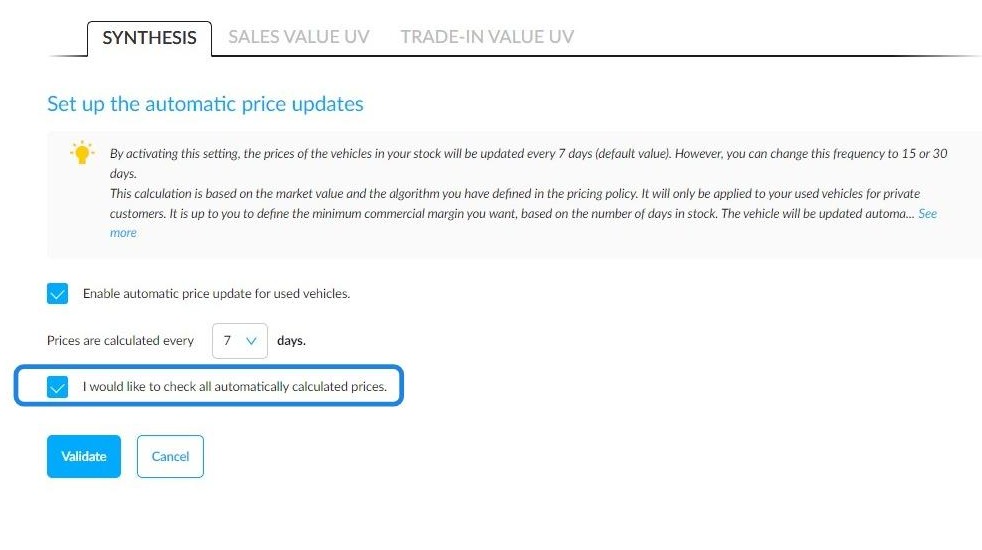
If you would like to control the validation of the new prices suggested by our tool, tick the box labelled 'I would like to check all prices that have been calculated automatically'.
Setting minimum margin requirements:
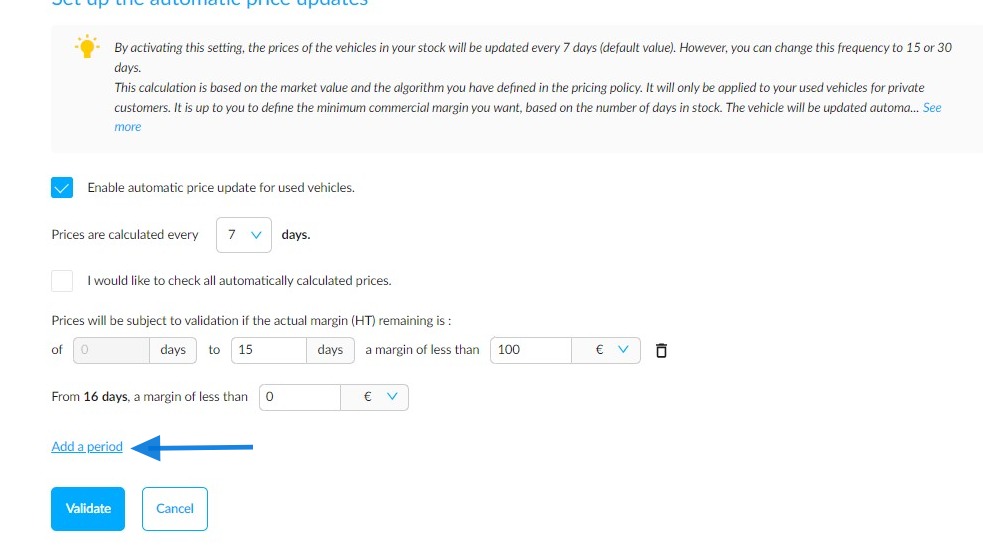
If you would like to set minimum profit margin targets, click on the 'Add a period' button and enter the time-based and financial criteria that will determine the minimum margins (excl. VAT) to be maintained for each programmed period.
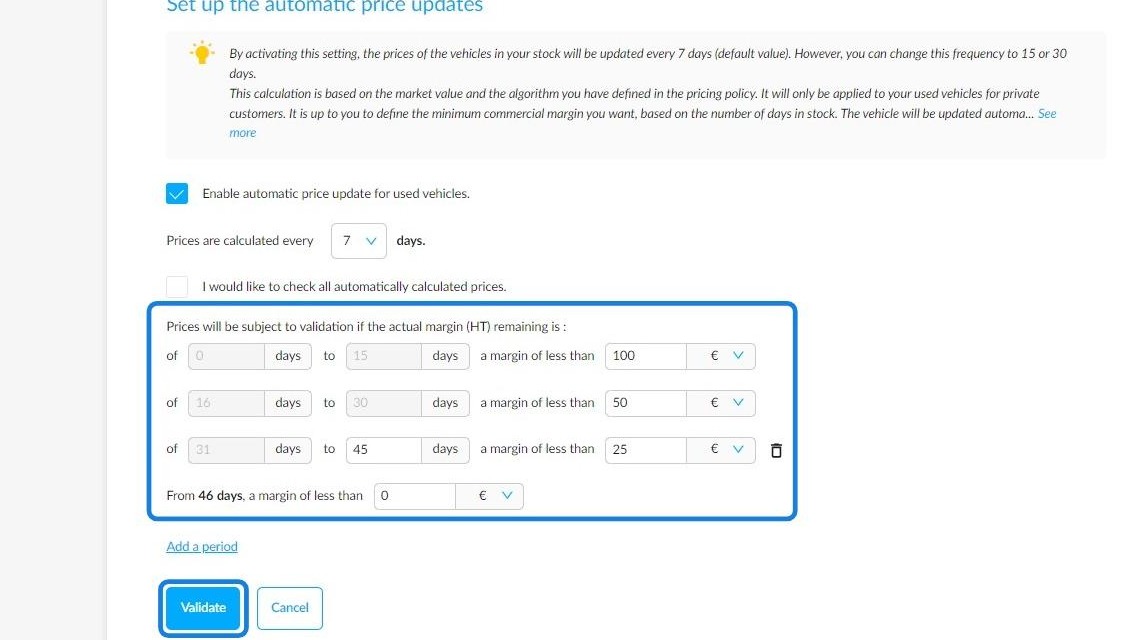
This is an overview of a configuration featuring several thresholds for minimum remaining margins (excl. VAT) set at different timeframes.
For example, you could set it so that, for a vehicle in stock for:
- 0 to 15 days: the minimum margin is €100 (excl. VAT)
- 16 to 30 days: the minimum margin is €50 (excl. VAT)
- 31 to 46 days: the minimum margin is €25 (excl. VAT)
- 47 days or more: the minimum margin is €0 (excl. VAT)
Please note that once vehicles reach the final scheduled timeframe, the minimum margin they generate will remain fixed regardless of how long they remain in stock.
Click the 'Validate' button to save your custom settings.
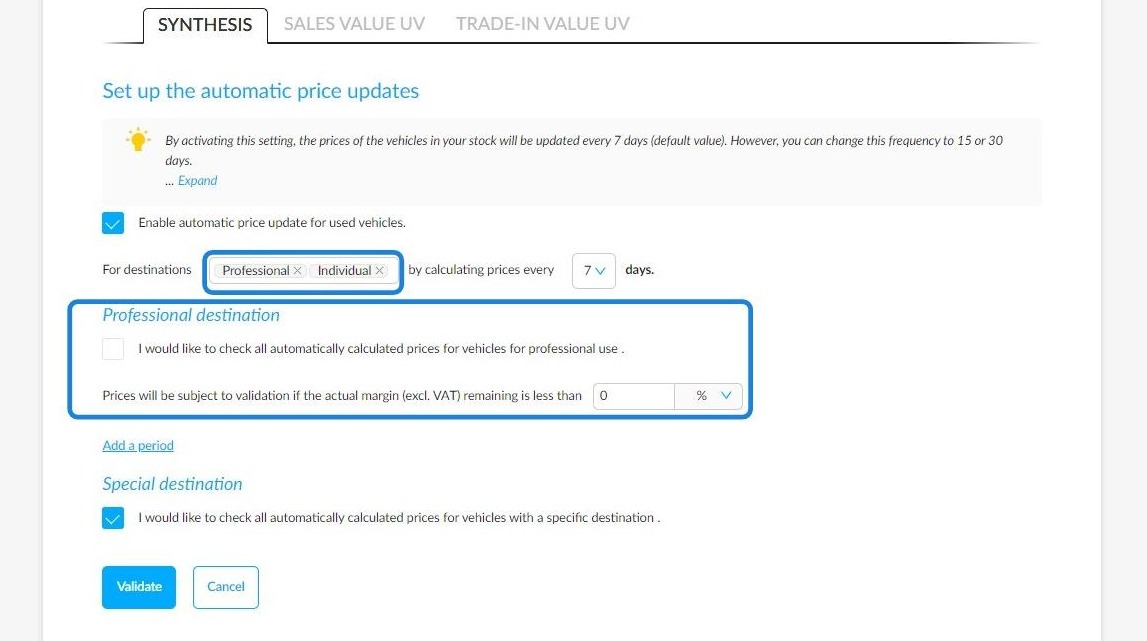
You can choose to include used cars intended for automotive professionals in the automatic price update algorithm.
These settings are similar to those used for cars intended for private buyers.
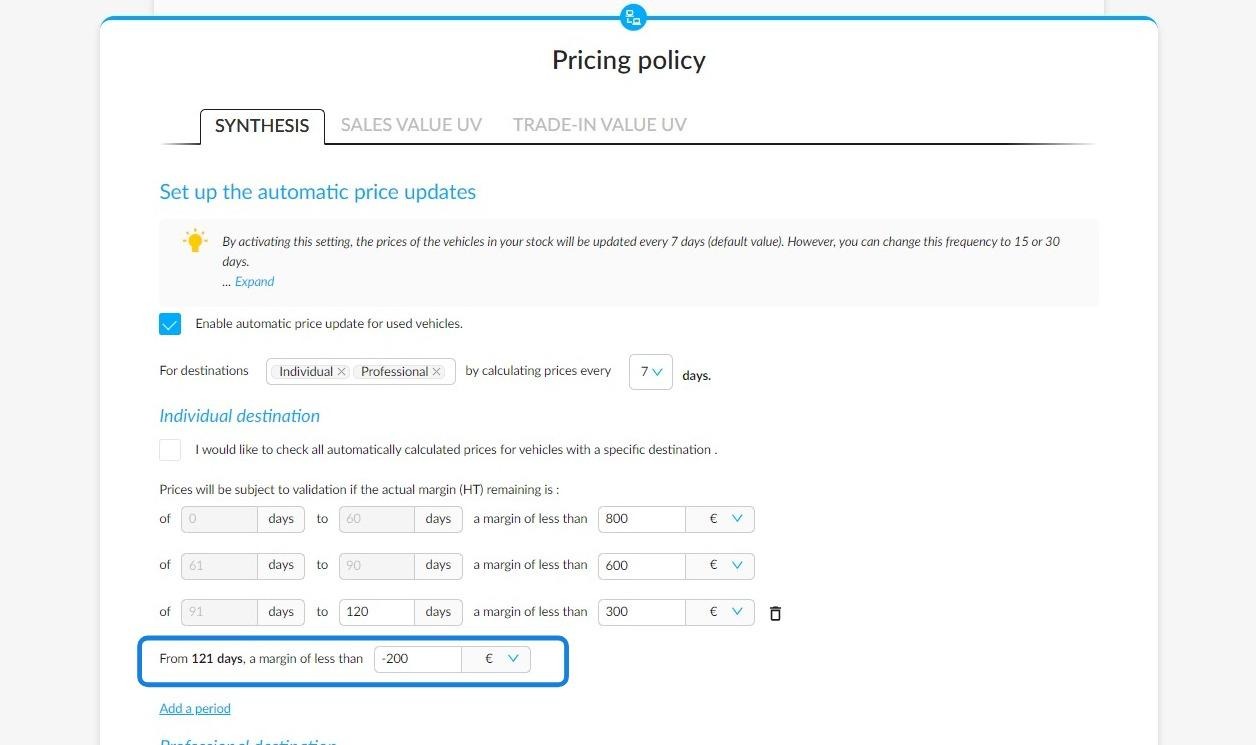
Option to include a negative margin:
In some cases, stock managers may need to set a negative margin on the price of a vehicle that has been in stock for too long.
To this end, managers can enter negative margins in the pricing policy settings when setting the automatic price update.
Comments
0 comments
Article is closed for comments.