
Save time by updating the UV market value adjustment rules in a few steps.
Prerequisites:
Ensure you have platform administrator rights.
From the OpenFlex home page, click on your initials to access the platform settings.

Then select those for the pricing policy in the "Stock" section.
To access the price policy adjustment settings, click on the ‘UV sales value’ menu.

To review one or more adjustment rules in a single operation, click on the "Update existing adjustments" button.

Numerous filters will be available to help you find the adjustment rules to modify:
- By type (All combined, Private Vehicle or commercial vehicle or all-terrain)
- By energy source (All combined, electric, petrol, hydrogen, etc.)
- By make (one at a time)
- By model group, model, transmission, finish, version.
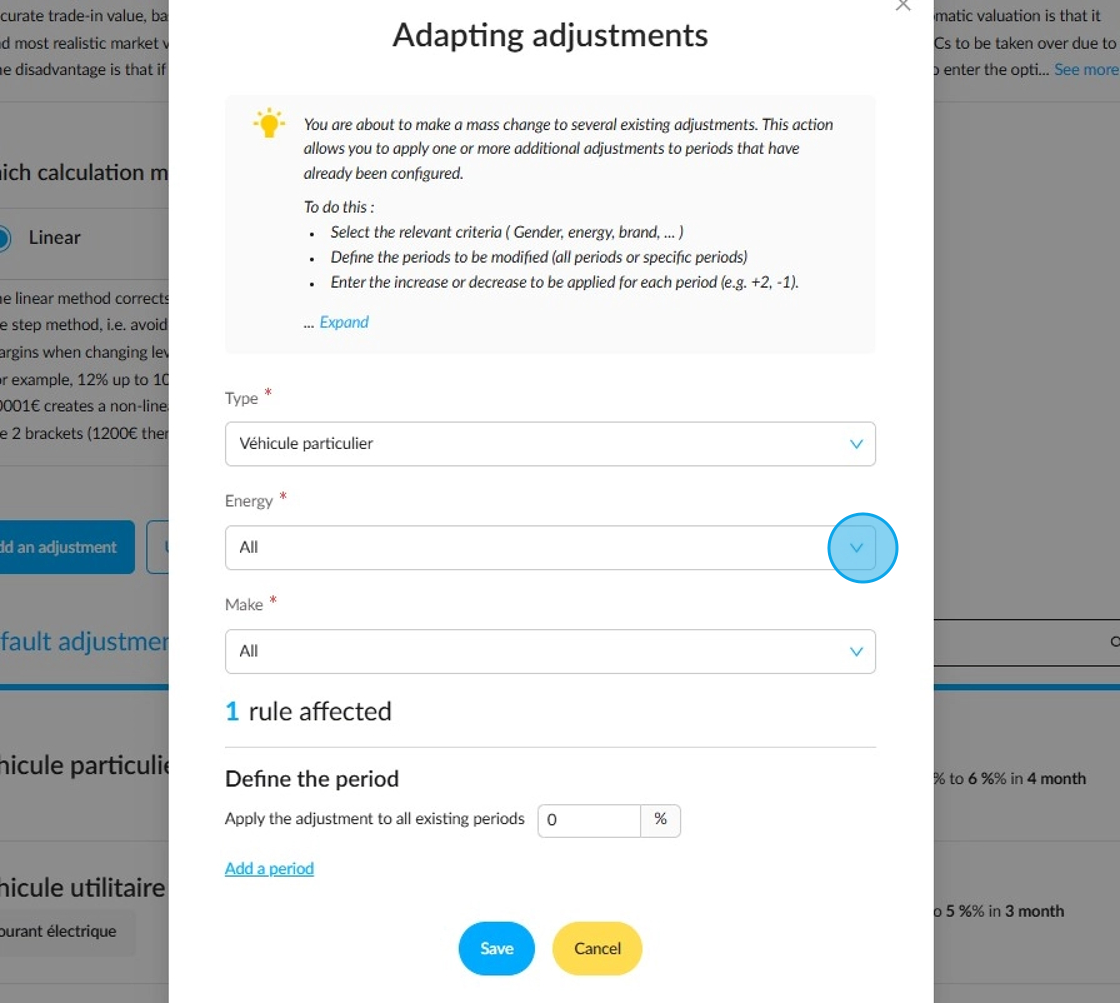
The system detects that a rule affecting adjustments to private vehicle will be changed.
Next, select the time range(s) for which you want to review the adjustment rule.
You can then enter an increase or decrease to be applied to each period (+2% or -1%).

Reminder:
-Only the selected criteria will be taken into account during the modification. Therefore, if you select an energy source and no other criteria, all rules containing the energy criterion will be modified, regardless of the other criteria.
-Updates will only affect adjustment periods within those initially set. Adjustments that do not correspond to these periods will not be taken into account.
Example: updating the adjustment rule applied to private vehicles:
I have the following rule in place, which applies to all private vehicles for all energy sources and all brands.

I review the applicable rule:
a decrease of -0.5% over the period between 1 and 2 months.
an increase of 1% over the period between 3 and 5 months followed by another 1% increase from 6 months onwards.

A notification will confirm that the changes to the adjustment have been made.

My initial adjustment has been successfully updated based on the values I entered:

Comments
0 comments
Article is closed for comments.