
This guide will show you how to add a funding organisation to your settings and how to link it to a financing type. Please note that these steps only apply to financial companies that already exist on your OpenFlex platform.
Prerequisites: You require administrator permissions to access the funding settings.
Navigating to settings
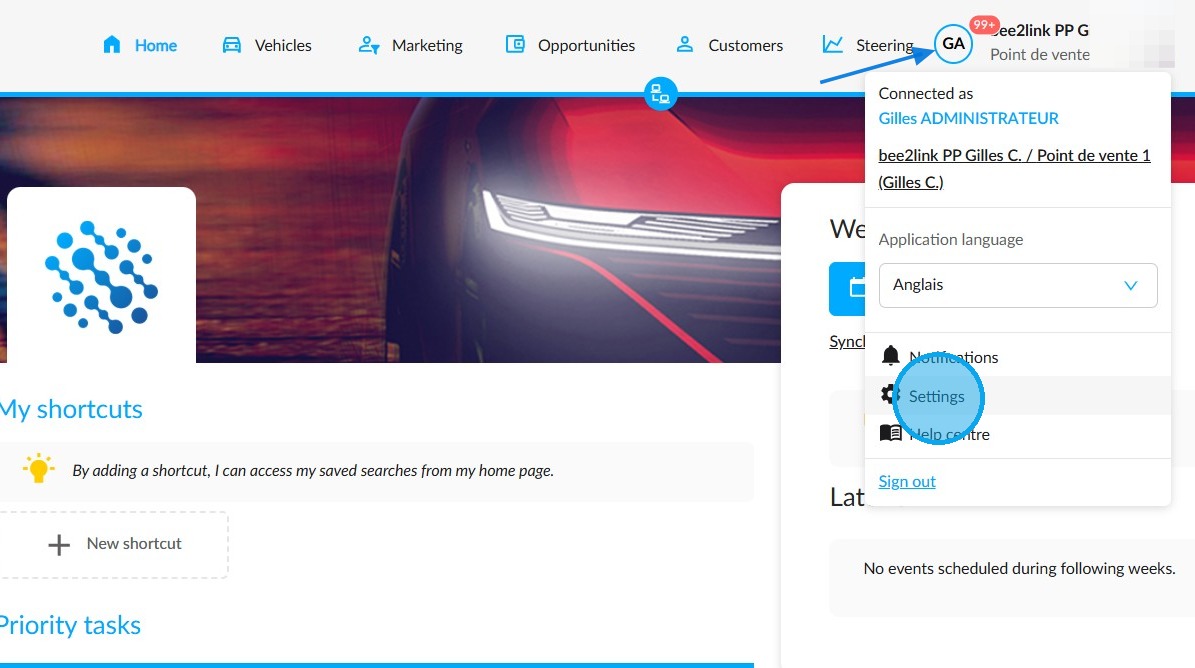
1. Hover the cursor over your initials and click on 'Settings'.
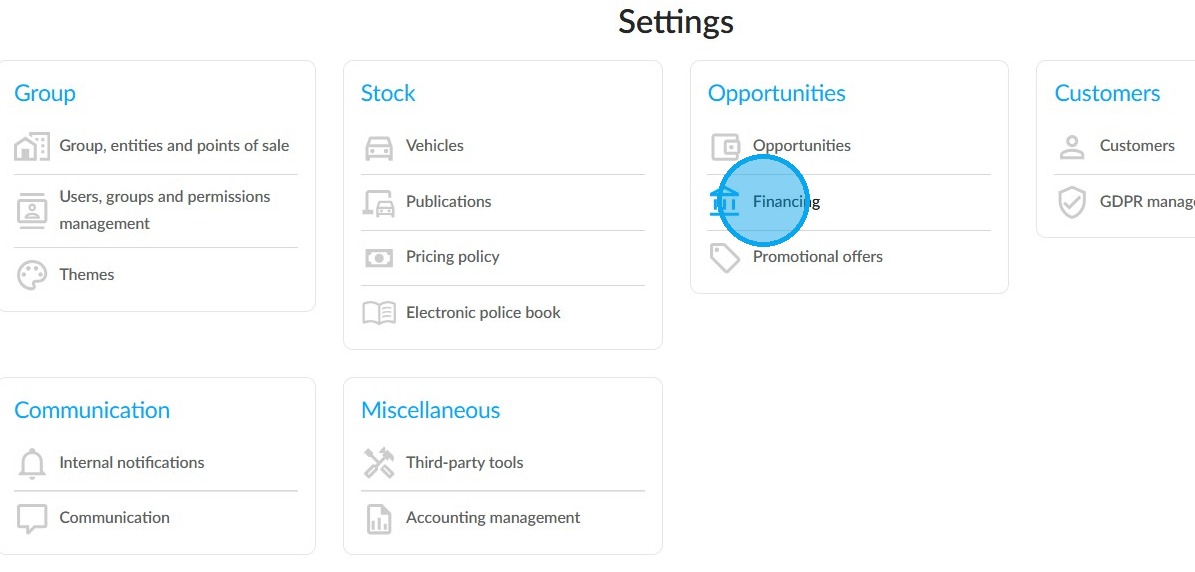
2. Under the 'Opportunities' heading, click on 'Financing'.
Adding a funding organisation
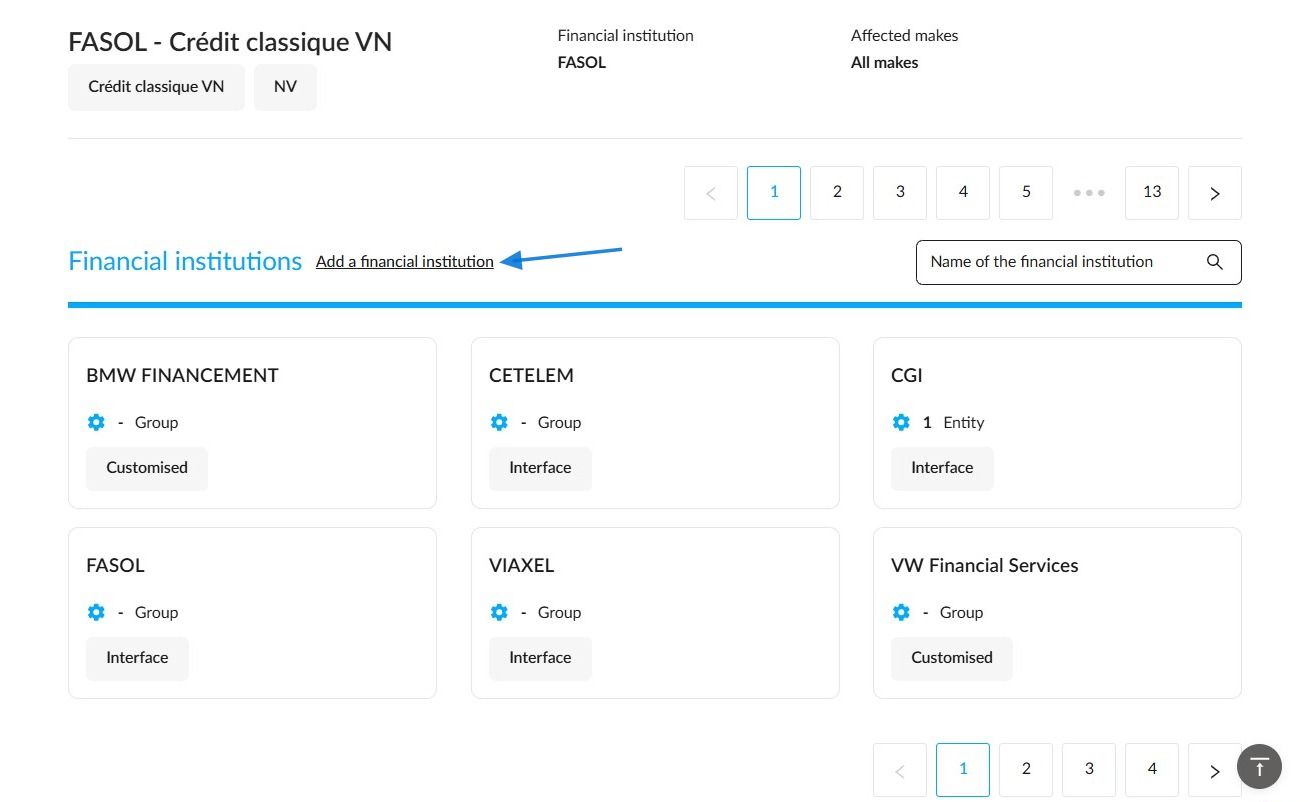
3. Among the configured financial organisations, you can distinguish between those that are customised locally and those that are integrated via an interface. Click on 'Add a financial institution'.
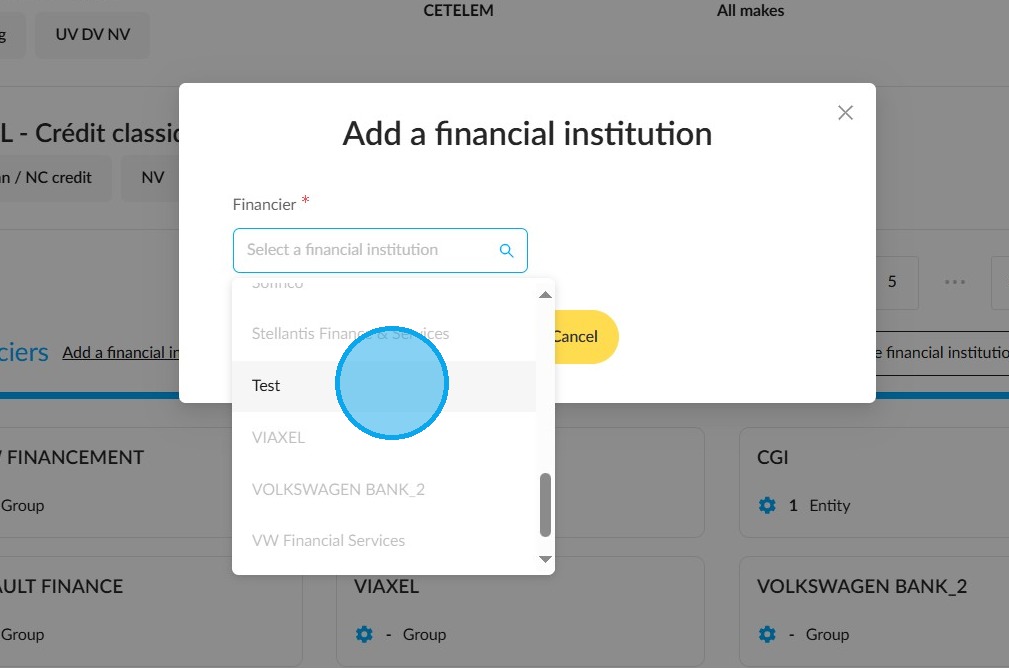
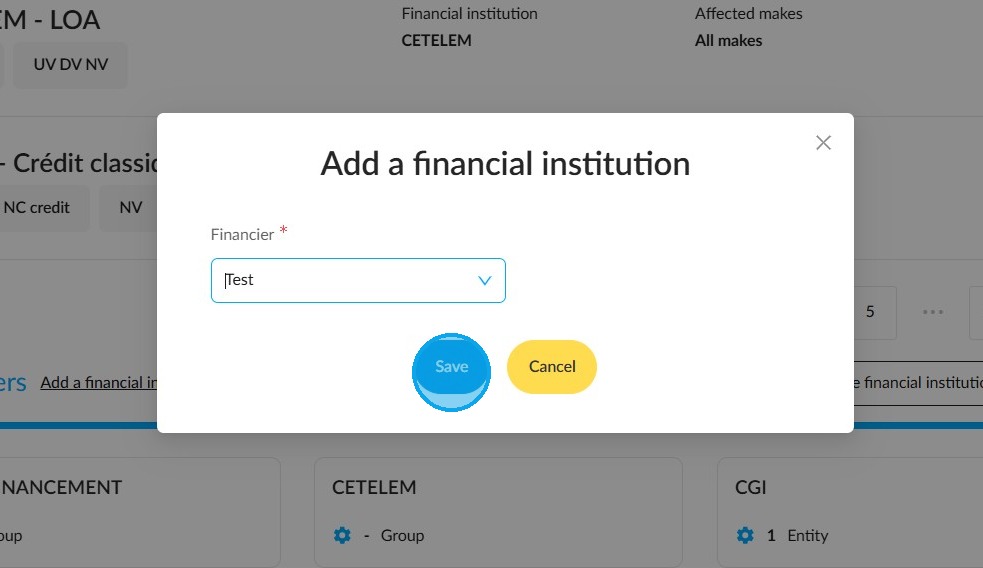
4. In the 'Add a financial institution' window, choose the organisation you want. If you need to add another one to the list, please contact our support team.
5. Finish by clicking 'Save'.
Associate a financing with the funding organisation.
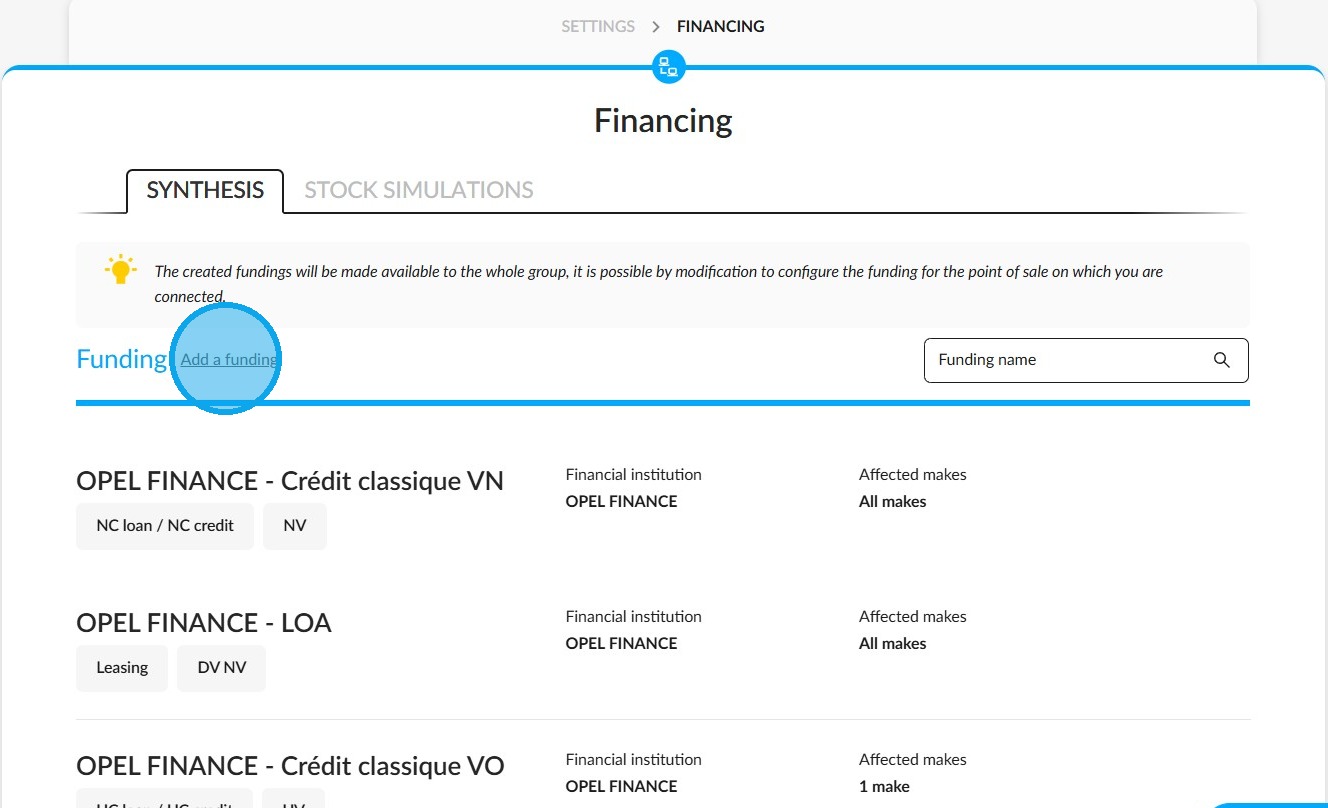
6. Click on 'Add a funding'.
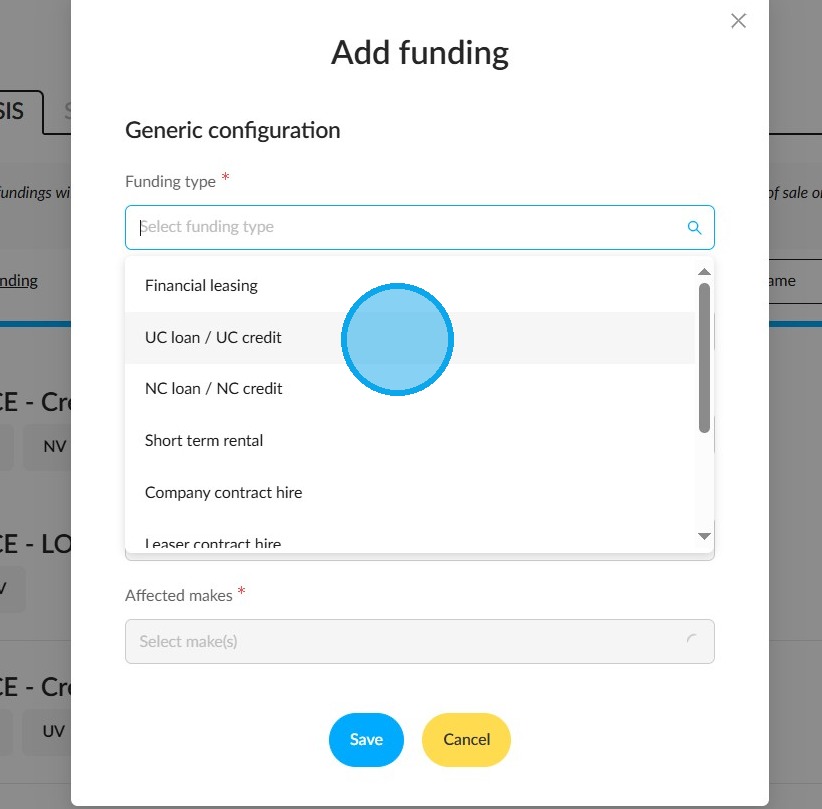
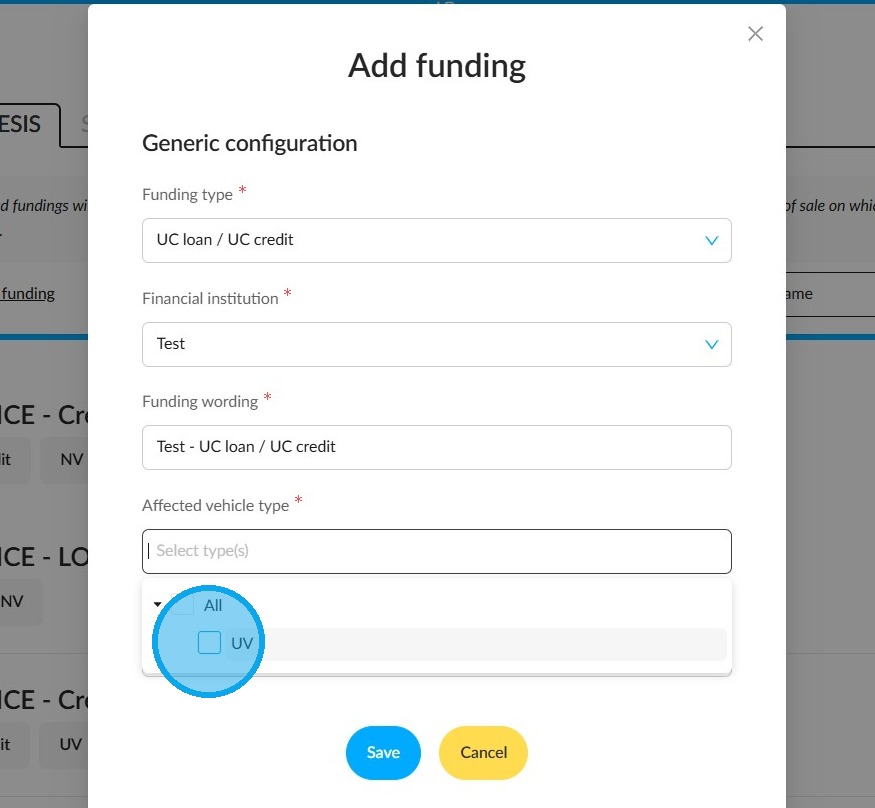
7. In the 'Create financing' window, fill in the compulsory fields. Begin by selecting the type of financing you require.
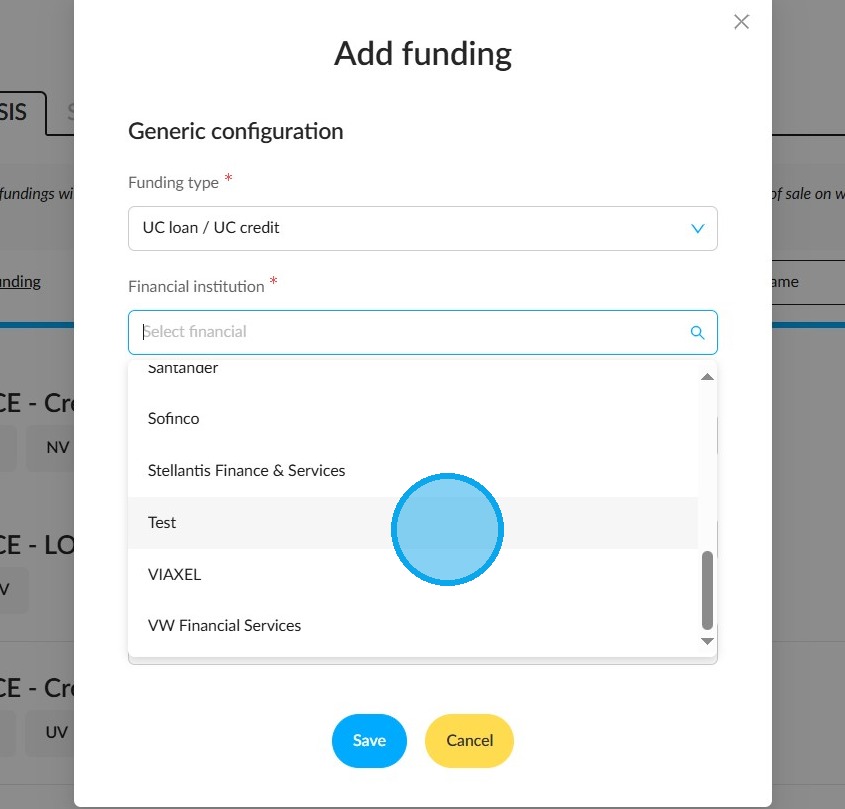
8. Next, select the financial institution offering this financing.
9. Then select the vehicle type to which this funding applies.
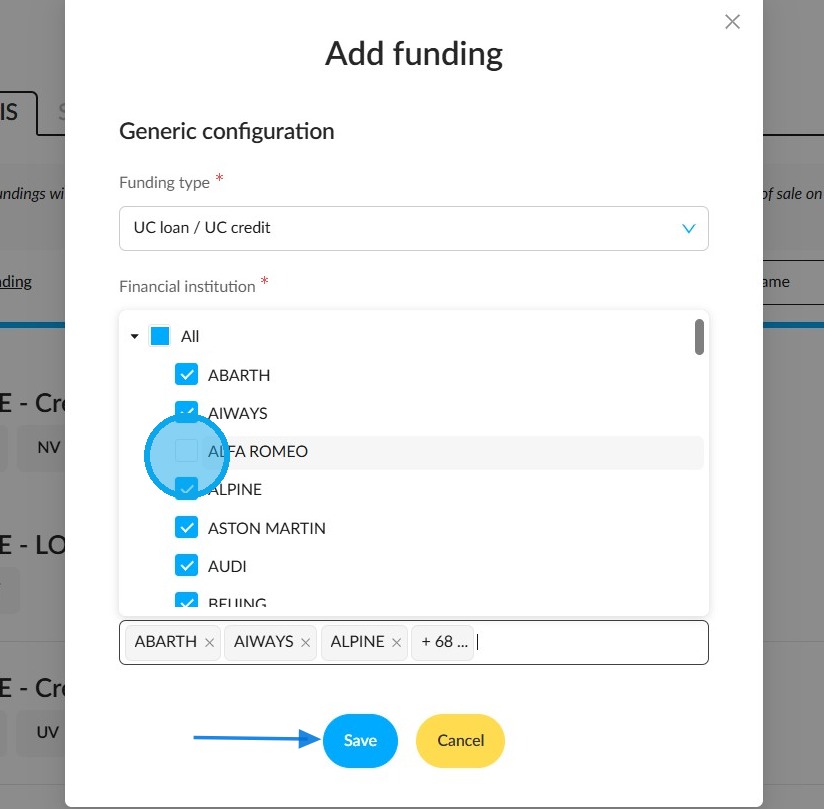
10. Finally, allocate the makes to it. You can select them all by ticking the relevant box, or choose them one at a time.
Finish the process by saving your configuration. To do this, click on the button at the bottom of the window.
Please refer to FAQ 036 for information on how to create financing simulations.
Comments
0 comments
Article is closed for comments.