
This guide explains how to set a minimum quantity of pictures that your sales team will have to add to a trade-in estimate.
Prerequisites:
-You must have administrator rights on OpenFlex.
-This parameter only applies to sellers who do not have the right to validate trade-in offers and to autonomous sellers who have the right to confirm their own trade-in offers.
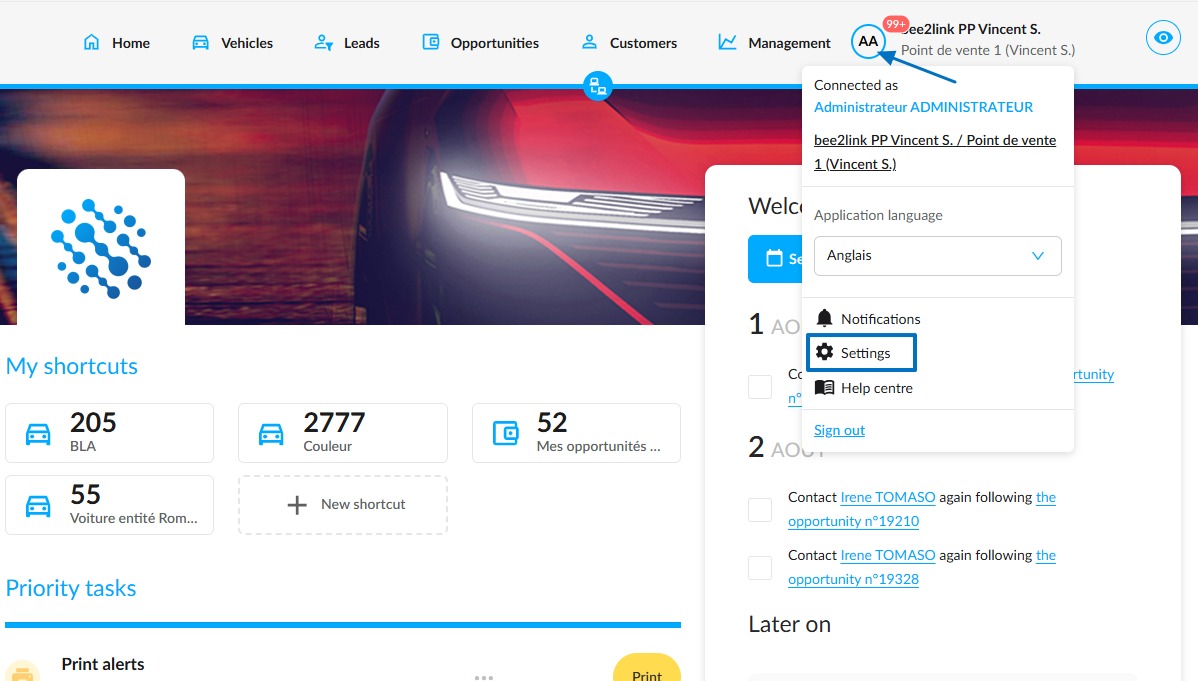
From the OpenFlex homepage, click on your initials to access the platform settings.
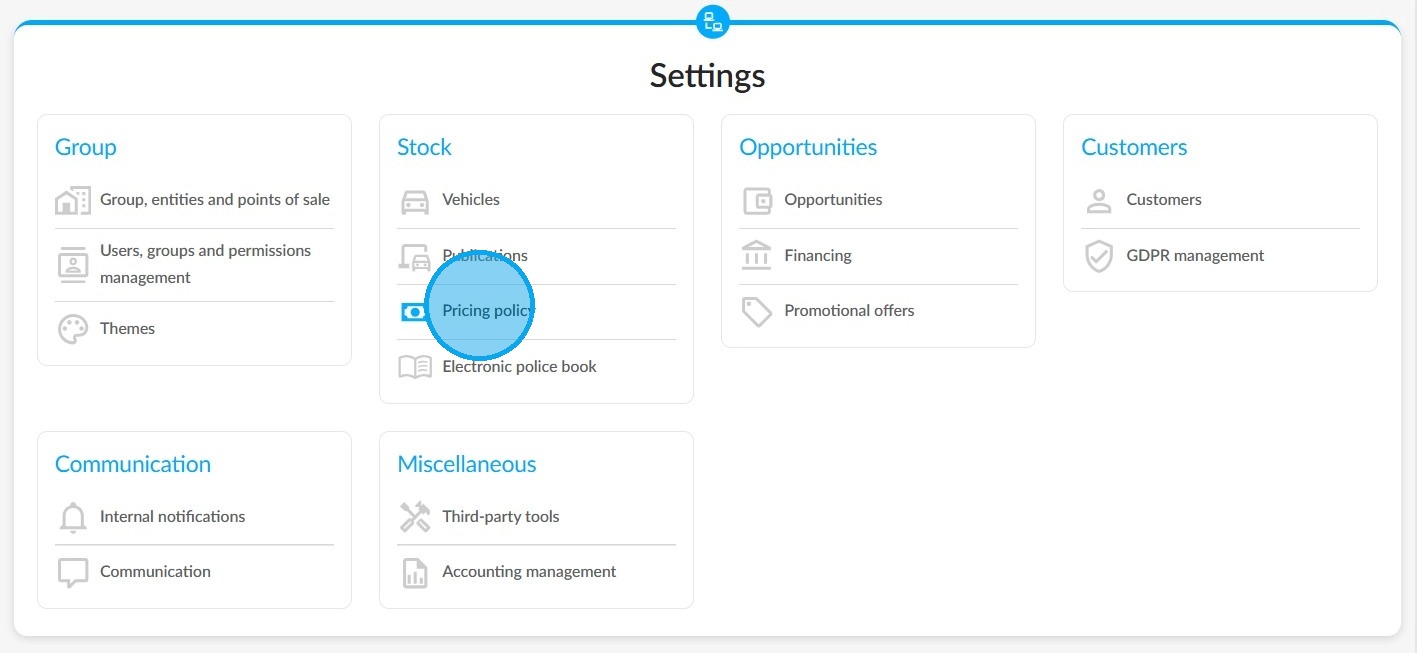
Next, select the pricing policy parameters in the "Stock" section.
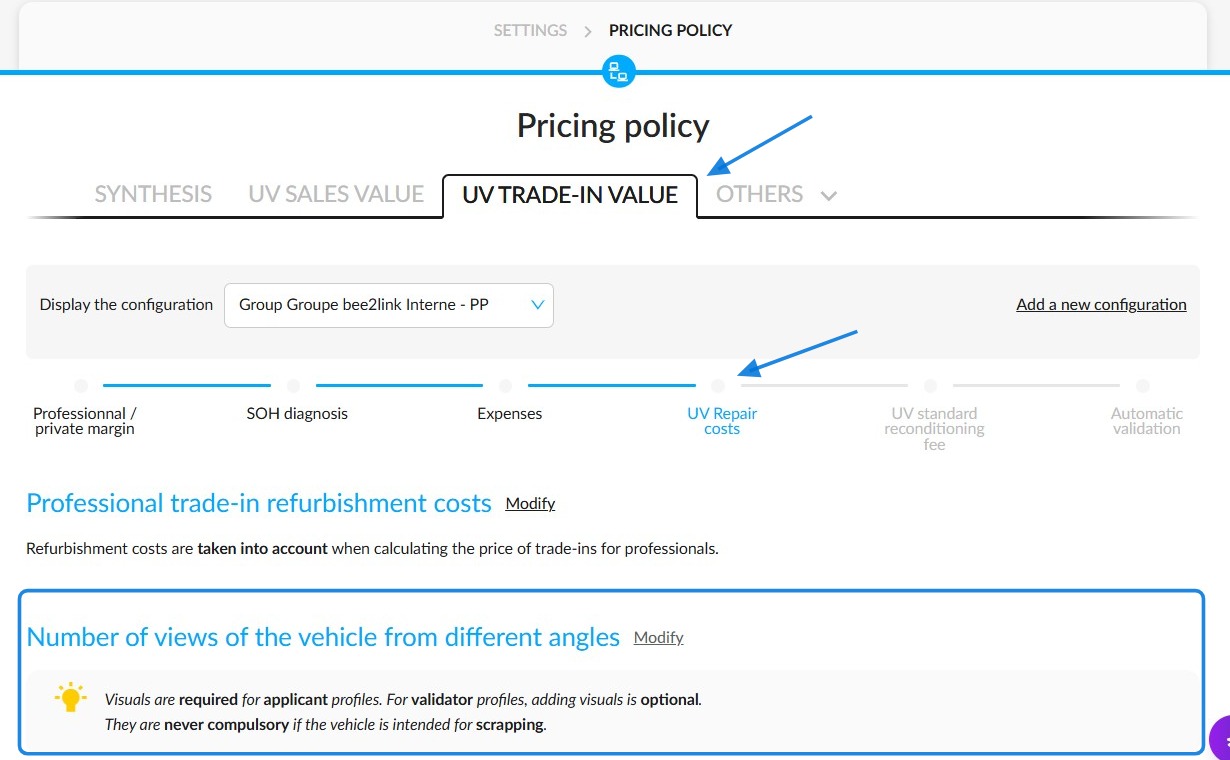
Click on the "UV trade-in value" tab. Then click on the 'Modify' button next to the 'Number of views of the vehicle from different angles' heading.
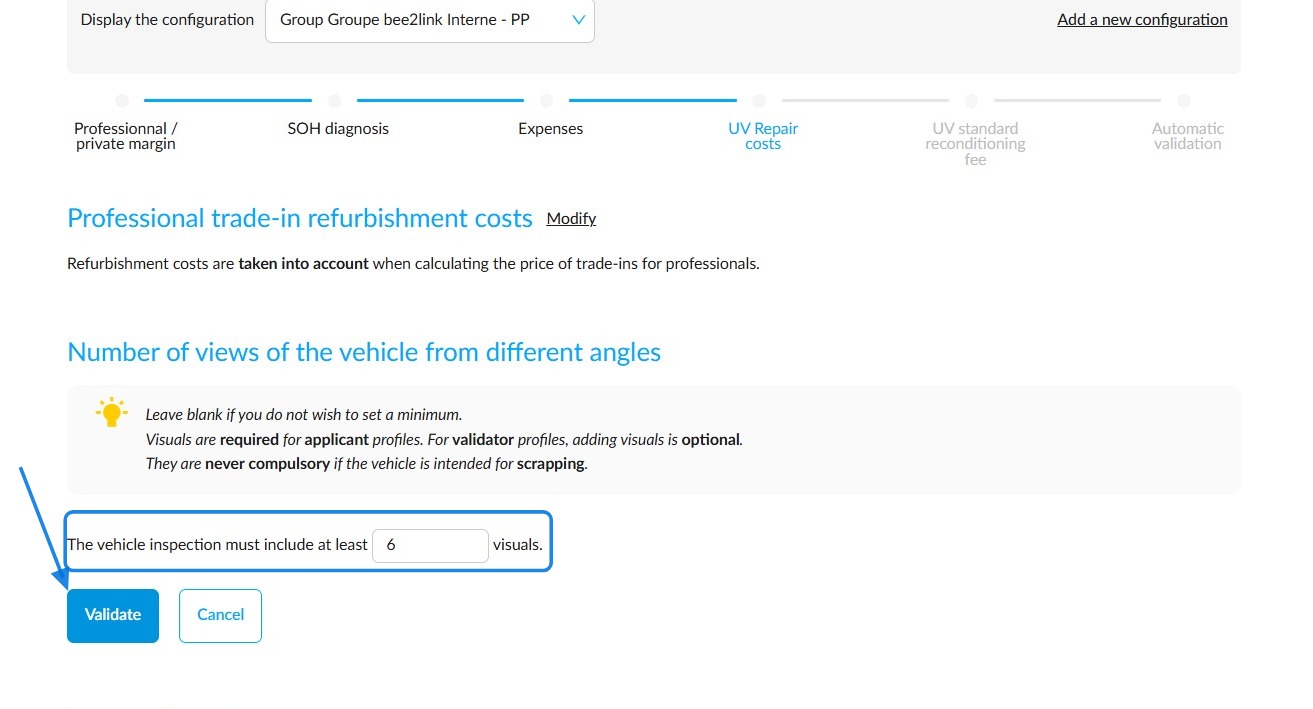
Enter the minimum number of images required and click the 'Validate' button.
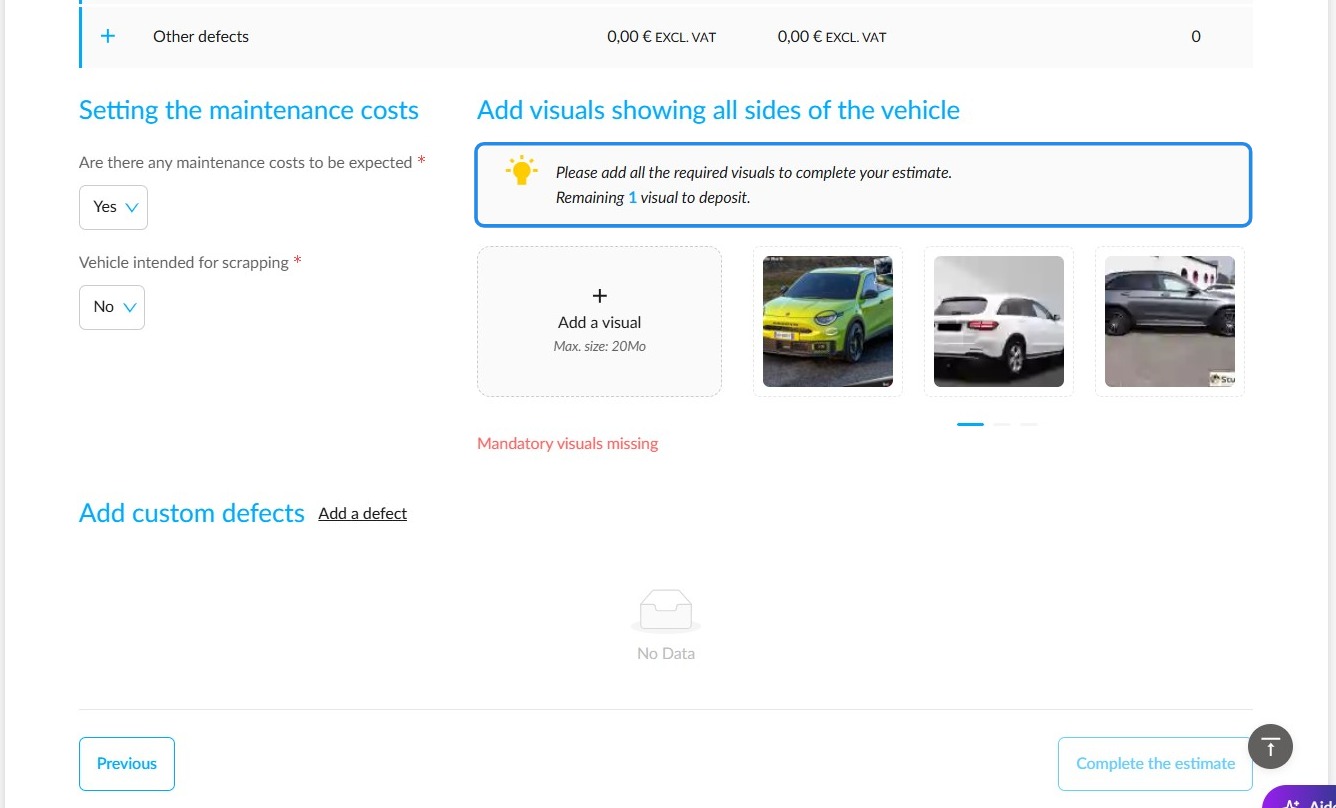
This means that during a trade-in process, your employees will need to upload enough photos to comply with the settings you have configured. Otherwise, they will not be able to finalise the trade-in.
The number of missing photos will be indicated.
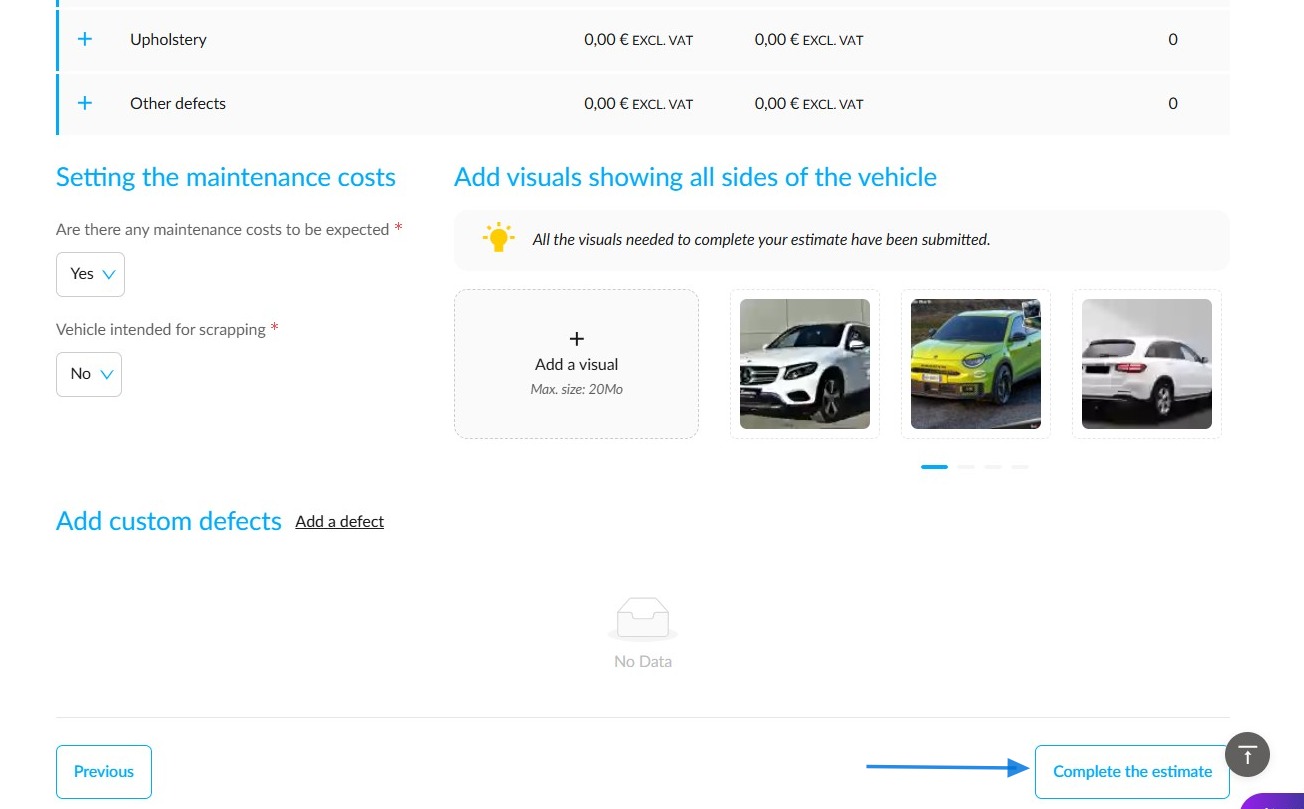
Once the conditions have been met, the commercial team must click on 'Complete the estimate' to finalise the trade-in.
Comments
0 comments
Article is closed for comments.