
Find out how to set a financing offer as the default option.
From the sheet of a vehicle that includes a financing simulation, click on the "Financing" tab to access the various simulations available for it.

Then click on the 'Simulate your financing' button to select your preferred financing option from the range of choices available.

Adapt the financing conditions to suit your needs (Rates, APR, Deposit, Funded price, Contract duration).
In the example below, the duration of the financing has been changed:

The financing simulation will be updated after you have entered your modifications. You can then save the financing simulation as the default offer in OpenFlex by clicking on the button labelled 'Save as default offer'.
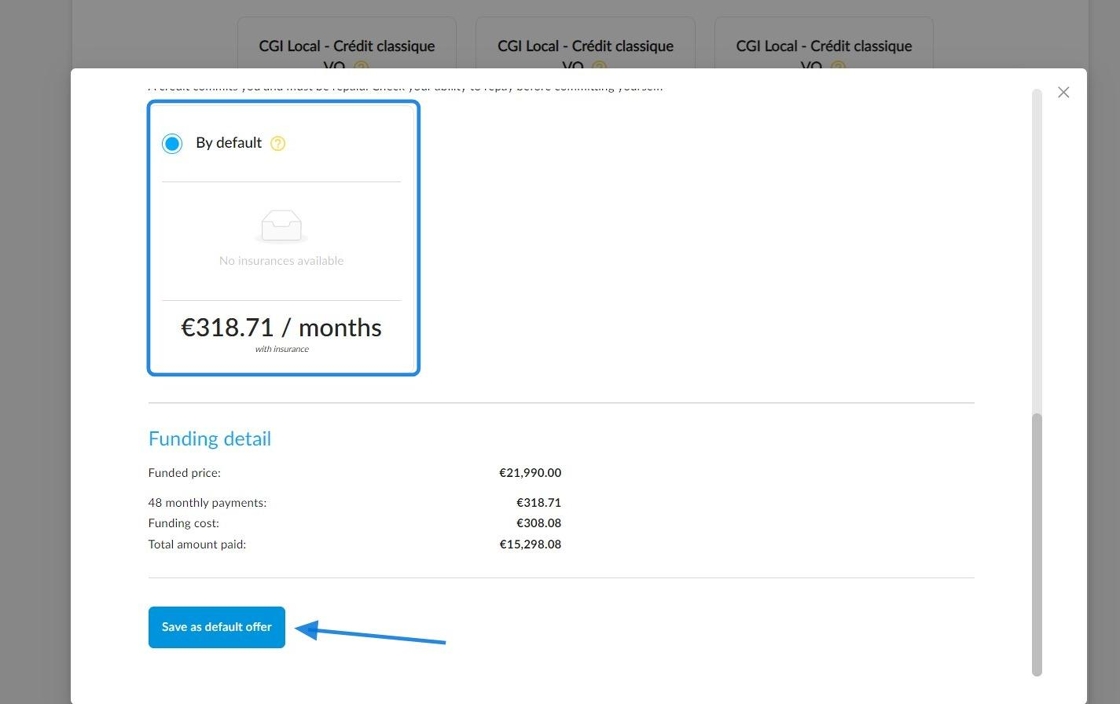
To make it easy to identify the financing simulation that will be highlighted, the label ‘By default’ will appear at the bottom of its thumbnail to distinguish it from the others.
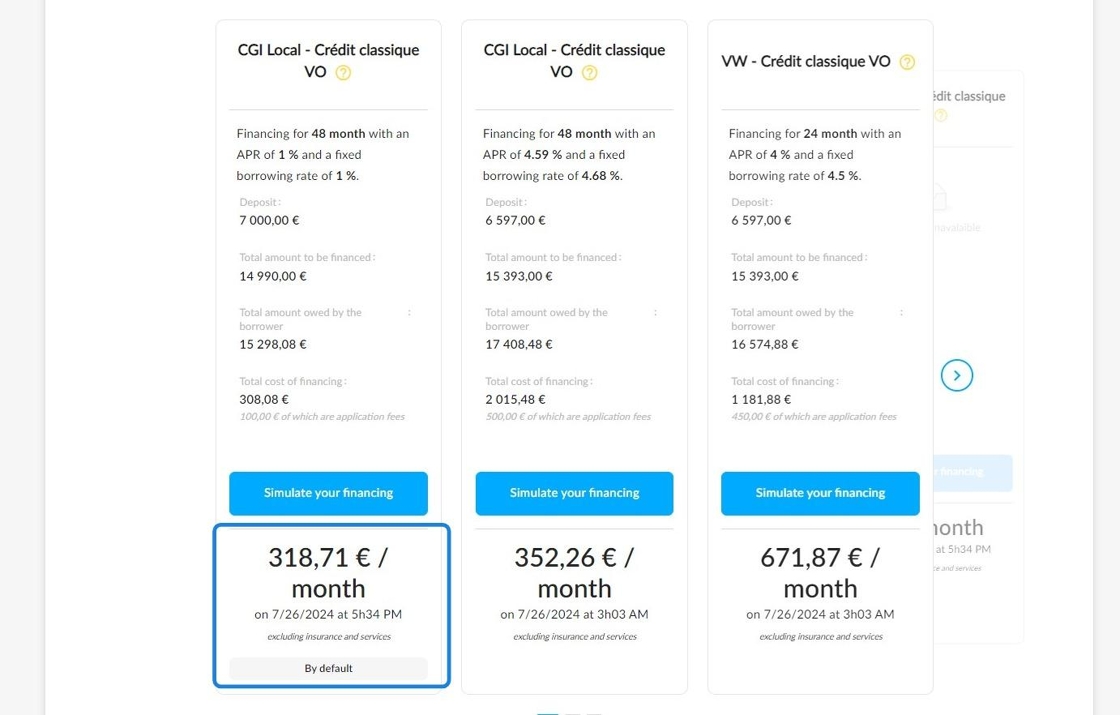
The highlighted financing simulation will be visible on:
-Advertisements
-Price displays
-The vehicle sheet and the various tables which show the stock
Example:
View from the vehicle sheet synthesis.

View from the table which shows the UVs stock intended for individuals.

Reminder: If a user has not selected a financing simulation to be highlighted by default on a vehicle file, the OpenFlex automatically-generated simulation showing the lowest offer will be highlighted by default.
Comments
0 comments
Article is closed for comments.