
This guide explains how to authorise the sale of a vehicle before it is added to stock.
Prerequisite: you need administrator's rights.
How to allow the sale of a pre-entry vehicle?
To shorten the time that vehicles spend in stock, you can put them up for sale and publish them as soon as they reach the "Pre-entry" status.
To do this, please go on a pre-entry vehicle file and click on "Manage status".

The window that opens is divided into two different tabs: "Declare to the following status" and "Allow the vehicle to be sold". Click on the second one.

Once you have entered all the information required to put the vehicle up for sale, click on 'Allow the sale'.

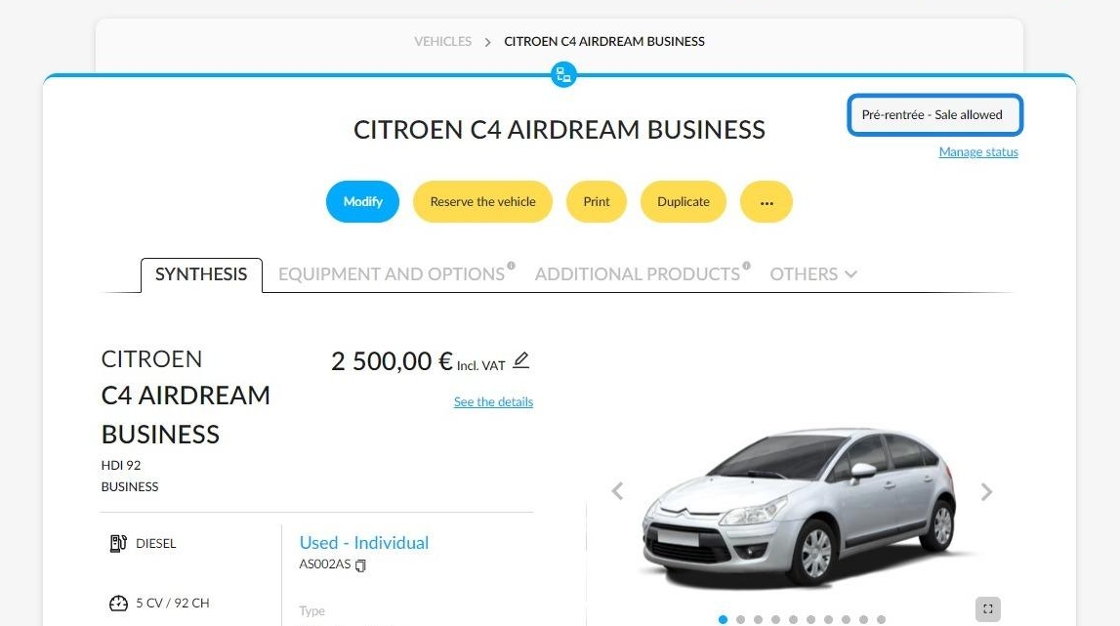
The status has been updated on the vehicle sheet. It states that its sale is now permitted.
How to check that a pre-entry vehicle has actually been published?
To check if a vehicle has been published, go to the 'Publications' section on the car's details page.
In order for the vehicles to be published, the criteria defined in this area must be fulfilled.

How to cancel the authorisation to put a vehicle up for sale?
You can also cancel the previous operation by proceeding in reverse. From the file of a pre-entry vehicle that is available for sale, press the 'Manage status' button.
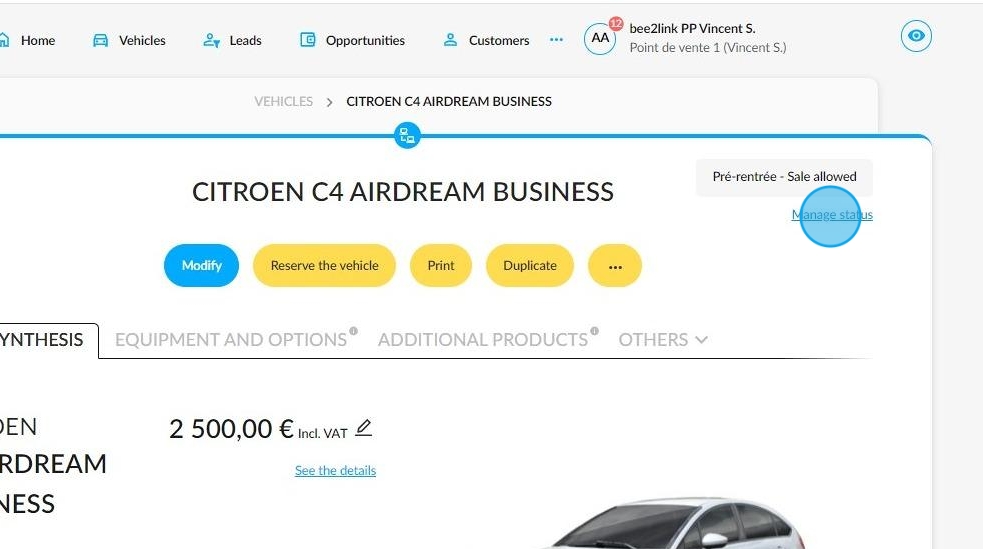
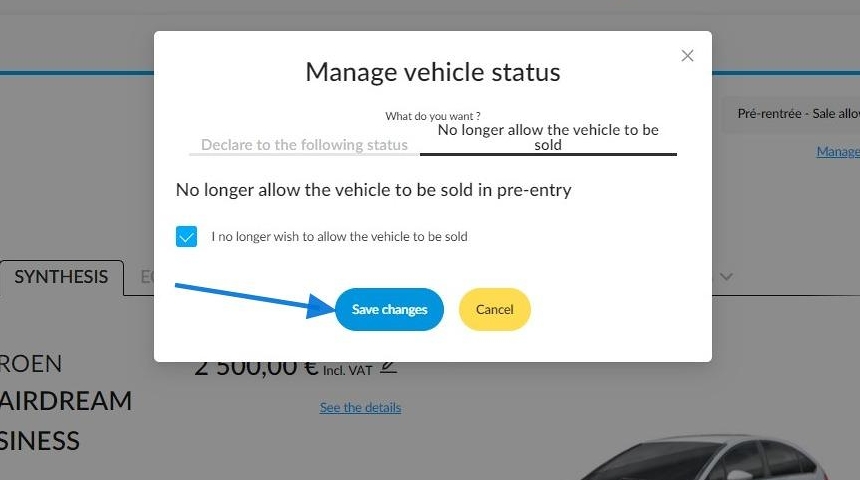
A window divided into two tabs opens then: go to the second one labelled "No longer allow the vehicle to be sold".

Tick the box that maches the same wording.

Save your changes.
The vehicle is in the pre-entry phase and is not yet available for sale.

Comments
0 comments
Article is closed for comments.