
Please read the document below to find out how to adjust the configuration of a vehicle that has already been reconciled with the database.
1. To simplify the process of revising a vehicle's configuration in the event of a qualification error, this operation can be performed from the vehicle's file.
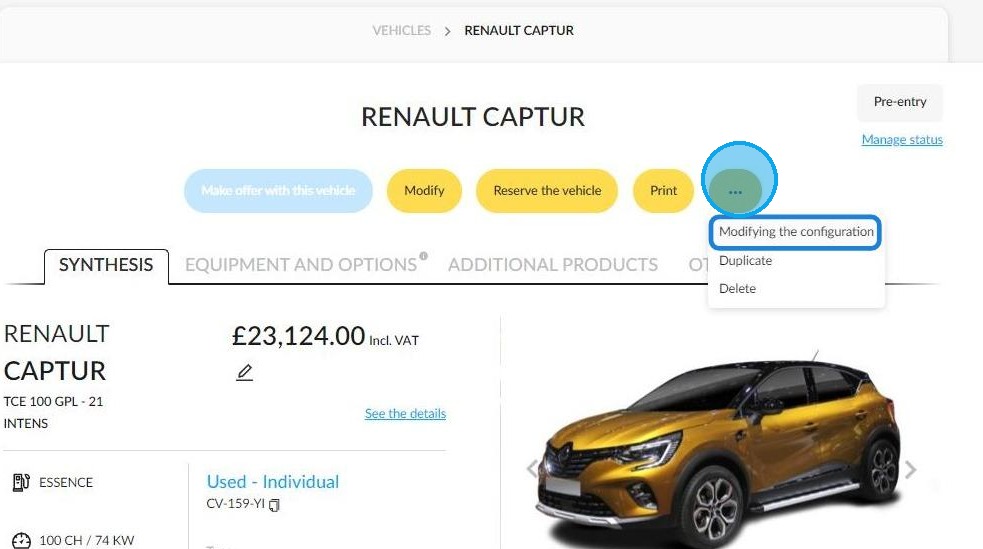
Click on the button with the three dots on the right-hand side of the screen, and select "Modifying the configuration".
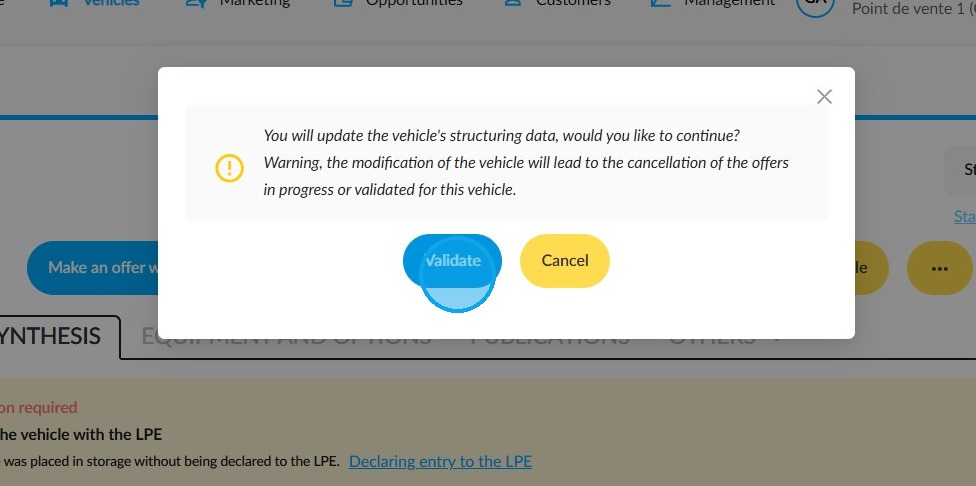
2. Click "Validate" in the confirmation window. If you proceed, all current or confirmed offers on this vehicle will be cancelled.
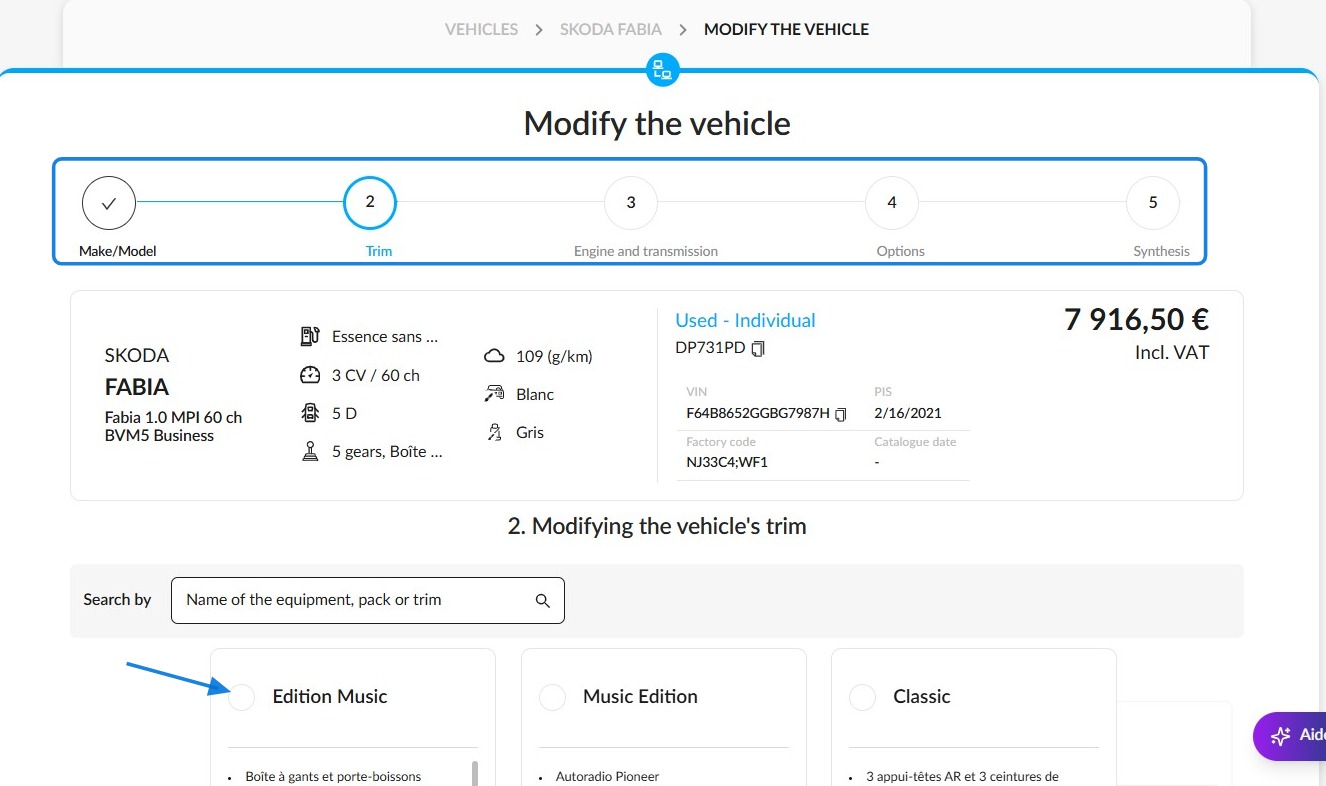
3. You will then be automatically redirected to the data repository configurator, where you can select all the specifications for the vehicle. Click on the various step-by-step sections at the top of the page to fill in all the key vehicle details.
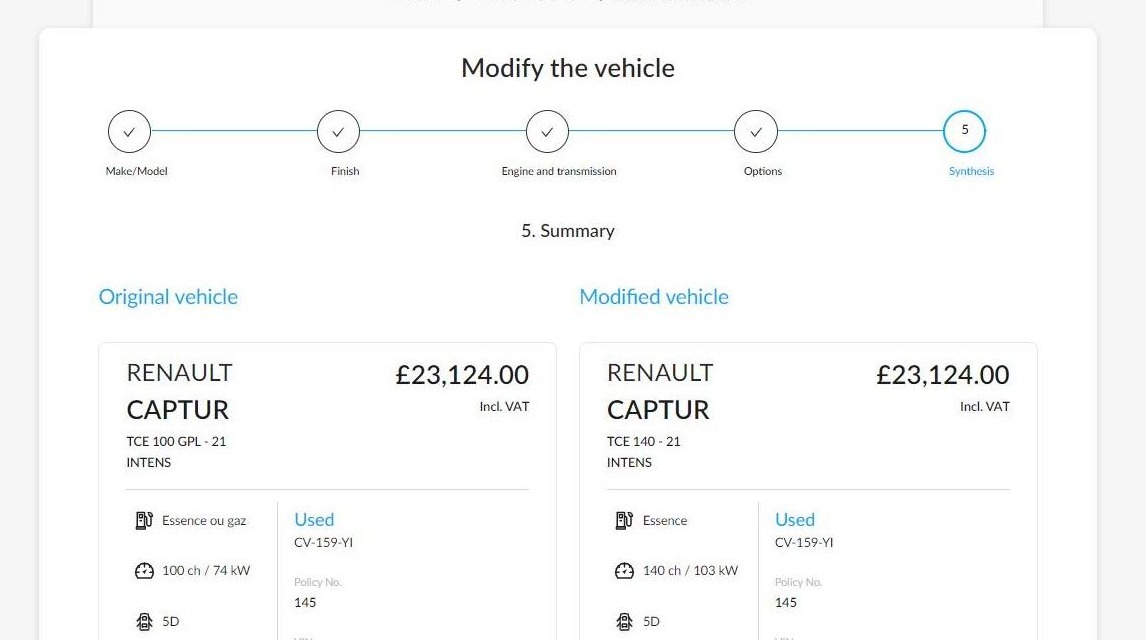
4. Once you have corrected the relevant elements, a summary which compares all of the vehicle's specifications before and after your adjustments will be displayed.
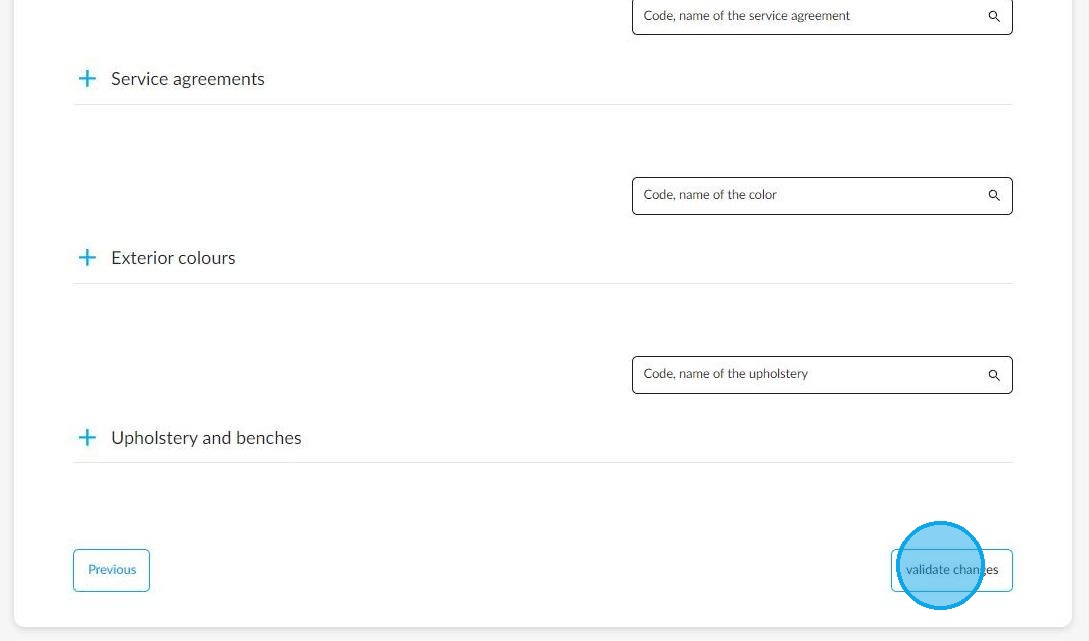
5. Then you can click on 'Validate changes'. This button is located at the bottom right of the page.
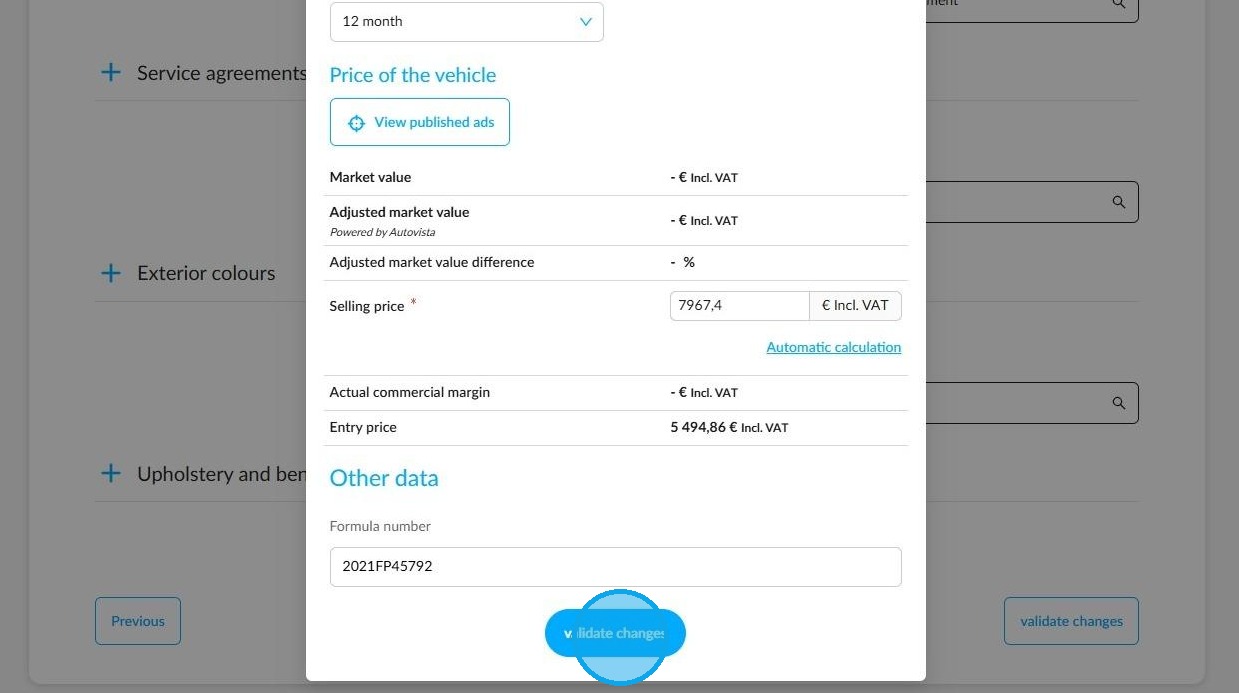
6. You will then be asked to enter the financial and technical information required into the form that appears.
Once you have finished, please press 'Validate changes'.
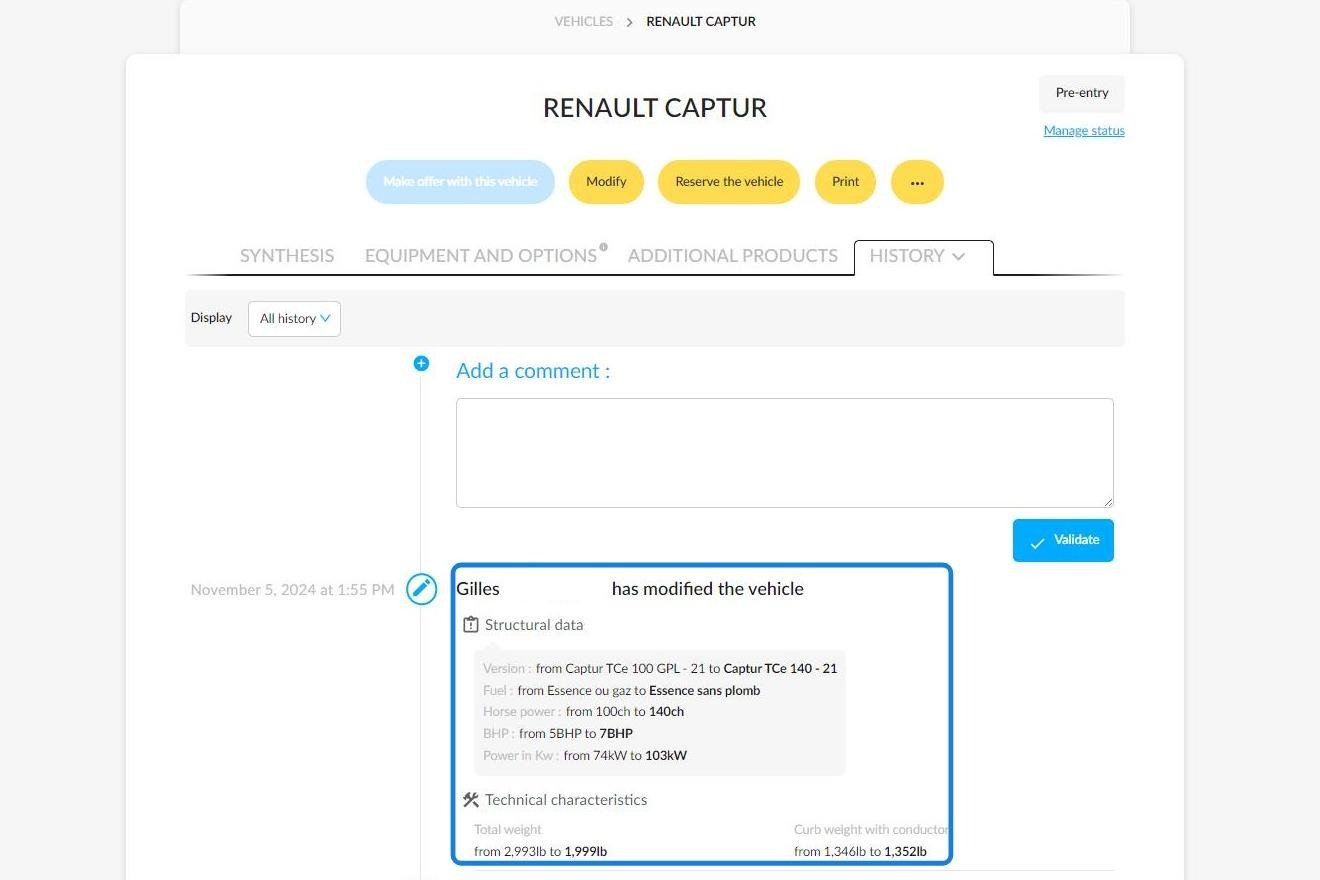
7. Any changes to a vehicle’s specifications will be recorded in its history, along with details of the information that has been modified. These include:
-Trim level,
-Version,
-Power source,
-Gearbox,
-Power output,
-Power output in kW.
Comments
0 comments
Article is closed for comments.