
Please find out in the document below how print alerts work and how they are managed.
When significant changes are made to a vehicle’s specifications, the platform generates visual alerts on the home page under the ‘Priority Tasks’ section to notify the user that the labels need to be updated.
These alerts concern UVs intended for private customers and in a status ranging from physical entry to sales stock. They must have undergone one of the following modifications:
-Modification of the mileage if it exceeds 100 kilometres.
-Selling price modification.
-Warranty modification (wording/duration/type).
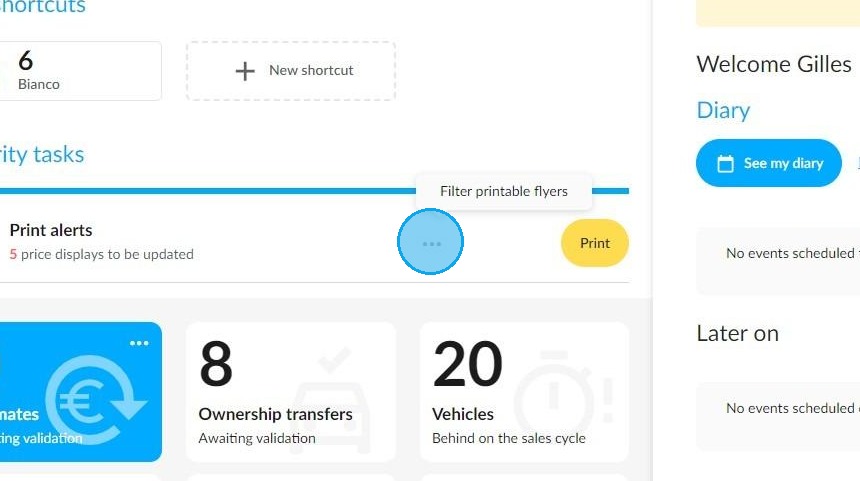
To filter the printable posters by physical location, hover your cursor over the three dots to the left of the 'Print' button.
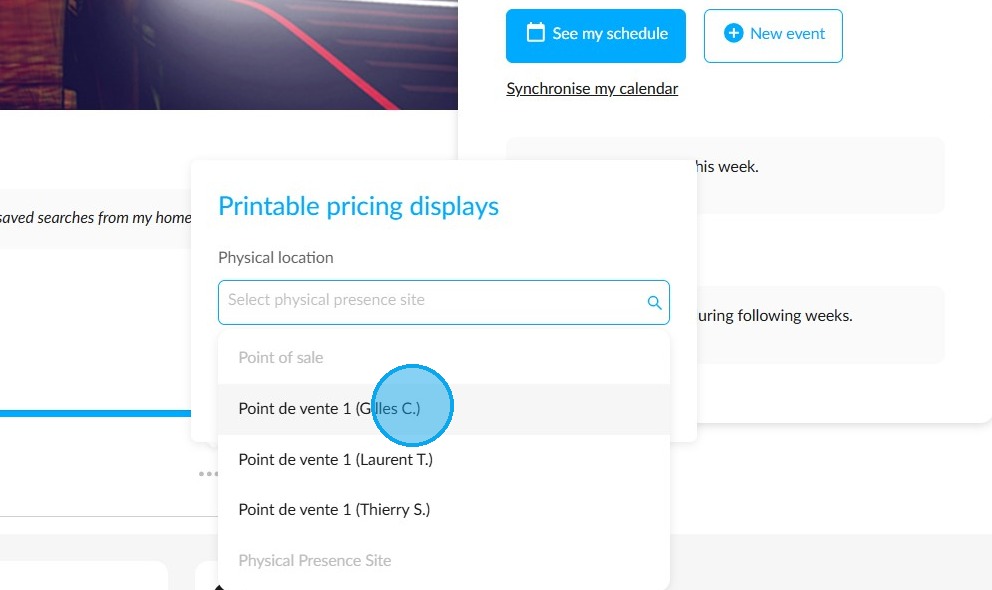
You can select several, then click on "Save".
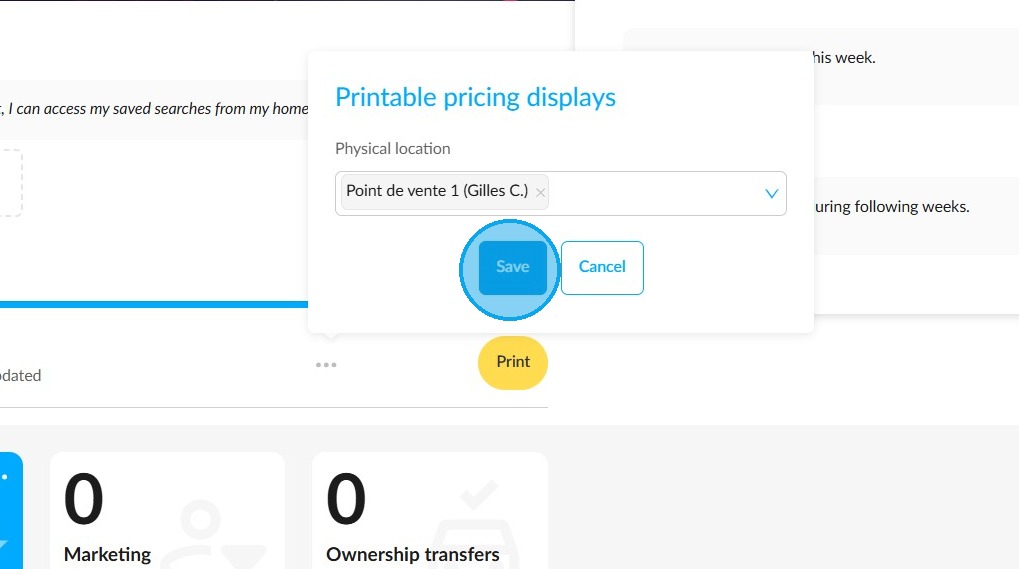
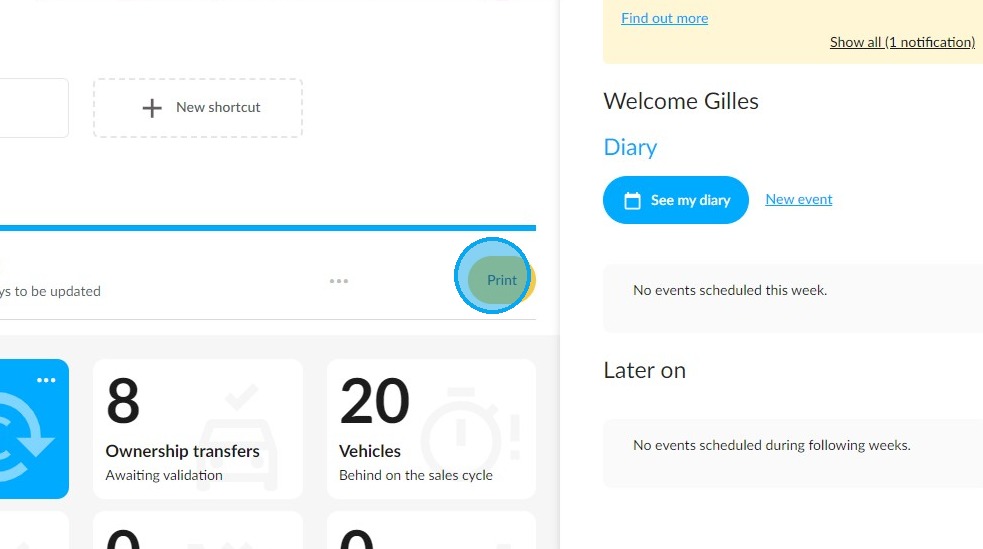
Then click on "Print".
In the vehicle stock table, you can use the filters to find vehicles whose displays are obsolete.
You can filter by "Print alert".
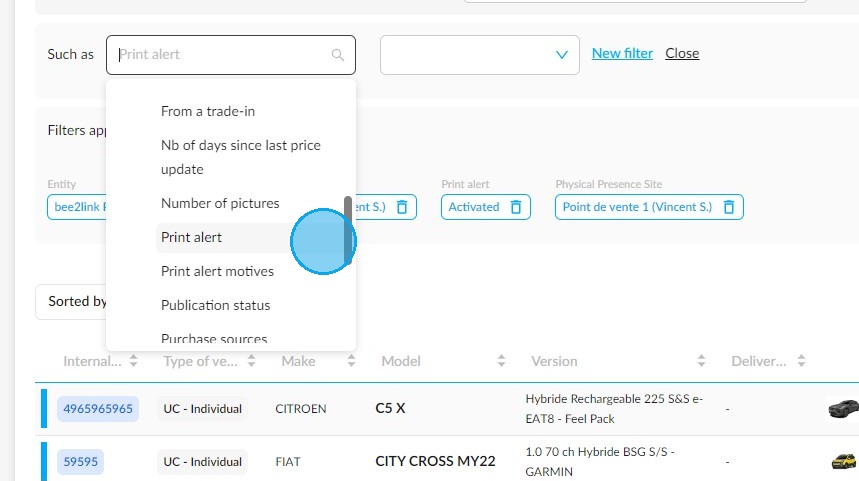
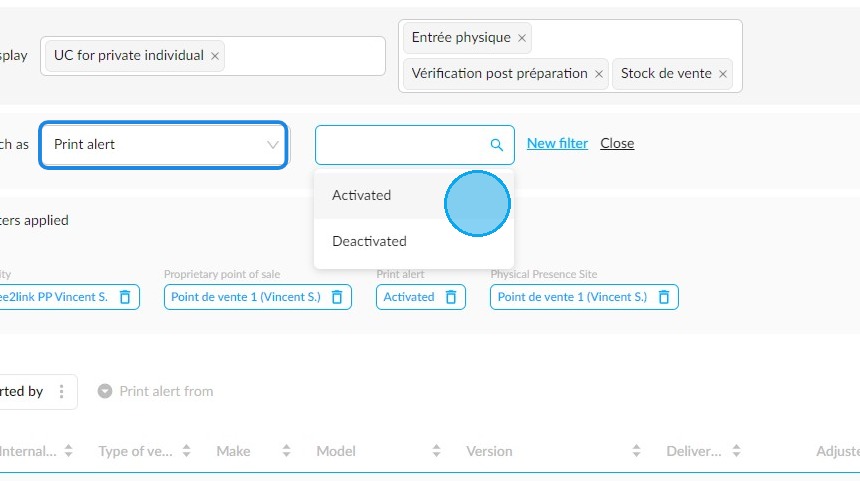
Example of filtering by print alert, either activated or deactivated:
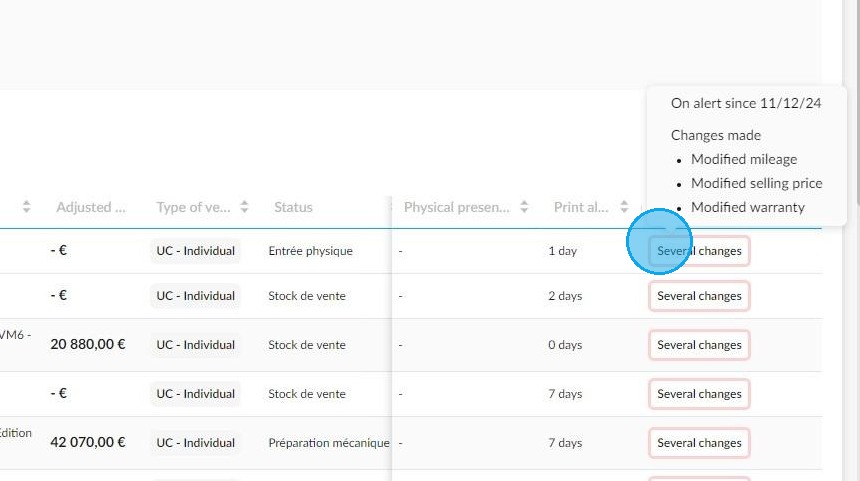
You can add a "Print alert motives" column to the table to see immediately why the alert was triggered. When several reasons are indicated, you have to hover your mouse over the box to view them.
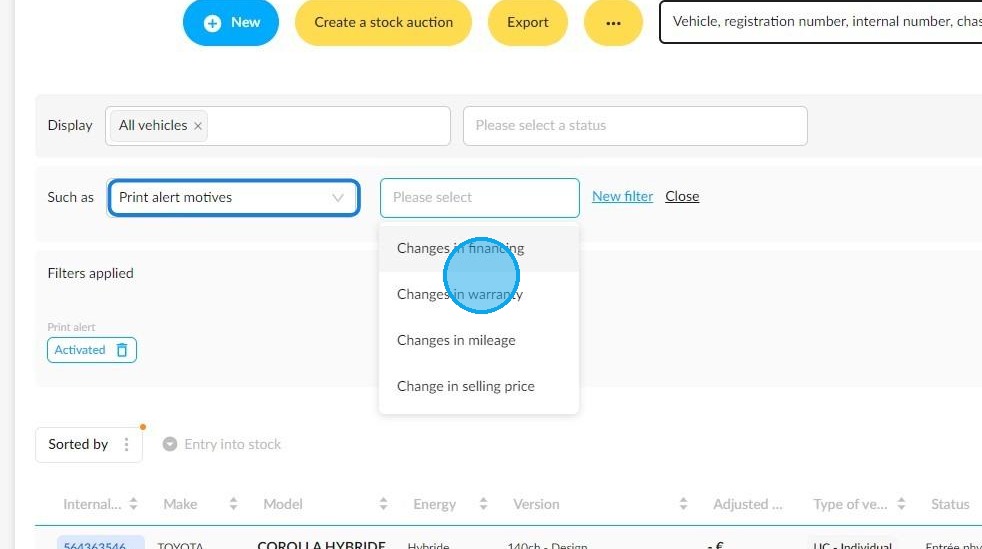
You can also filter vehicles by print alert motive:
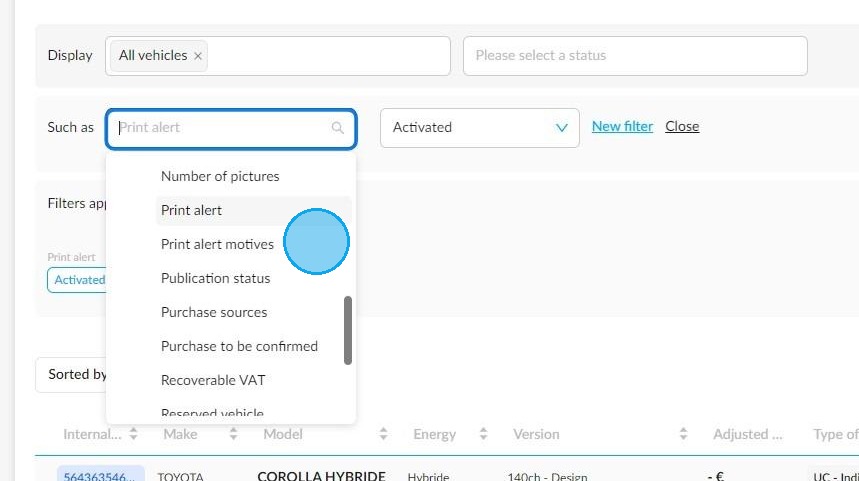
You can choose the motive(s) you are interested in to directly find vehicles that have undergone certain modifications:
- Financing modification.
- Warranty modification.
- Mileage modification.
- Selling price modification.
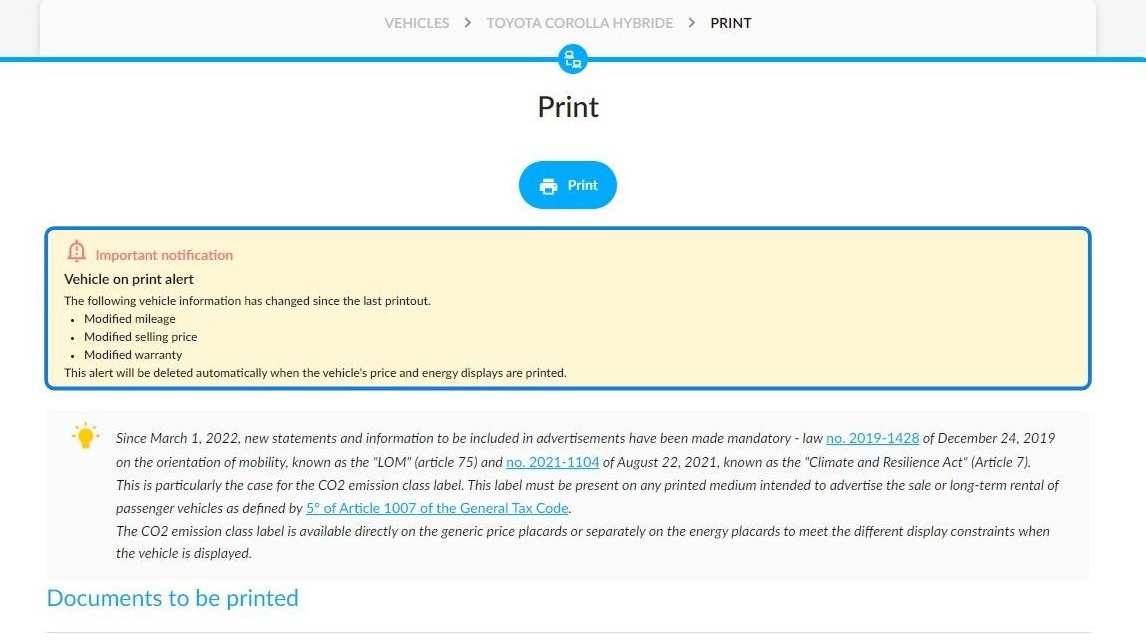
When printing documents for a used vehicle, a reminder appears if the vehicle’s display needs to be printed again.
Comments
0 comments
Article is closed for comments.