
Find out how to configure contacts sent to advertisers in the publication settings.
Prerequisite: Have administrator rights.
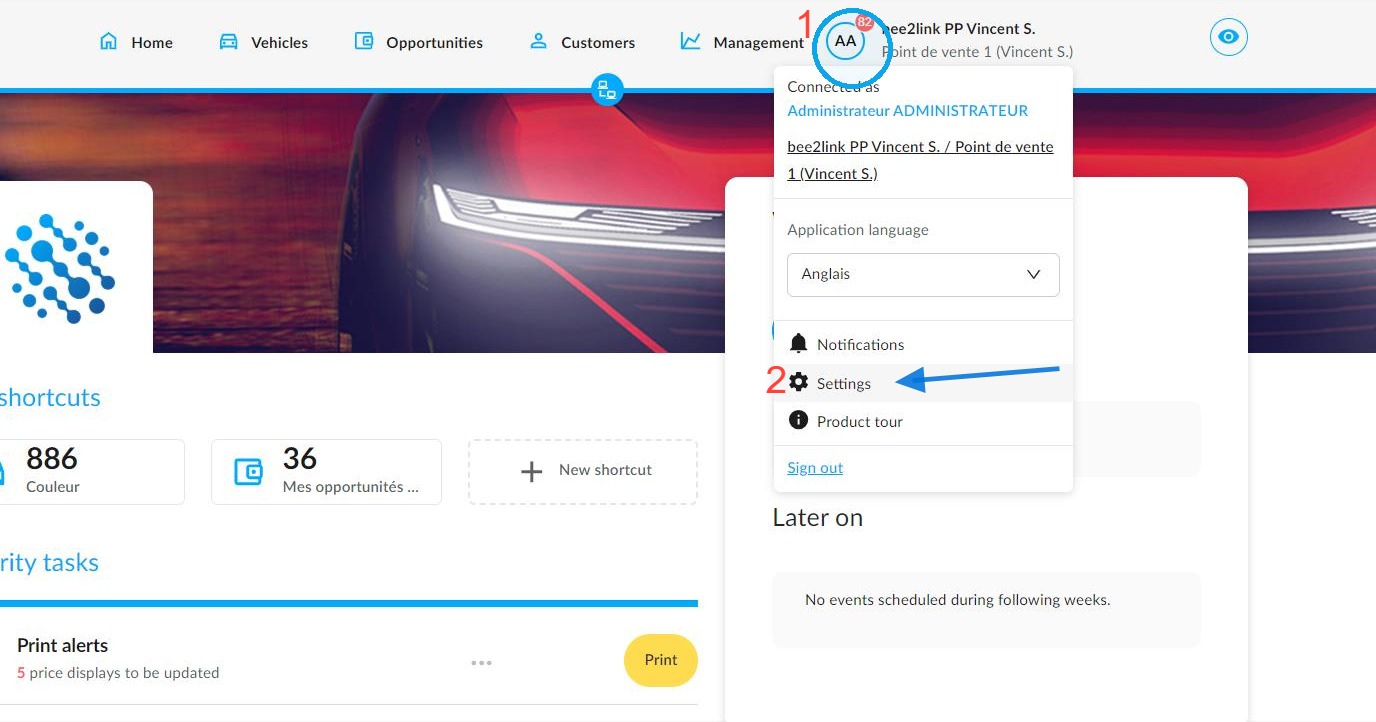
From the OpenFlex home page, click on your initials (1) to access the ‘Settings’ (2) for the platform modules:
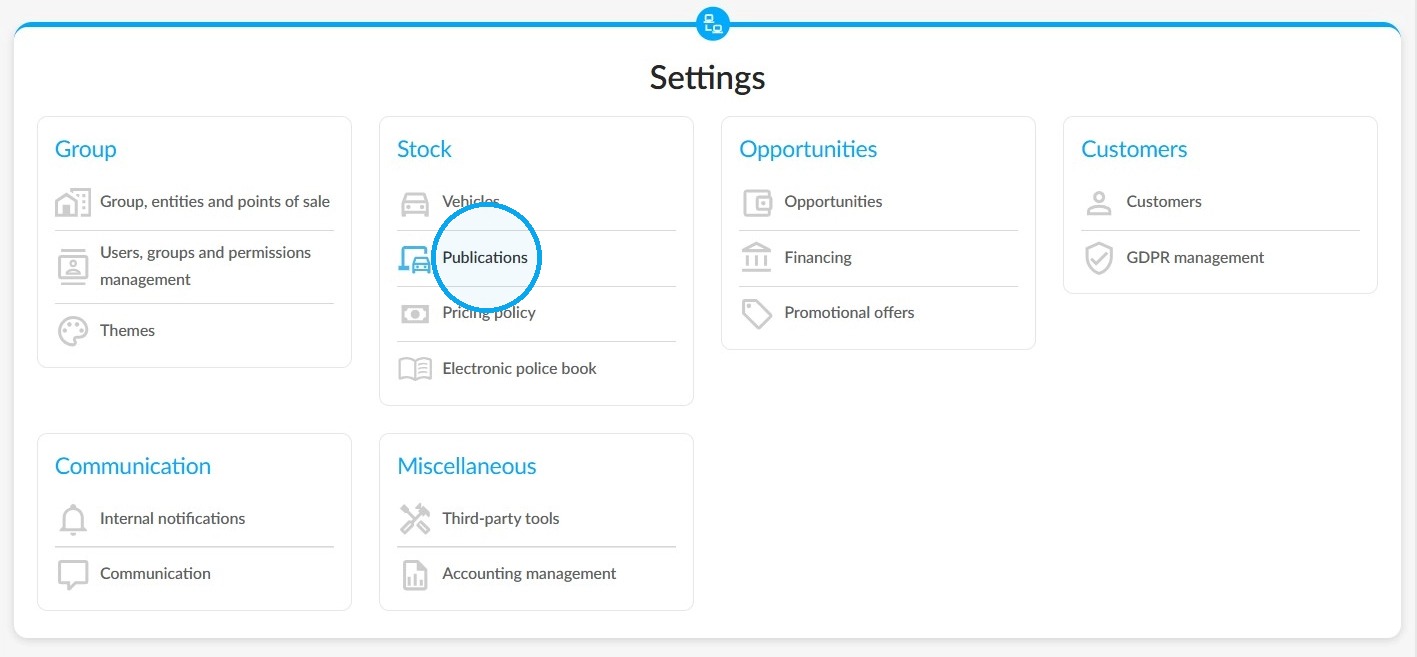
To manage your publications, click on the relevant tab under the 'Stock' heading.
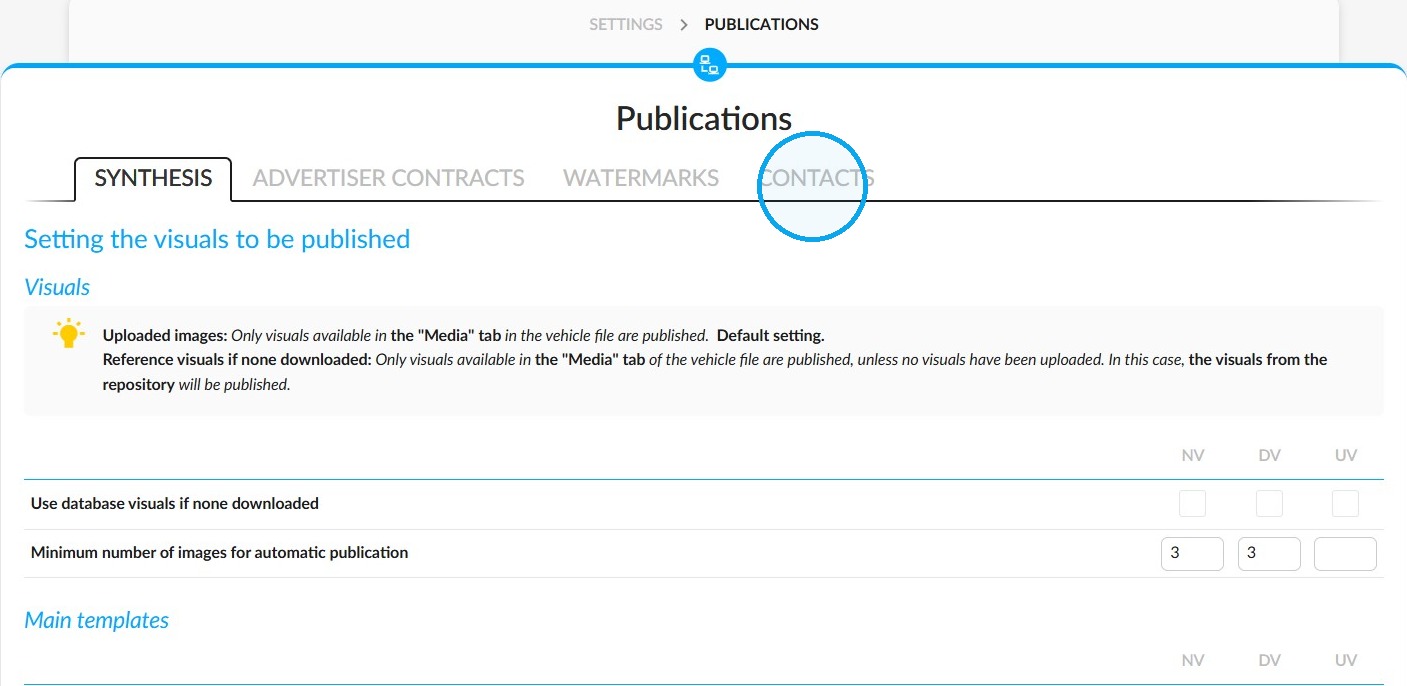
Click on the "Contacts" tab.
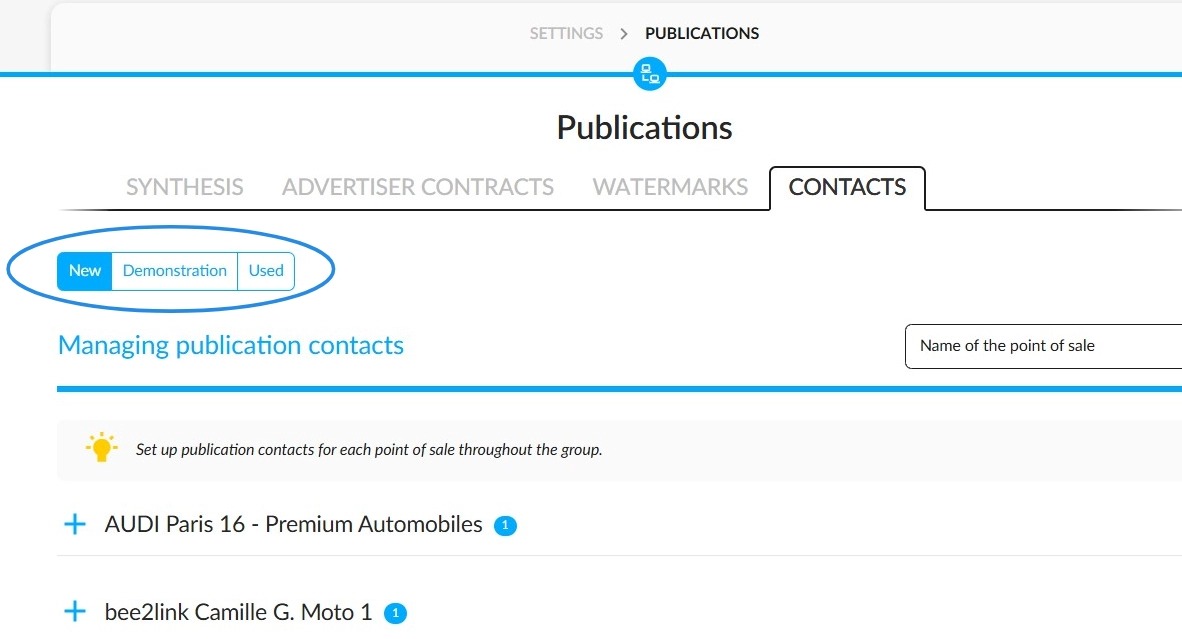
The ‘Manage Publication Contacts’ section allows you to select the contact details to be displayed on the websites of your points of sale’s advertising partners.
Firstly, it is important to determine which types of vehicles are affected by the adjustments.
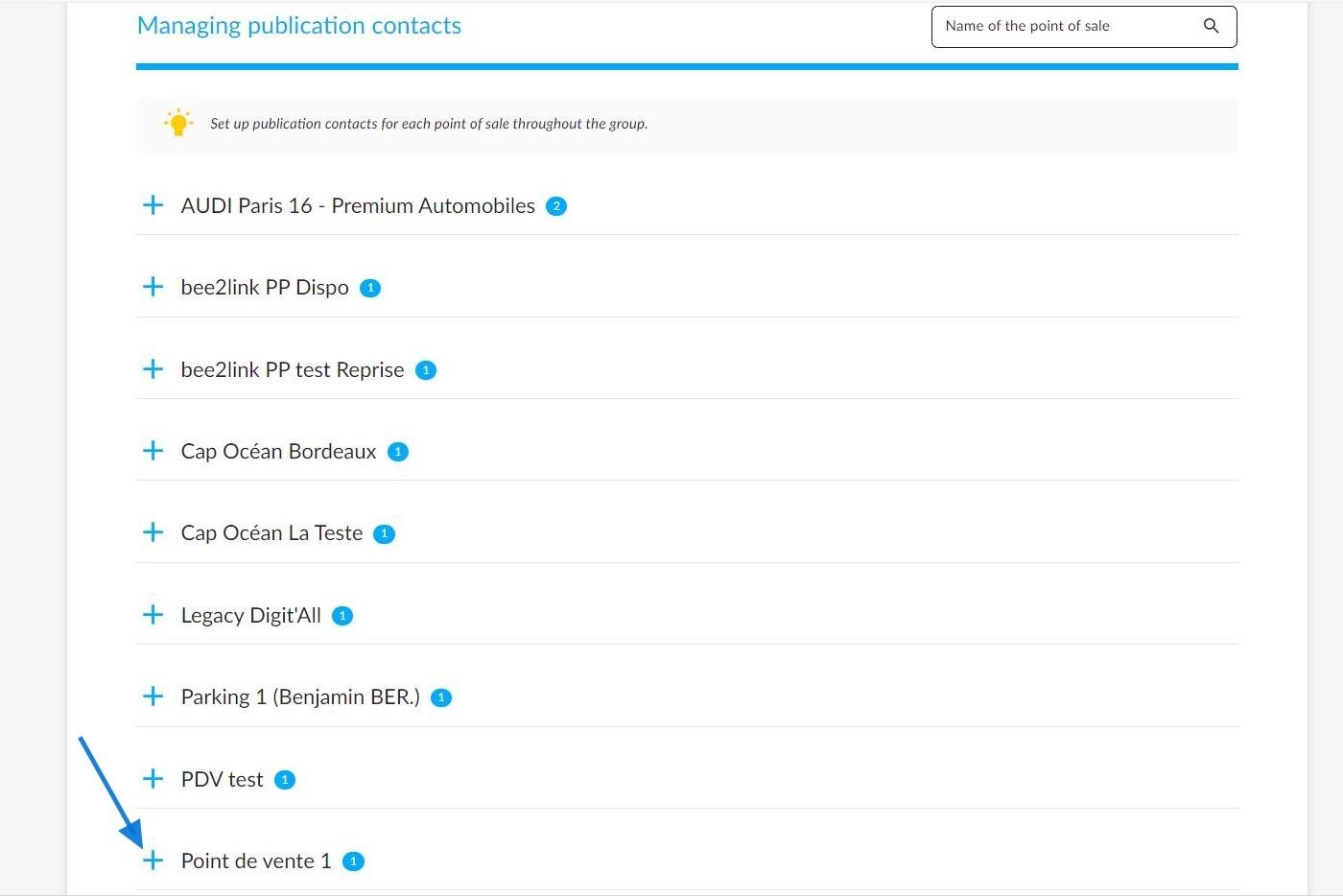
Then, choose the point of sale for which you want to configure the contact details.
The current setting will be displayed. To update it, click on the ‘Modify contacts’ button.
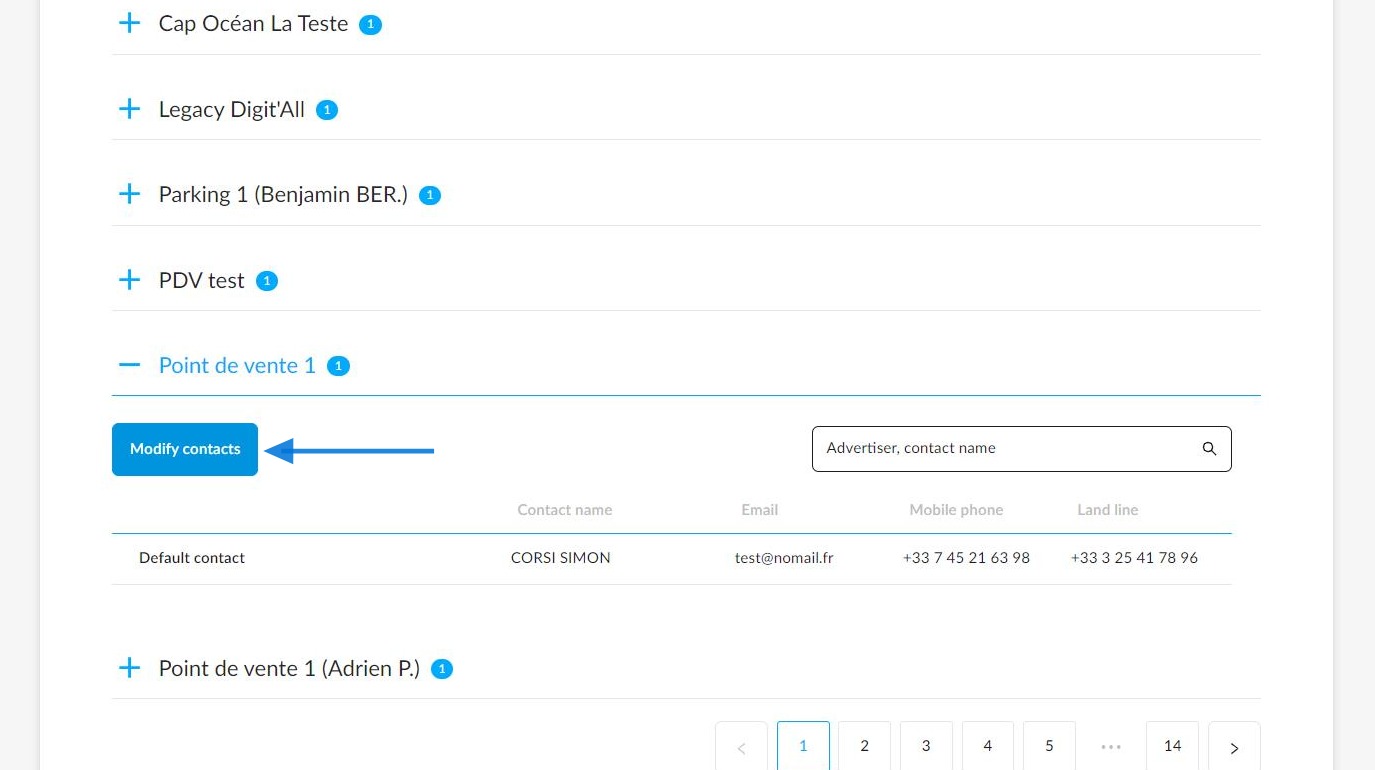
There will be several options available:
The first is to appoint a single point of contact for all advertisers with a contract with that point of sale.
You can then choose to use the point of sale's contact details or those of one of its employees by adding a customised contact.
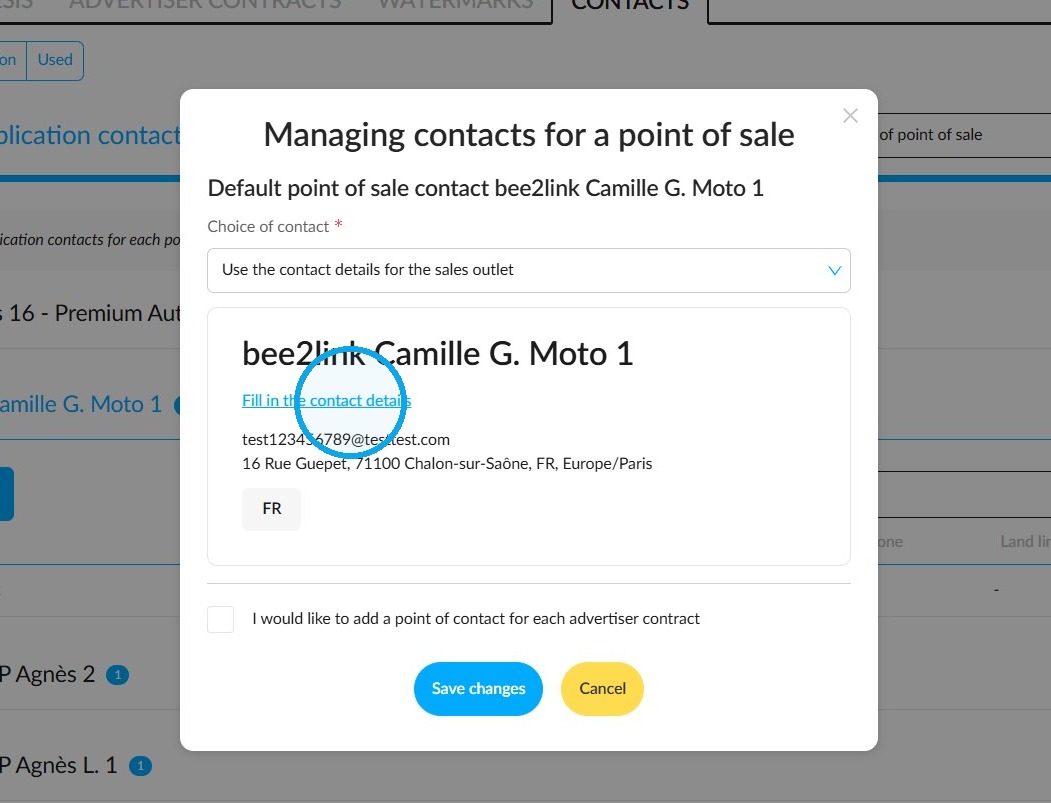
This is an example of selecting the point of sale's contact details as the sole point of contact to be displayed on posts.
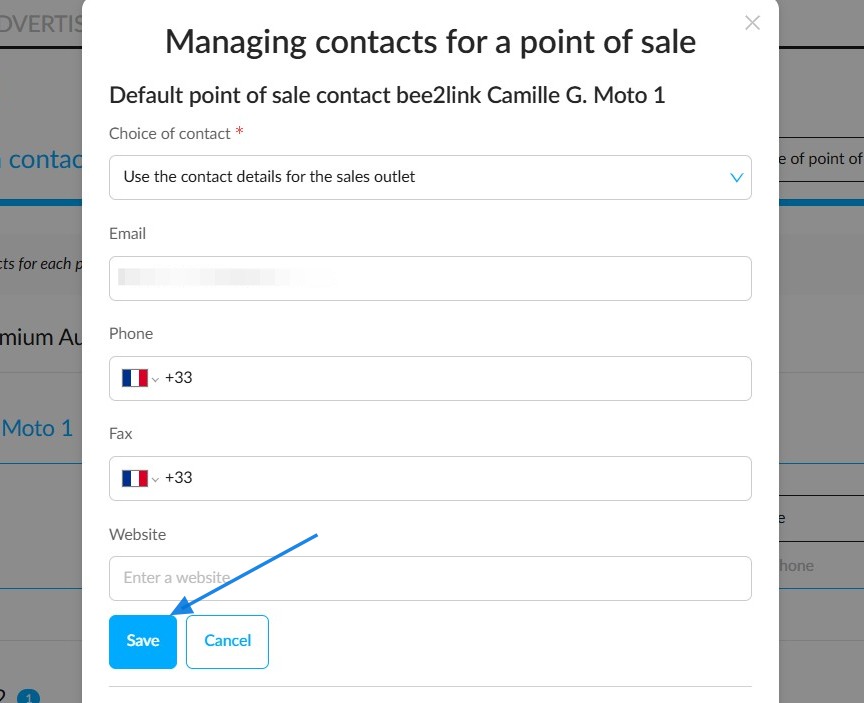
Click on the 'Fill in the contact details' button to add the point of sale’s contact details.
Once you have filled them in, click "Save".
Example of selecting the contact details of a retail outlet employee as the sole contact displayed on posts.
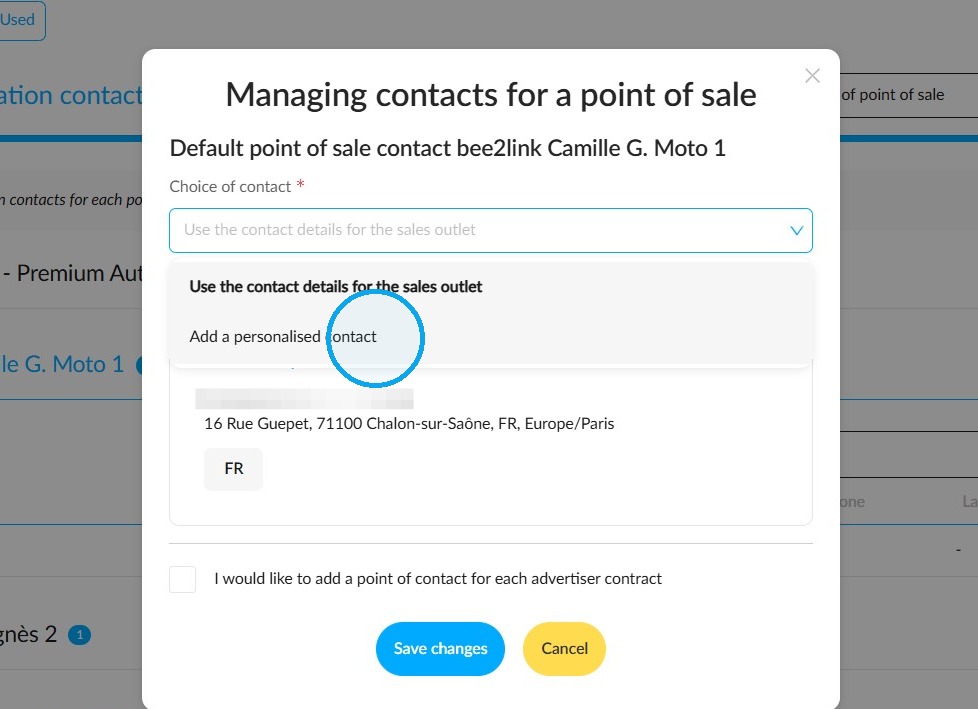
The contact details of the designated collaborator will appear on the ads.
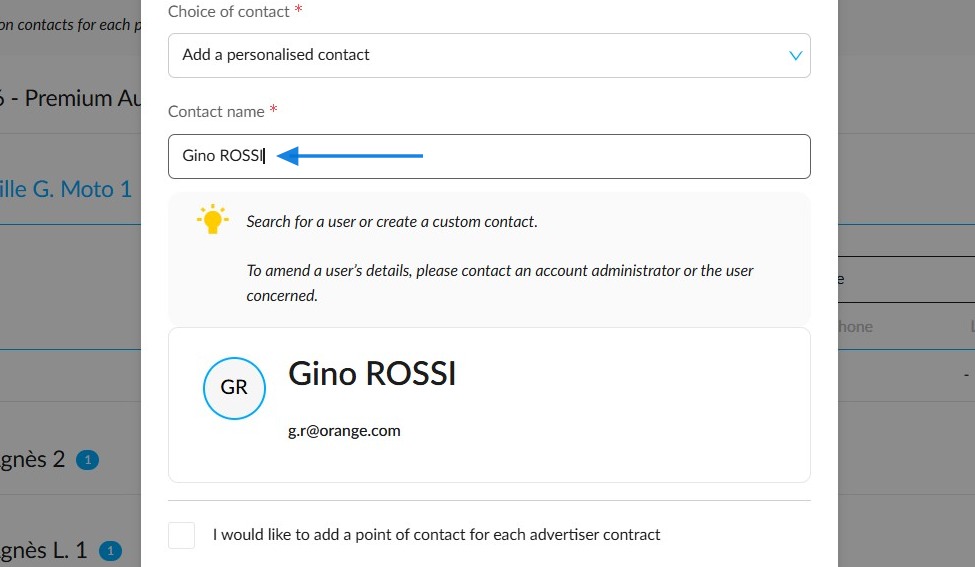
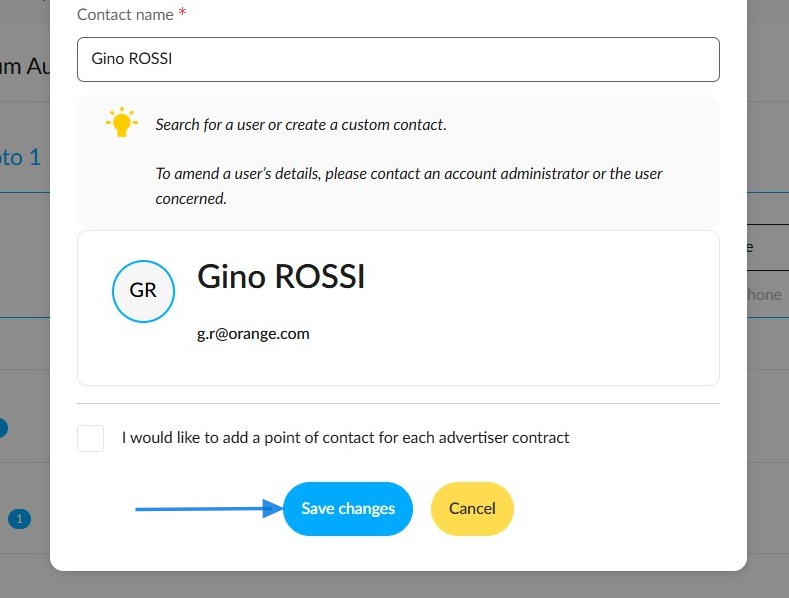
If you would like to designate a single point of contact for all advertisers, select one of the two methods described above and click the 'Save changes' button.
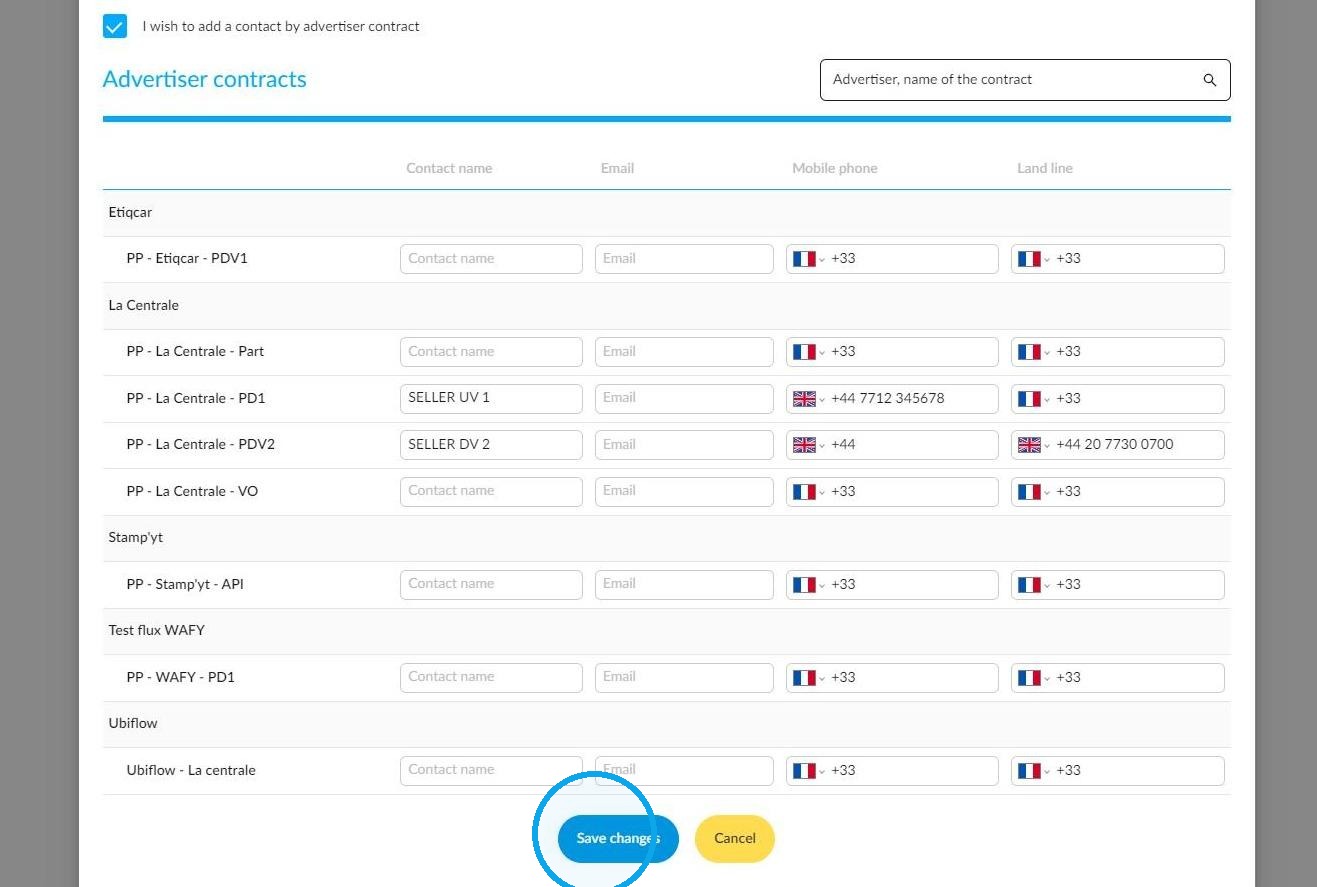
The second option is to enter a specific contact for each advertiser contract. To do this, click the relevant button.
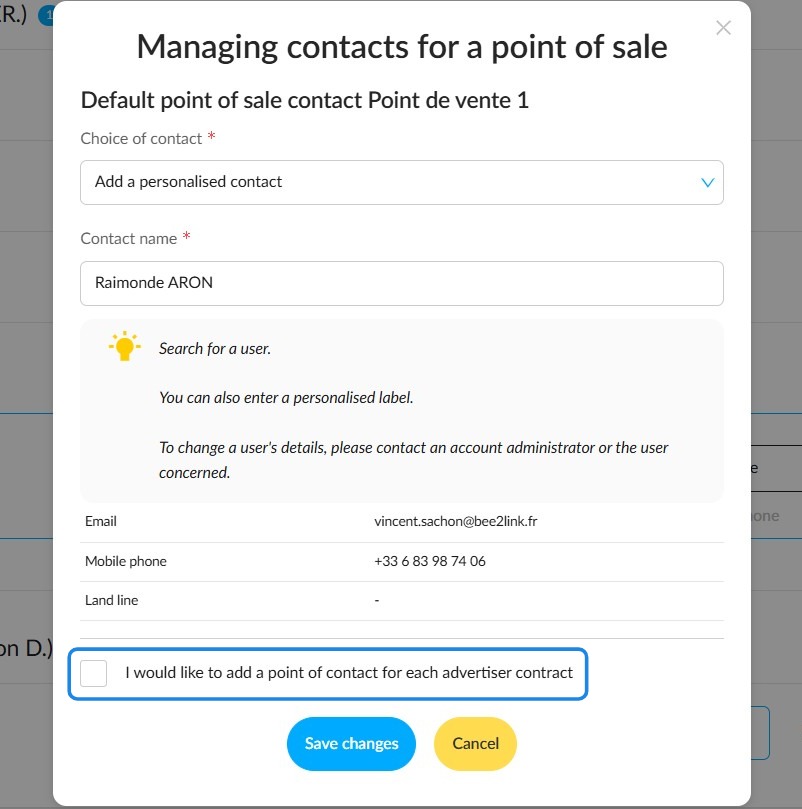
A list of the advertisers with contracts for this point of sale will be displayed. You will then be able to enter the details of the employees you want to appear in the ads.
Comments
0 comments
Article is closed for comments.