
Discover how to conduct a quick valuation to more accurately assess the commercial viability of a trade-in, without the need to create an opportunity and link it with a customer.
1. In OpenFlex, you can obtain an initial 'basic valuation' to assess a vehicle's market position. This approach allows you to avoid creating an opportunity and associating it with a customer.
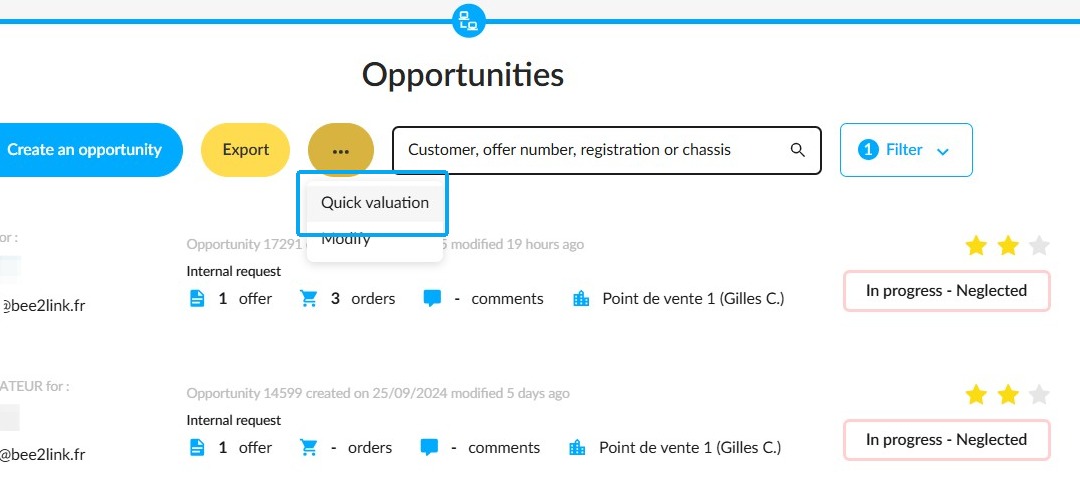
This feature is available in the "Opportunities" module. To access it, click on the "Quick Valuation" button.
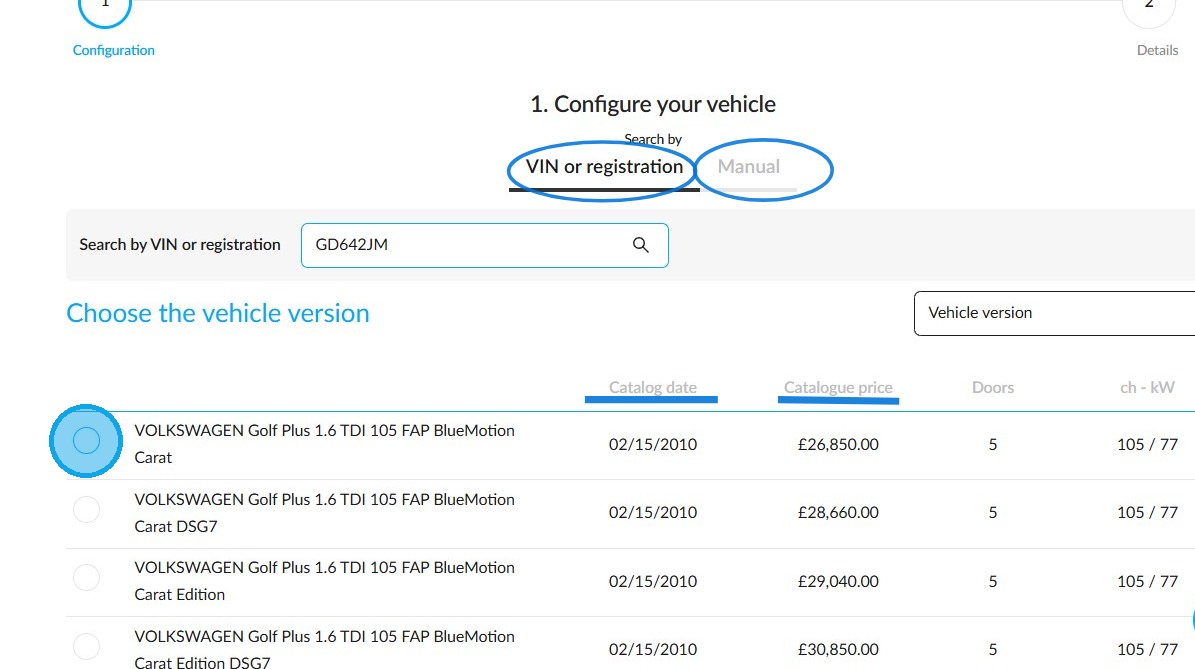
2. The configuration of the vehicle model submitted for valuation can be conducted in two ways: either via a registration number search or manually. In the former case, vehicle information such as the catalogue date and catalogue price will allow you to select the appropriate model directly.
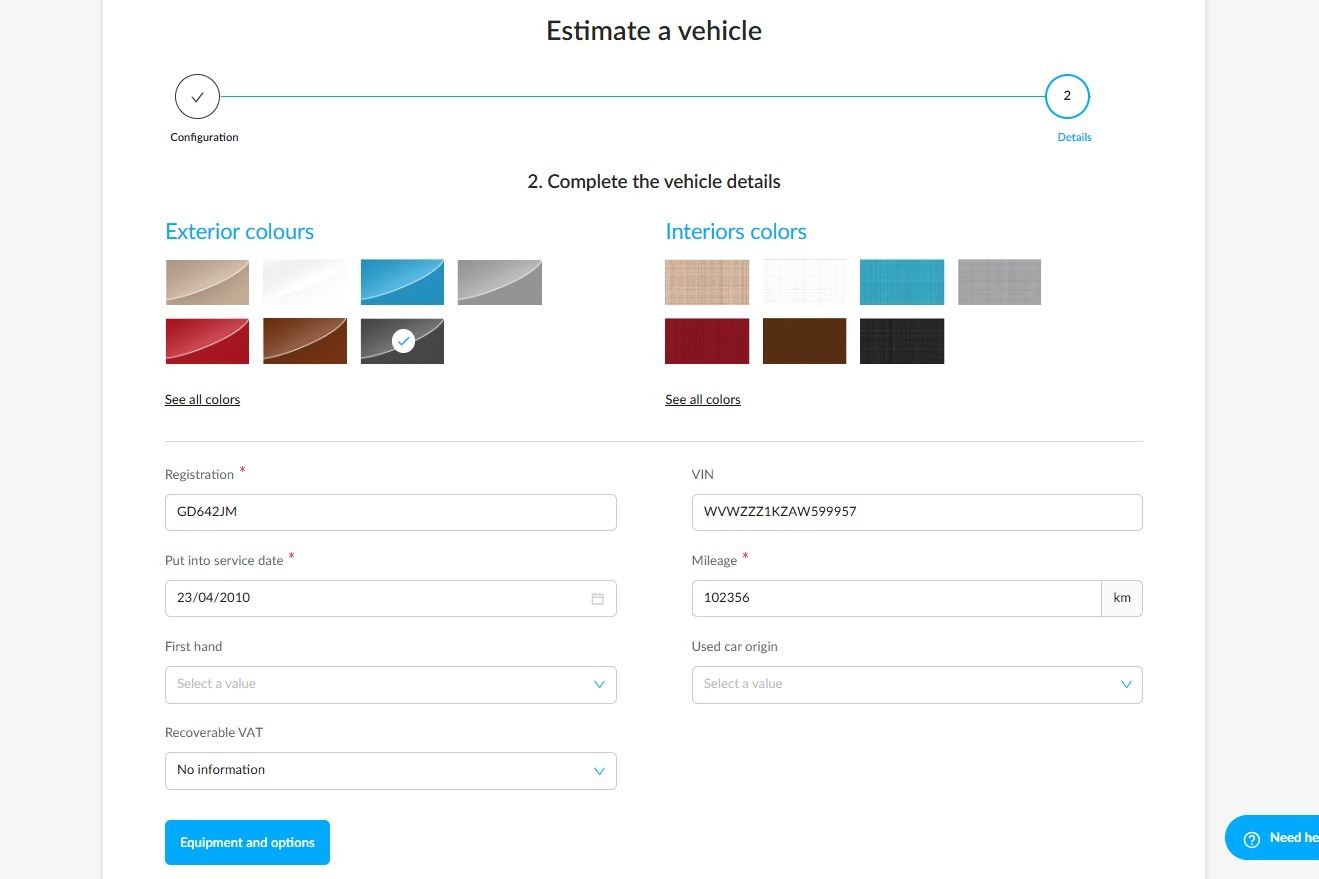
3. In this context, the process is streamlined to provide an initial estimate for a vehicle. The objective is to save time by avoiding the need to enter repair costs, maintenance costs and vehicle defects.
The data entered will be used to determine the "gross" market value of the vehicle, taking into account factors such as age, mileage, VAT rules, origin of the vehicle and registration.
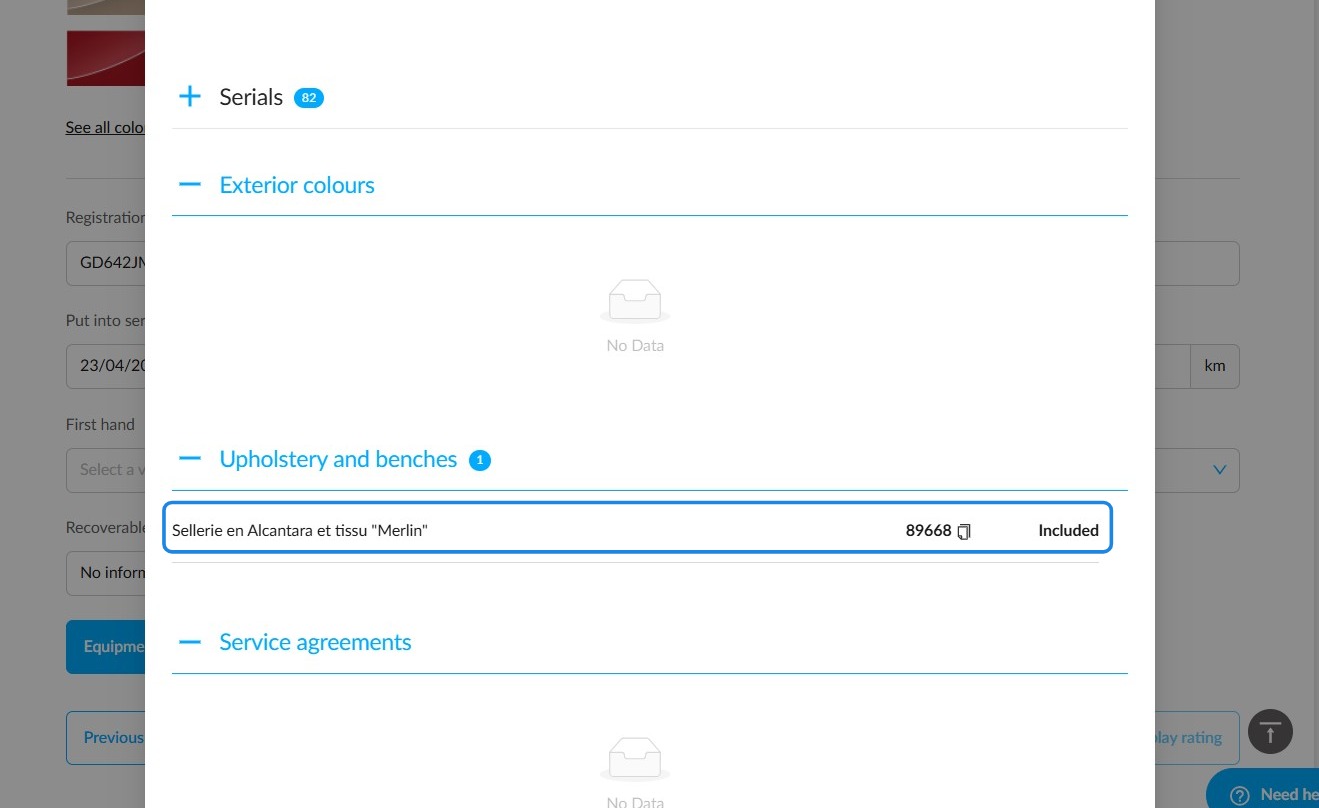
4. The options and packages fitted to the vehicle are transmitted by the reference system and can only be viewed.
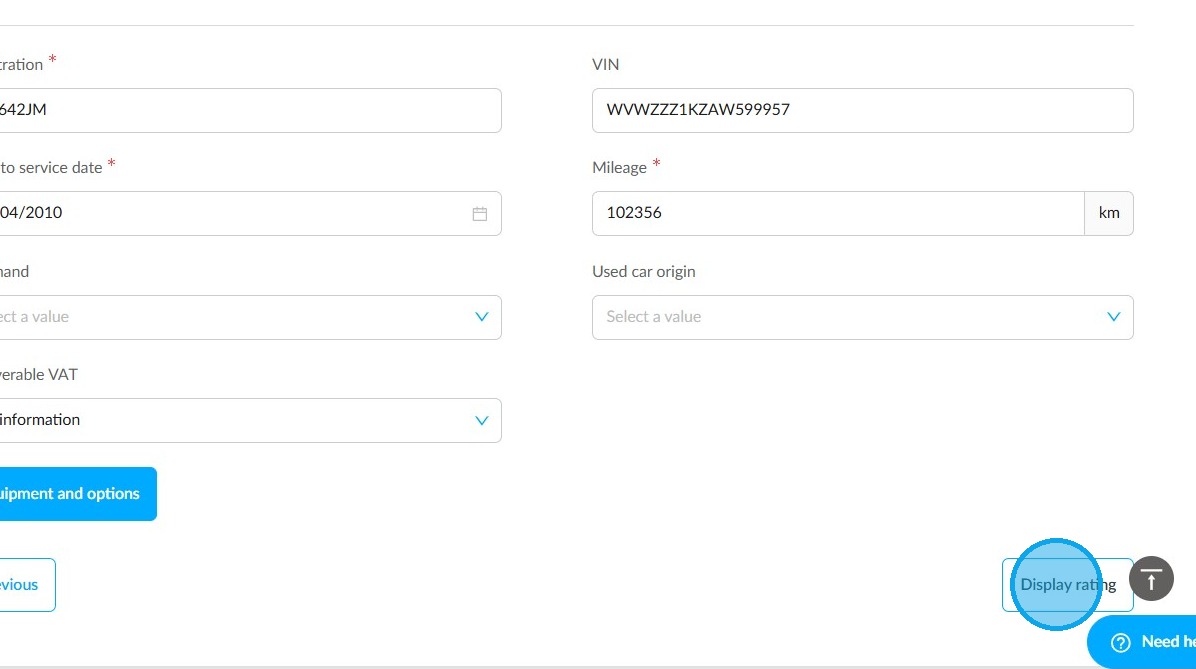
5. Once the configuration is complete, click on the "Display rating" button.
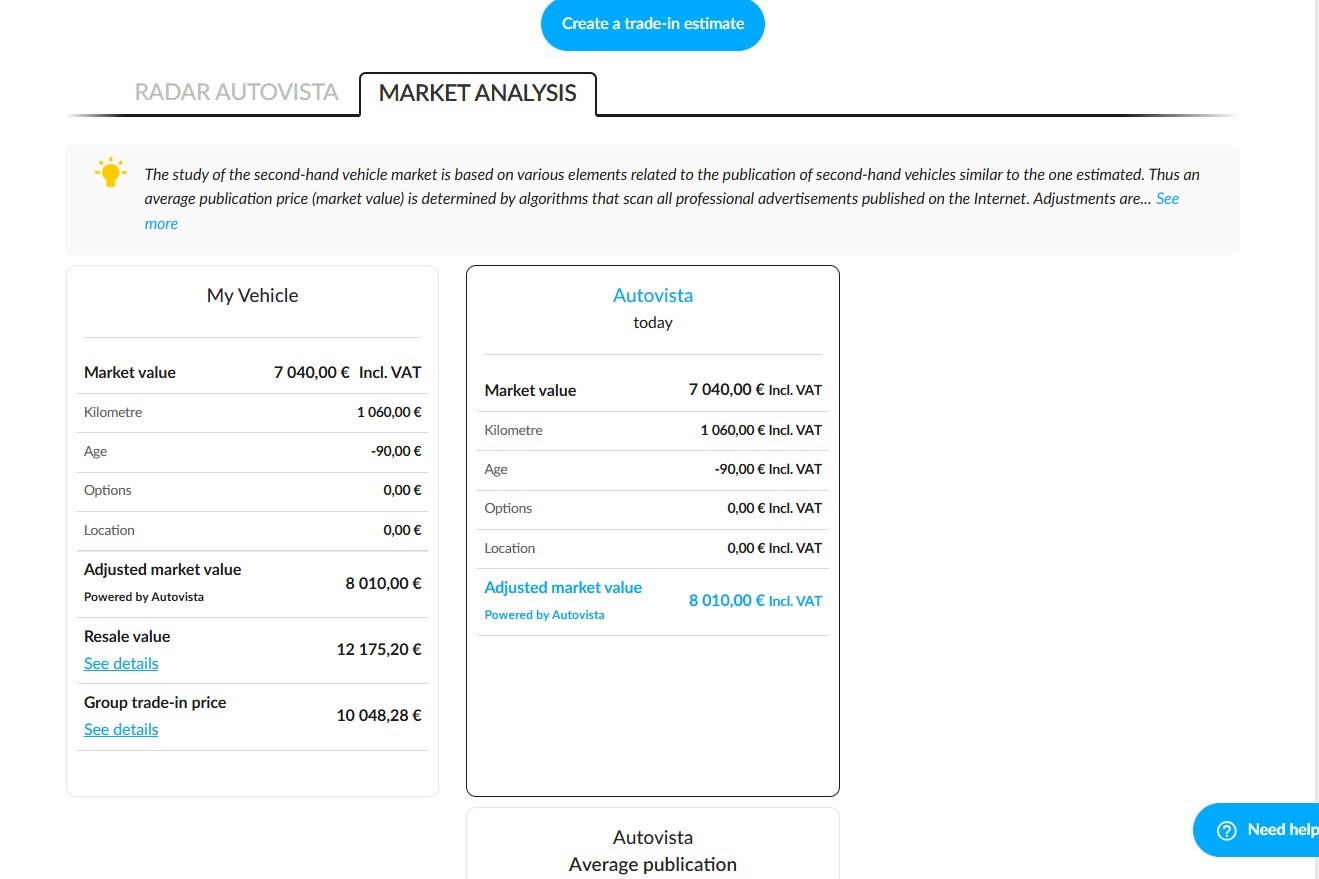
6. You will then have access to the market research, which will provide you with an idea of the vehicle's worth. The data available for viewing can be found in the "Market Analysis" tab. Here, vehicle data is compared with that of similar vehicles identified by the reference database.
The following data is included:
-market value,
-mileage,
-vehicle age,
-options,
-position, and
-adjusted market value.
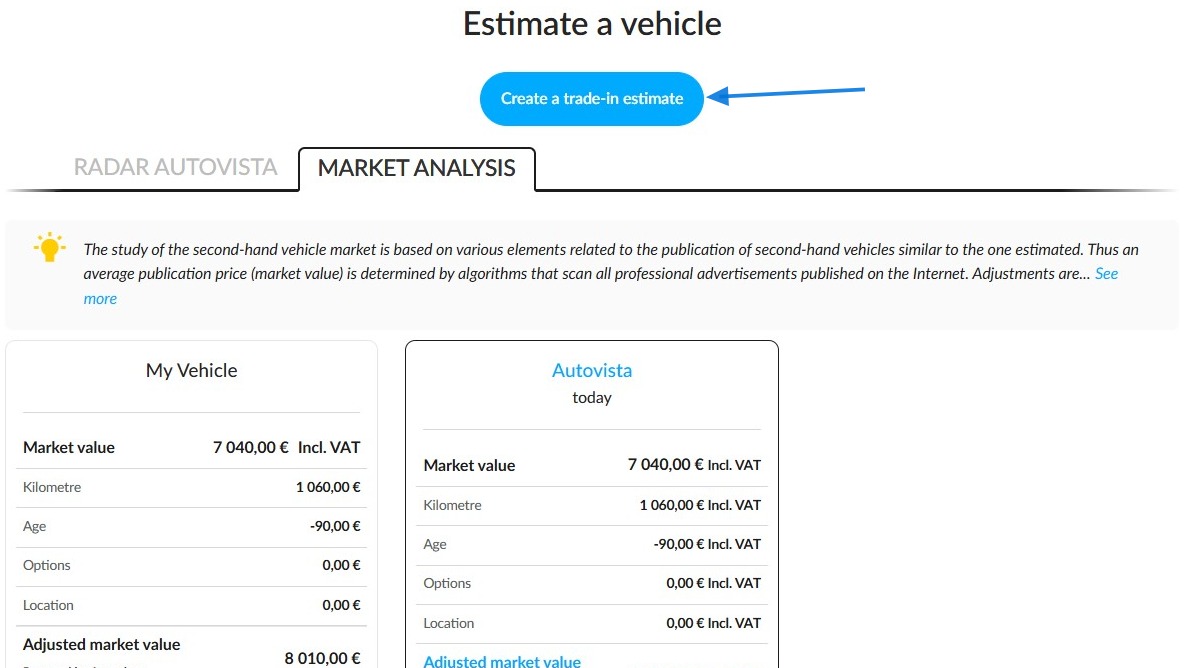
7. Following the analysis, you can create a trade-in estimate using the "Create a trade-in estimate" button, which is located above the "Market analysis" tab. This action will result in the creation of an opportunity.
Please note that the data entered during the quotation will be saved.
Comments
0 comments
Article is closed for comments.