
Find out how you can define a number of deliveries per day by using the parameters in the 'Vehicles' module.
Prerequisite: You must have administrator rights for the OpenFlex platform
To optimise the organisation of your secretarial and sales teams, you can limit the number of daily vehicle deliveries based on the vehicle type.
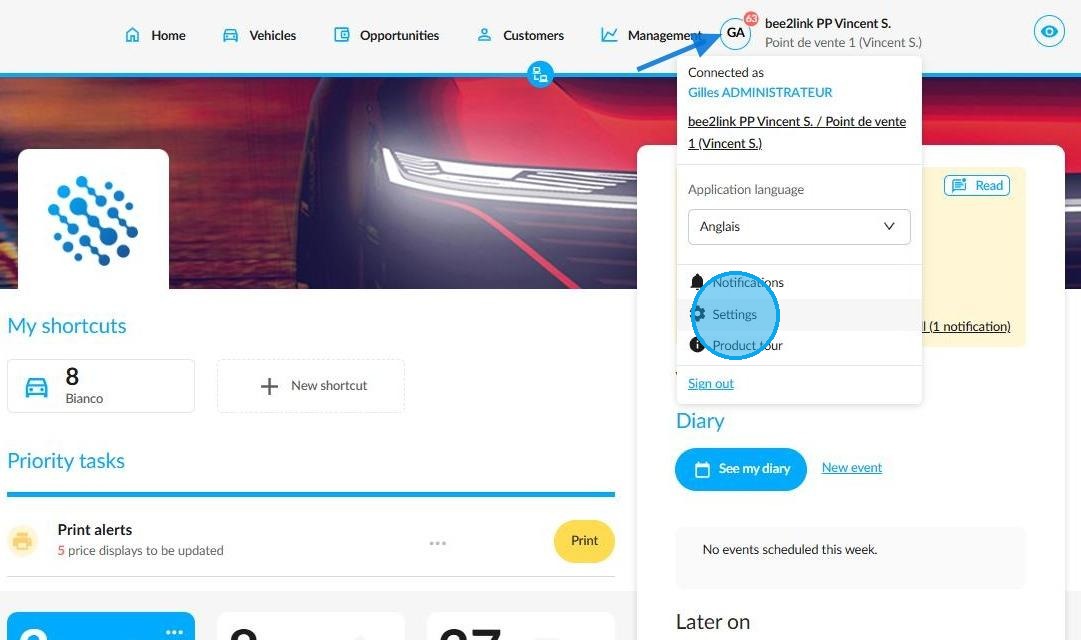
To do this, click on your initials, then select Settings.
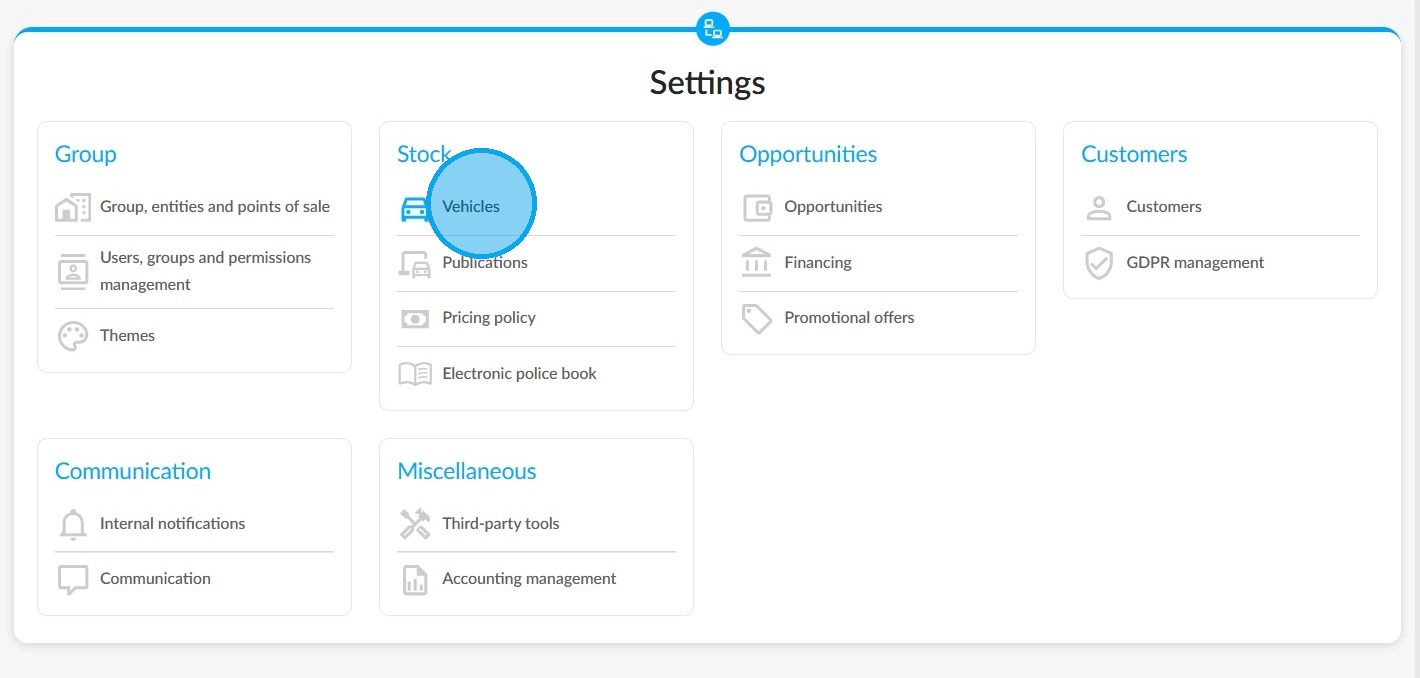
Under the "Stock" heading, choose the 'Vehicles' module.
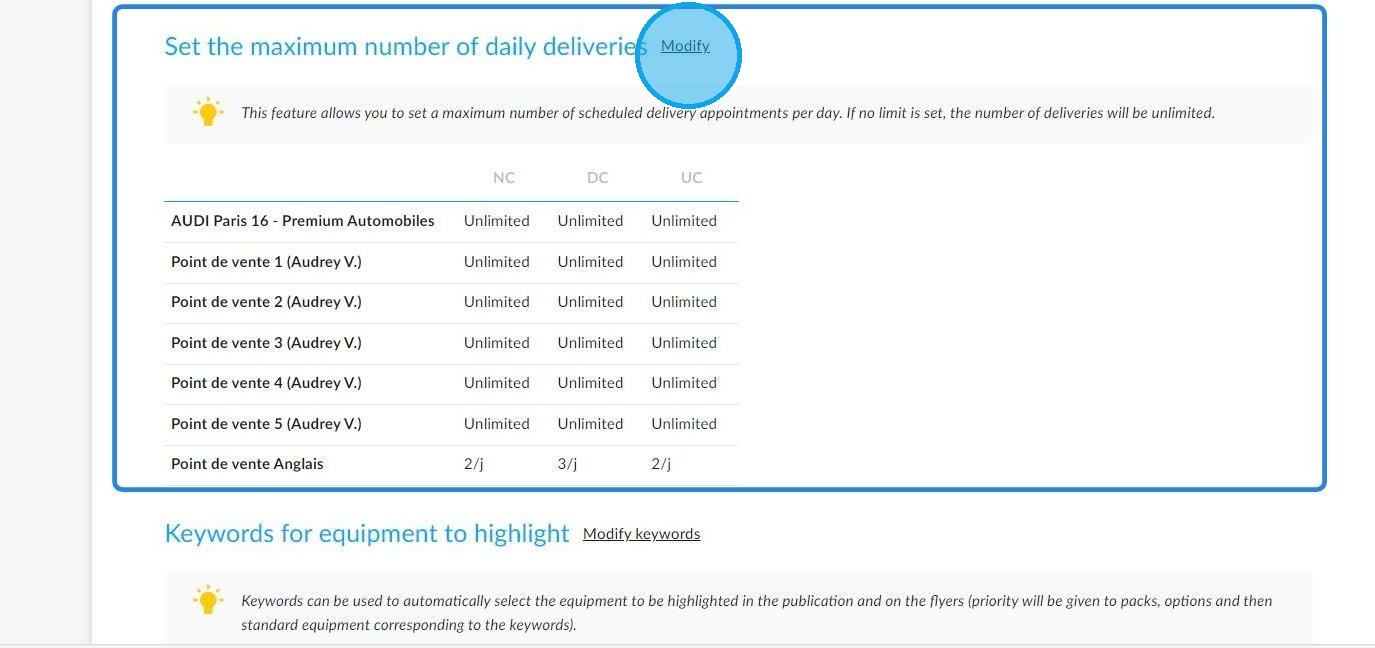
The number of daily deliveries is set in the middle of the 'Synthesis' tab.
To set the number of daily deliveries authorised per point of sale, please click on 'Modify'.
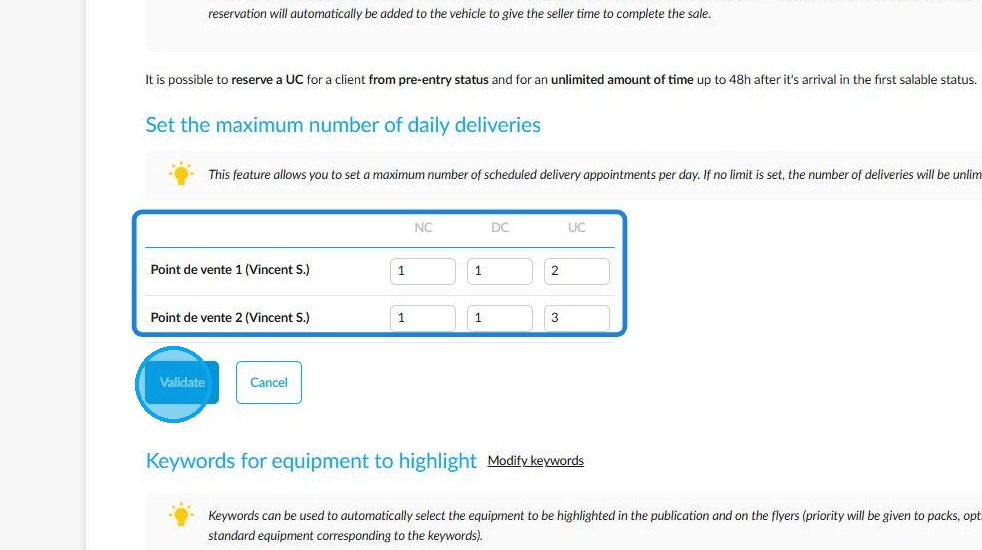
Fill in the fields with the number of deliveries you want to make each day for each type of vehicle. Once you have done this, click on the ‘Validate’ button.
Reminder: The authorised number of UV deliveries includes deliveries to all destinations combined. Deliveries to private and professional customers are counted in the same way.
-If the above parameter is not configured, the number of daily deliveries will remain unlimited.
-The quantity of daily deliveries is only limited for future deliveries. As this restriction is not retrospective, it will not affect any deliveries that have already been scheduled.
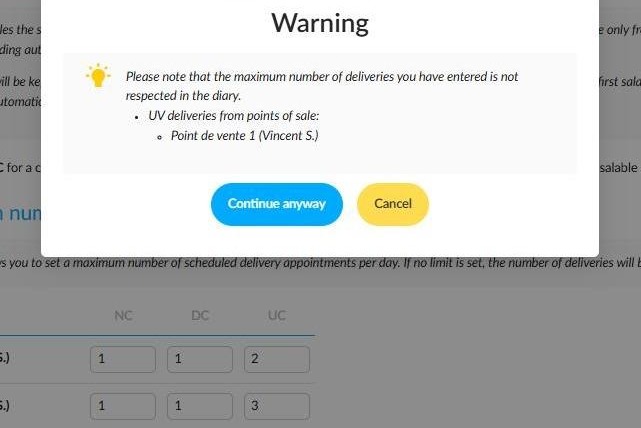
If you enter a lower number of authorised daily deliveries than are already scheduled, a pop-up window will appear to notify you.
There are then two options:
Clicking on 'Continue anyway' confirms the number of future deliveries authorised.
Clicking 'Cancel' will mean that the new setting is not taken into account, so the number of authorised deliveries will remain the same.
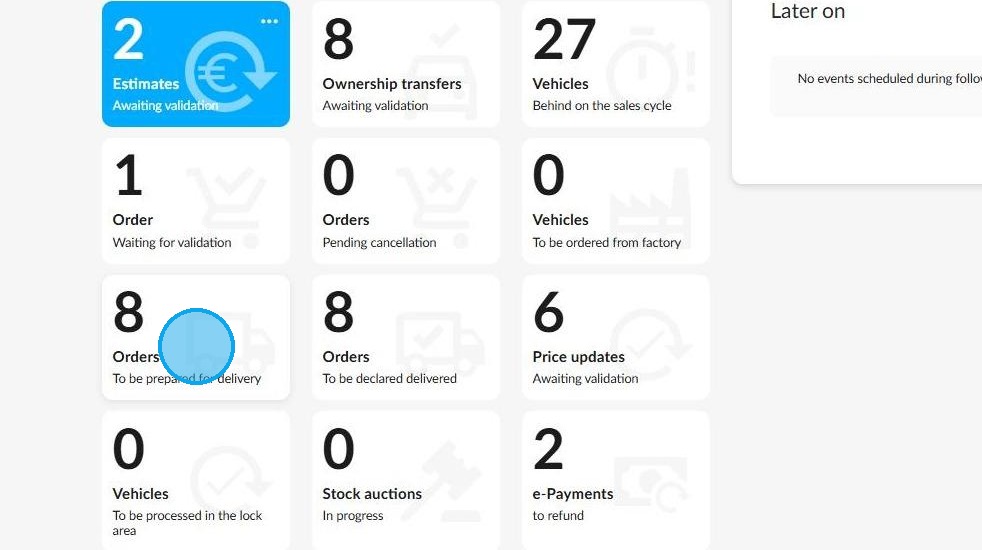
Your settings are taken into account. They can be consulted when a delivery is scheduled. Go to the home page and click on the 'Orders - To be prepared for delivery' tile to access the delivery schedule.
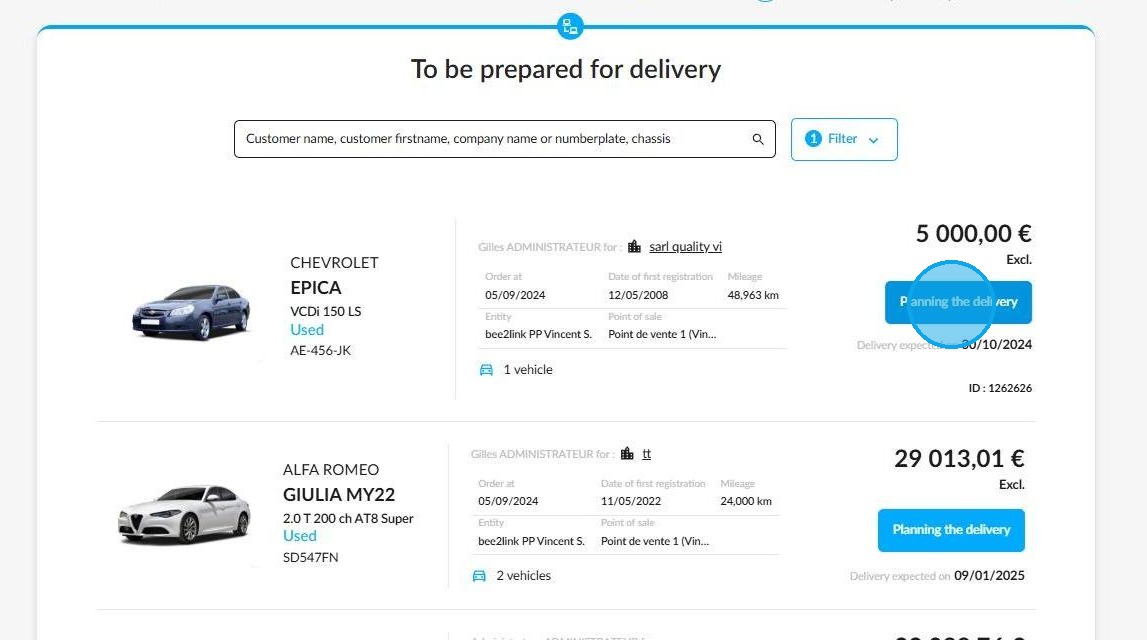
Then, next to the vehicle of your choice, click on 'Planning the delivery'.
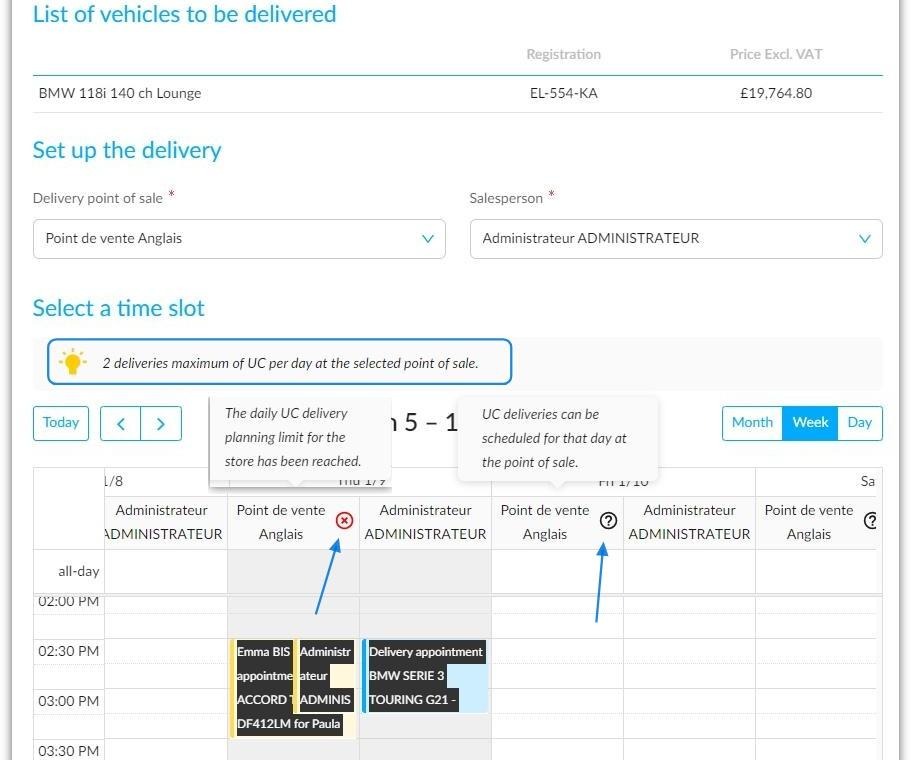
Information on the number of daily deliveries available can be viewed in several ways.
- A reminder of the number of deliveries available per day is provided.
- Symbols in the 'Point of Sale' columns of the calendar display this information. Hovering over these symbols displays explanatory messages.
Please note that this information appears on the calendar in weekly and daily formats only. It cannot be viewed in monthly format.
It is not possible to schedule a test drive or customer appointment at the same time as a delivery. To avoid organisational issues, the system does not allow this.
Comments
0 comments
Article is closed for comments.