
Find out how to enter battery health information for electric and hybrid vehicles.
Prerequisites: You must have permission to edit vehicle summary information to carry out the steps below.
Filling in the powertrain field
You can record the battery health status of hybrid and electric vehicles in their files.
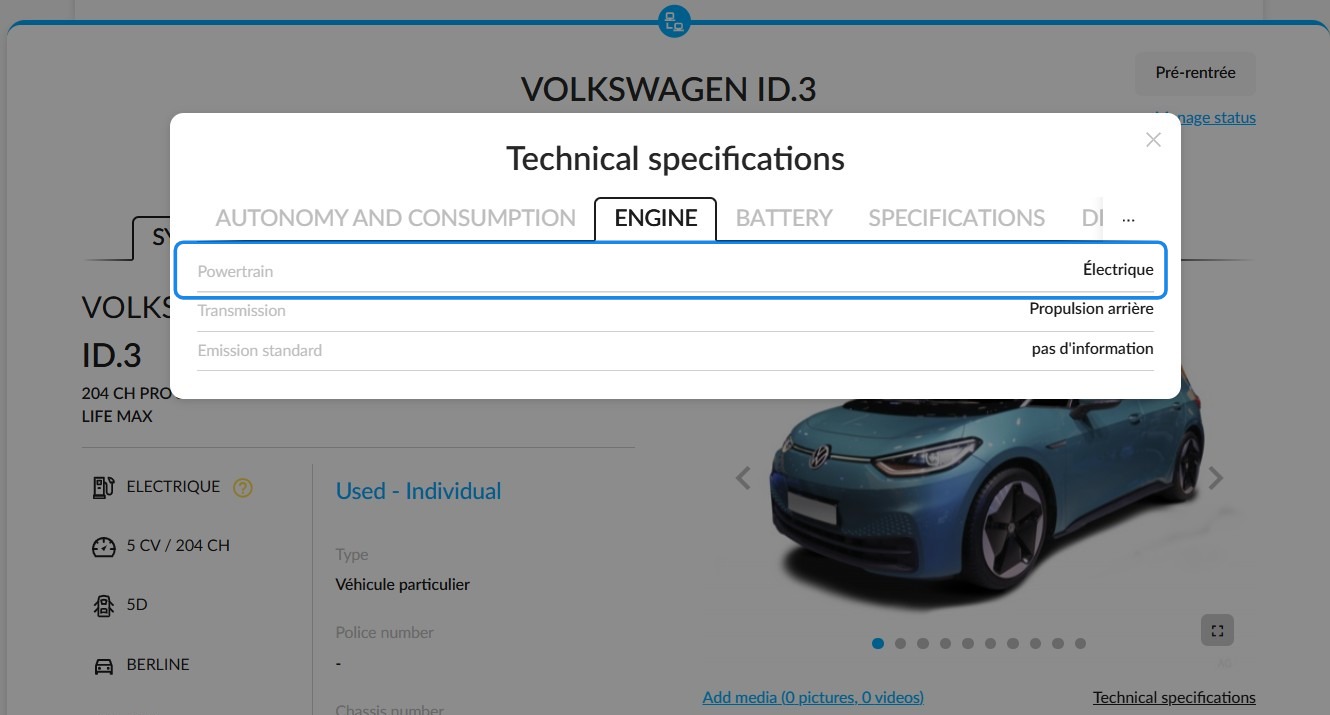
However, fields relating to the SOH score will only appear if the 'Powertrain' field on the vehicle details page is set to 'Electric' or 'Hybrid'. This field is compulsory.
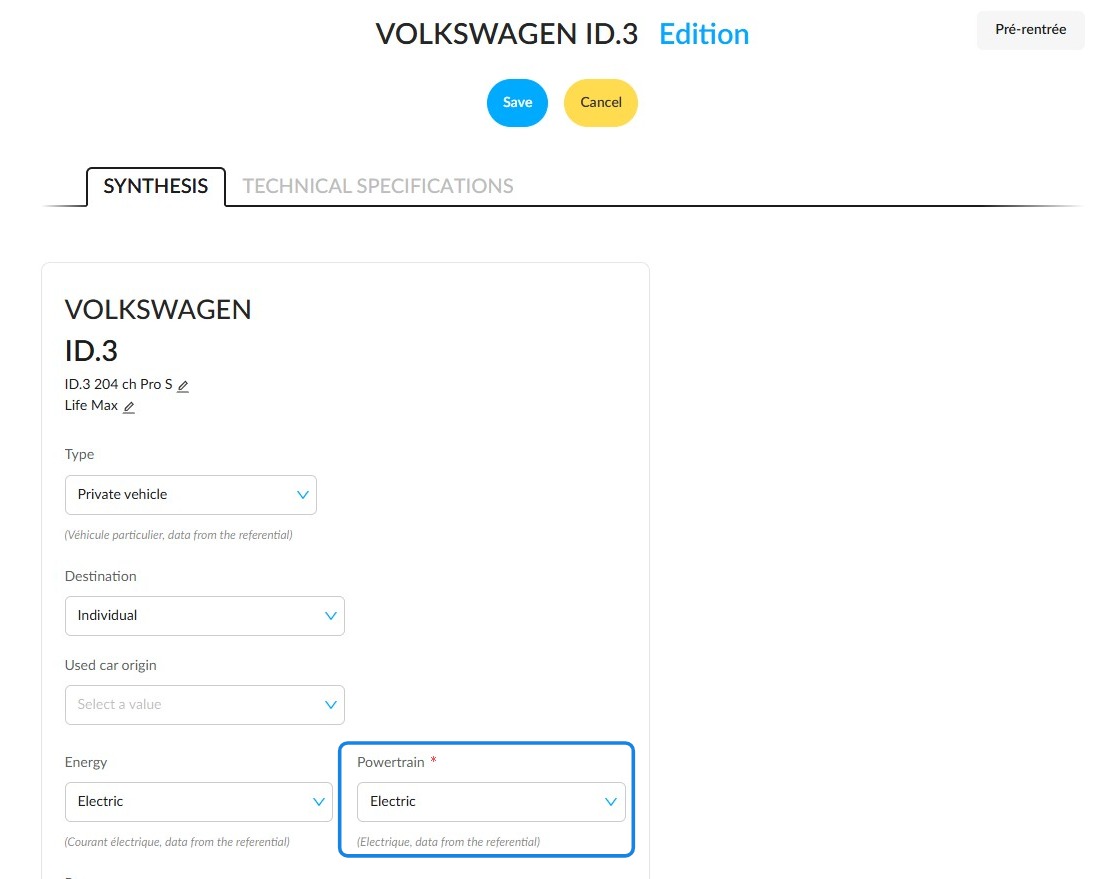
Click 'Technical specifications', under the vehicle pictures to view the field values.
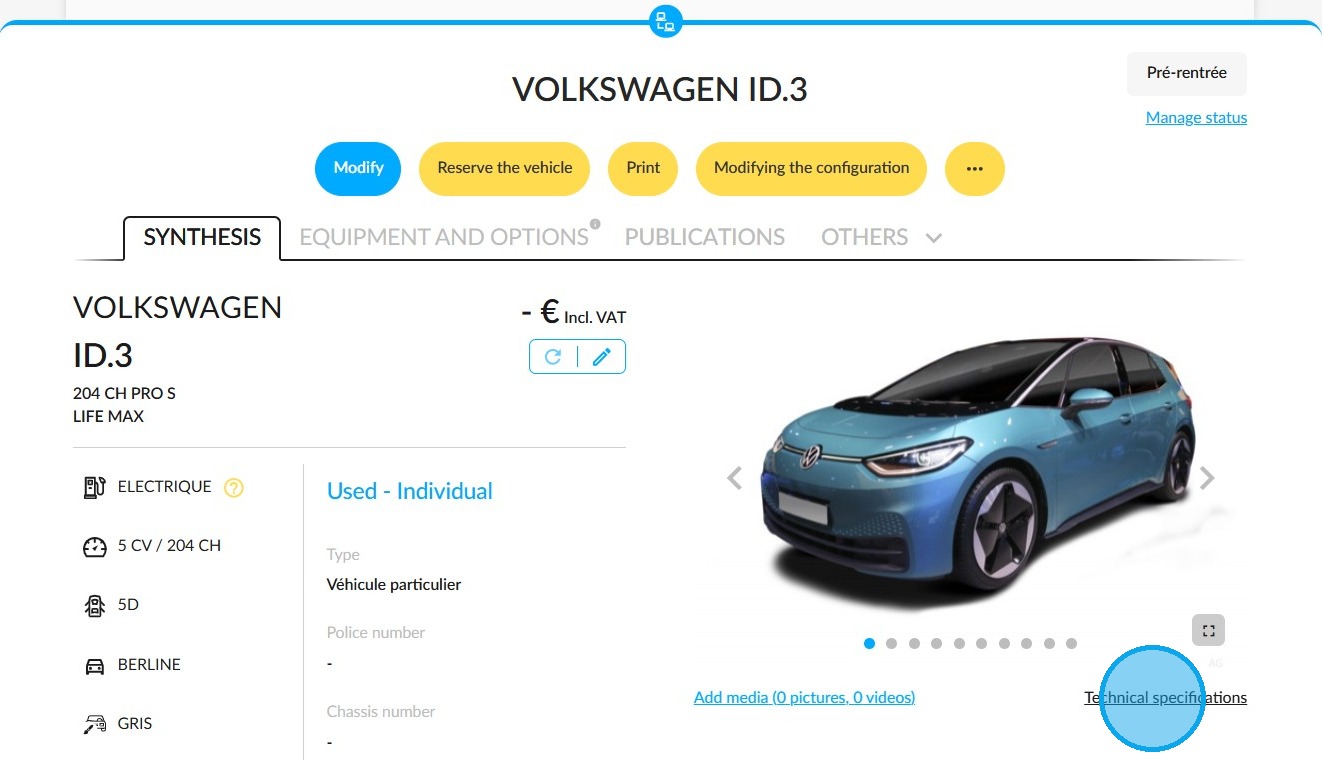
In the 'Technical specifications' window, find the 'Powertrain' field in the 'Engine' tab.
A tooltip will appear when you hover the mouse over the powertrain on the left-hand side of the overview.
Entering the SOH score in a vehicle record
The fields in the sinthesis of used and demonstration electric and hybrid vehicles allow you to enter the SOH score:
- SOH (State of Health) score
- Certificate date,
- Certificate expiry date,
- PDF file of the certificate.
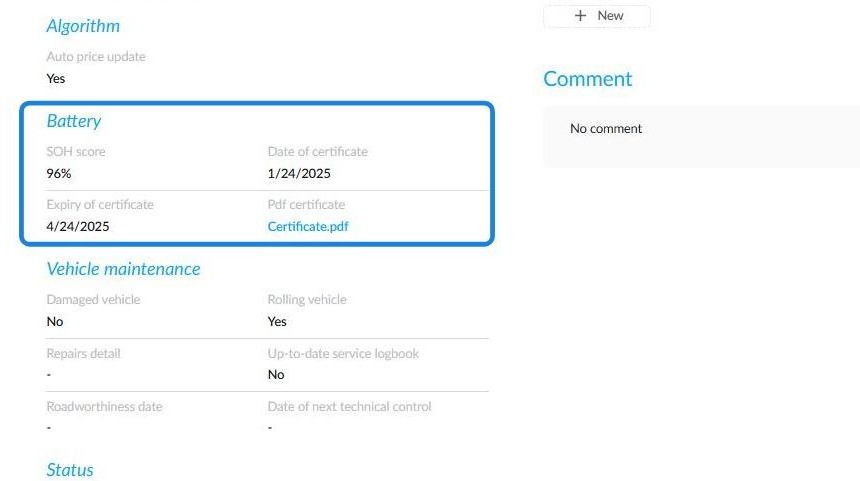
This information can be viewed in the "Battery" section of the "Additional Information" tab on the relevant vehicle's details page.
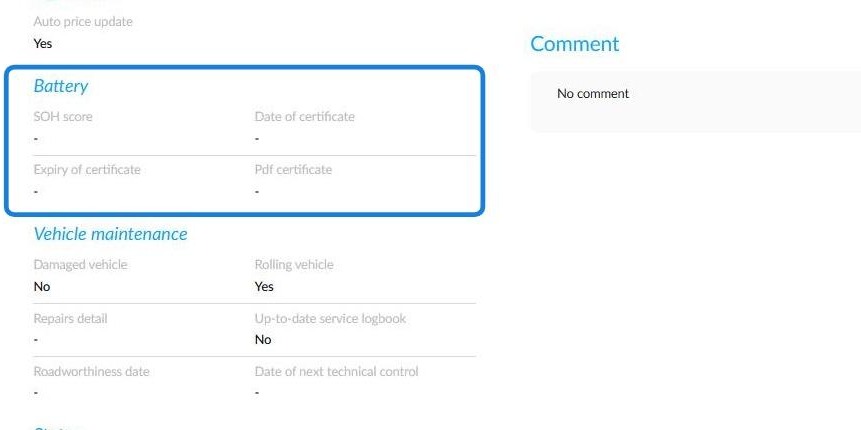
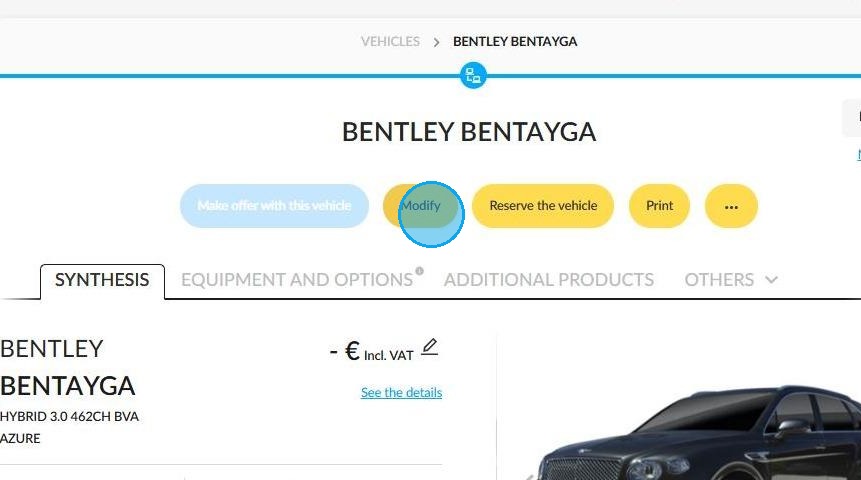
To enter this information, first press the 'Modify' button on the vehicle file.
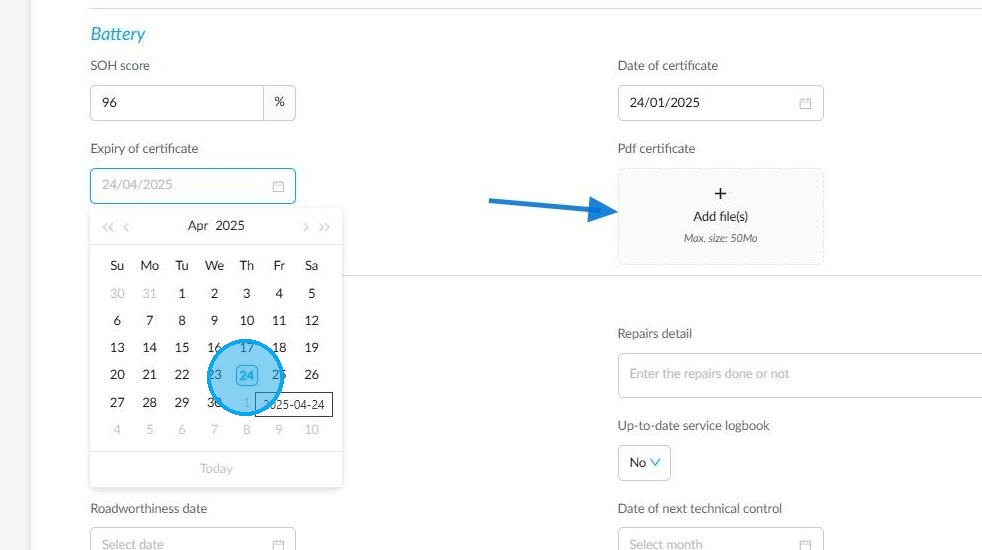
-The SOH should be entered as a percentage between 0 and 100.
-You can also enter the issue and expiry dates of the certificate.
-The default expiry date is three months after the issue date.
-Upload the certificate in PDF format to the "PDF certificate " field.
-It is recommended that you avoid downloading files larger than 50 Mb. Clicking on the file will open it in a new tab.
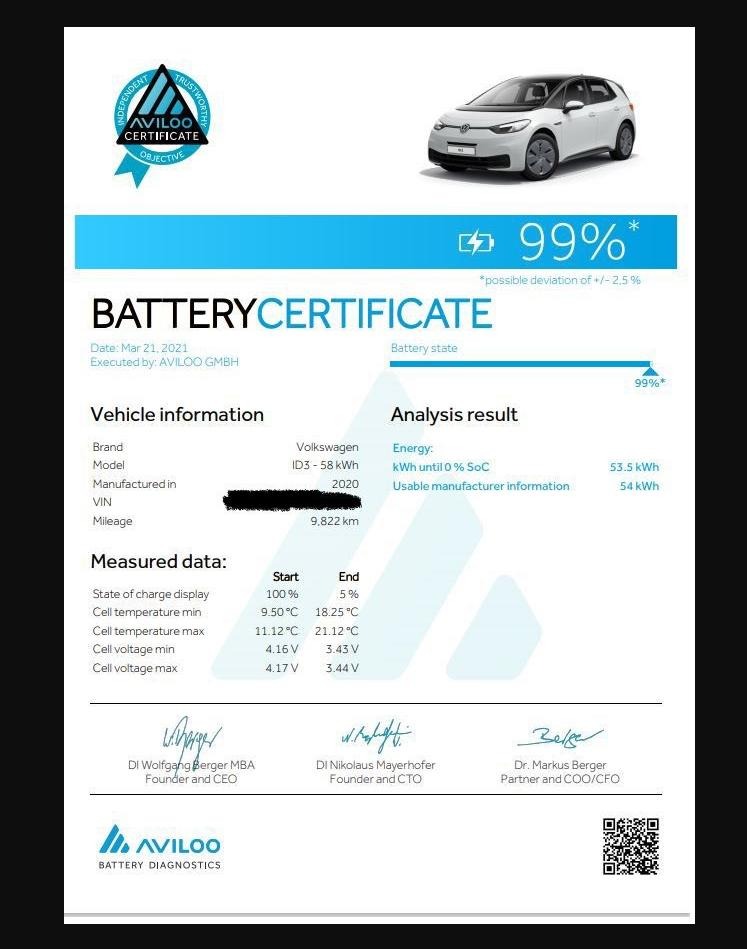
Example of a SOH certificate:
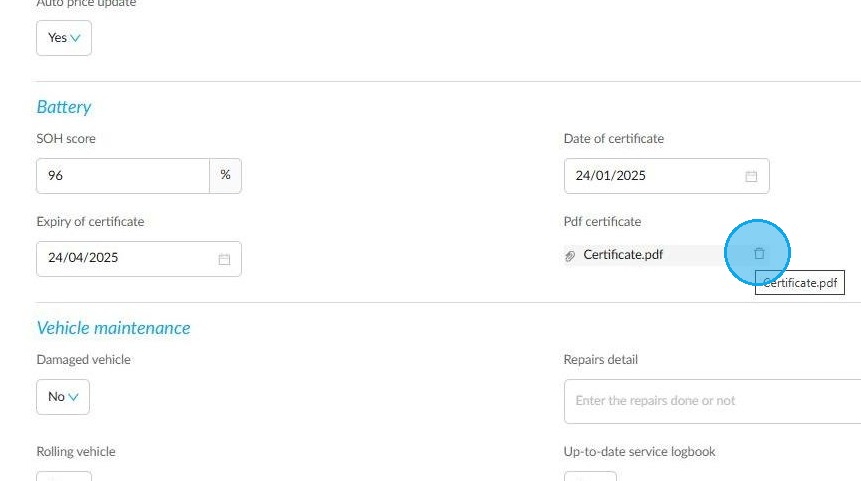
You can delete the SOH certificate at any time by clicking the "trash can" icon to the right of the PDF file in a vehicle’s details page:
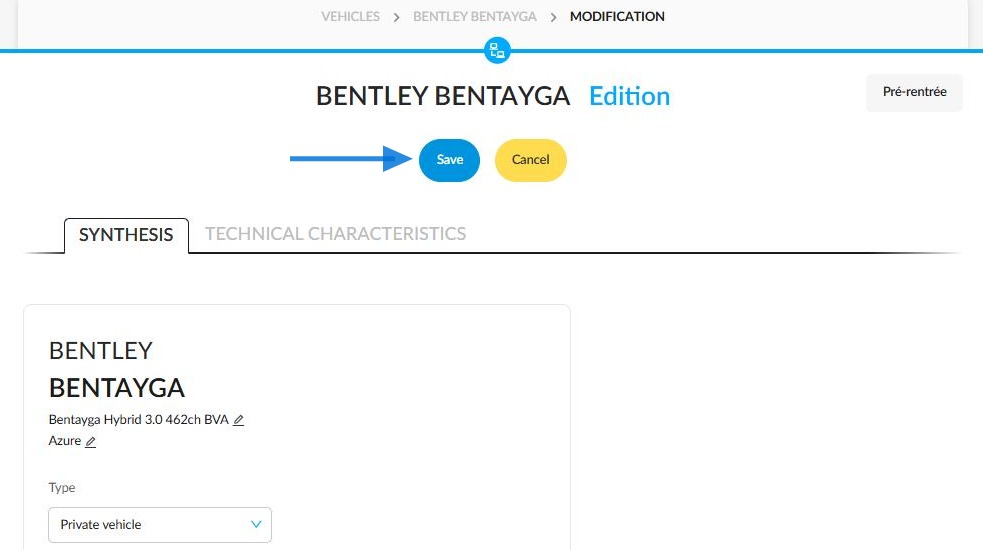
To save the information, click Save:
Presentation of a vehicle synthesis incorporating integrated battery state of health (SOH) data:
Viewing the SOH score in the stock list:
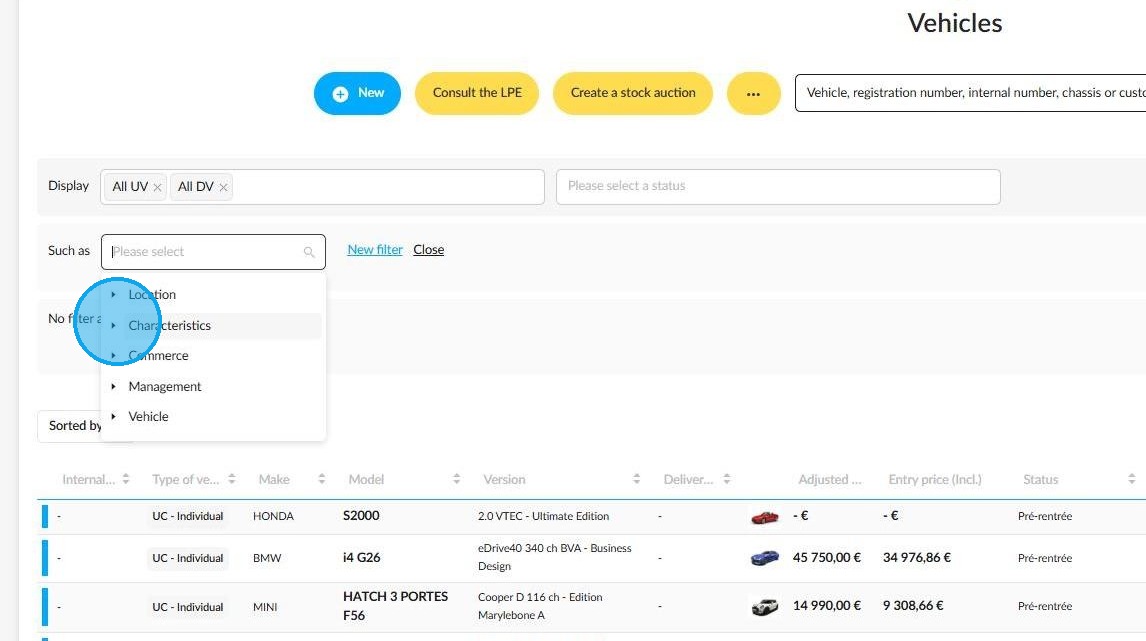
You can find the SOH score of hybrid and electric used and demonstration vehicles in the stock using the filter designed for this purpose. Click the "Such as" field. Expand the "Characteristics" section.
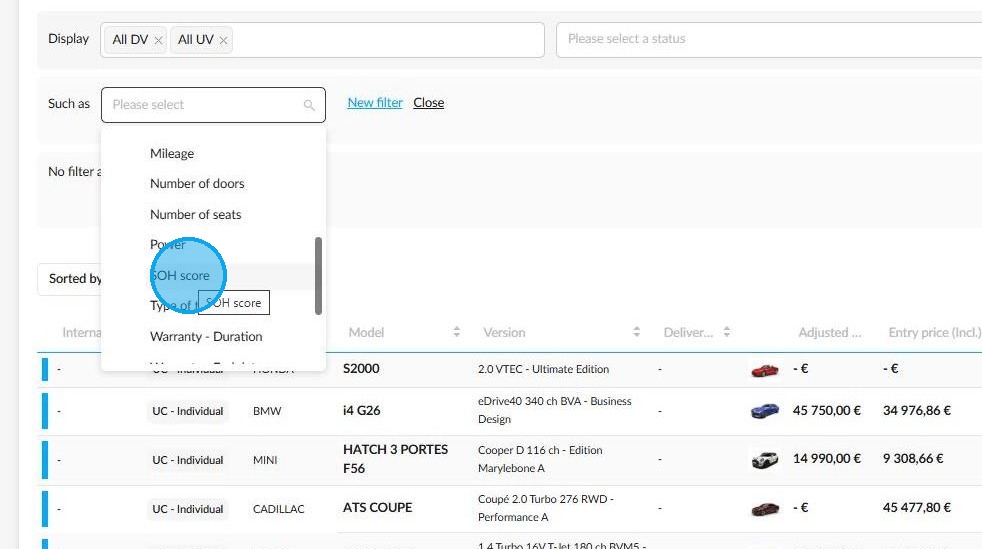
Next, select "SOH score" in order to sort the DVs and UVs according to this criterion:
The minimum and maximum percentages must be entered to classify the vehicles according to the state of the battery:
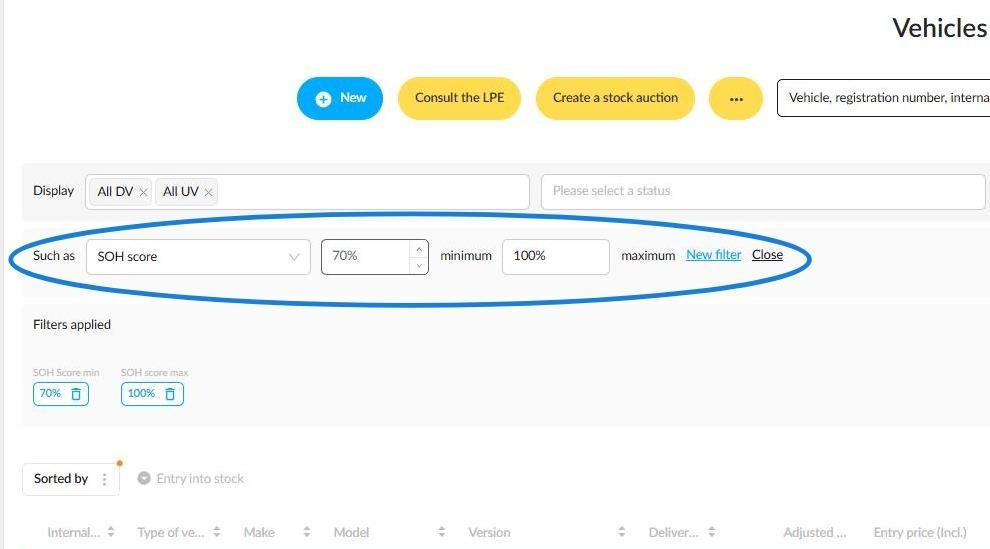
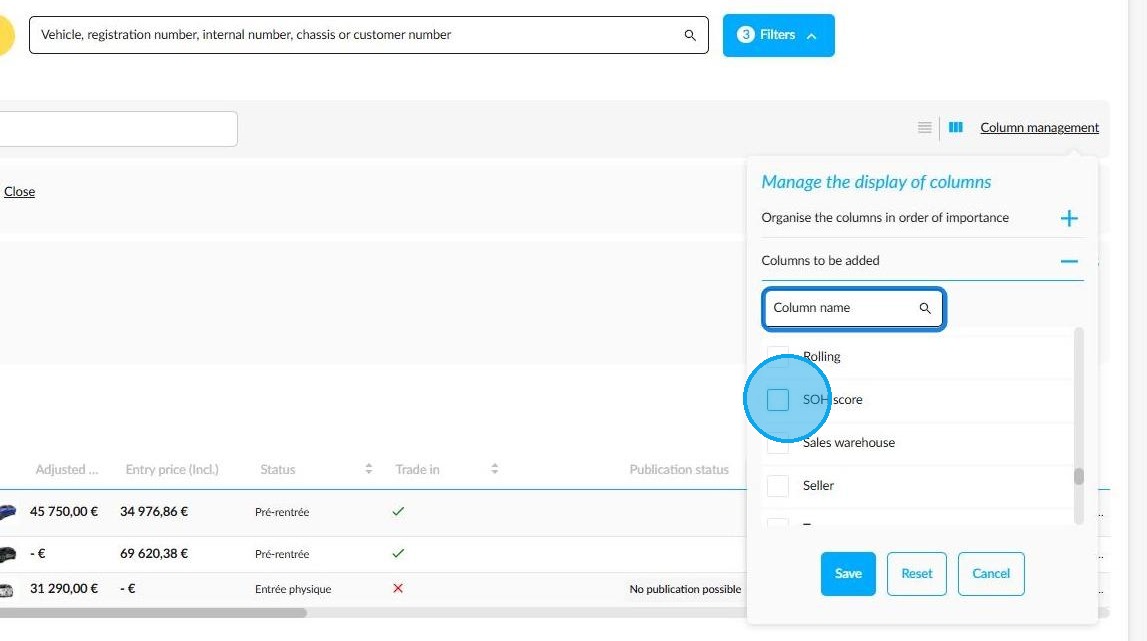
The latter's readability is enhanced by the option to manually add an exportable column to the vehicle stock table. To do this, click 'Column Management' to the right of the filters.
Enter the name of the column you want in the search bar to save time, as shown in the screenshot below, select it, then save:
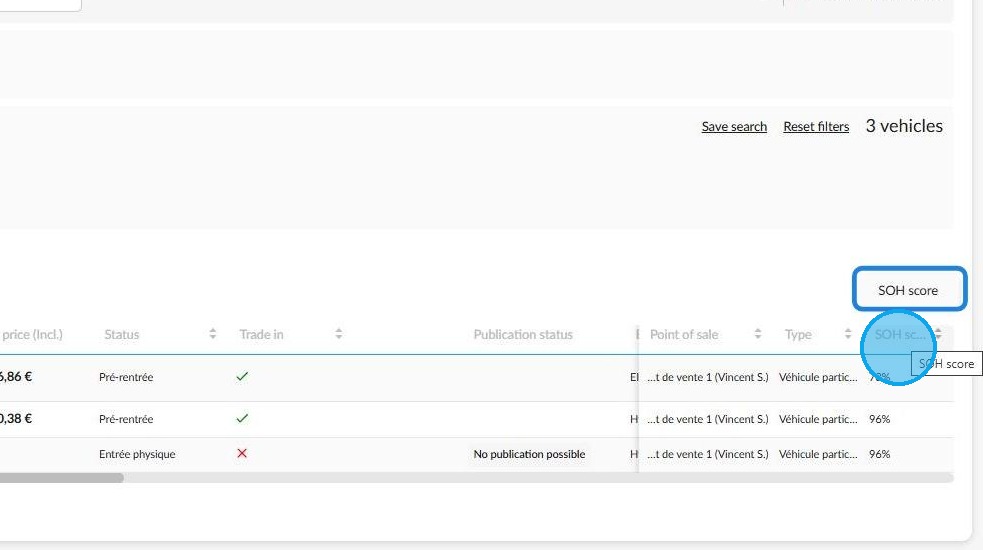
View of the "SOH score" column:
Information about the SOH score is published to inform potential buyers about the battery health of hybrid and 100% electric vehicles.
Comments
0 comments
Article is closed for comments.