
Find out how to set up automatic periodic sending of certain saved searches to the people of your choice.
Prerequisites:
- Only the person who created the search can adjust the sending parameters.
- The columns that are exported are those saved by the person who created the search.
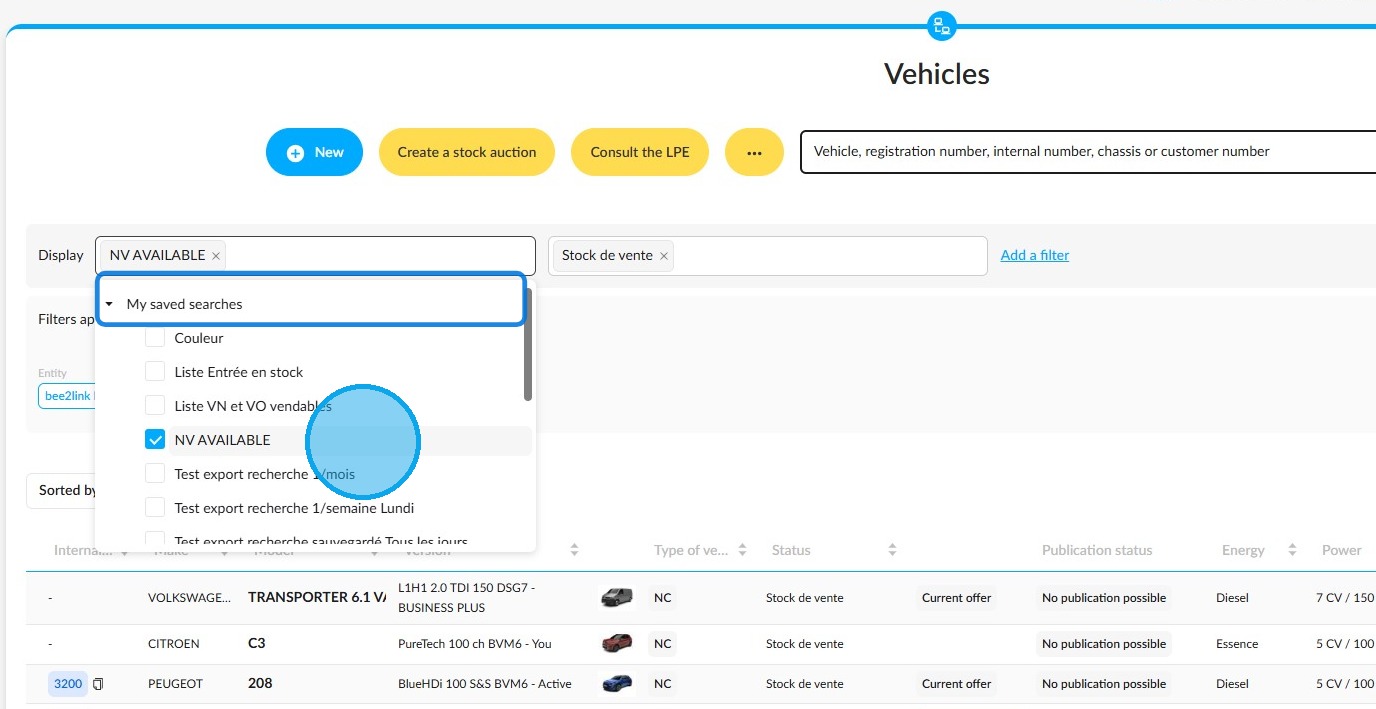
1. In the 'Vehicles' module, click on the 'Display' field and expand the 'My saved searches' section. Select the search that you would like to send to your colleagues at regular intervals.
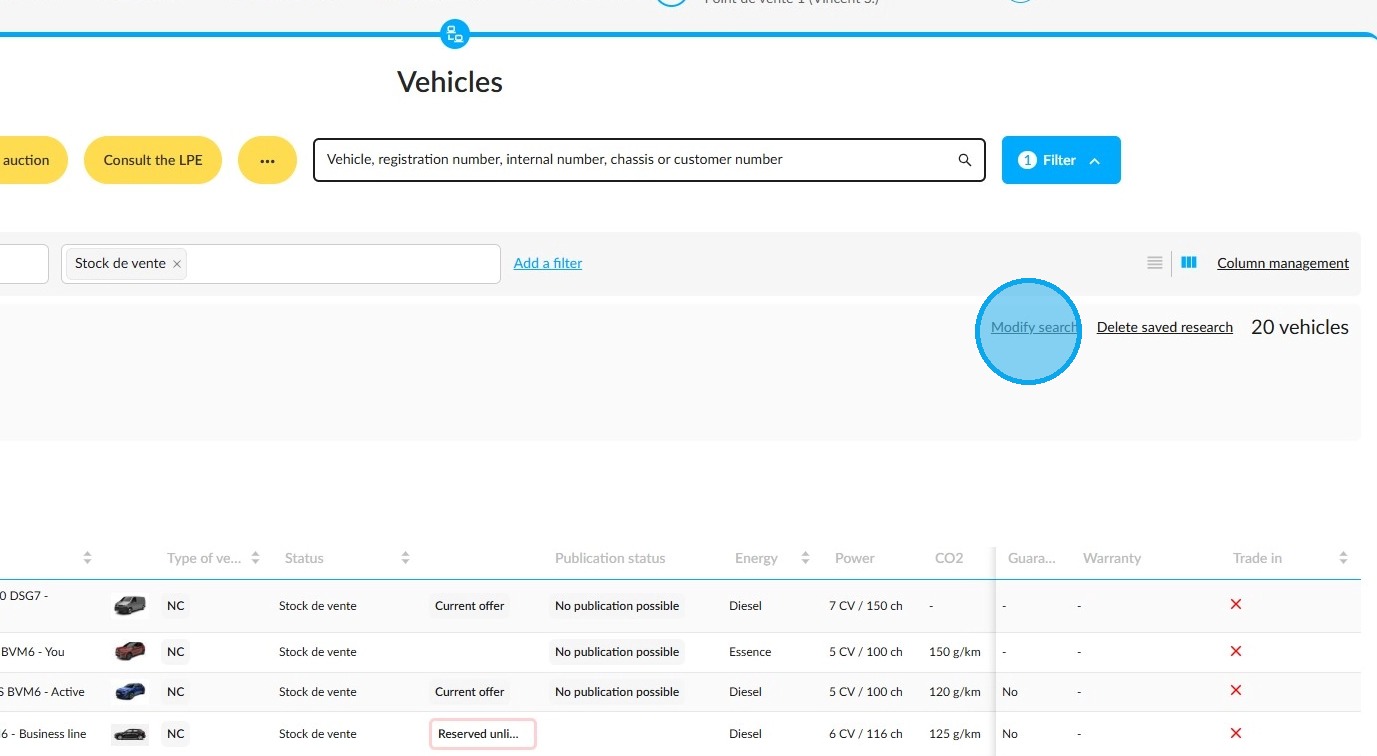
2. Then click on the "Modify search" button to the right of the filters to activate periodic export of this search.
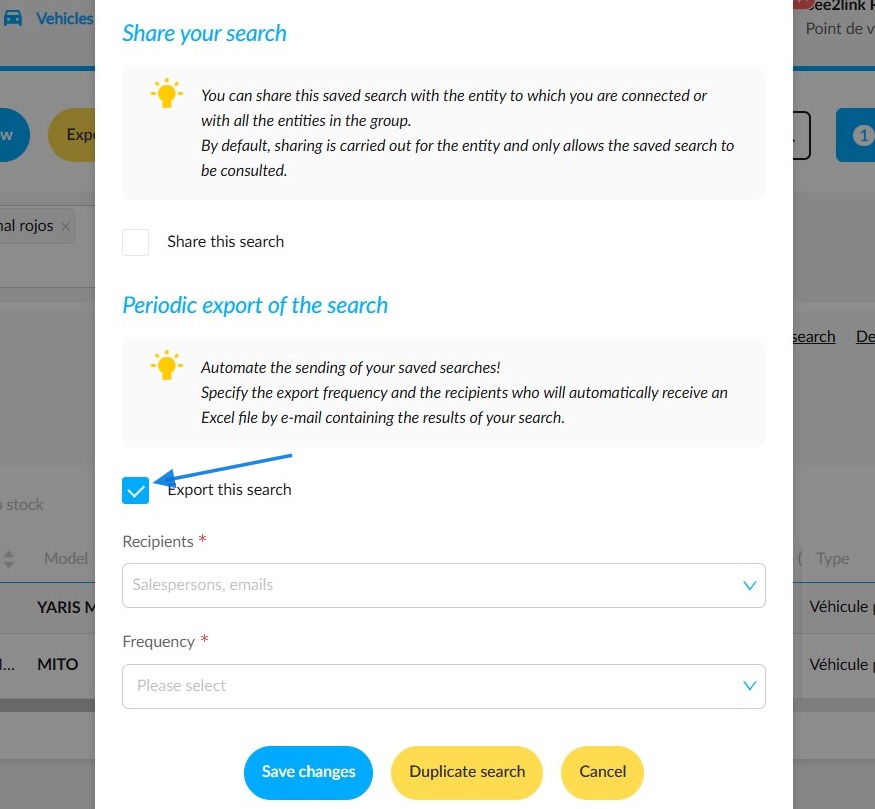
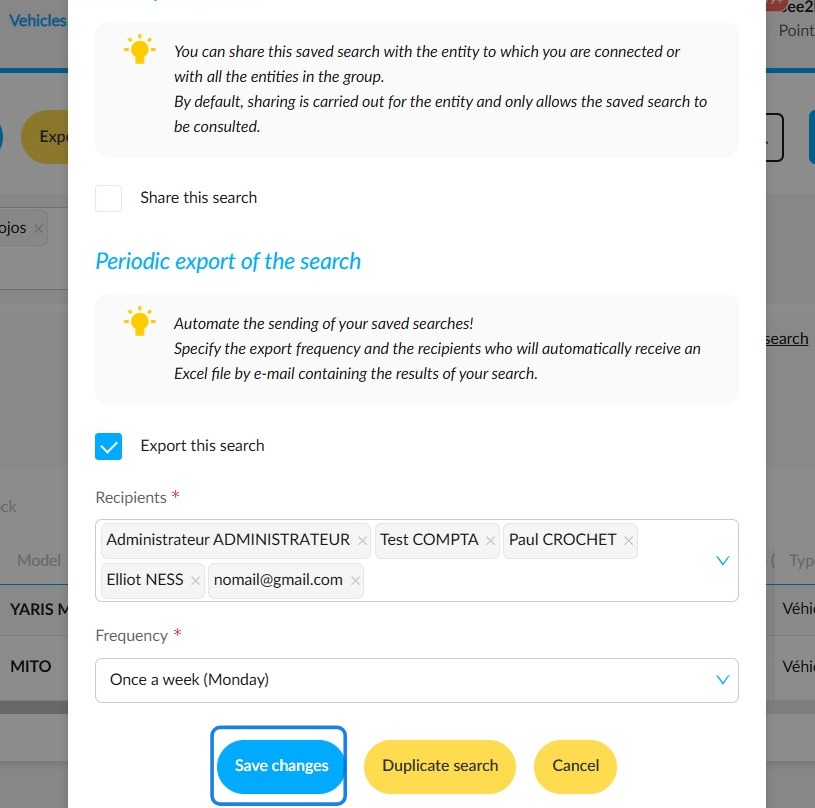
3. Firstly, select the "Export the search" box at the bottom of the window in the "Periodic export of the search" section. Then fill in the "Recipients" and "Frequency" fields to decide who will receive the search and how often it will be sent automatically.
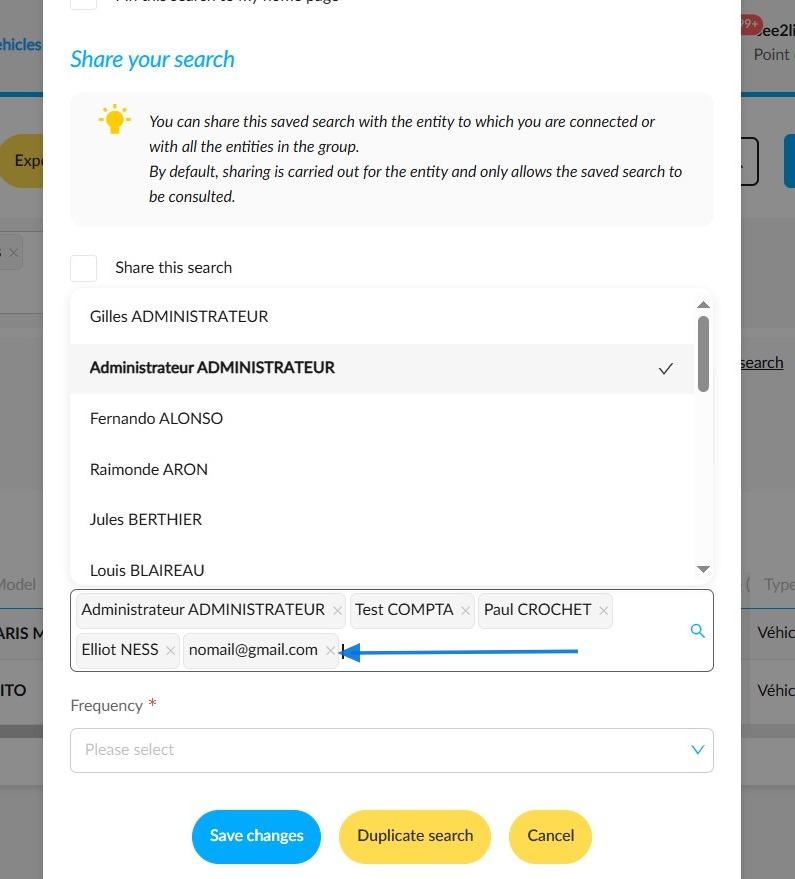
4. Recipients can be selected from among OpenFlex platform users or from outside the platform. For external recipients, you will need to enter their email addresses.
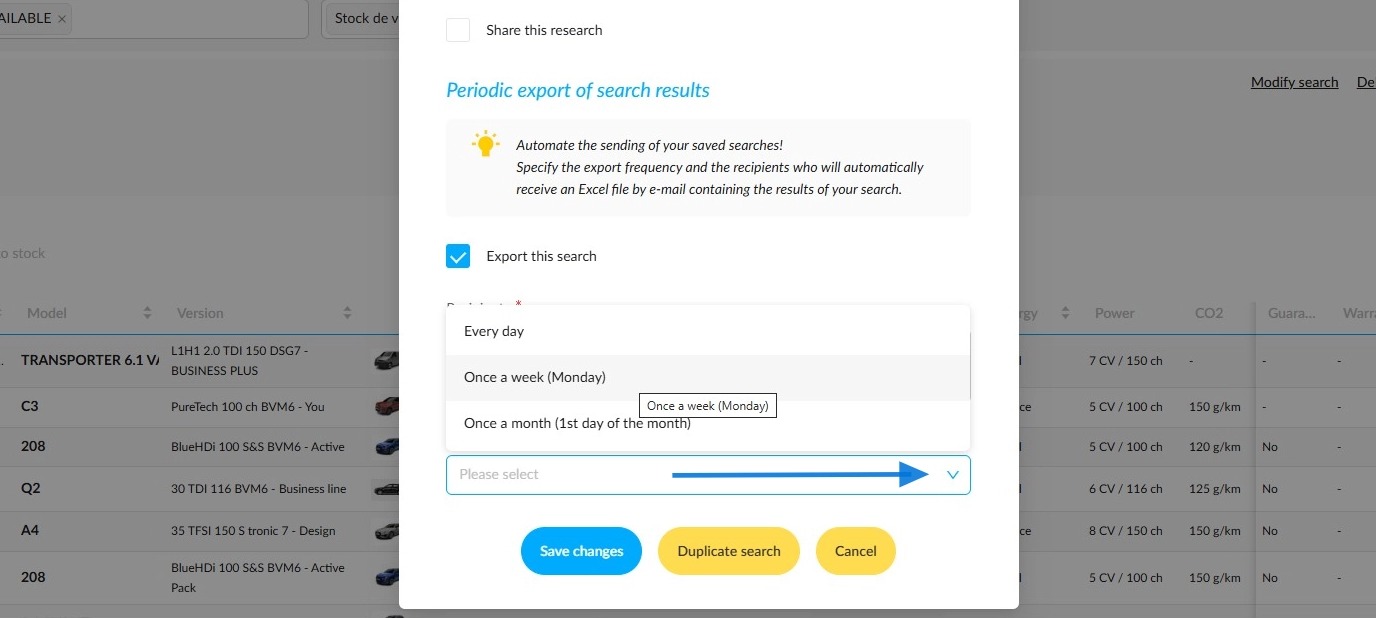
5. Next, select the frequency at which the research will be sent. You will be able to choose from the following options:
-Every day
- Once a week
- Once a month.
6. Once you have set the criteria, click on "Save changes" to finalise the settings.
Comments
0 comments
Article is closed for comments.