
Find out how to confirm order cancellation requests from employees who do not have the right to do so.
Prerequisite: Administrator rights are required.
Activating the permission:
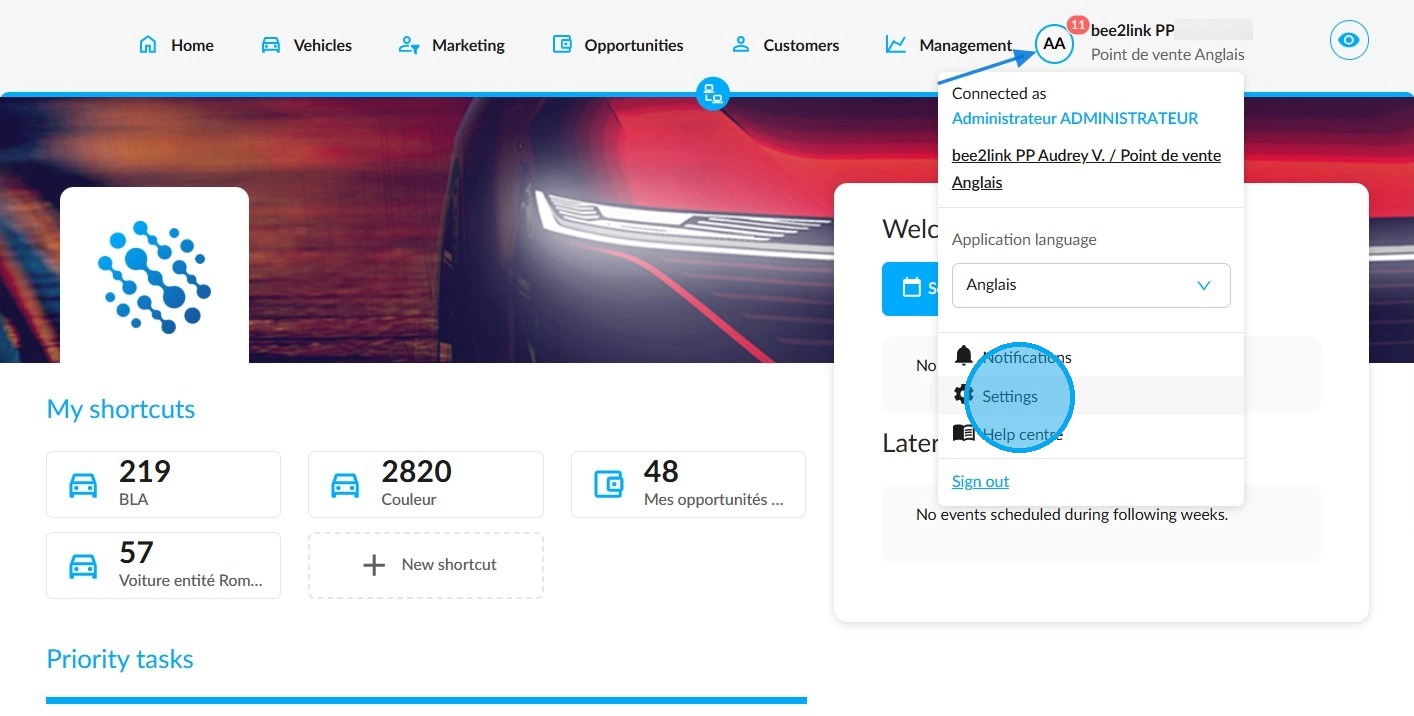
To enable the permission to confirm order cancellations, click on your initials and then go to the ‘Settings’ menu.
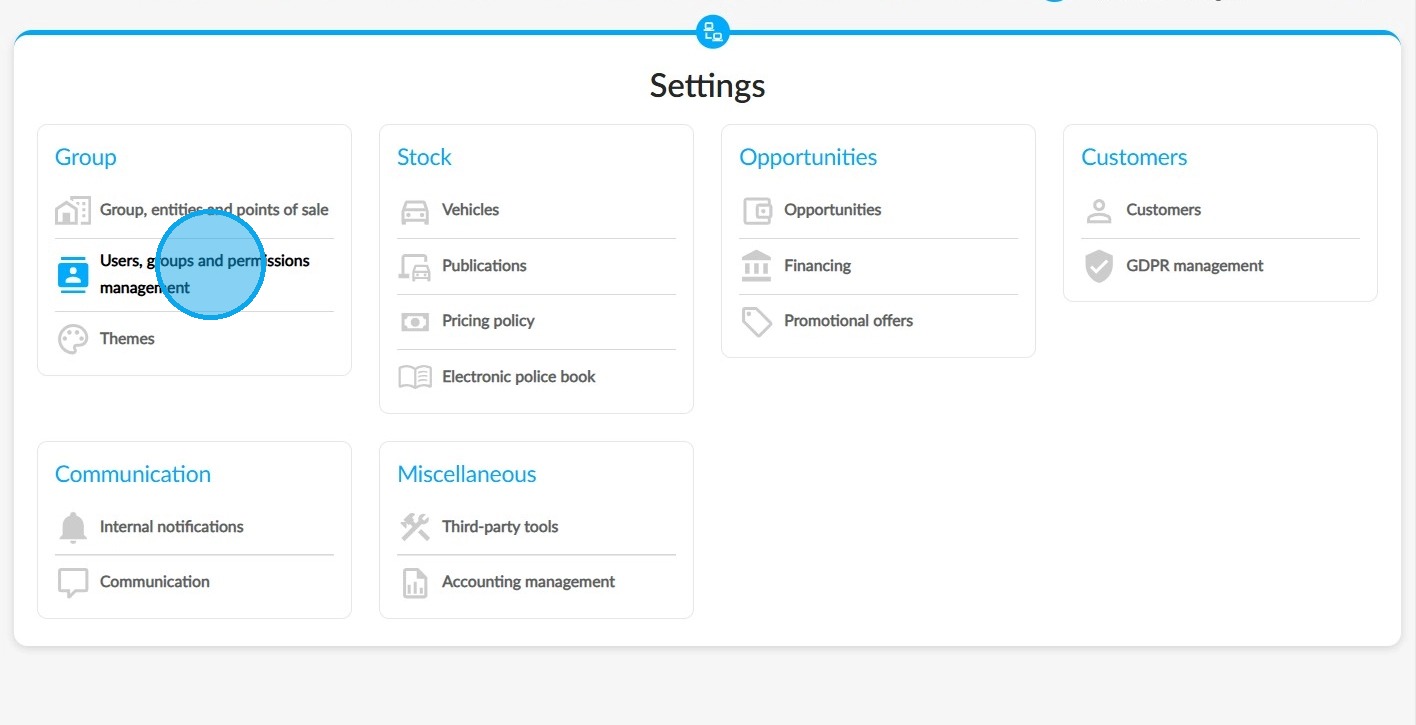
Click "Users, groups and permissions management" in the "Group" section.
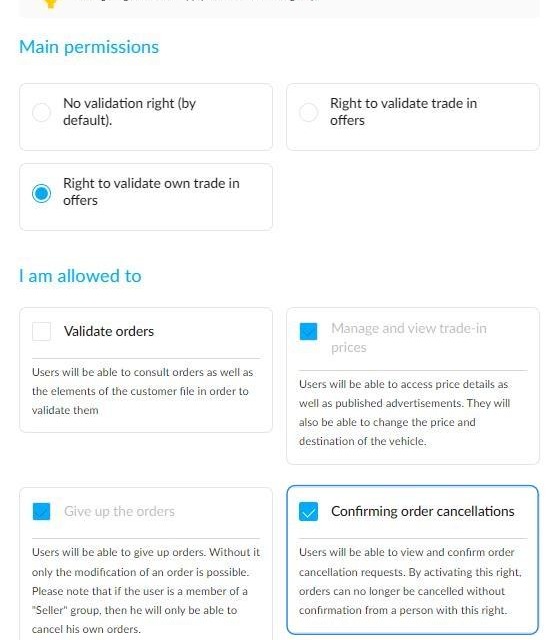
Select the user group to which the right should be applied. Then click on "Opportunities". Look for the "I am allowed to" section to find this permission:
Seller's request:
Managers who have this right will be consulted by sellers who want to cancel an order.
This is an example of a staff member belonging to the "Seller" group who only has the right to abandon orders:
When they click the "Cancel order" button, a window opens that allows the seller to specify the reason for the cancellation. The seller can provide a detailed explanation in the "Comment" field:
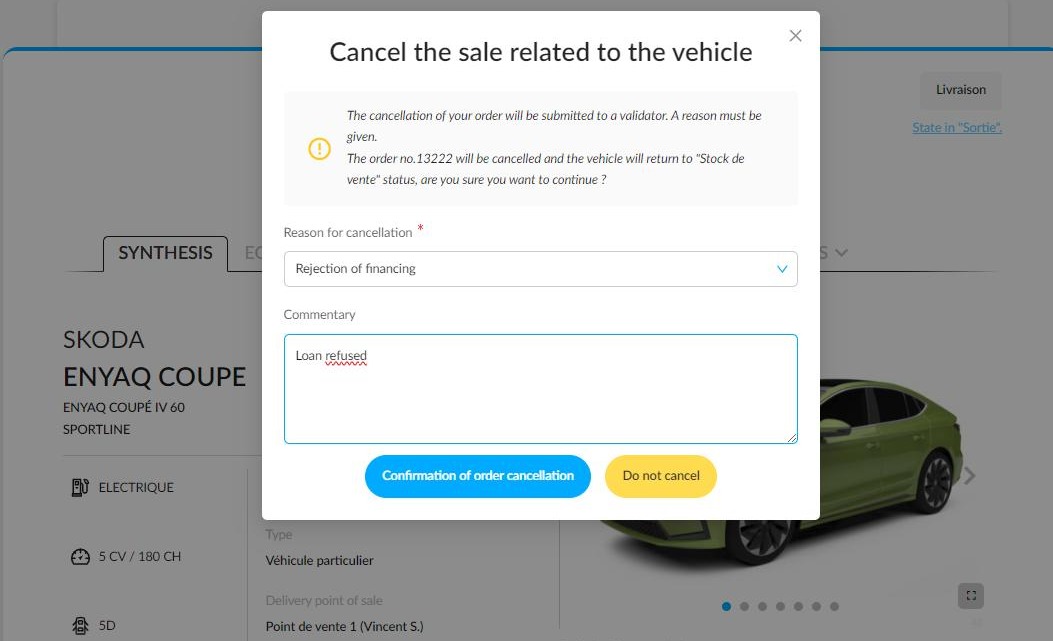
Cancellation request will be put on hold while the person responsible for approving cancellations handles the request.
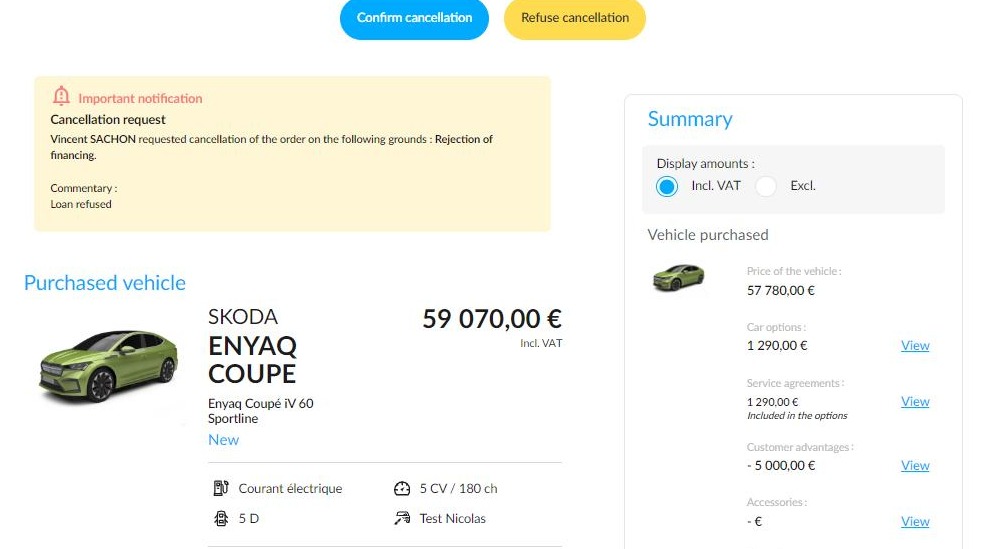
Receipt by the Manager:
They will be warned via a notification on their screen. A tile on the OpenFlex homepage will keep count of the orders to be cancelled:
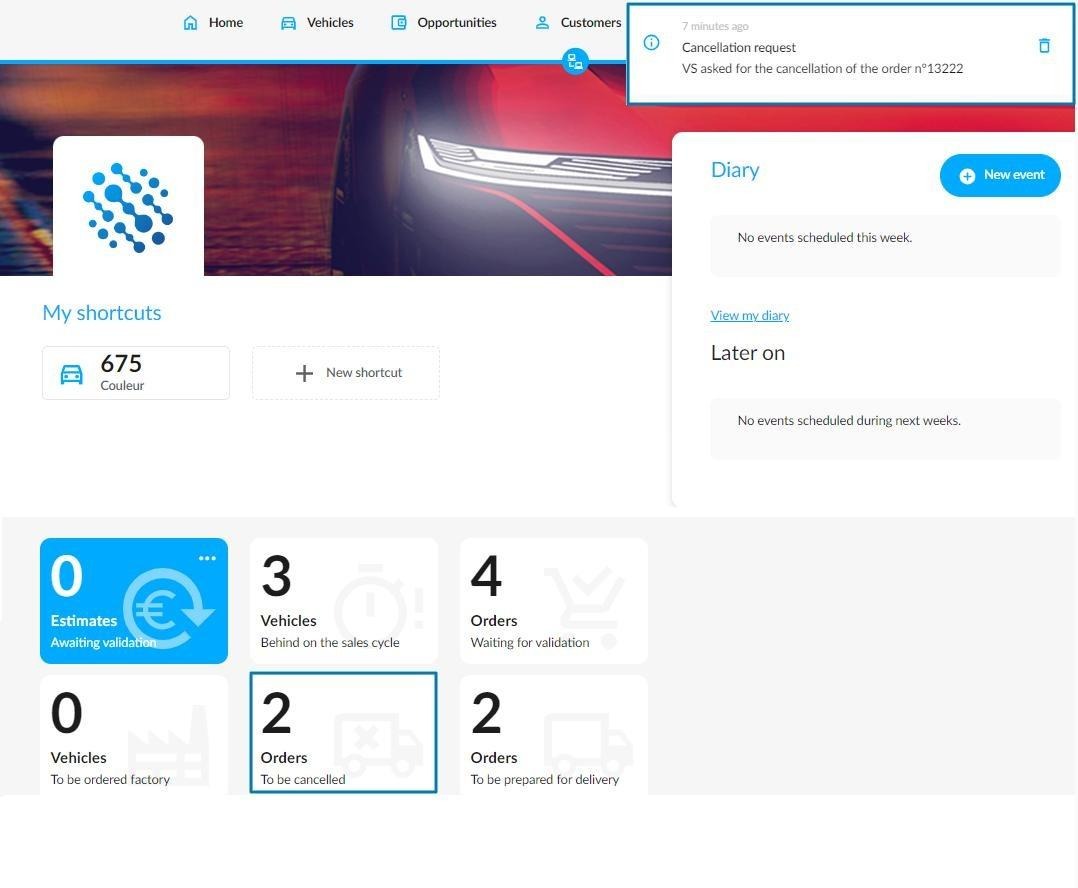
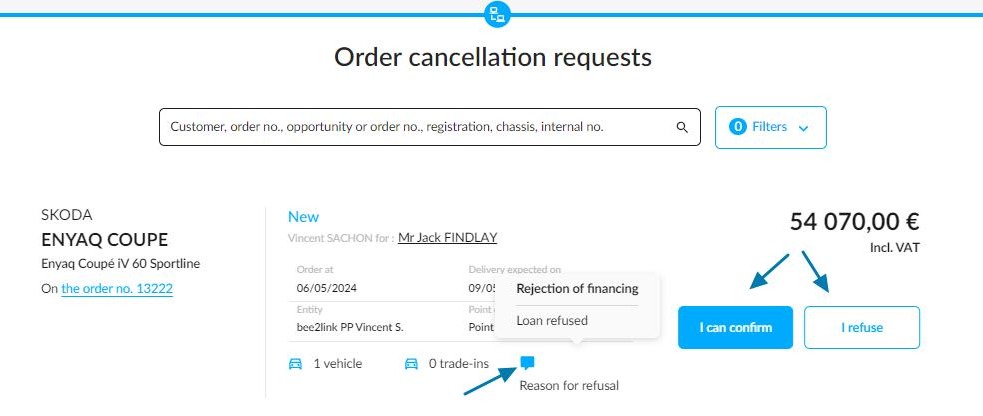
Clicking on it will take them to a new screen labelled 'Order cancellation requests', where they can confirm or refuse the order cancellation. They can then base their decision on the reason for refusing the order by moving their cursor over the "Reason for refusal" logo indicating that there is a new message:
Receiving the Manager's answer:
Once the Manager has dealt with the request, the seller will be informed by email:
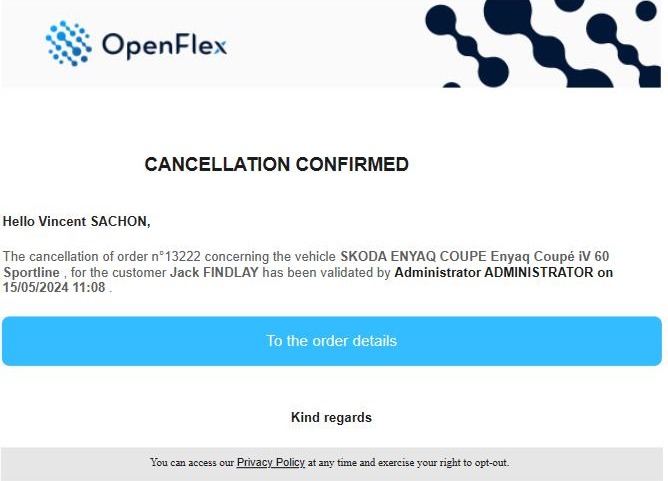
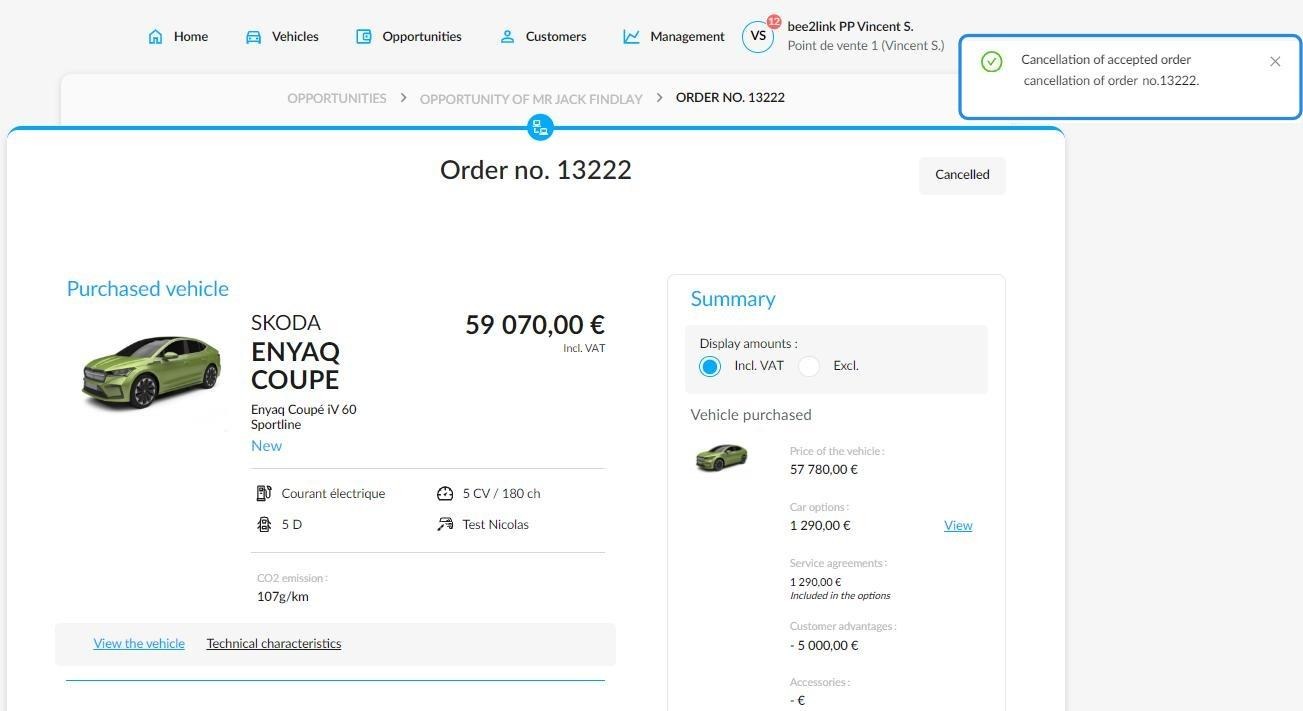
and will also be notified:
Comments
0 comments
Article is closed for comments.