
This guide will walk you through the process of setting up e-bookings from your customers for your entire group. It will be possible to configure them in a way that does not require any e-payment, and to set a booking period.
Prerequisite: In order to configure e-reservations without online payment, administrator rights are required.
Accessing the settings:
You can activate online vehicle reservations while keeping online payments disabled. To do this, you need to make an adjustment.
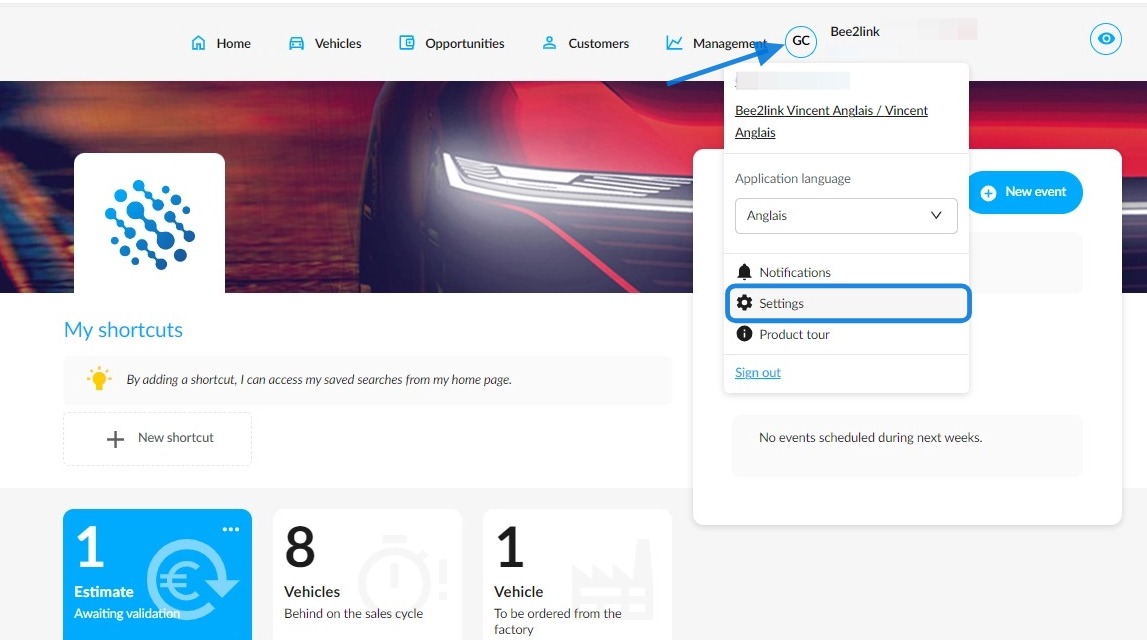
Start by clicking on your initials and then on "Settings" on the homepage.
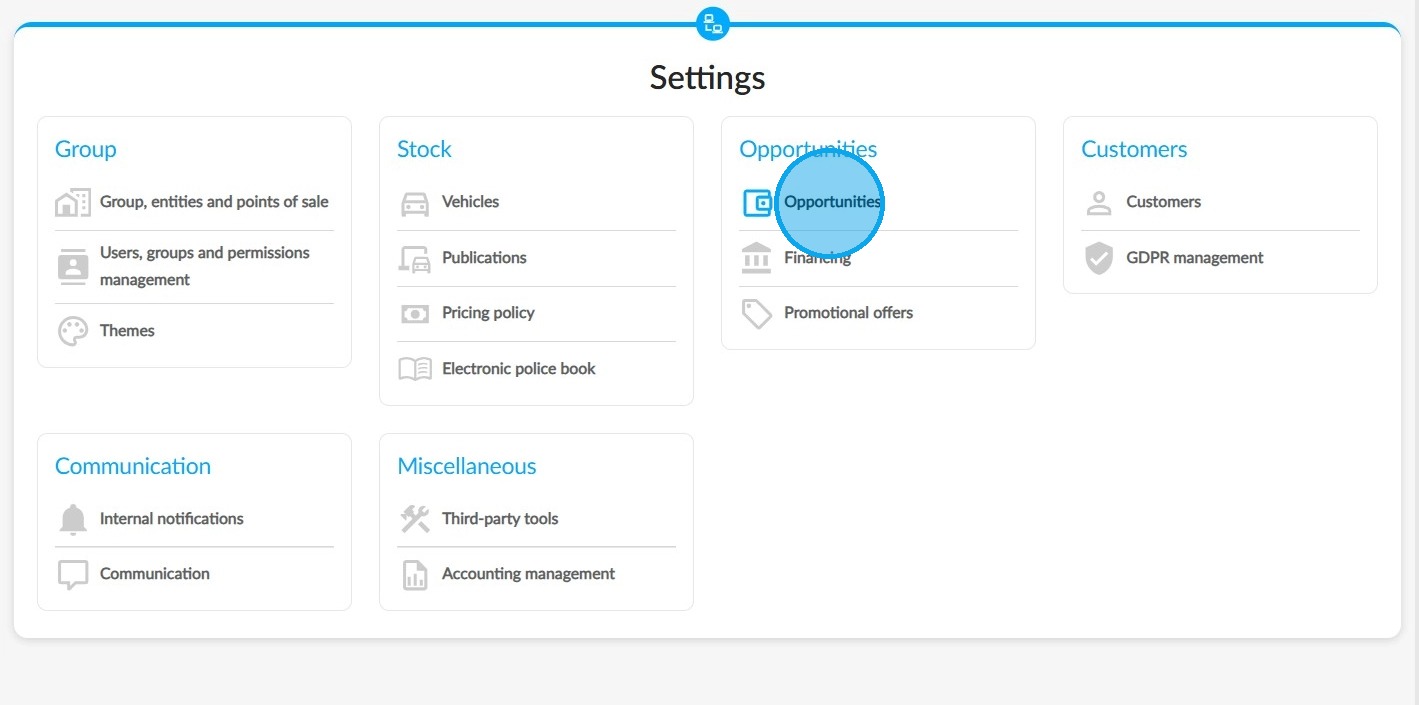
On the "Settings" page, select the settings for "Opportunities".
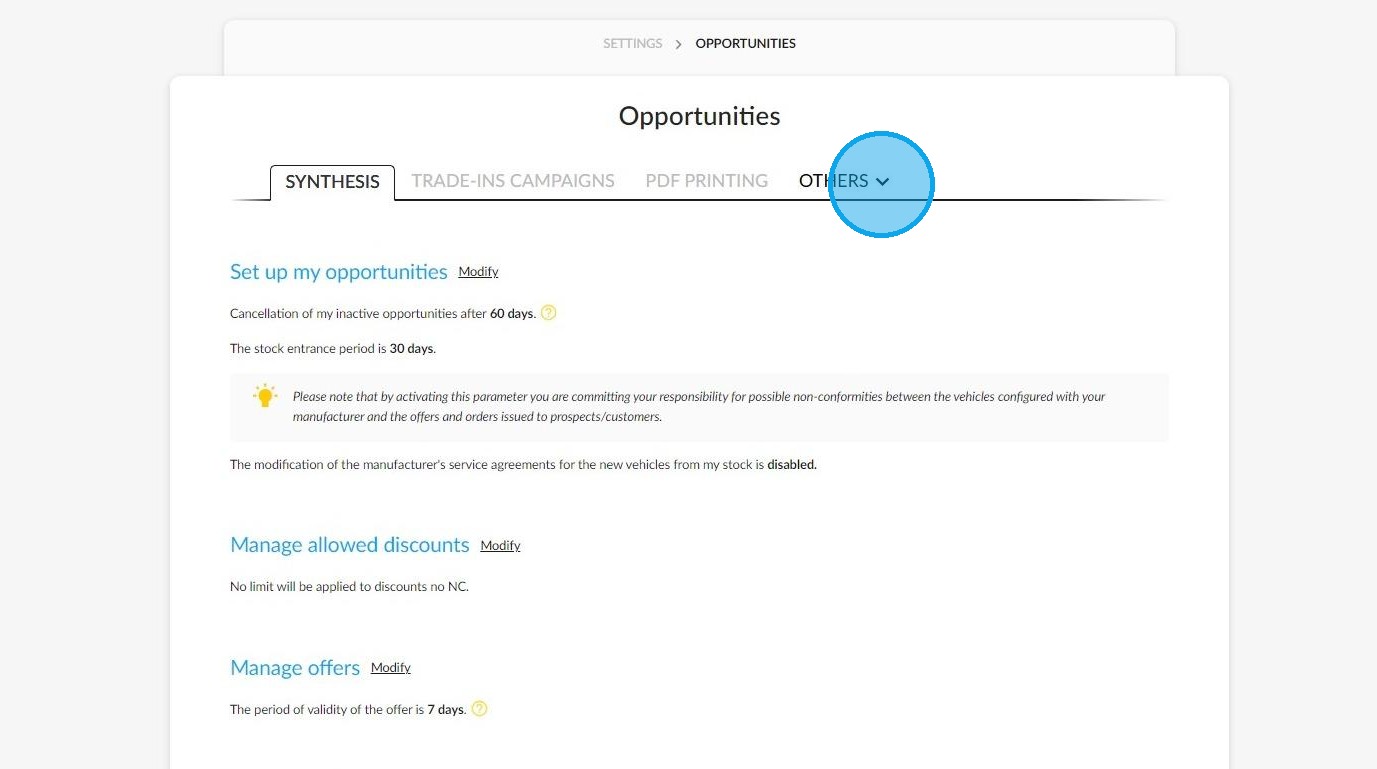
Click on the "Others" tab.
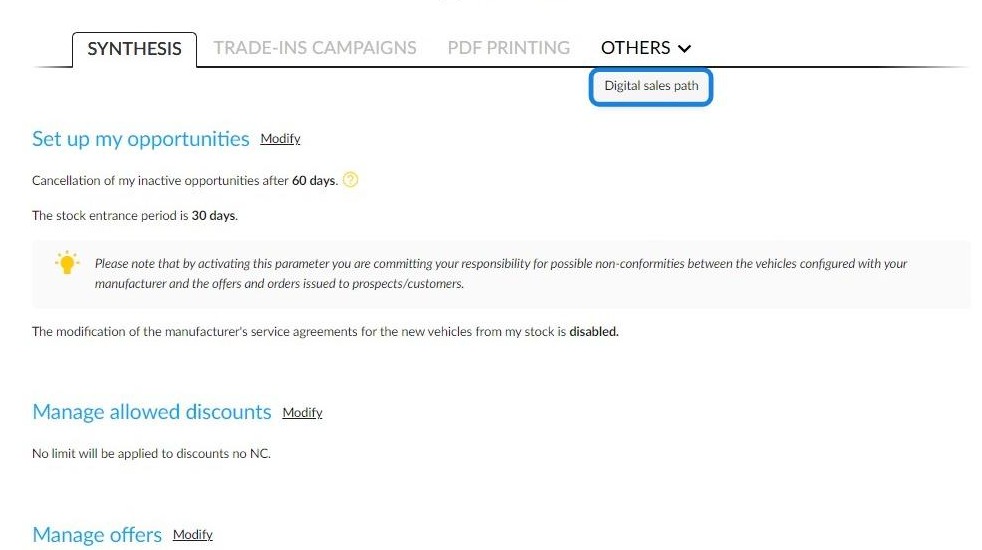
Then select "Digital Sales Path".
Setting up e-reservations:
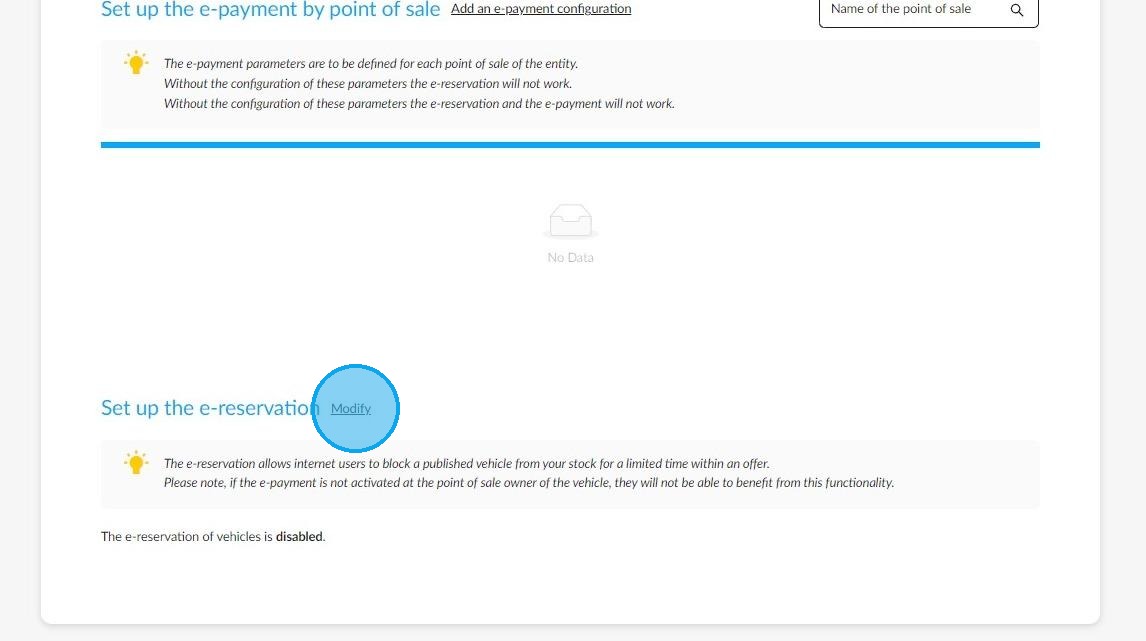
Once you are on the digital sales setup page, click on the 'Modify' button next to the 'Set up e-reservations' heading.
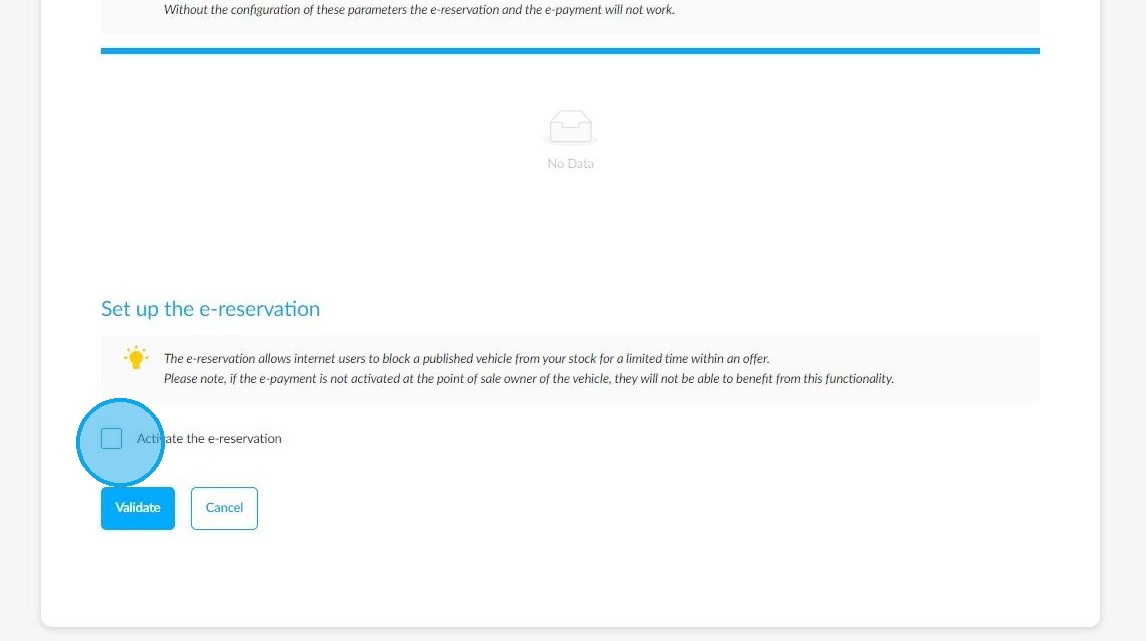
Tick the "Activate the e-reservation" box.
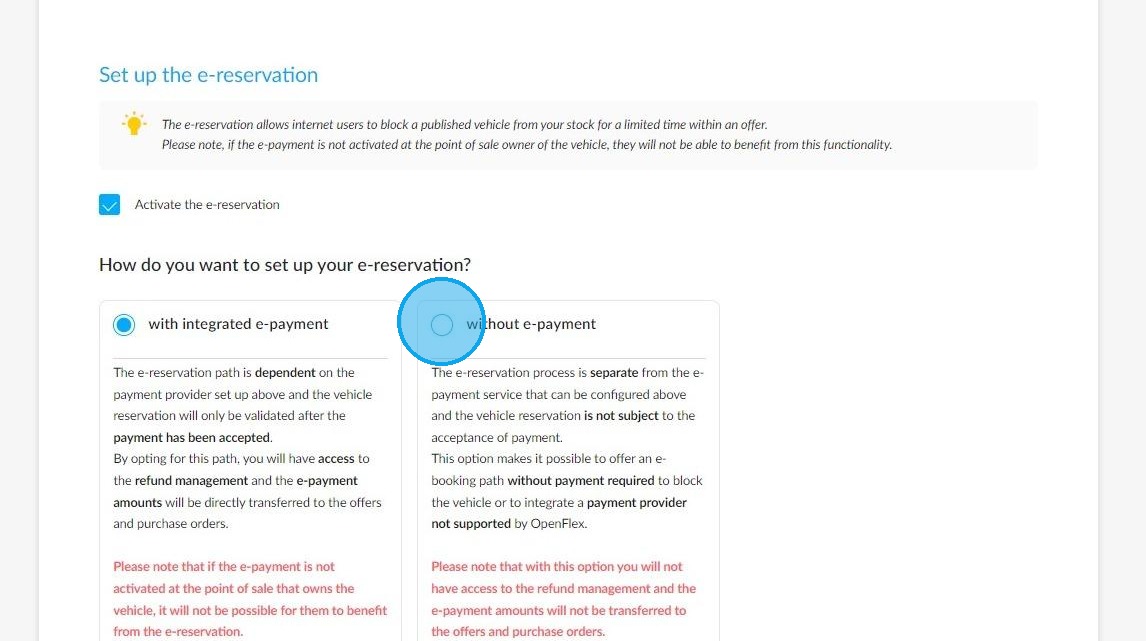
Reminder: Online reservations allow users to book a vehicle for a limited time. The conditions that you configure in the next stages will apply to your entire group.
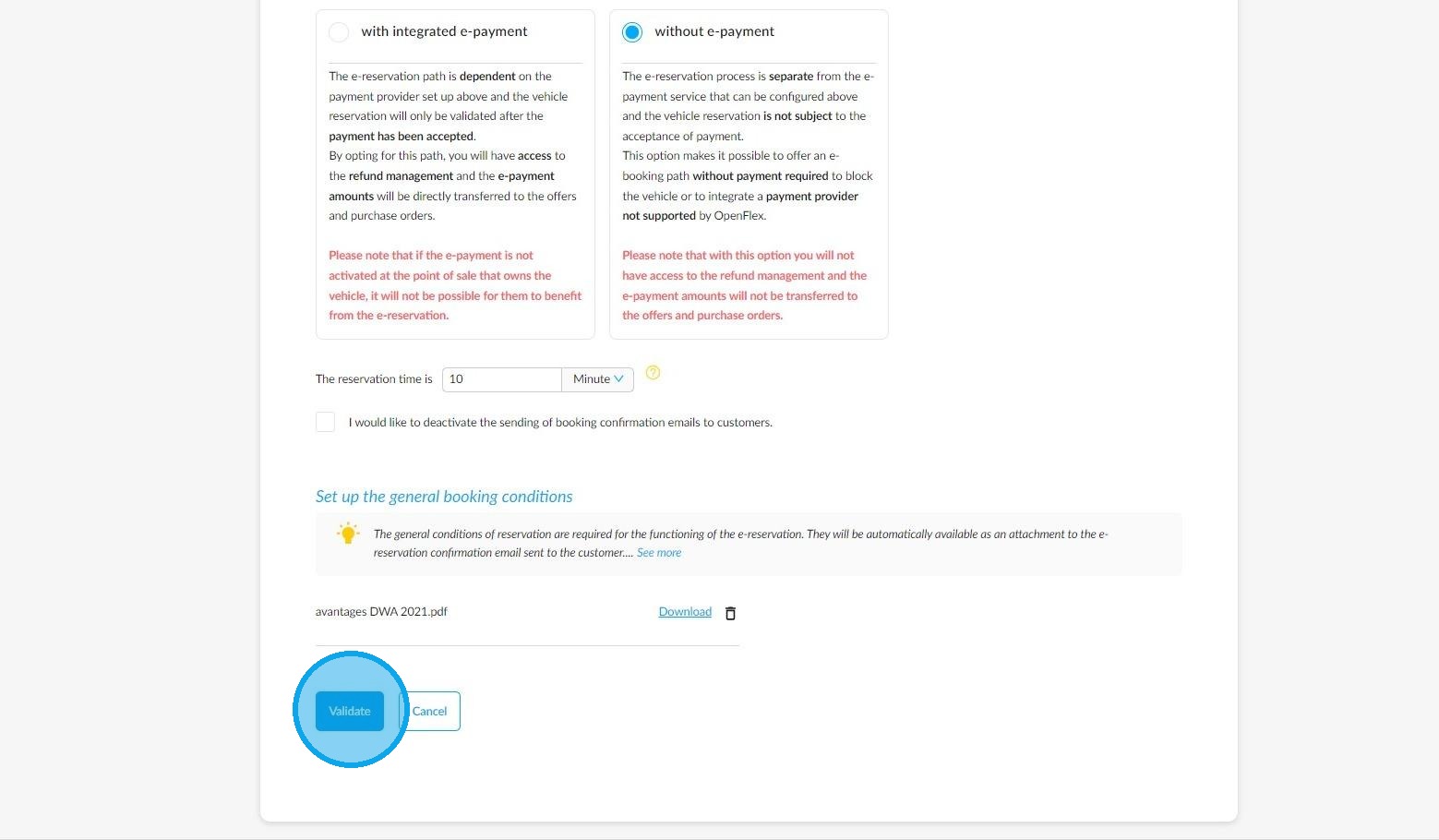
Select the option to allow reservations without requiring an online payment. This means that someone will be able to book a vehicle without having to make an online payment beforehand.
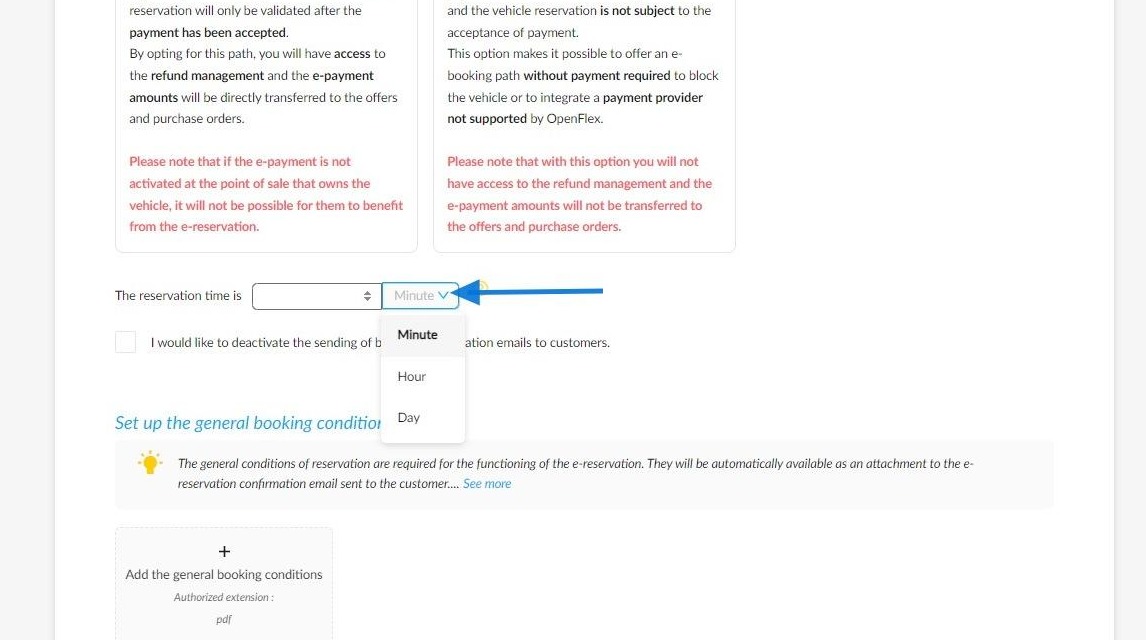
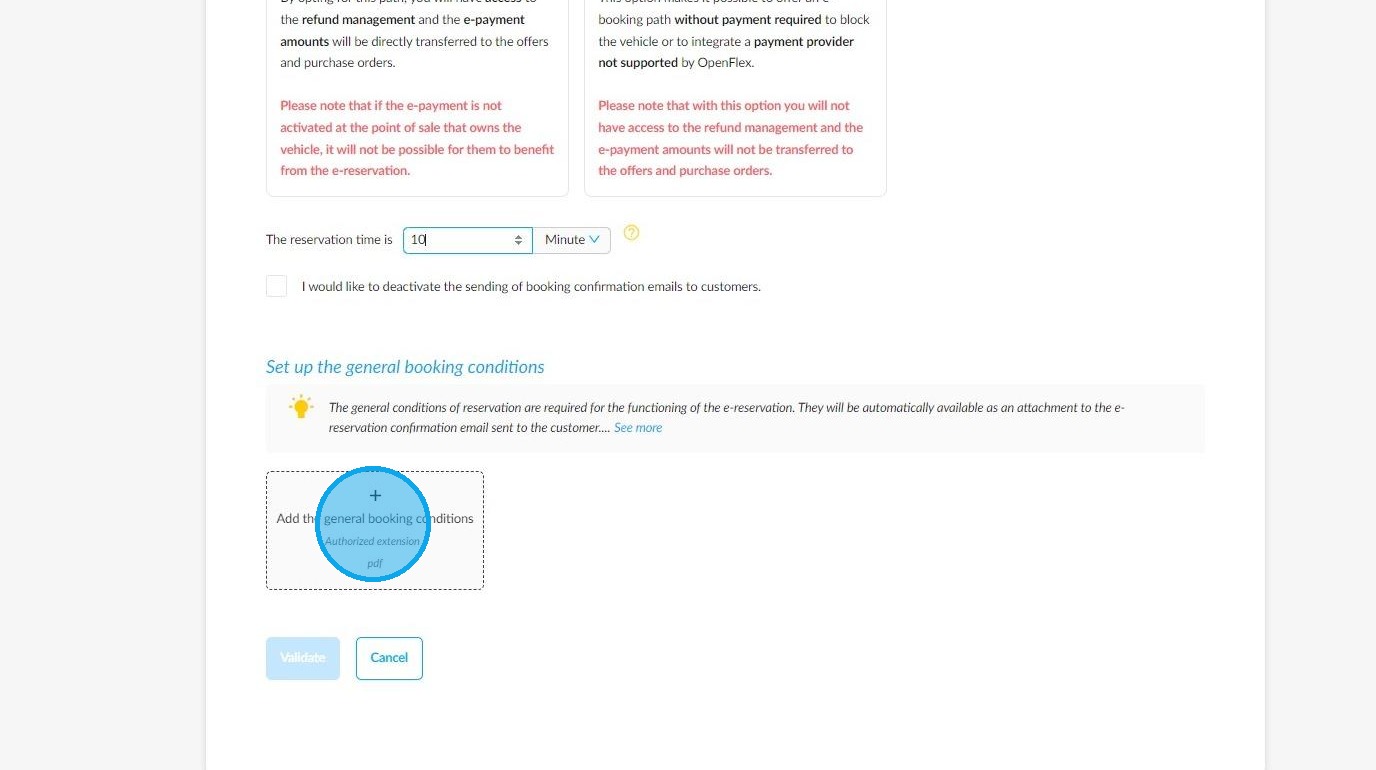
You can choose the reservation time period that suits you. You can select from several time units using the drop-down menu: 'Minute, Hour or Day'.
To complete the process, it is compulsory to upload the General Booking Conditions. To do this, click on the '+' button and select the file from your computer.
Finally, save your settings by clicking the 'Validate' button.
Comments
0 comments
Article is closed for comments.