
This guide explains how to download information on the number of paid actions performed on OpenFlex.
How to add a new group and add a user to it.
Prerequisites:
- The user must have administrator permissions to perform the described operations.
- This process must be carried out by a user who belongs to an 'Accounting' group type.
To simplify accounting, you can retrieve the number of paid actions performed on OpenFlex. First, you need a user in the 'Accounting' group.
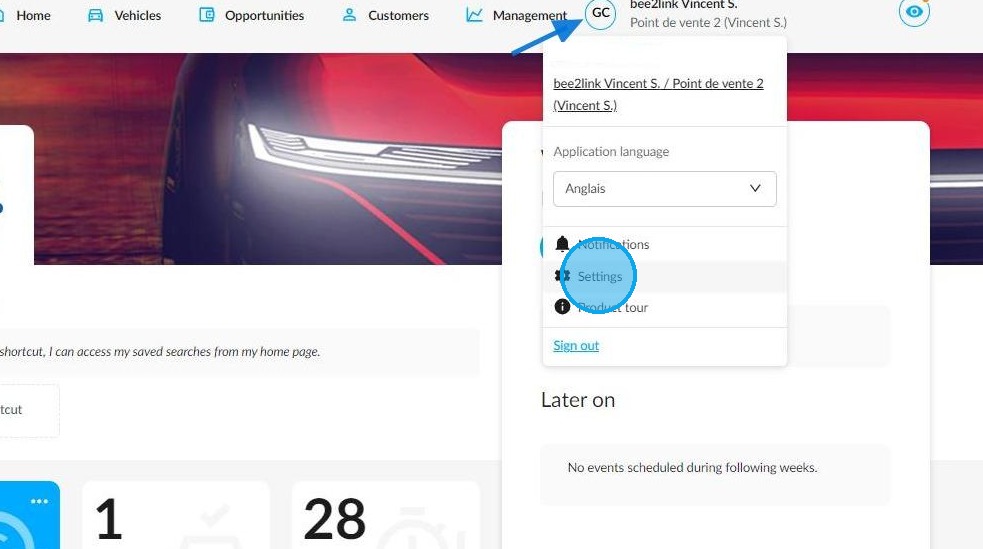
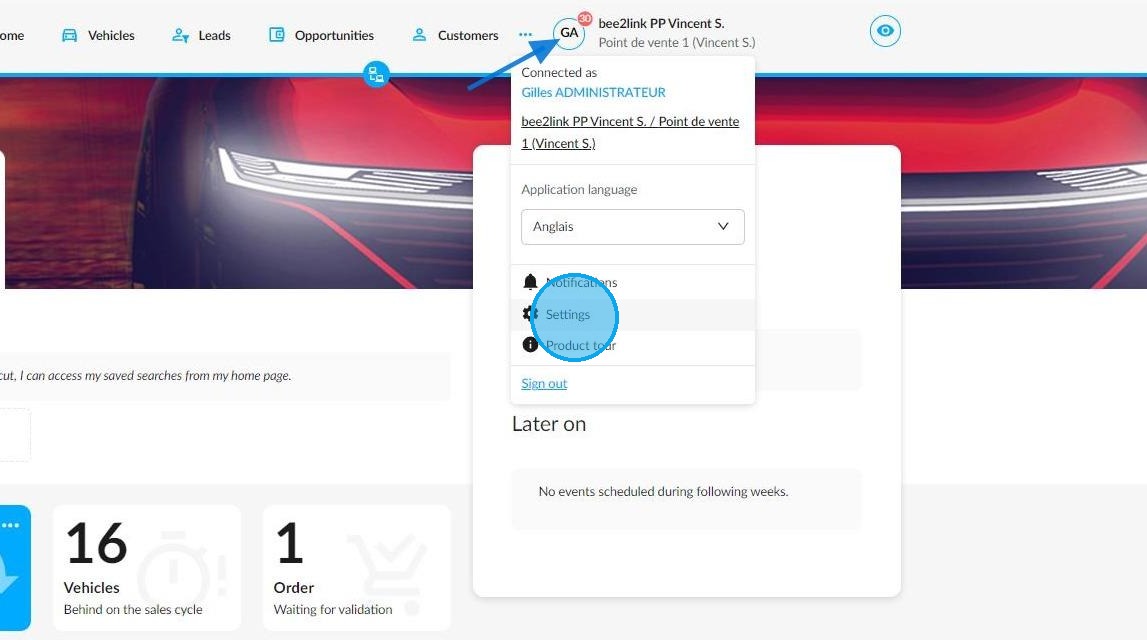
To create or add a user, first click on your initials, then select the 'Settings' menu.
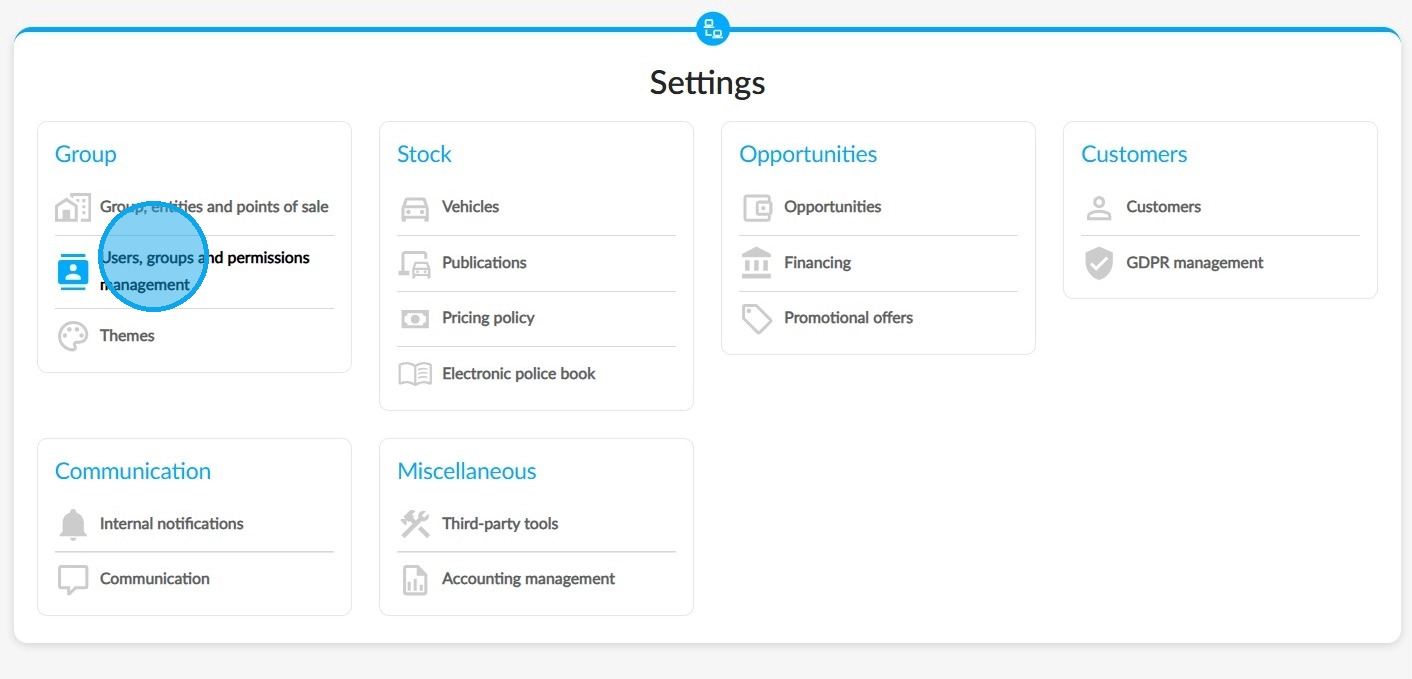
In the 'Group' category, select 'Users, Groups, and Permissions Management'.
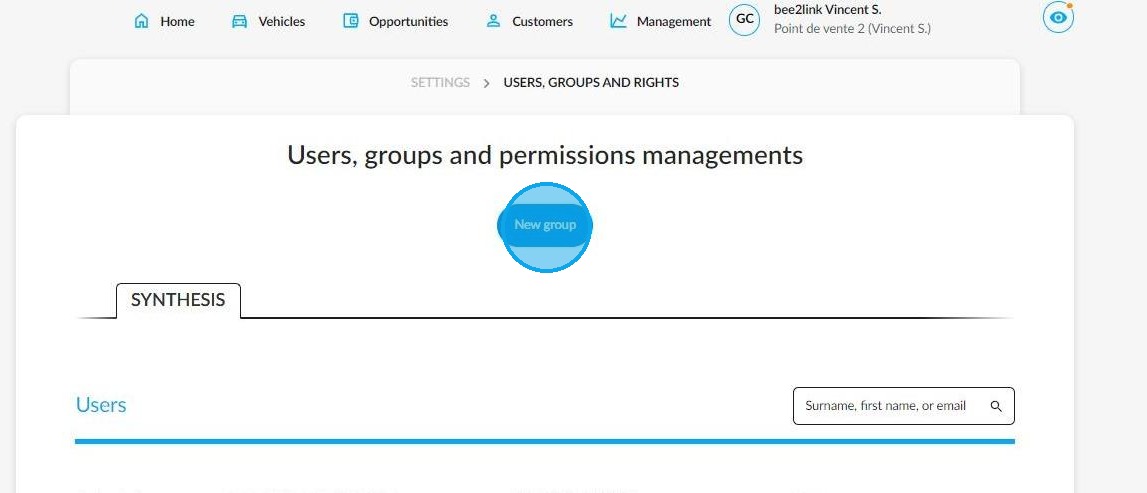
If your environment lacks an 'Accounting' group, click 'New group'. Otherwise, move on to stage 6.
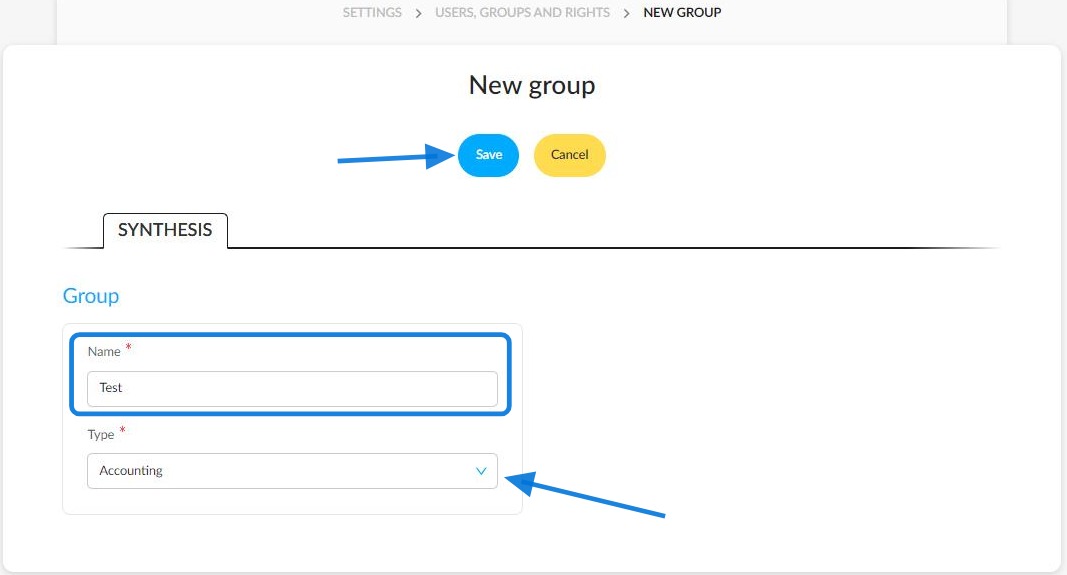
Enter the name and select the 'Accounting' type from the drop-down menu. Then save the group.
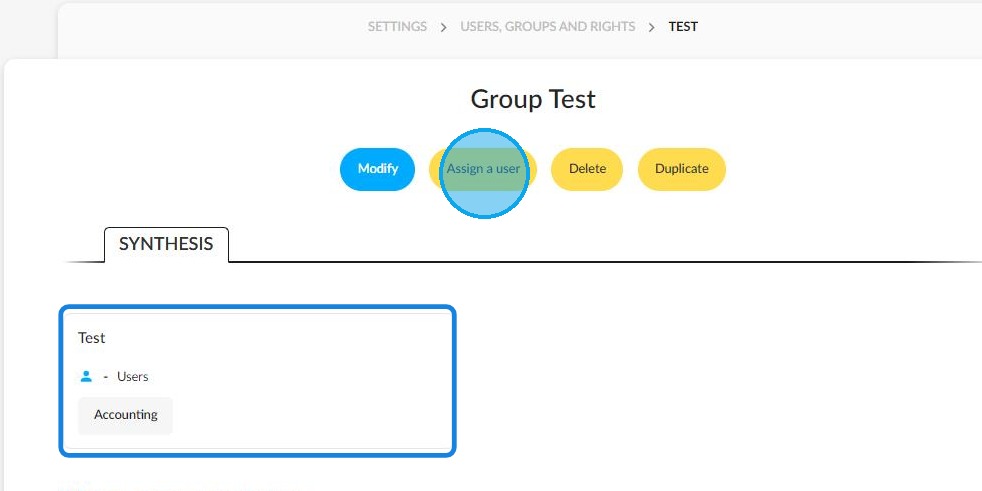
Once a group has been created, it will appear in the synthesis, along with the number of users linked to it.
Click 'Assign a user' to add a user to the group.
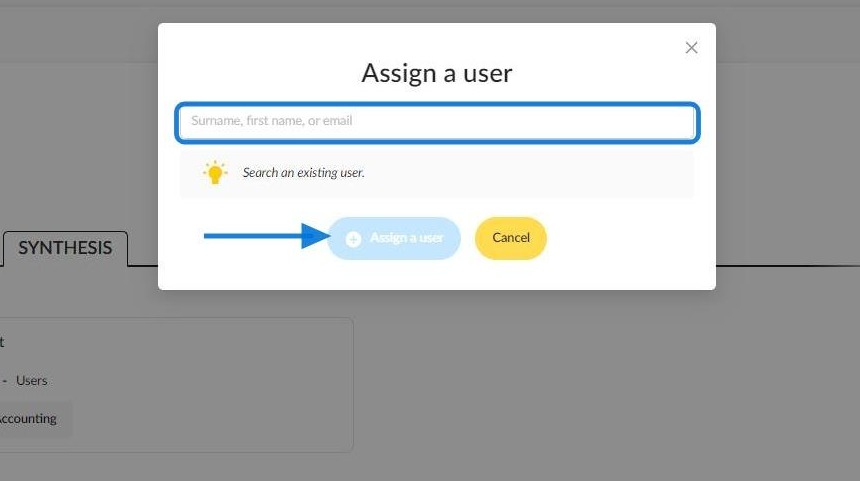
Enter the name or email address of the employee you wish to include in the accounting user group.
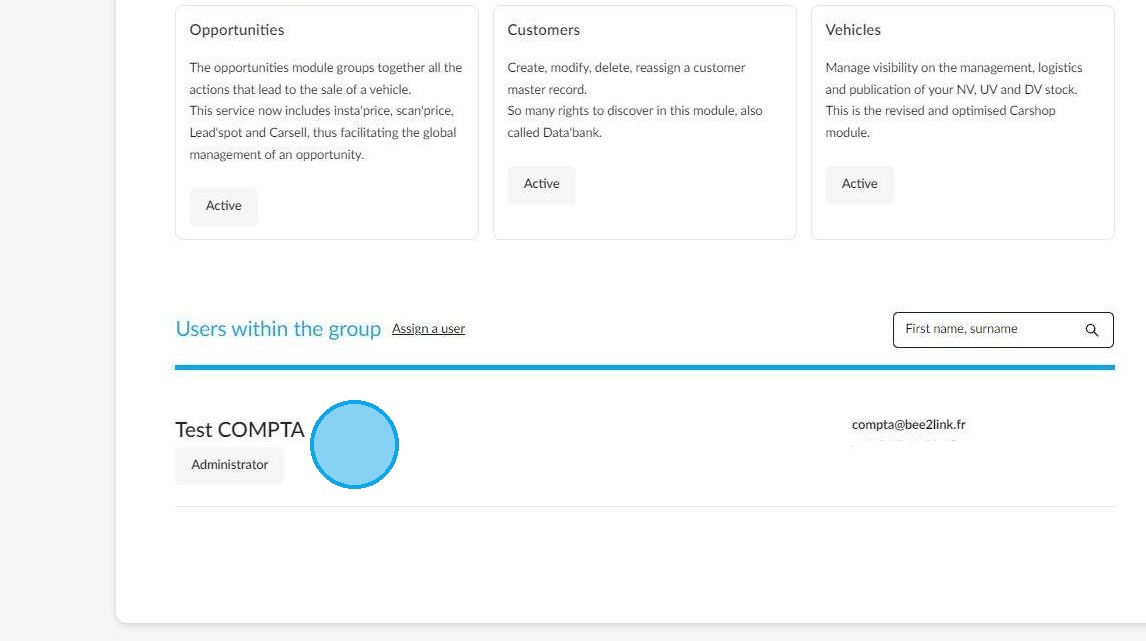
They will then appear as members of the aforementioned group.
How to extract the number of paid actions carried out.
To find out how many times charged services have been used on OpenFlex, go to the 'Settings' menu by hovering over your initials with the mouse.
Go to the 'Accounting management' settings.
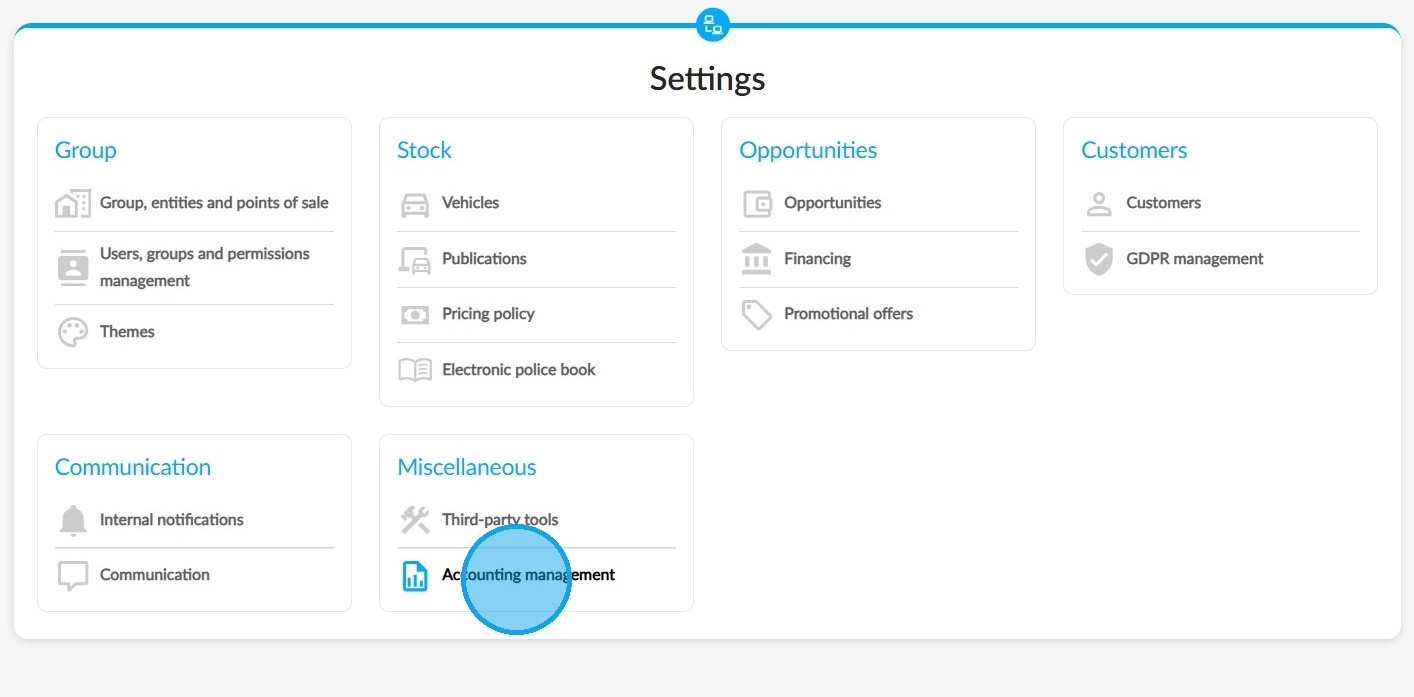
From this moment on, the page will display a summary of all the exportable files that index the number of paid actions carried out by clients based on the services they signed up for.
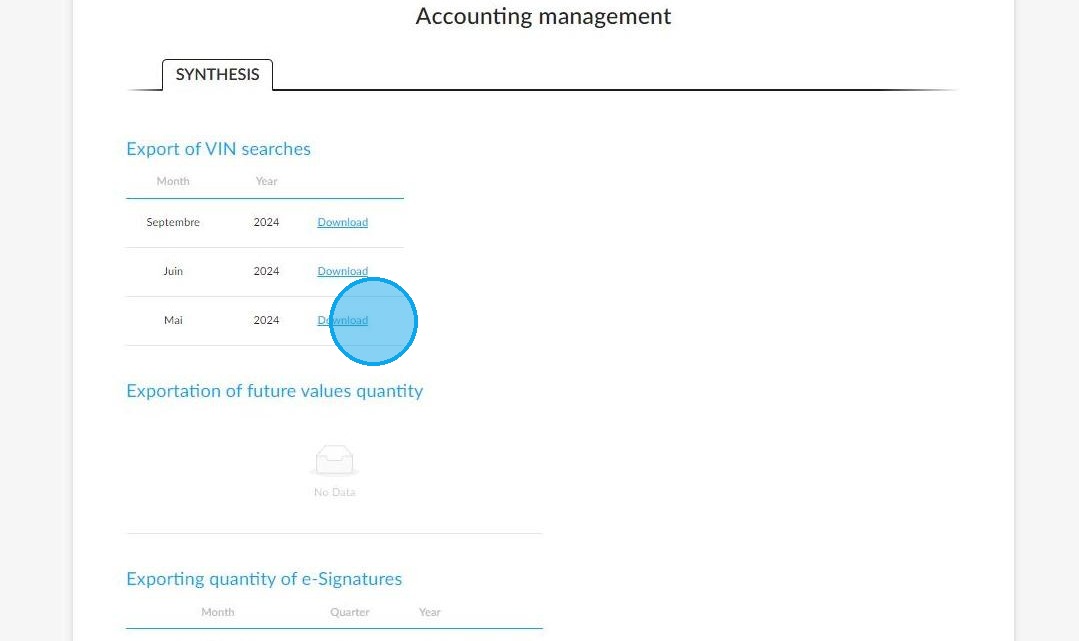
-exportation of searches by VIN;
-Exportation of searches concerning future values;
-Export of e-signature consumption.
Click on 'Download' in front of the file you are interested in.
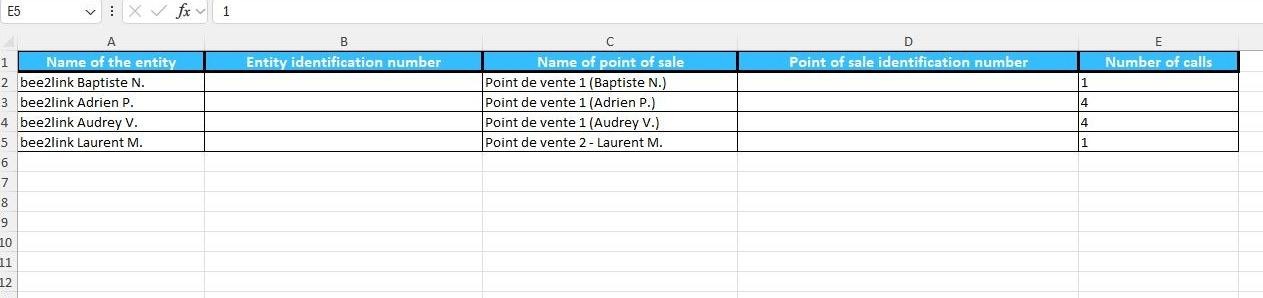
The result will be presented in the form of an Excel table.
Comments
0 comments
Article is closed for comments.