
Find out how to create a user. You must have account management rights.
Prerequisites: To create a new user, you need administrator rights and the right to manage accounts.
1. As a personnel manager, you will be responsible for creating users from start to finish.
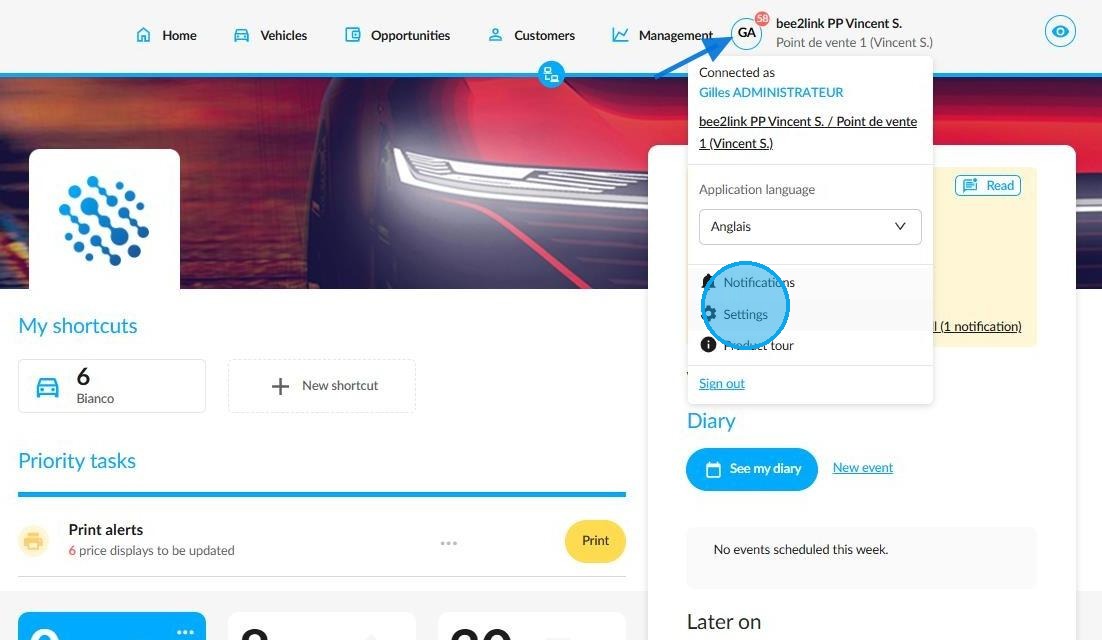
To do this, click on your initials and go to 'Settings'.
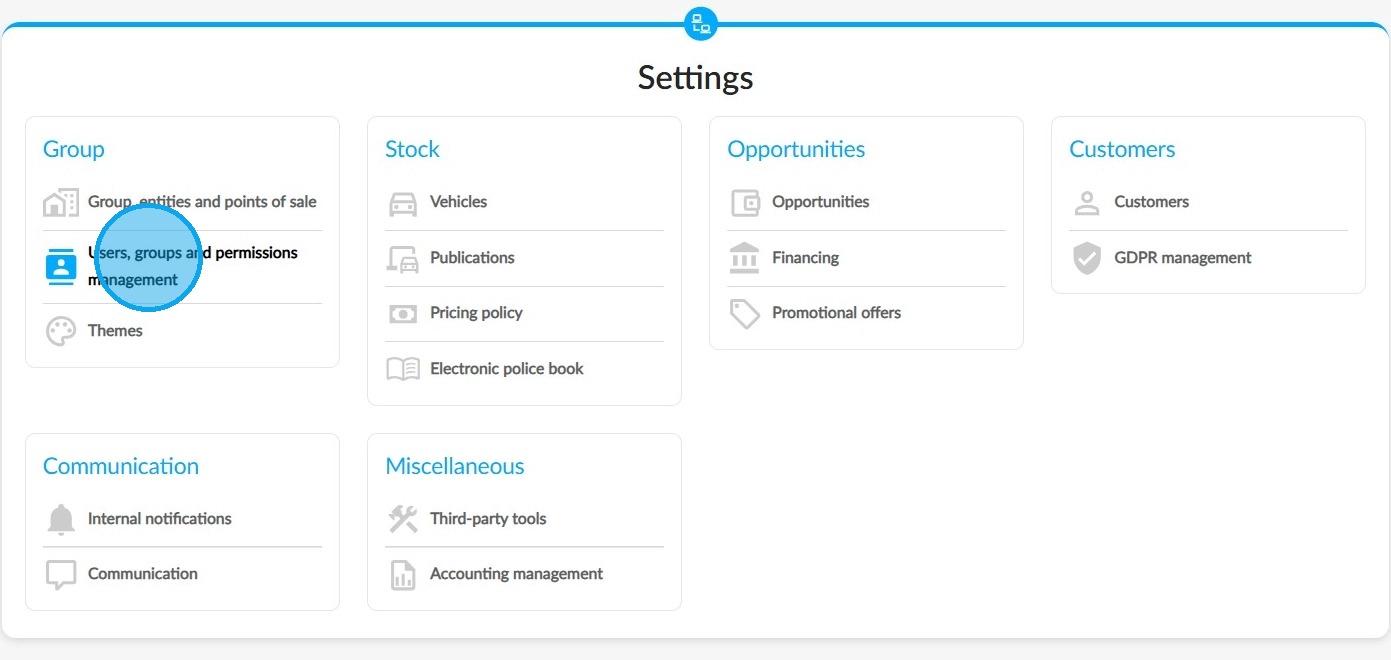
2. Select the 'Users, groups and permissions management' settings. These can be found under the 'Group' heading.
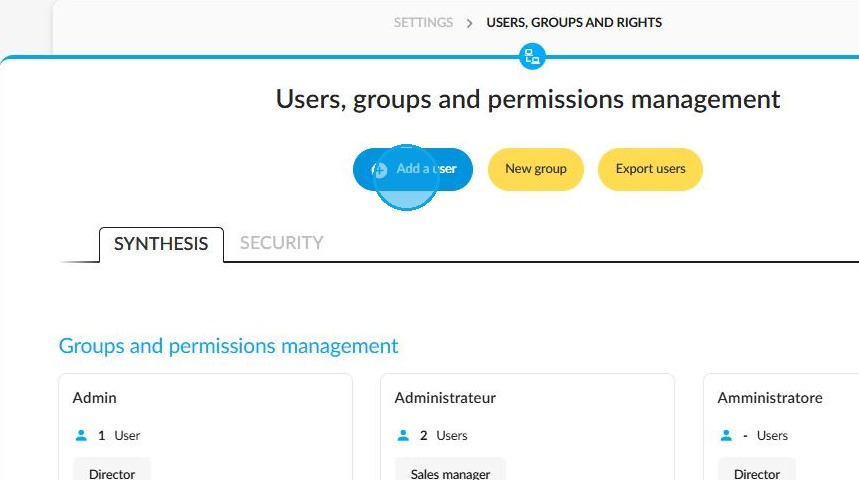
3. On the 'Users, groups and permissions management' menu page, there is a button to 'Add a user' at the top.
OpenFlex homepage / Initials / Settings / Users, groups and permissions management
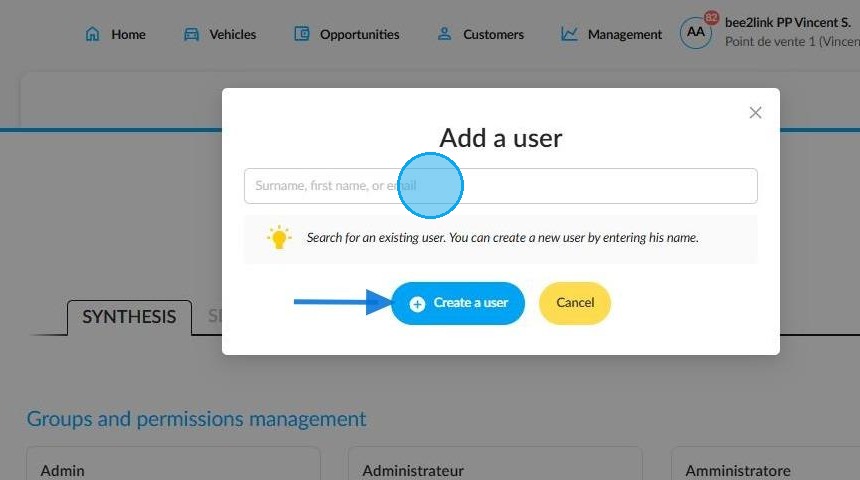
4. Depending on the context, there are two options available to you:
-If you would like to add a new employee, enter their name and click on the 'Create a user' button.
-Alternatively, if you want to add an employee who already has an account registered with another entity in the group, enter their name.
5. A new window will open where you can enter the user's personal details. Mandatory fields are marked with a red asterisk.
Special case: When linking the account of an employee who is already working within the group, that employee’s username and contact details will be retained.
This means that the employee will be able to access different entities within the group using the same username and password.
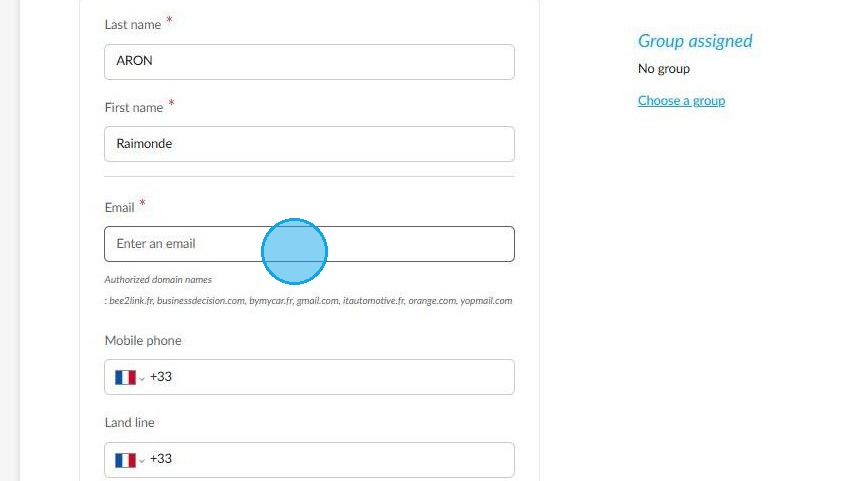
6. Next, specify the entity or entities and the points of sale to which the user will be assigned.
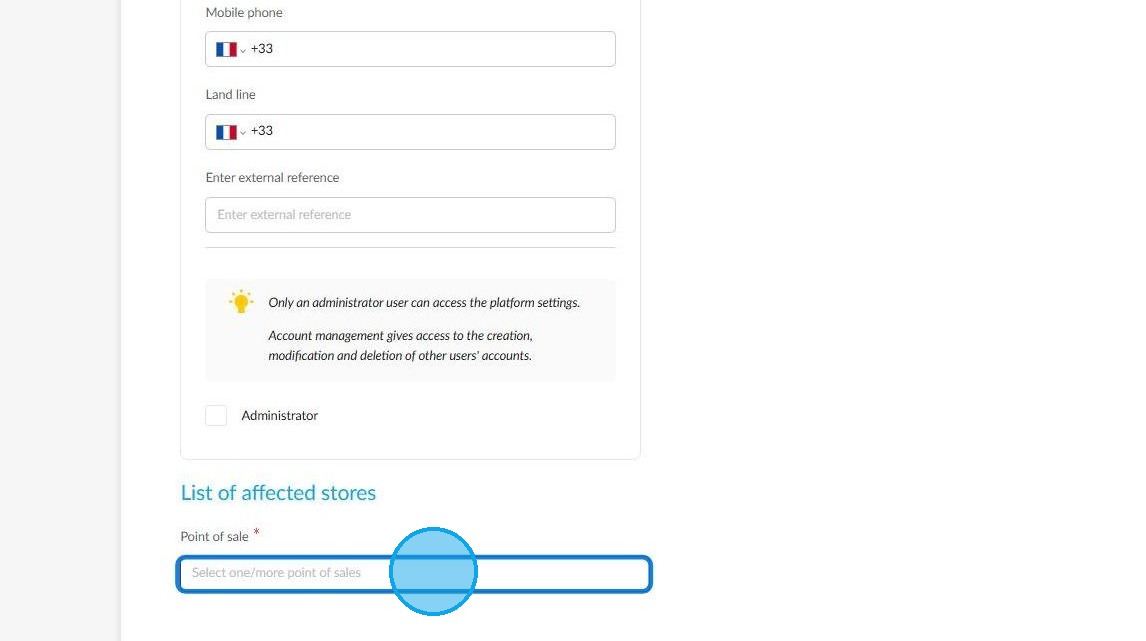
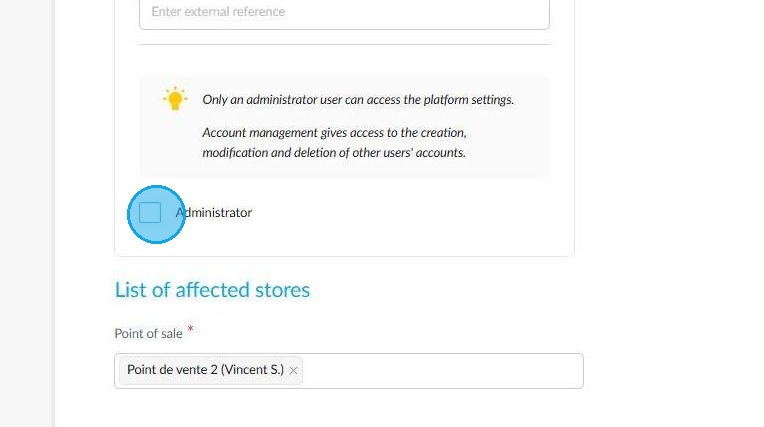
7. If you are creating an administrator profile, tick the relevant box.
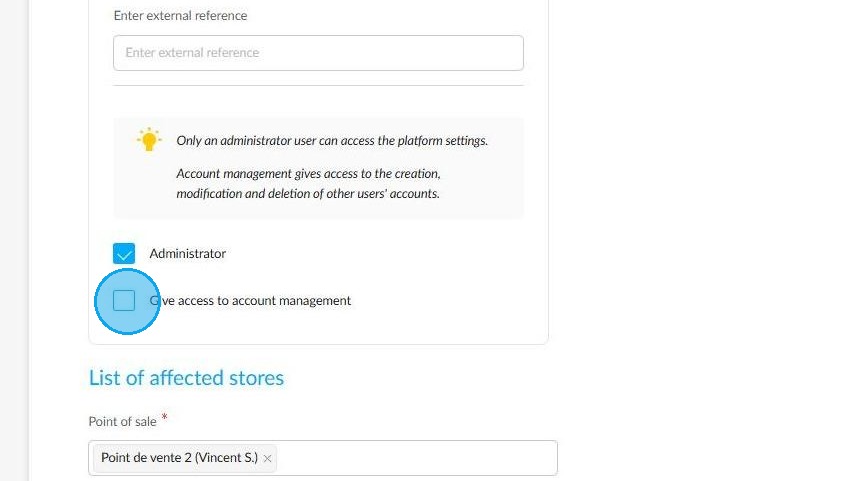
8. Once the box that grants administrator rights has been ticked, another box will appear to grant the new user account management rights. Tick this box if you wish.
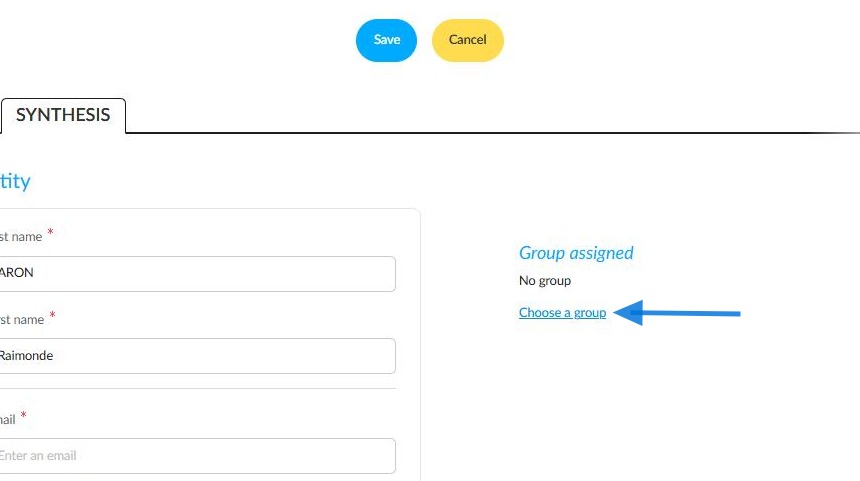
9. Next, choose which group to assign to the user you have just created. To do this, click ‘Choose a group’.
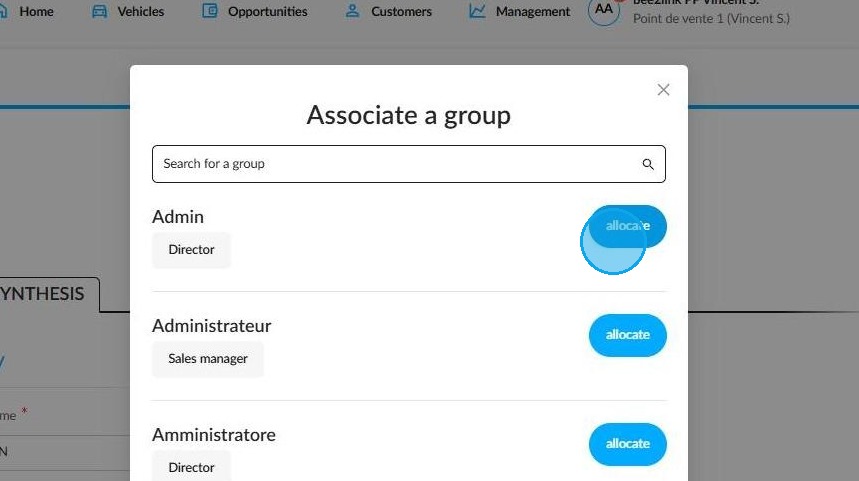
10. A window will then appear where you can select the desired group. Click on 'Allocate' next to the relevant group.
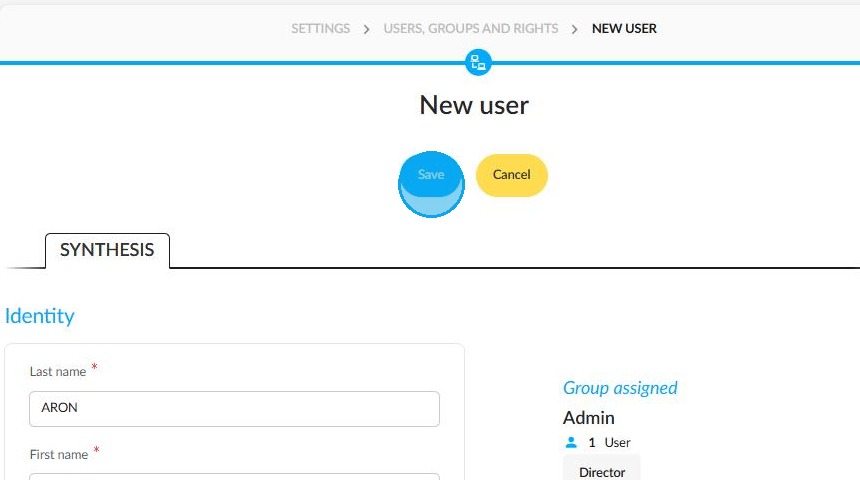
11. When you have finished this procedure, Save it using the button at the top of the page.
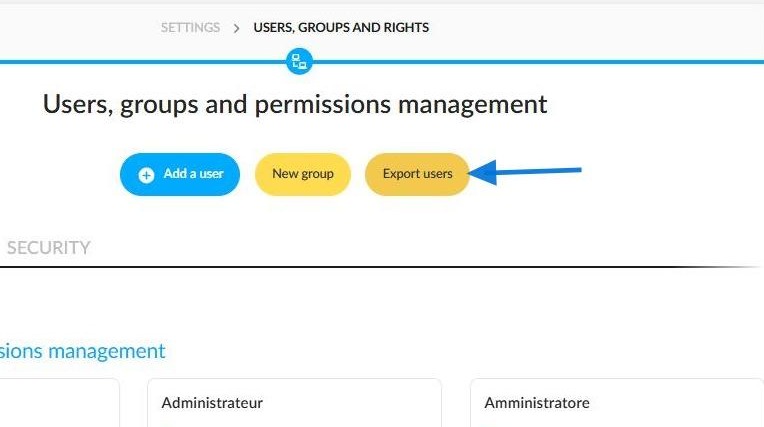
12. To make monitoring and managing staff easier, the user list can be exported.
Comments
0 comments
Article is closed for comments.