
Find out how to set up OpenFlex to automatically generate credit simulations on the platform for your DVs and UVs for individuals.
Prerequisite: You must have administrator rights on the platform to set up financing simulations.
Setting up financing simulations.
As financing becomes increasingly important, we have implemented a tool that allows you to perform general simulations of financing offers for DV/UV stocks intended for individuals with traditional loans.
This tool only works with local funding. Financial interfaces (CETELEM, CGI, and DIAC) are not included in this scope.
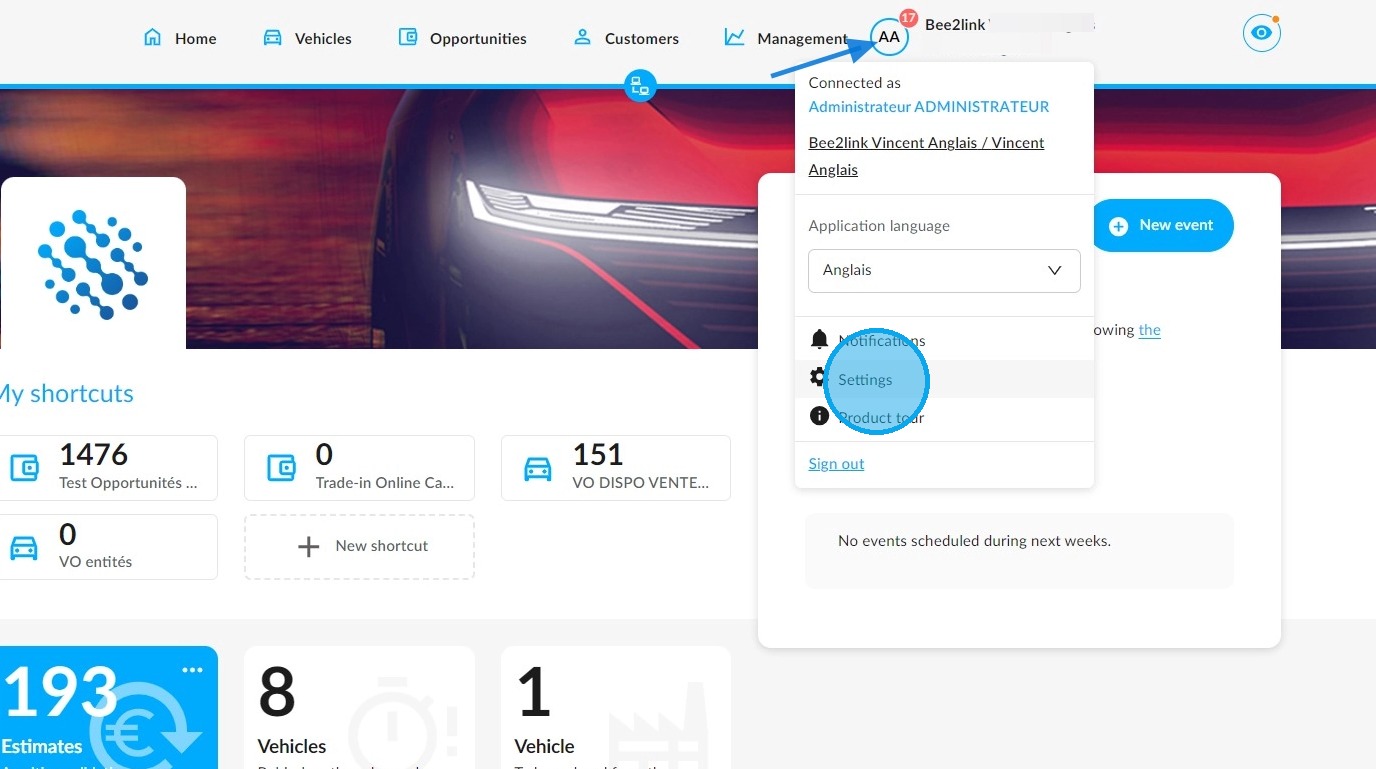
You can configure financing simulations in the OpenFlex module administration. Click on your initials in the top right corner of the screen to access the settings.
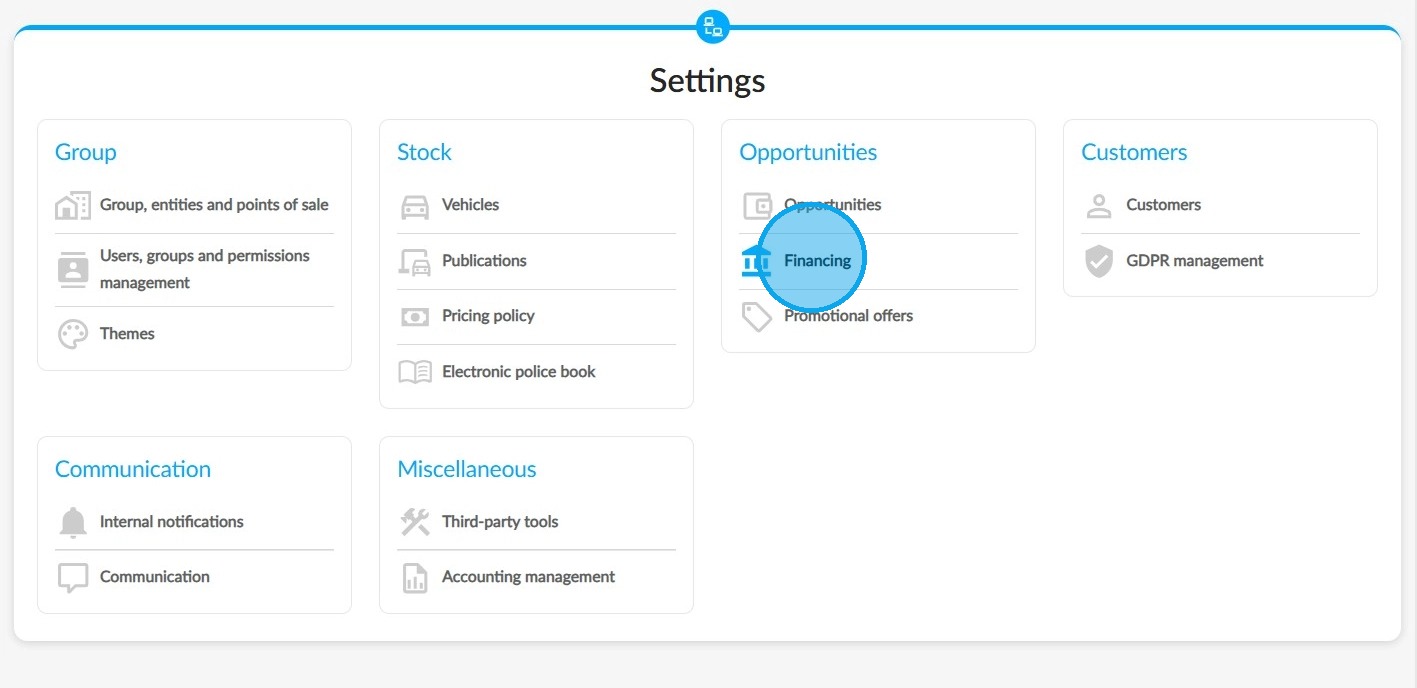
Please enter the financing settings in the designated section for opportunities.
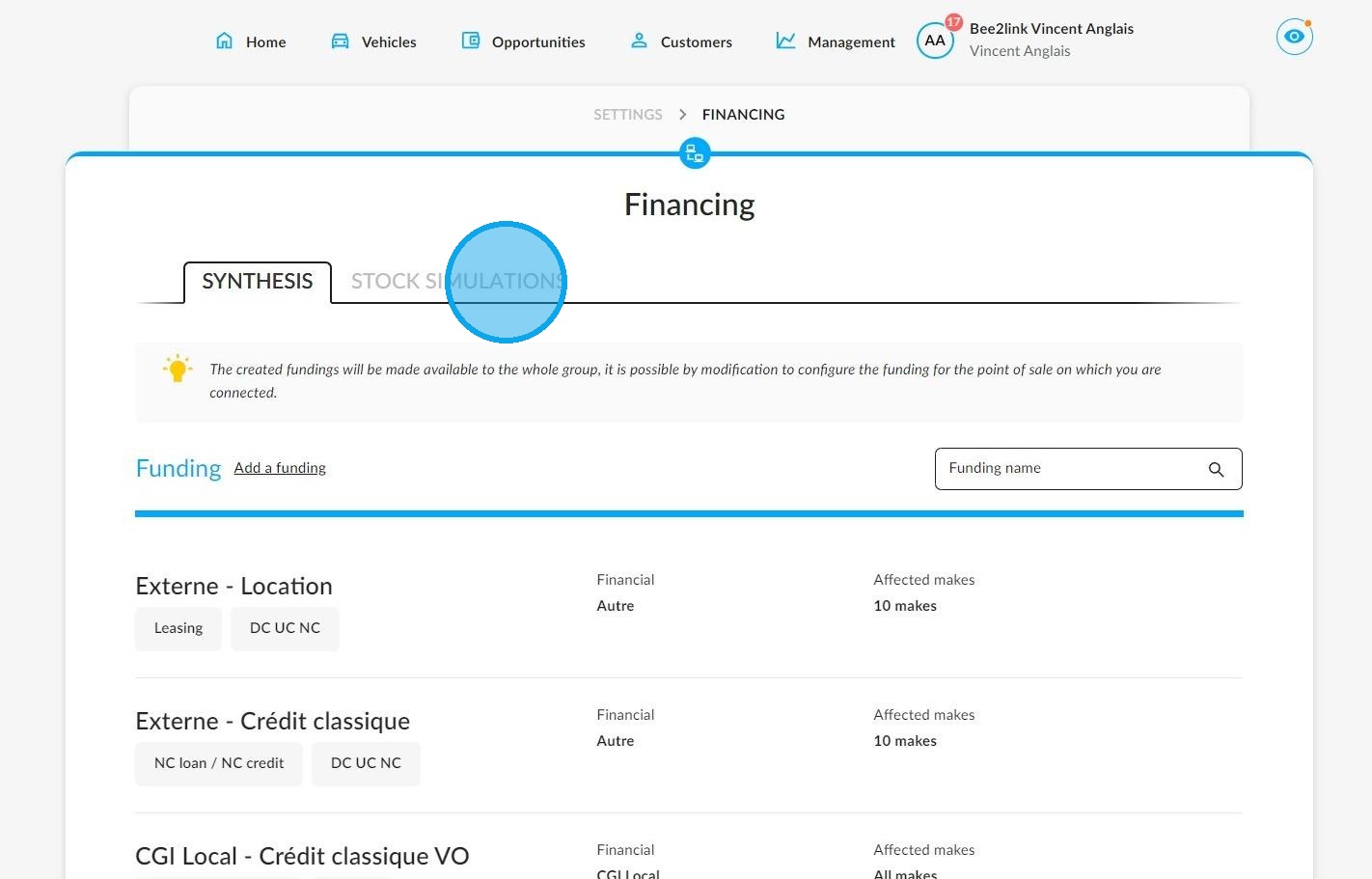
Then select the "Stock simulations" tab:
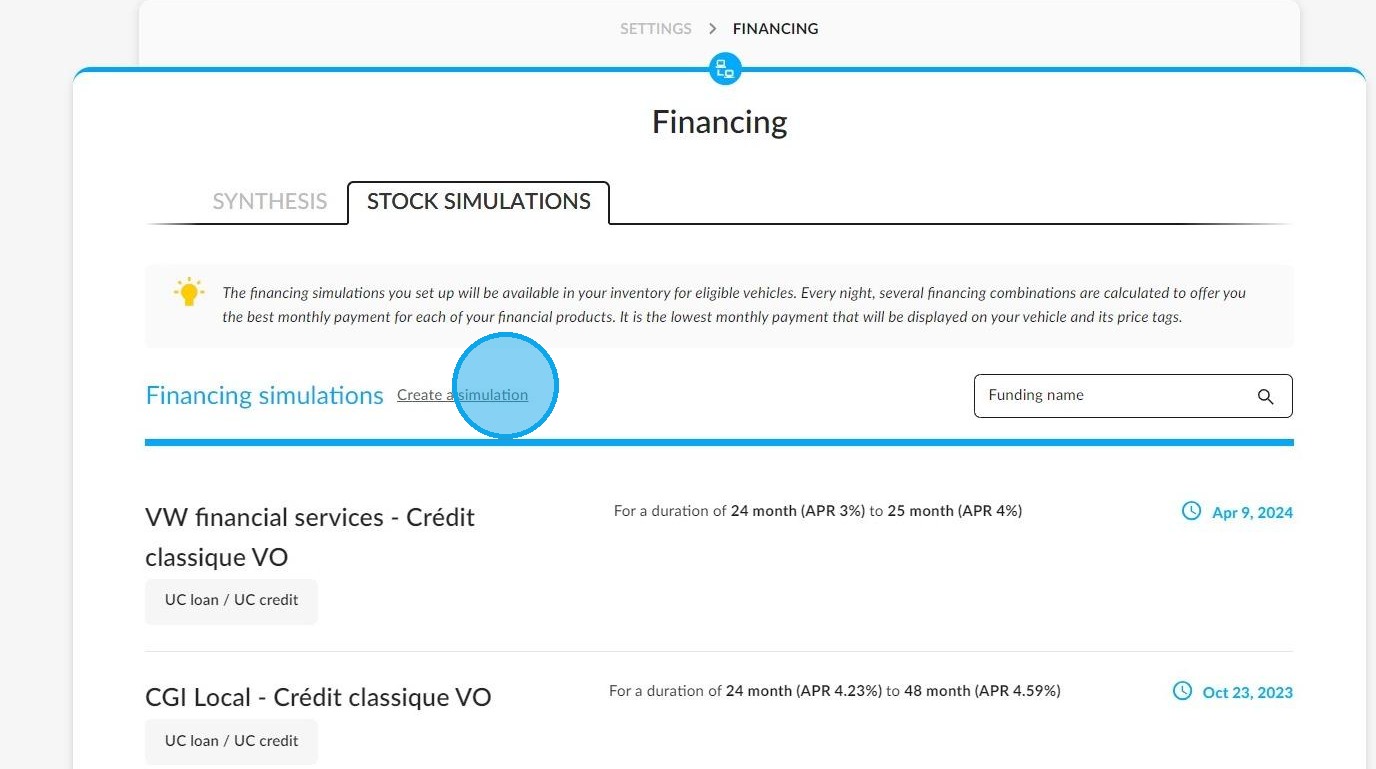
To create a financing simulation, click on the relevant button.
Generalised financing simulations are available only for "Standard Loan" financial products for demonstration and used cars intended for private individuals.
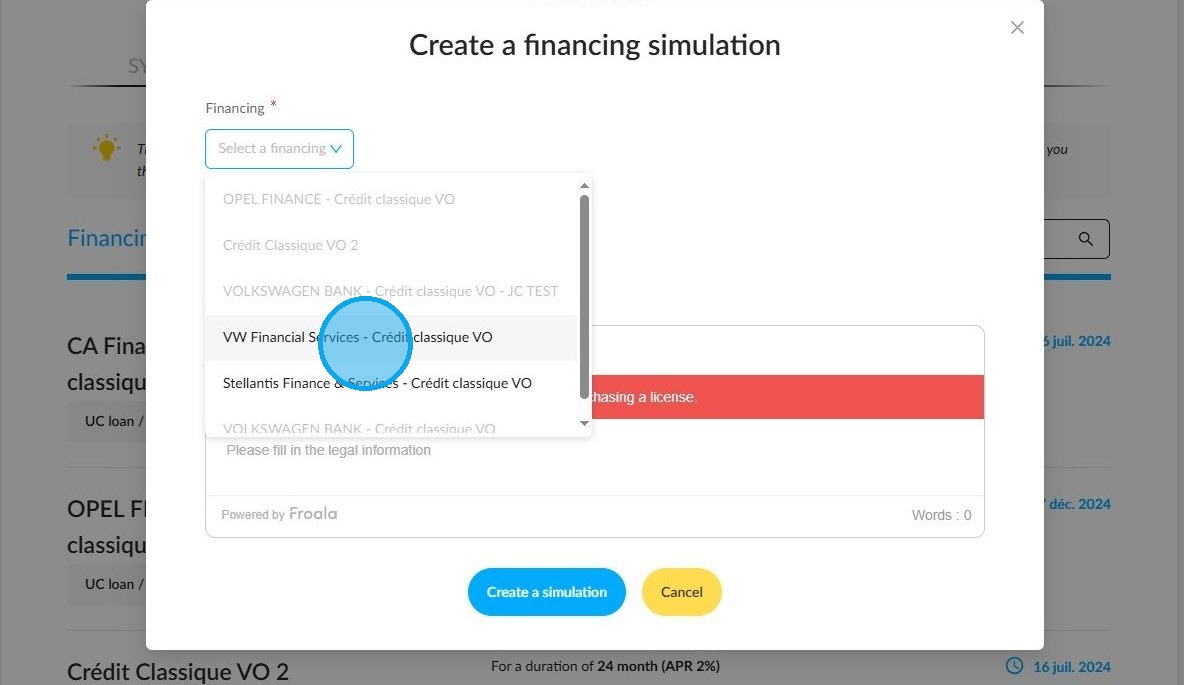
Once you have chosen this type of financing, enter the information required to produce a simulation:
- Financing duration (from 12 to 85 months)
- The % of the APR
- The % of the fixed borrowing rate
- Administrative fees
- The possible inclusion of administrative fees in the amount financed (in line with the practice of certain countries).
- Legal notices of the financing
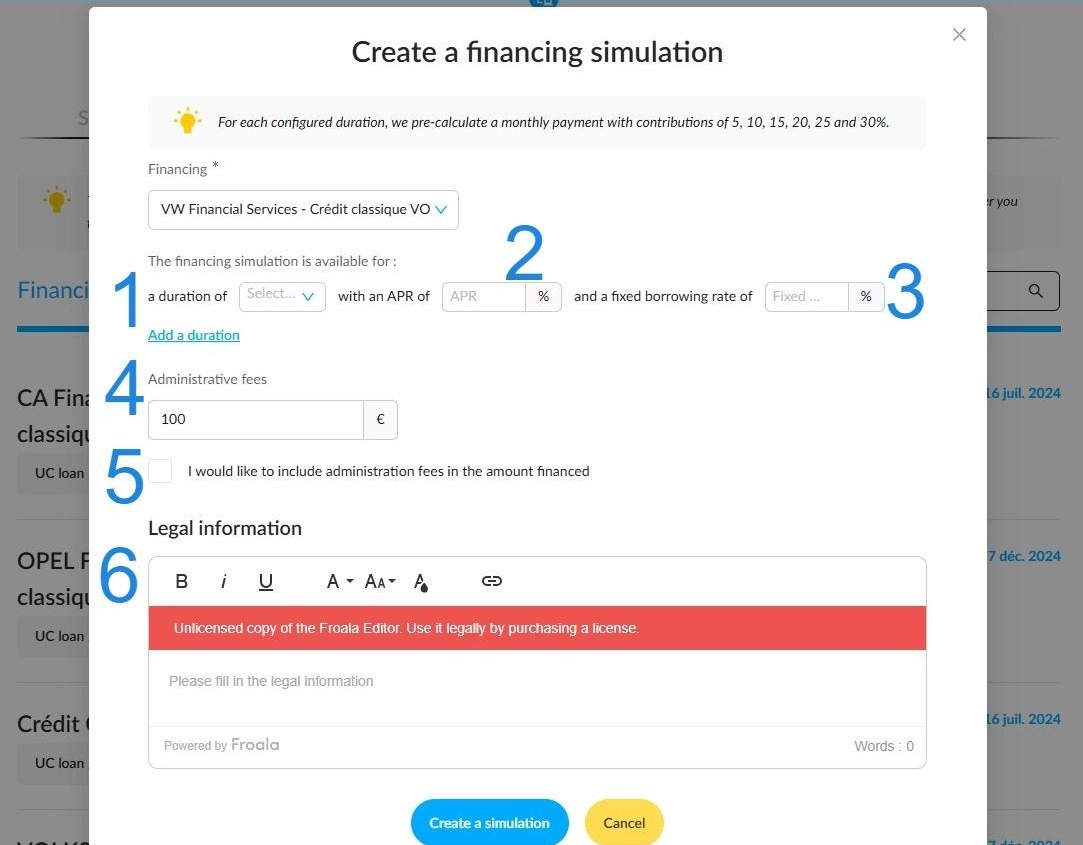
You can enter different financing durations and conditions as required to generate more relevant simulation results.
Once the financing criteria have been set up, click on the 'Create a simulation' button.
The new financing simulations that you added to the settings will be taken into account when generating simulations on all DV/UV stocks intended for individuals on the evening following their addition to OpenFlex.
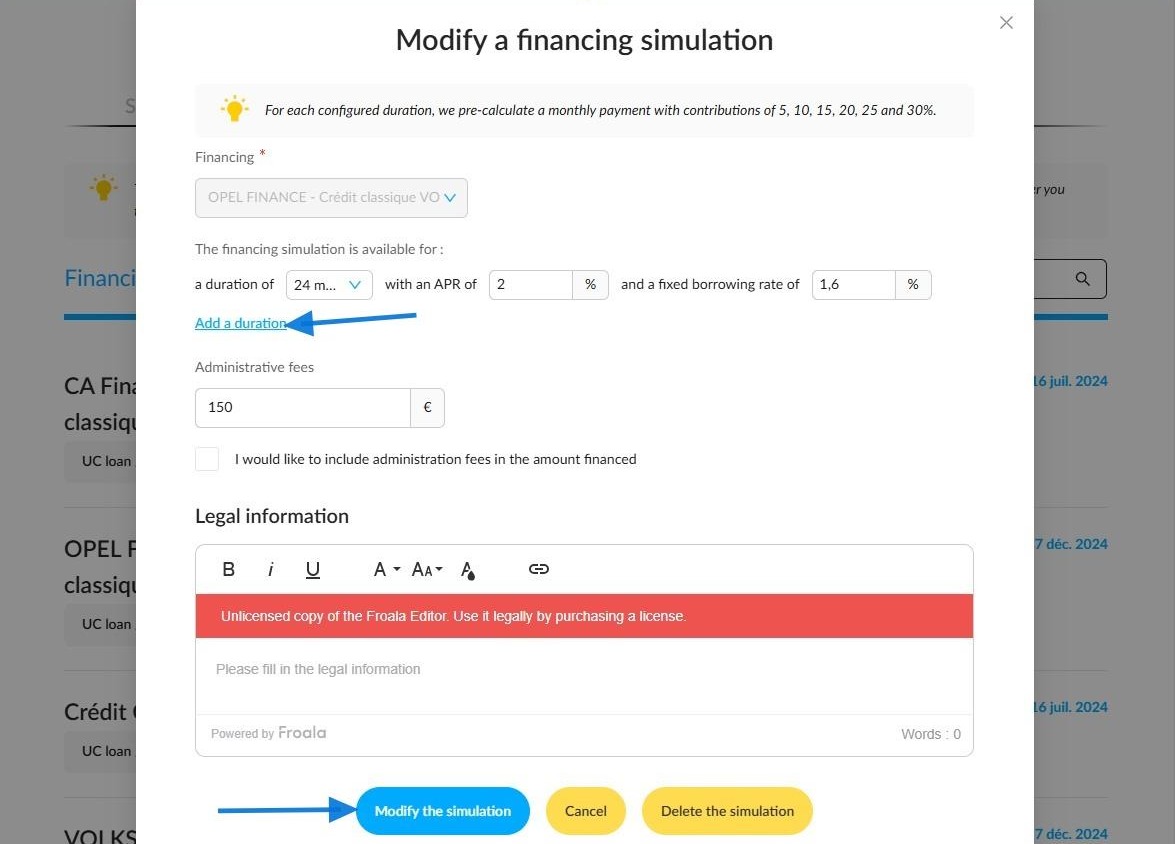
Reminders:
-The financing simulations that you set up are available for eligible cars.
-Several financing combinations are calculated every evening to offer the best monthly instalment.
-If you do not intervene, the lowest monthly instalment will be displayed automatically on vehicle sheets, in stock tables and on price displays.
-You can change and adapt the simulations as you wish. Customised simulations can be saved as financing offers to be highlighted.
-The displayed monthly instalment will not include insurance or ancillary service costs.
Updating simulations following a change of rate.
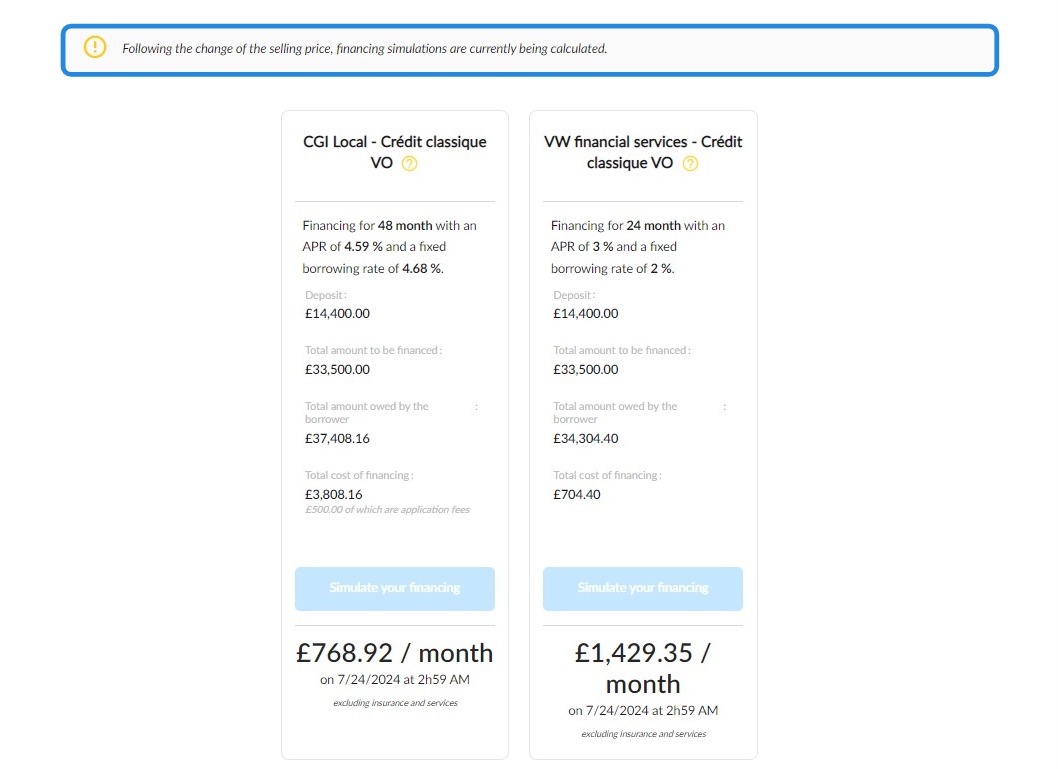
If a user makes changes that affect vehicle values, the financing simulations will update automatically.
It will then take 10 minutes to calculate the new price simulations on the vehicle sheets.
After this time, you will be able to print a new price display showing an up-to-date financing offer.
Depending on the type of vehicle, certain actions will trigger a new calculation of financing simulations:
NV/DV:
- Modifying catalogue price.
- Launching an automatic price calculation.
- Changing the equipment.
- Modifying discounts.
UV:
- Changing the selling price.
Example:
Comments
0 comments
Article is closed for comments.